c921199.R00_EN.pdf - 第35页
1-15 1 Handling 4.2 Adjusting on the station T he following describes how to set up tape feed pitch with a set-up station on mac hine or an Offline setup station, LED indications of stations and error indications. 1 Set …
1-14
1
Handling
4. Adjusting the tape feed pitch
4.1 Adjusting on the mounter
1
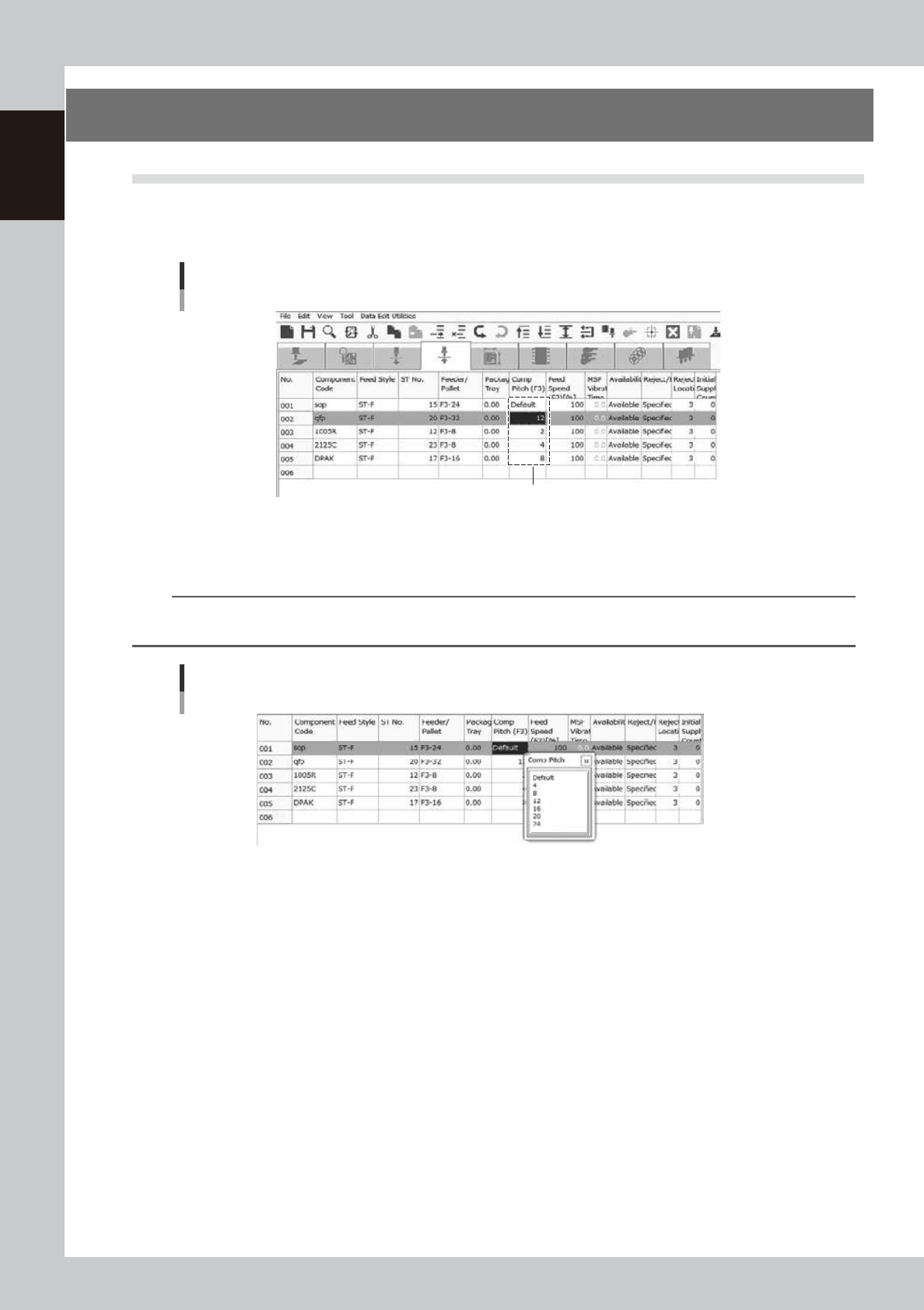
Open the pickup data screen.
Select a feeder to adjust the tape feed pitch.
Pickup data screen
Select here
64102-F3-00
2
Set the tape feed pitch.
Right click a mouse and select a feed pitch in the menu.
TIP
The feeder works with the pitch individuallly set by setup station on a machine or an offline setup station when
"Default" is selected.
Adjusting the tape feed pitch
64103-F3-00
1-15
1
Handling
4.2 Adjusting on the station
The following describes how to set up tape feed pitch with a set-up station on machine or an Offline setup
station, LED indications of stations and error indications.
1
Set the feeder.
Refer to ”3.1.2 Setting to a station” for setup of the feeder.
2
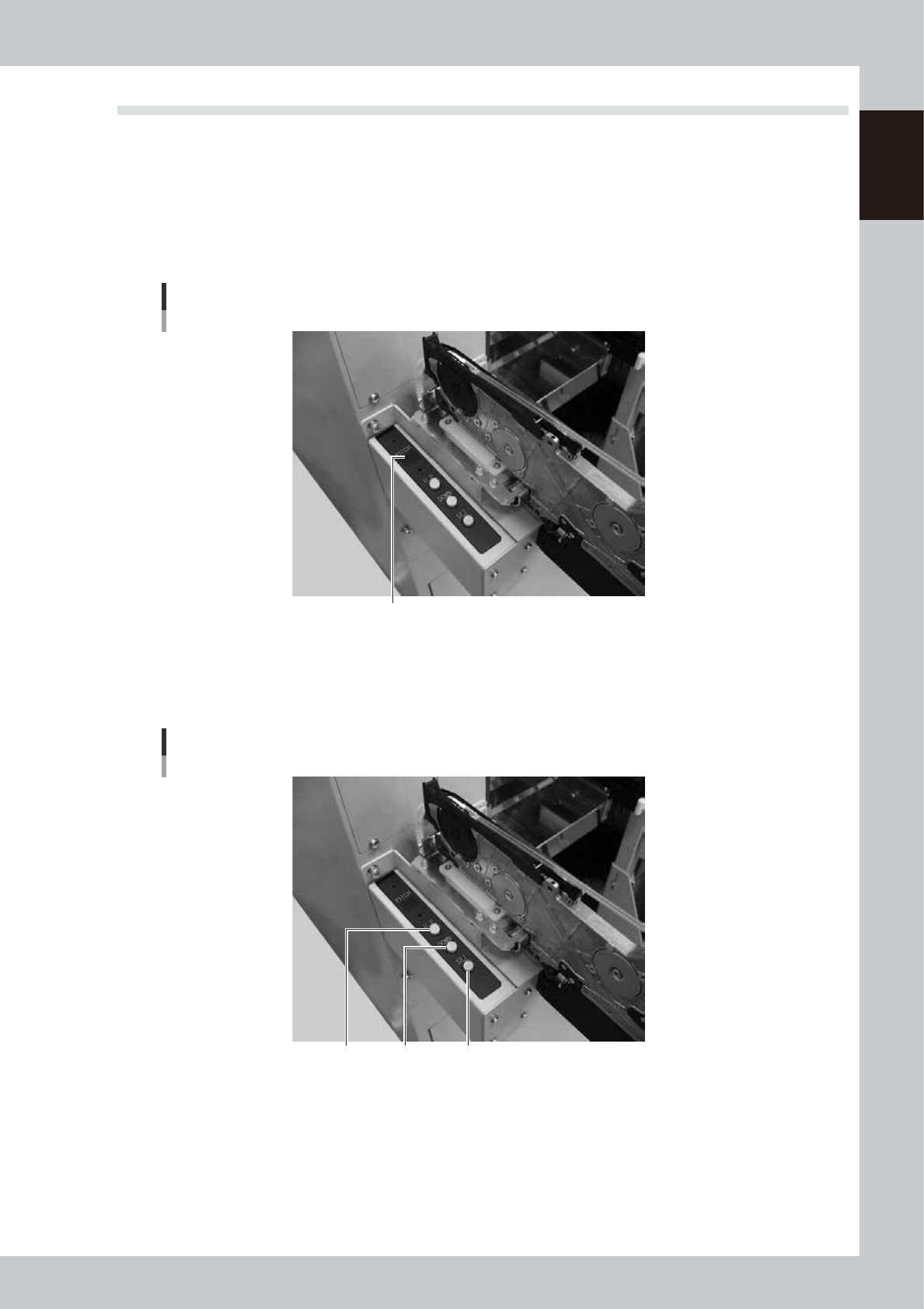
Check the tape feed pitch of the feeder.
Check the pitch indicated on the display.
Checking the tape feed pitch
Display
63114-9L-00
3
Set the tape feed pitch.
Press the ”UP” or ”DOWN” button to adjust the feed pitch appropriate for the installed components and
then press the ”Set” button to enter the value.
Adjusting the tape feed pitch
“SET”“UP” “DOWN”
63115-9L-00
1-16
1
Handling
4
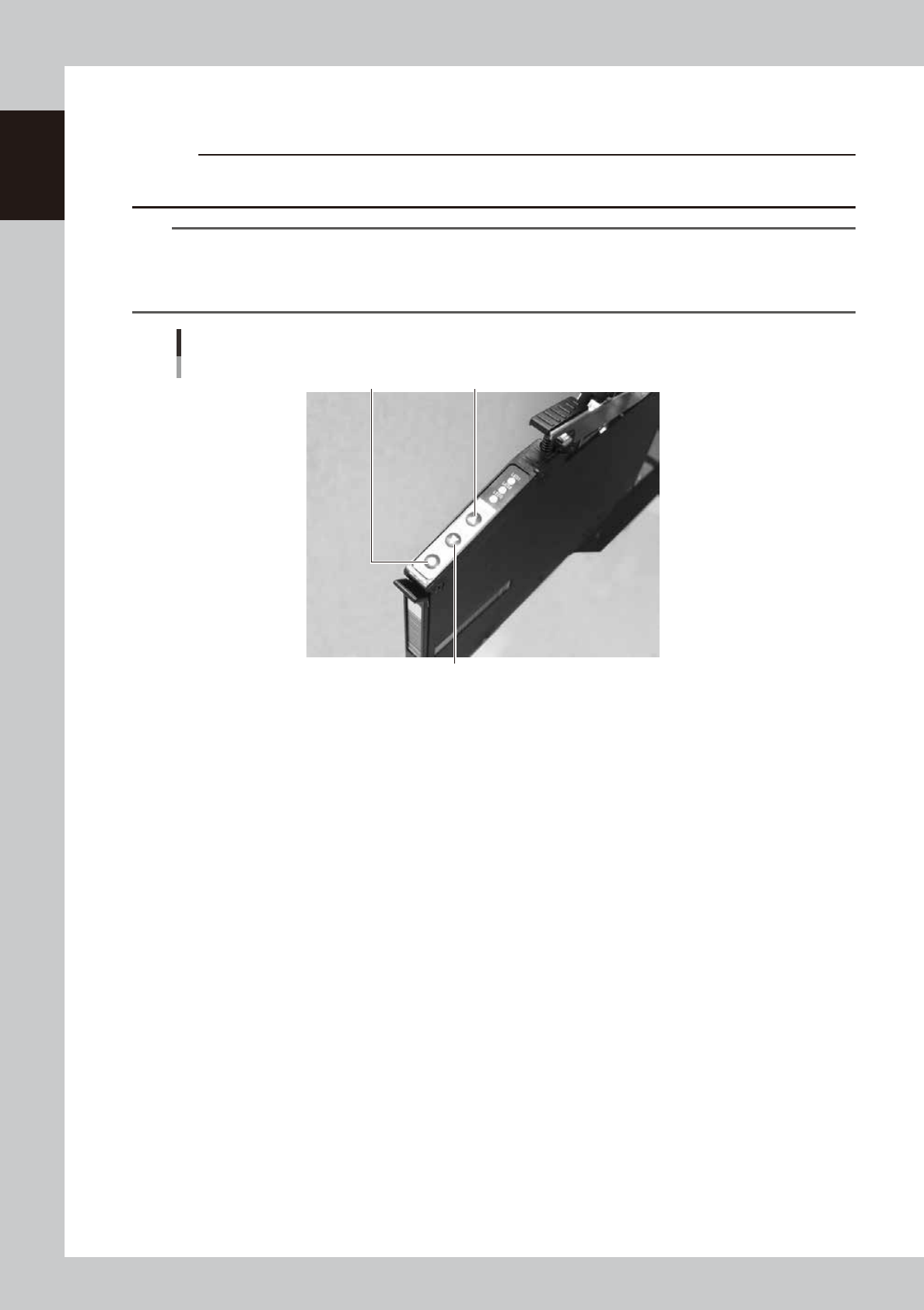
Check the tape feed pitch.
Press the ”FEED” button of the feeder and check if the tape is fed.
c
CAUTION
When feeding the components to the pickup position, do not use the [BACK] button. Always use the [FEED] button to
advance the carrier tape.
TIP
· The feed pitch when the ” FEED” or ” BACK” button of the feeder is pressed is 2 mm regardless of the feed pitch
setup.
Components are feed continually when a button is held continuously.
· The tape is fed by the feed pitch setup when the ” FUNC” and ” FEED” buttons are pressed simultaneously.
“FEED” button, “BACK” button, “FUNC” button
“BACK” button
“FEED” button“FUNC” button
63108-9L-00