444CEOM1-CM202.pdf - 第112页
Page 3-14 444C-E-OMA03-A01-03 Production Information 3-3-2 Stop Information The stop information is displayed for each factor that made machine stop during production. Y ou can also see the in-depth stop cases until now …
Page 3-13
FUNCTIONS
3
444C-E-OMA03-A01-03
3-3 Production Information
The running states of production board, pick-up, chip feeding unit, etc. are displayed.
1. Press
Performance
info
on the main menu.
• The running information screen is displayed.
∗ Pressing an information switch displays each
information screen.
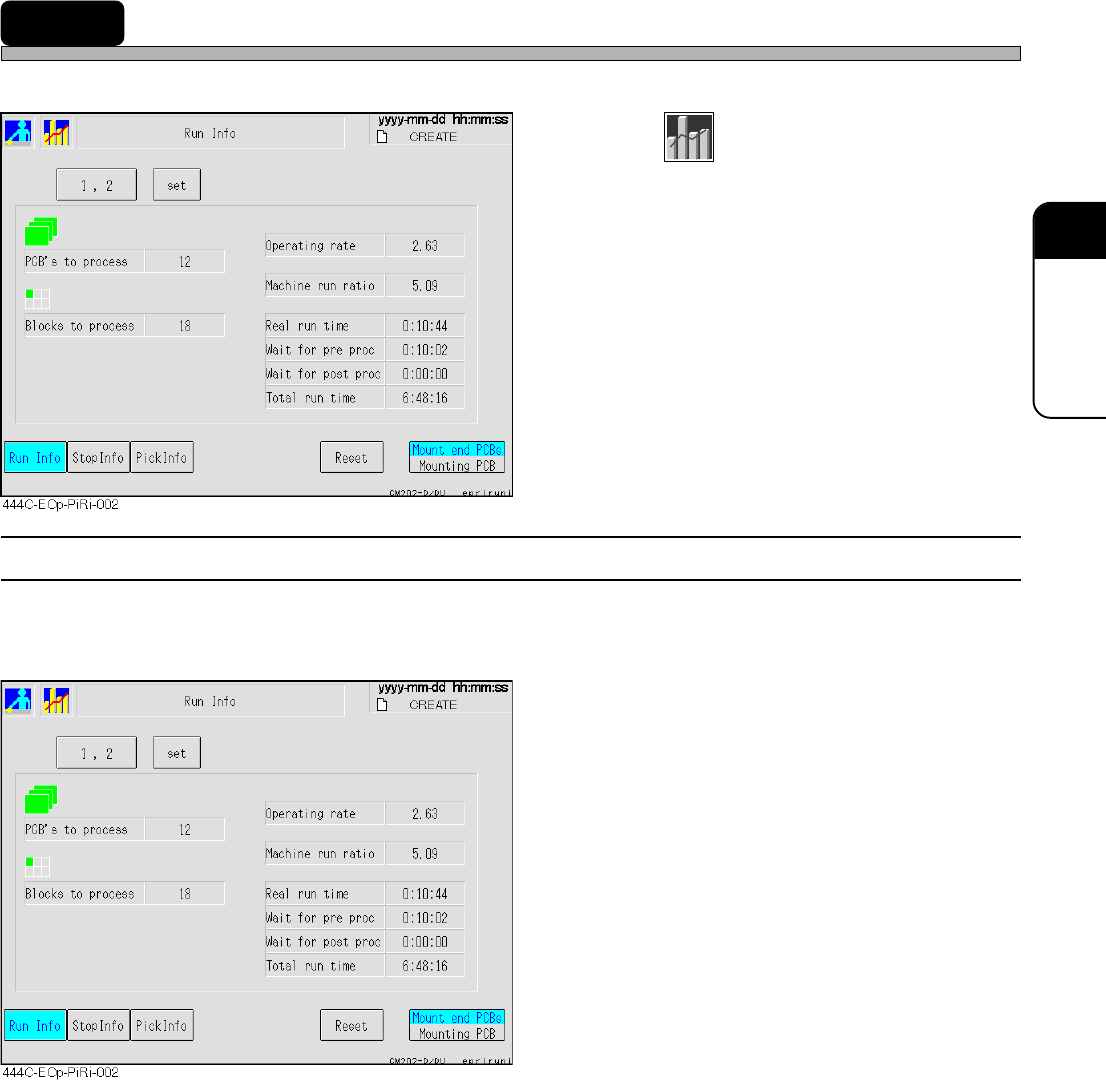
3-3-1 Run Information
The count of produced boards and blocks, each running time, etc. are displayed for each stage.
• Without reset, data will be added on irrespective of switchover of board types.
PCB’s to process
The number of the boards passed through the
specified stage
[The number of mounted boards + The number
of boards just passed through]
Blocks to process
The number of blocks produced (mounted)
actually.
Operating rate
Rate of the time when the machine is actually
working for mounting during the production
mode
[Real run time / Total run time]
Machine run ratio
Running rate of the specified stage alone
adding Wait for proc time to Real run time
[(Real run time + Wait for proc time) / Total run
time]
Real run time
The time found by subtracting the mounting
stop time due to errors, wait for the previous
and next processes and so on from the time
during the production mode
[Total run time - Total down time]
Wait for pre proc
The time waiting for the previous process to be
prepared
Wait for post proc
The time waiting for the next process to be
prepared
Total run time
The time during the production mode
Page 3-14
444C-E-OMA03-A01-03
Production Information
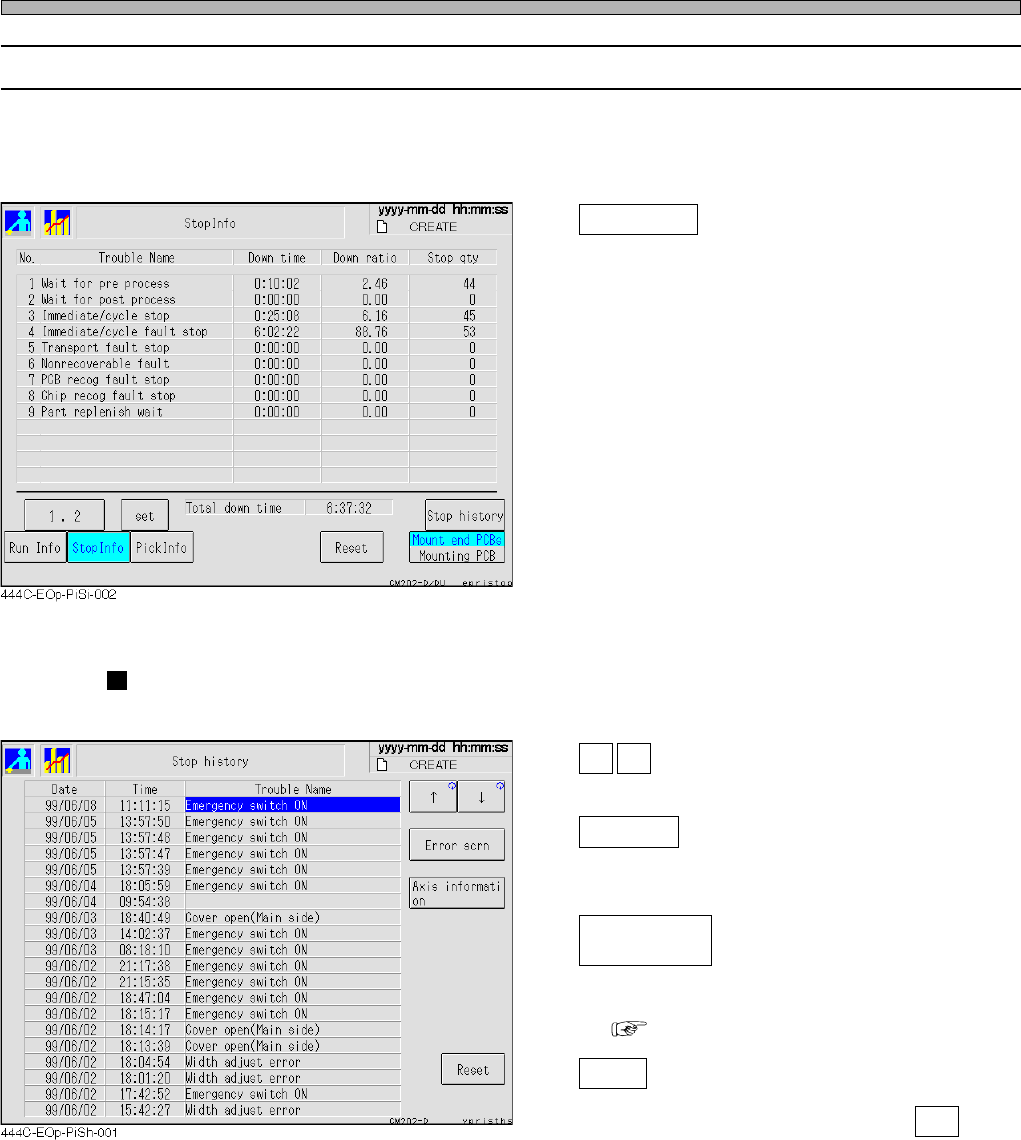
3-3-2 Stop Information
The stop information is displayed for each factor that made machine stop during production. You
can also see the in-depth stop cases until now.
• Without reset, data will be added on irrespective of switchover of board types.
Stop history
Displays the stop histories (the screen as
shown below) of the selected stage.
Stop history
The latest 20 stop histories occurred during an automatic operation are displayed.
↑ ↓
These are used to select stop information.
Error scrn
Displays the error screen displayed when the
machine was stopped.
Axis informati
on
Displays the axis information when the ma-
chine was stopped.
( 3-4-8 Axis Information)
Reset
Resets the stop history.
When the message appears, press Yes .
Page 3-15
FUNCTIONS
3
444C-E-OMA03-A01-05
Production Information
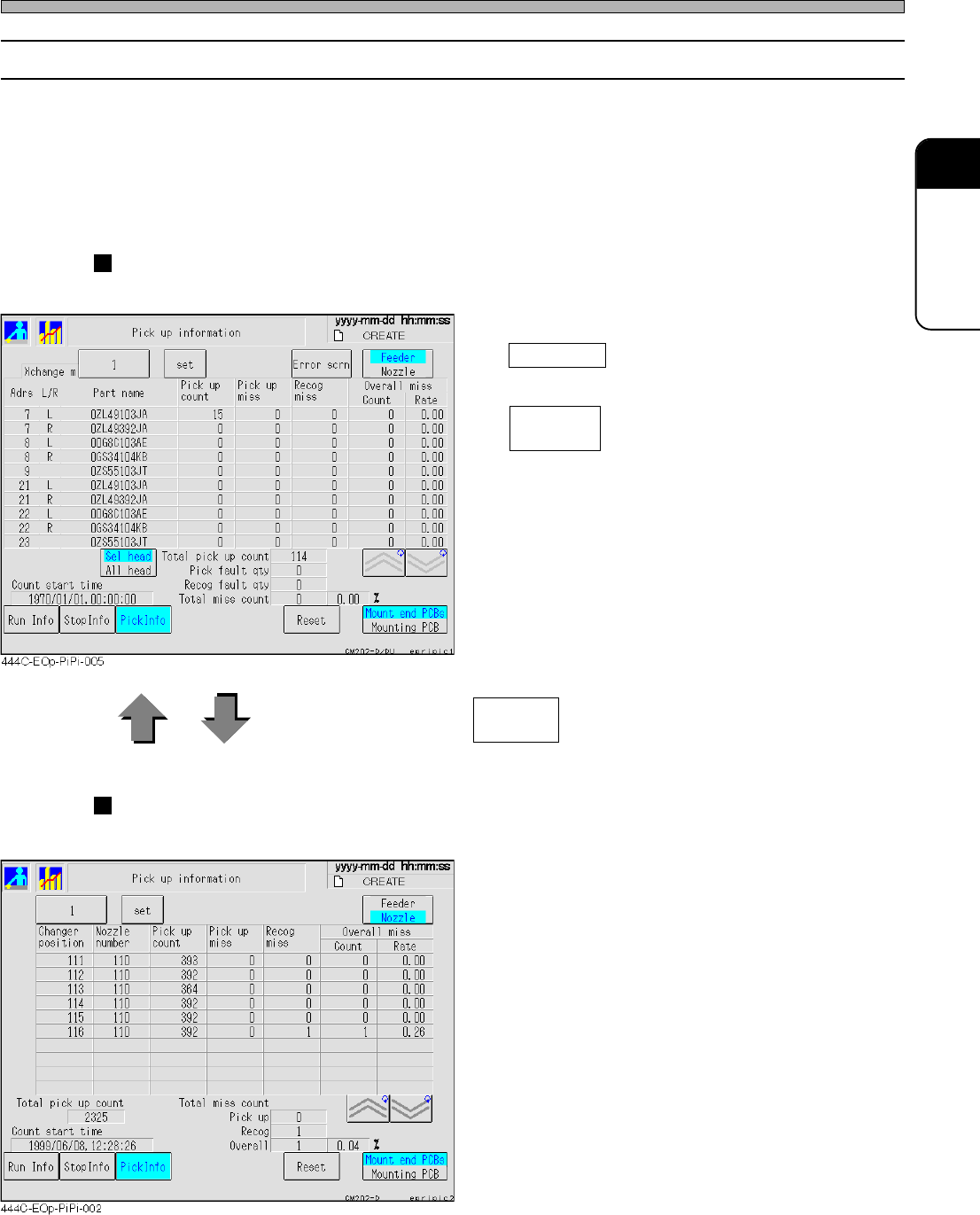
3-3-3 Pick-up Information
The chip pick-up information during production is displayed for each feeder or each nozzle.
• When there are any vacancies of feeder address in changing production board types, they are
not displayed.
• Without reset, data will be added on irrespective of switchover of board types.
•“Count” on Pick up information screen = “Pick up miss” + “Recog miss”
• Whenever Sel head or All head is pressed, each in-depth information is displayed.
For each feeder
The pick-up information of the selected stage is displayed for each feeder.
Error scrn
Displays the latest error image.
Sel head
All head
Toggles each detailed information.
Every time you press , the screens are changed over.
For each nozzle
The pick-up information of the selected stage is displayed for each nozzle.
Feedeer
Nozzle