444CEOM1-CM202.pdf - 第124页
Page 3-26 Machine Settings 3-5-4 Setting T ime This is used to set the time of the machine. • Change the numeric value of the year , month, day , hour and minute you would like to change, and then press Set . The current…
Page 3-25
FUNCTIONS
3
Machine Settings
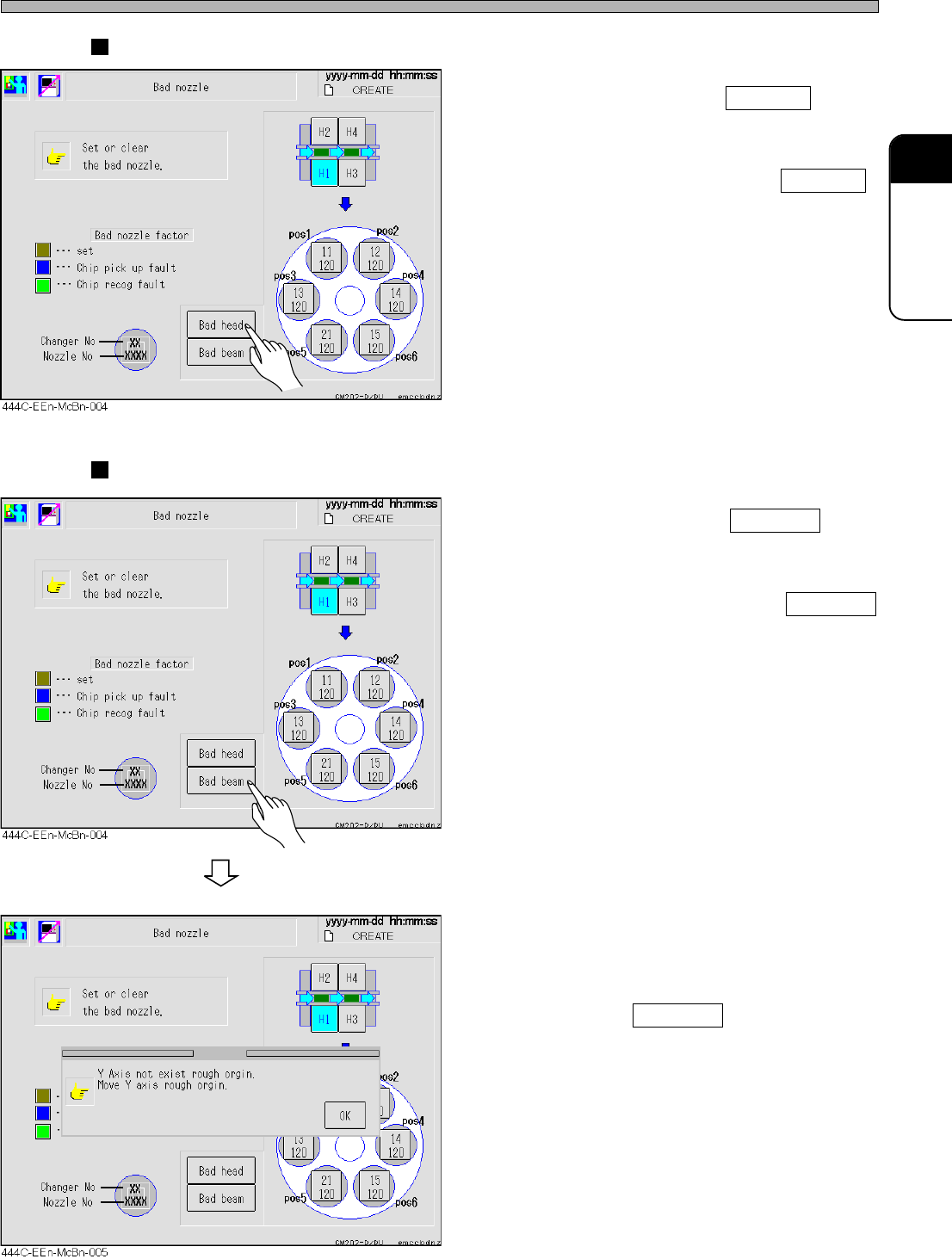
Setting/Canceling Bad Head
• To set the bad head, press Bad head .
When the bad head is set, the button is high-
lighted in yellow.
• To cancel the bad head, press the Bad head
highlighted in yellow.
When the bad head is canceled, the display of
the button returns to normal.
∗ After the bad head has been set, Zθ axis will
not operate, however, XY axis will operate.
After retracting the Z axis of the head to the
position where it will not interfere with the
machine, set the bad head.
Setting/Canceling Bad Beam
• To set the bad beam, press Bad beam .
When the bad beam is set, the button is
highlighted in yellow.
• To cancel the bad beam, press the Bad beam
highlighted in yellow.
When the bad beam is canceled, the display of
the button returns to normal.
∗ After the bad beam has been set, XYZθ axis
will not operate. After retracting the Y axis to
the origin position, set the bad beam.
• If the Y axis of the beam to be set as the bad
beam is not at the origin position, the message
appears.
After retracting the Y axis to the origin sensor
position, press Bad beam to set the it again.
When setting the bad beam on the front side,
that on the rear side is automatically set.
444C-E-OMA03-A01-03
∗ If the Y axis is not at the
origin position
Page 3-26
Machine Settings
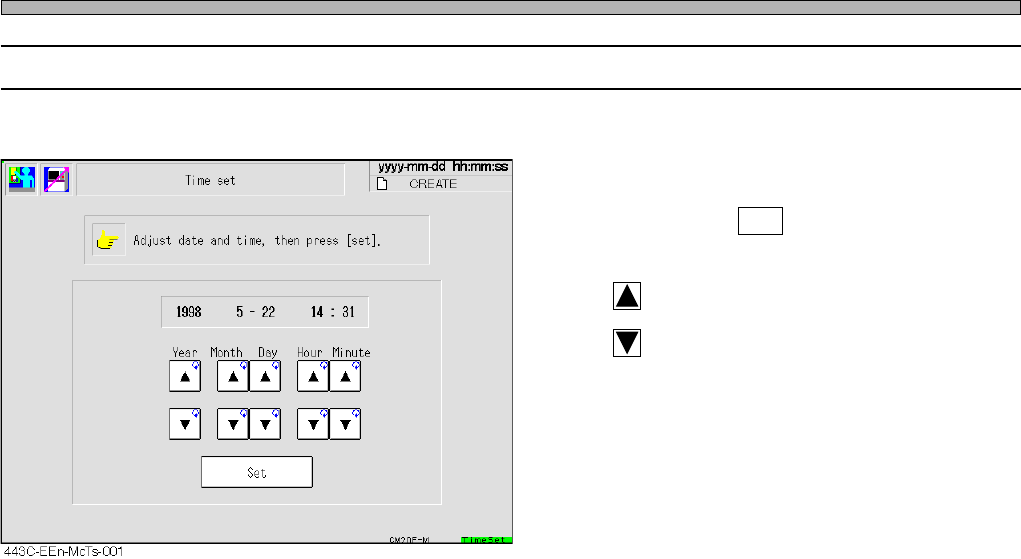
3-5-4 Setting Time
This is used to set the time of the machine.
• Change the numeric value of the year, month,
day, hour and minute you would like to change,
and then press Set .
The current time is changed.
: Puts ahead the time
: Puts back the time.
444C-E-OMA03-A01-02
Page 3-27
FUNCTIONS
3
Machine Settings
444C-E-OMA03-A01-04
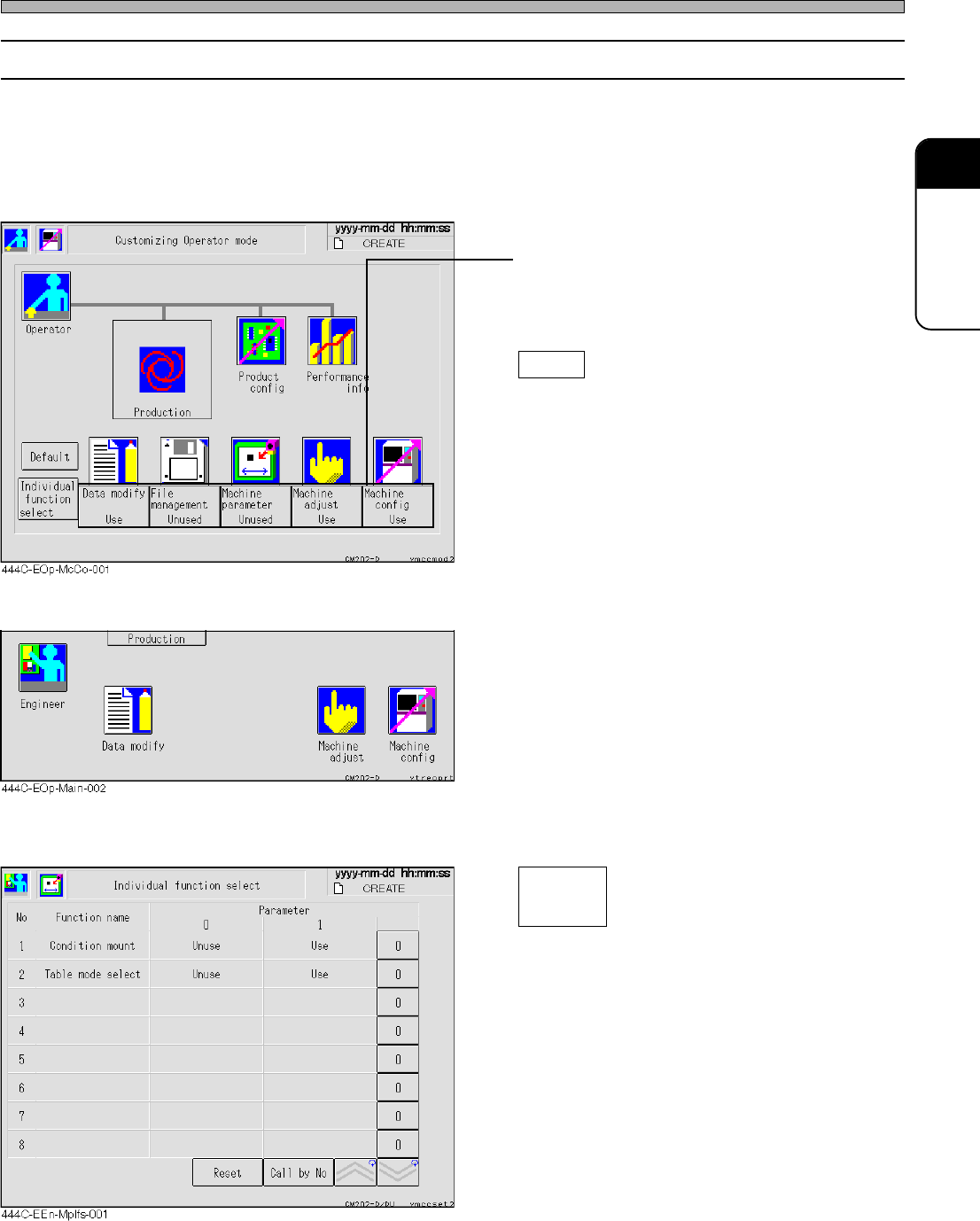
3-5-5 Customizing Operator Mode
The operator mode can be customized so that you can use the functions of data modification, file
operation, machine parameters, machine adjustment and machine settings in this mode.
∗ Even when you have set the machine settings so that it will be available in the operator mode,
you cannot customize the operator mode in the operator mode. When customizing the operator
mode, be sure to choose the machine settings from the engineer mode.
• Press the switch of the function you would like
to use in the operator mode.
Every time you press it, the display changes
alternately “Use” ←→ “Unused”.
Default
Returns all the displays to “Unused”.
<Main menu in the operator mode>
• The icons of the functions you have set “Use”
are displayed on the main menu in the operator
mode, then you can use those functions.
<Individual Function Selection Screen>
Select the desired function in operator mode.
Condition mount
During automatic operation, the conditional
mounting selection screen is displayed.
Table mode select
The screen of the exchange mode and
spare mode is displayed.
Individual
function
select