444CEOM1-CM202.pdf - 第132页
Page 3-34 444C-E-OMA03-A01-01 Others 3-6-5 Operating Procedure against Chip Eject Error If the machine fails to eject the chip after the operation resumes out of a chip mount error , it comes to an immediate stop. • In t…
Page 3-33
FUNCTIONS
3
444C-E-OMA03-A01-02
Others
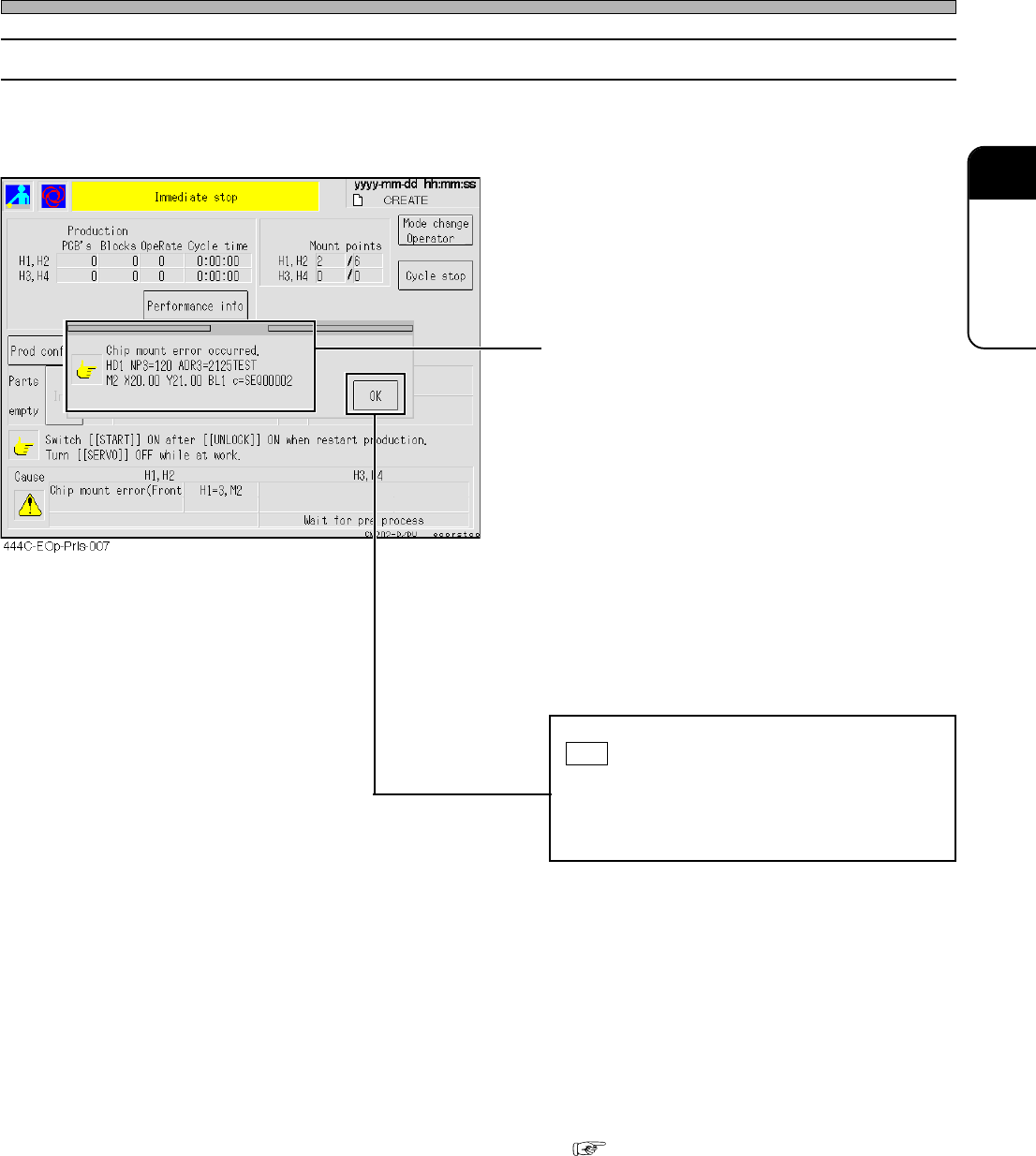
3-6-4 Operating Procedure against Chip Mount Error
If a chip mount error is detected, the machine comes to an immediate stop.
• The detailed information appears.
HD1 NP3=120 ADR3=2125TEST
M2 X20.00 Y21.00 BL1 c=SEQ00002
“HD1” : Head number
“NP3” : Nozzle position number
“120” : Nozzle number
“ADR3” : Feeder address
“2125TEST” : Parts name
“M2” : Mount sequence number
“X20.00” : Mount coordinate X
“Y21.00” : Mount coordinate Y
“BL1” : Block number
“SEQ00002” : Comment on the mounter data
Check the details of the error, and then press
OK .
If more than one error has occurred simulta-
neously, the error-detail windows open in
sequence.
• The screen returns to an automatic-operation
screen, and the (mounting) operation resumes.
• Generally, the chip against which a mount error
has detected is not automatically recovery-
mounted. After checking the PCB, you need to
perform recovery at the post-process. To make
the machine carry out automatic recovery, see
( 3-6-9 Recovery Mount Function against
Chip Mount Error).
Page 3-34
444C-E-OMA03-A01-01
Others
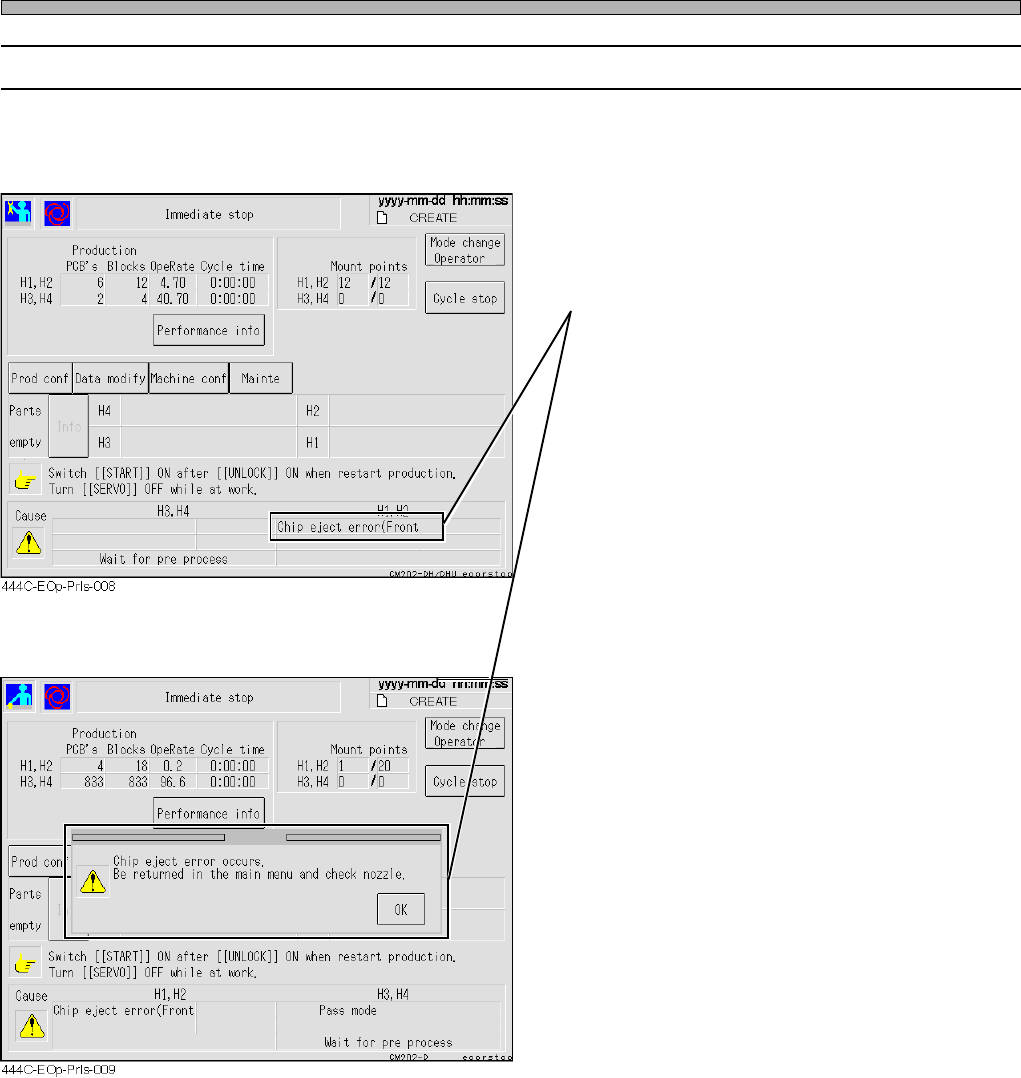
3-6-5 Operating Procedure against Chip Eject Error
If the machine fails to eject the chip after the operation resumes out of a chip mount
error, it comes to an immediate stop.
• In this case, the chip may be adhered to the
nozzle. Stop the automatic operation to return
to the main menu.
• The automatic operation does not resume if
you try to.
Turn OFF the servo switch.
Check and clean the tip of the nozzle.
Turn ON the servo switch.
• The automatic operation (mounting) resumes.
Page 3-35
FUNCTIONS
3
444C-E-OMA03-A01-01
Others
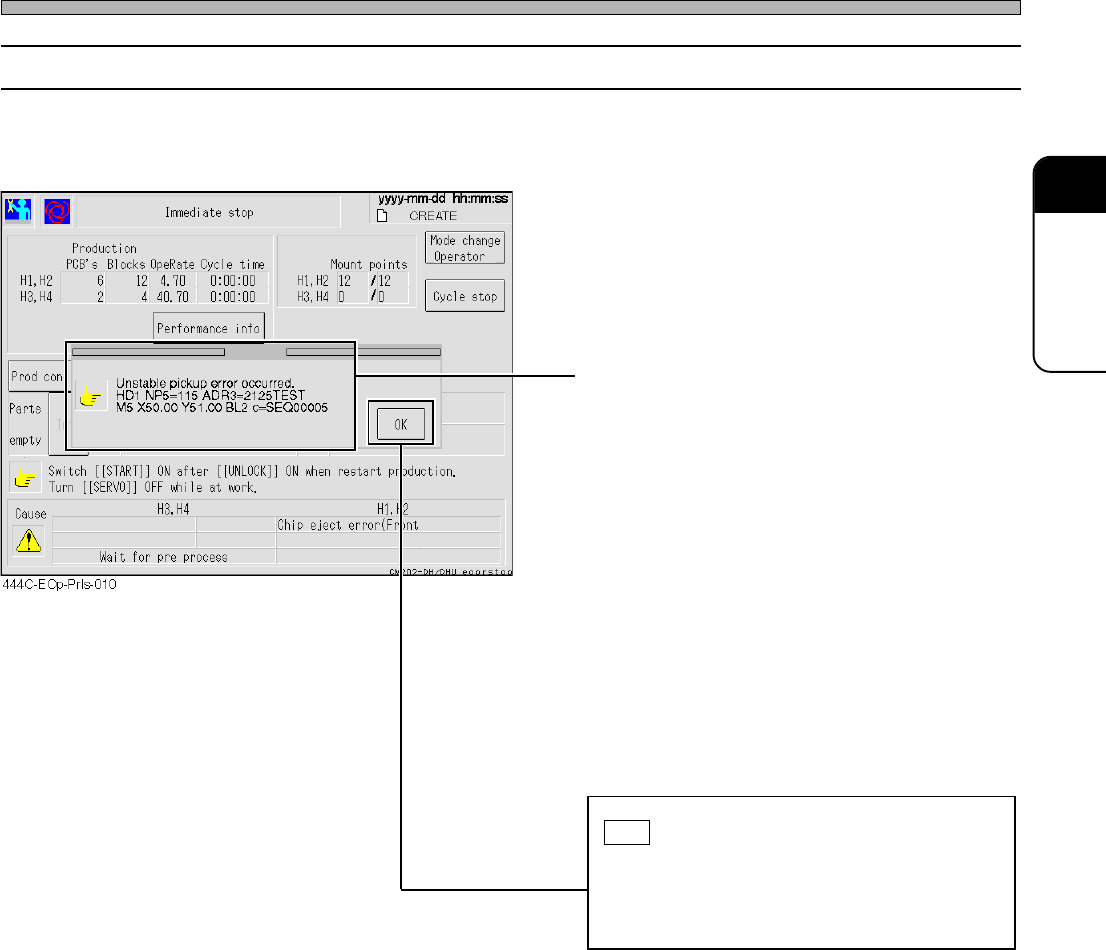
3-6-6 Operating Procedure against Pick-up Instability Error
If a pick-up instability error is detected, the machine comes to an immediate stop with the chip
above the ejection box without mounting it.
• The detailed information appears.
HD1 NP5=115 ADR3=2125TEST
M5 X50.00 Y51.00 BL2 c=SEQ00005
“HD1” : Head number
“NP5” : Nozzle position number
“115” : Nozzle number
“ADR3” : Feeder address
“2125TEST” : Parts name
“M5” : Mount sequence number
“X50.00” : Mount coordinate X
“Y51.00” : Mount coordinate Y
“BL2” : Block number
“SEQ00005” : Comment on the mounter data
Check the details of the error, and then press
OK .
If more than one error has occurred simulta-
neously, the error-detail windows open in
sequence.
• Resuming the (mounting) operation carries out
the chip-ejecting action and returns to the
automatic operation.
• In this case, since the chip is carried back
without being mounted, it will be retry-mounted
last.