444CEOM1-CM202.pdf - 第130页
Page 3-32 444C-E-OMA03-A01-00 Others 3-6-3 V acuum Sensor Function Settings (on PT) Pick-up instability error detection is exclu- sively targeted for the chips that are pro- grammed to check in the chip data. • The check…
Page 3-31
FUNCTIONS
3
444C-E-OMA03-A01-01
Others
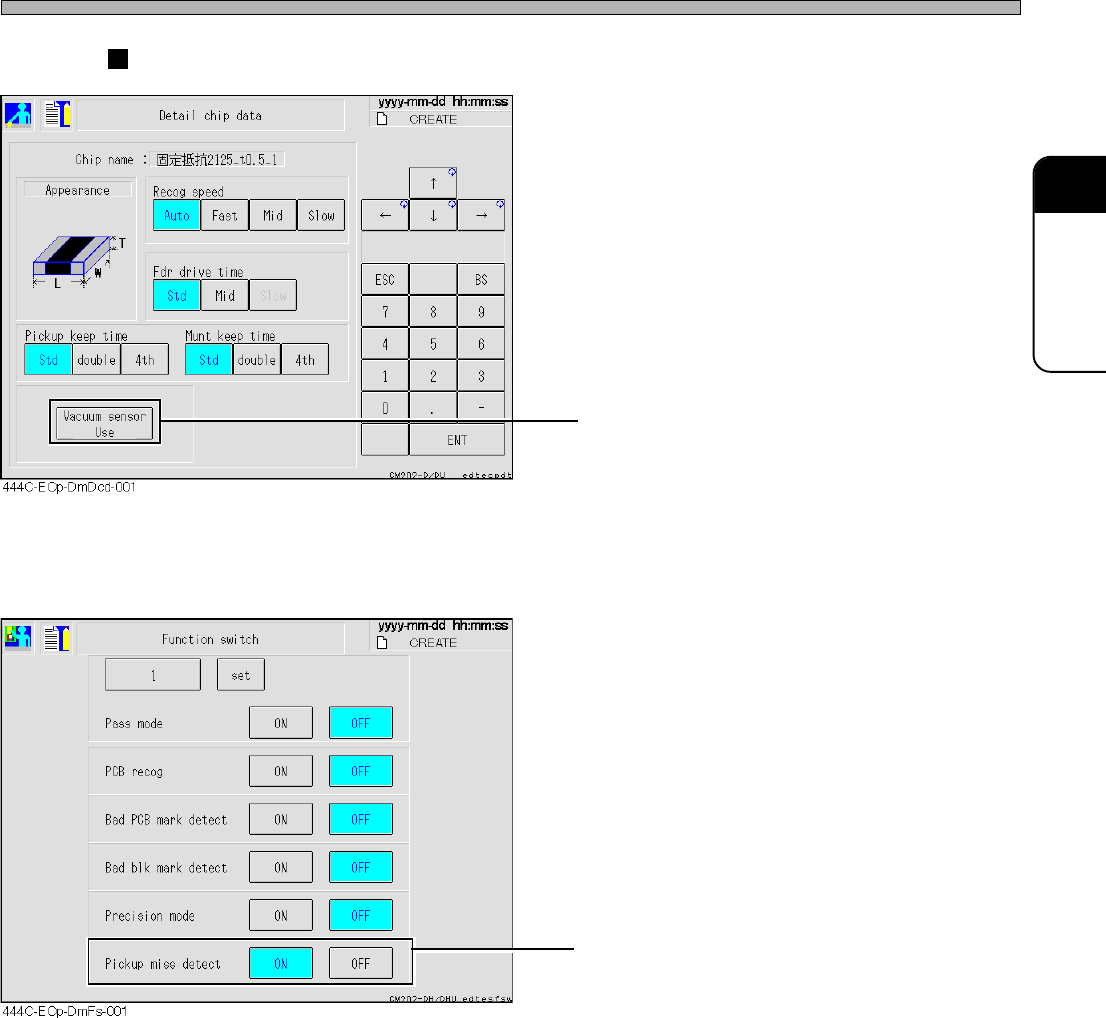
• This switch exists in the detailed chip data.
Enabling the vacuum sensor check enables the
pick-up instability detection.
• When the software switch “Pickup miss detect”
is set to ON, the error detection is carried out in
accordance with the settings in the chip data.
When it is set to OFF, the pick-up instability
detection is not carried out irrespective of the
settings in the chip data.
Machine’s screens
Page 3-32
444C-E-OMA03-A01-00
Others
3-6-3 Vacuum Sensor Function Settings (on PT)
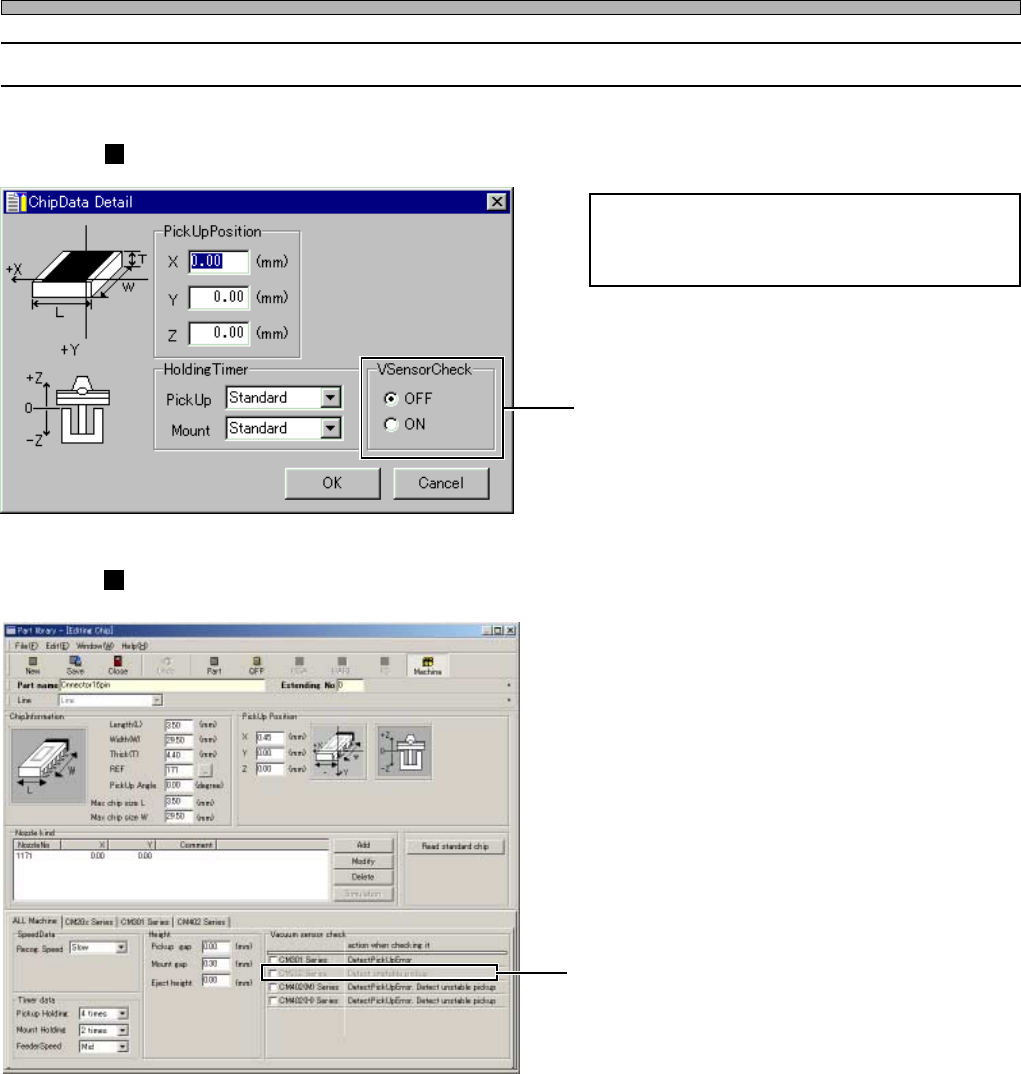
Pick-up instability error detection is exclu-
sively targeted for the chips that are pro-
grammed to check in the chip data.
• The checkbuttons exist in the chip data.
Ticking off enables the pick-up instability
detection.
• The checkboxes exist in the chip data.
Ticking off enables the pick-up instability
detection.
PT100’s screen
444C-EOp-Cd-001
444C-EOp-PlEc-001
PT200’s screen
Page 3-33
FUNCTIONS
3
444C-E-OMA03-A01-02
Others
3-6-4 Operating Procedure against Chip Mount Error
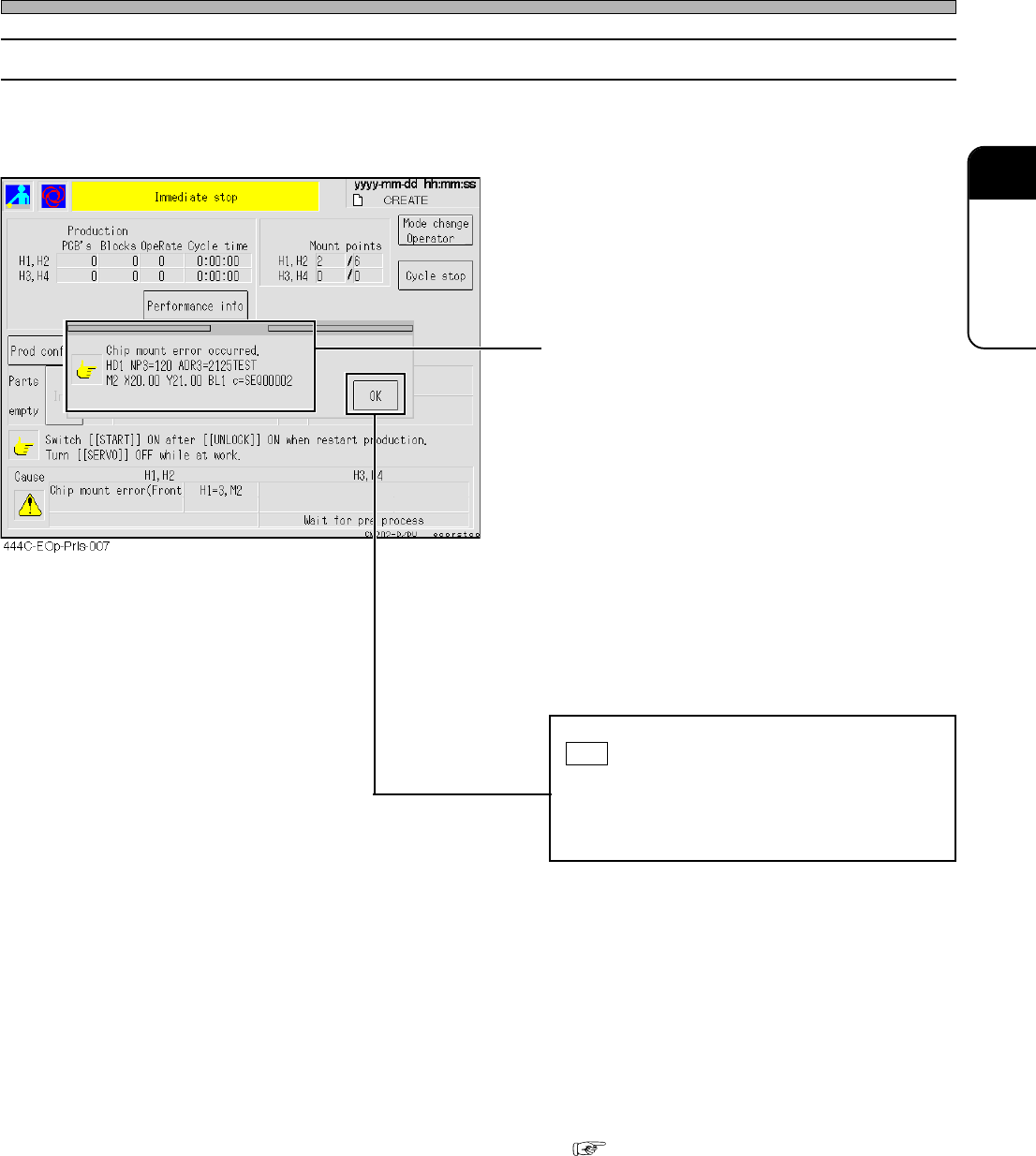
If a chip mount error is detected, the machine comes to an immediate stop.
• The detailed information appears.
HD1 NP3=120 ADR3=2125TEST
M2 X20.00 Y21.00 BL1 c=SEQ00002
“HD1” : Head number
“NP3” : Nozzle position number
“120” : Nozzle number
“ADR3” : Feeder address
“2125TEST” : Parts name
“M2” : Mount sequence number
“X20.00” : Mount coordinate X
“Y21.00” : Mount coordinate Y
“BL1” : Block number
“SEQ00002” : Comment on the mounter data
Check the details of the error, and then press
OK .
If more than one error has occurred simulta-
neously, the error-detail windows open in
sequence.
• The screen returns to an automatic-operation
screen, and the (mounting) operation resumes.
• Generally, the chip against which a mount error
has detected is not automatically recovery-
mounted. After checking the PCB, you need to
perform recovery at the post-process. To make
the machine carry out automatic recovery, see
( 3-6-9 Recovery Mount Function against
Chip Mount Error).