444CEOM1-CM202.pdf - 第129页
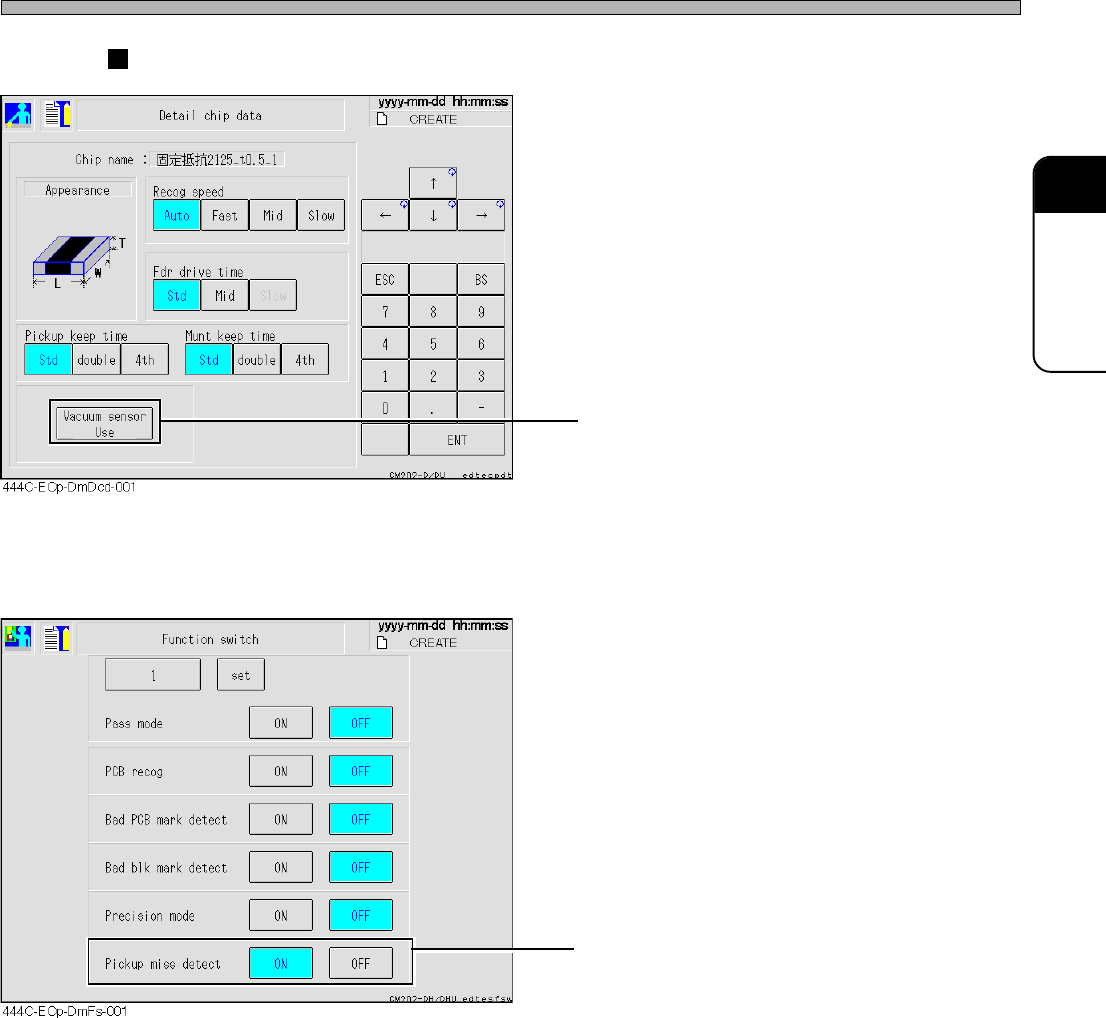
Page 3-31 FUNCTIONS 3 444C-E-OMA03-A01-01 Others • This switch exists in the detailed chip data. Enabling the vacuum sensor check enables the pick-up instability detection. • When the software switch “ Pickup miss detect…
Page 3-30
444C-E-OMA03-A01-02
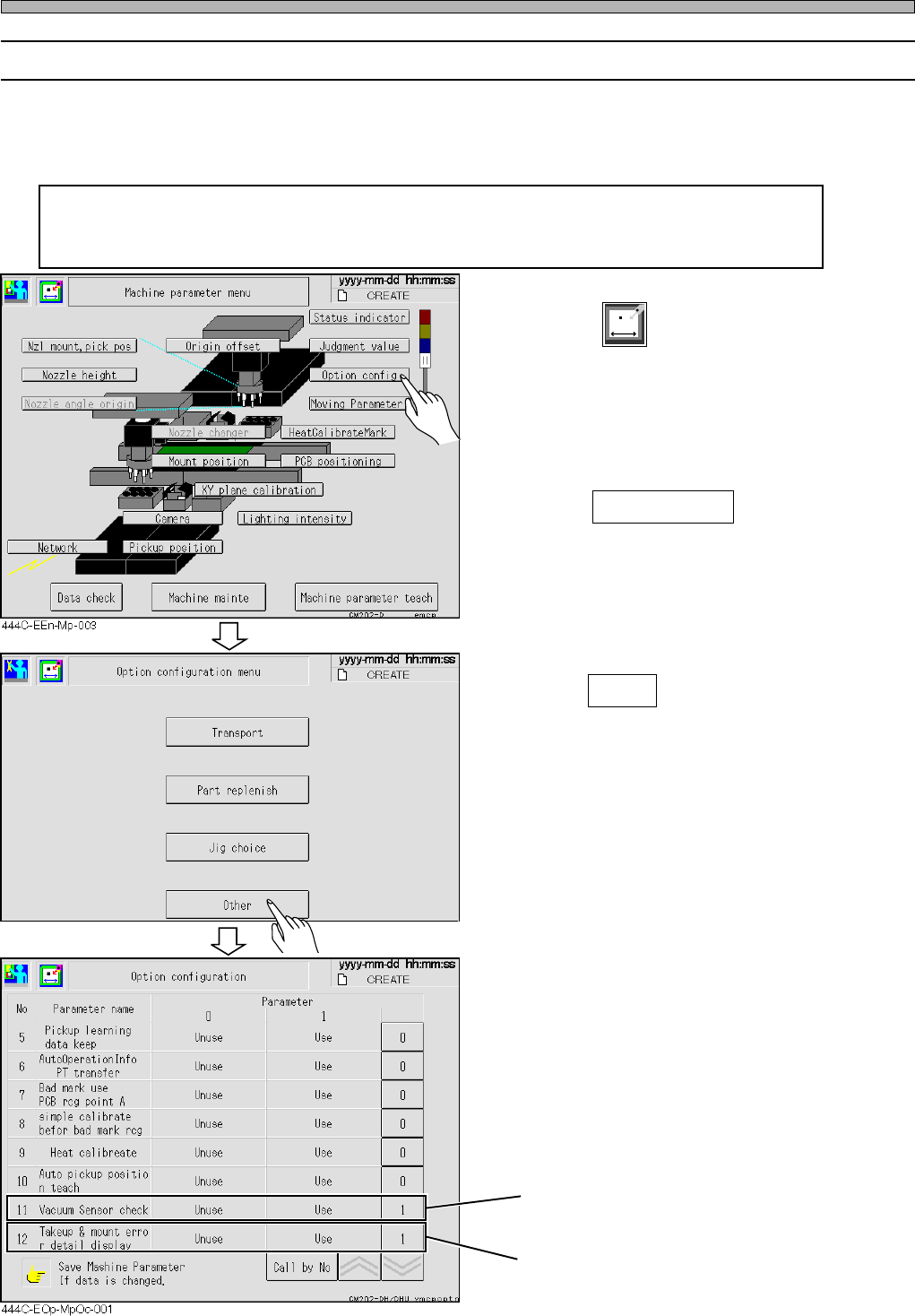
3-6-2 Vacuum Sensor Function Settings
For CM201-D/DU/DH/DHU and CM202-D/DU/DH/DHU, the vacuum sensor is an option.
(For CM201-DS and CM202-DK/DS, it is a standard unit.)
If it is not installed, the following functions are not available.
Setting “Vacuum Sensor check” in the option configuration to ON enables the
detections of a chip mount error, eject error, pick-up instability error, and nozzle
clogging error.
1. Press
Machine
parameter
in the main menu.
• The machine parameters menu is displayed.
2. Press Option config .
3. Press Other .
“Vacuum Sensor check” → 1
“Takeup & mount error detail display” → 1
(When this switch is set to ON, the details are
displayed.)
Others
4H4C-EEn-MpOcm-002
Page 3-31
FUNCTIONS
3
444C-E-OMA03-A01-01
Others
• This switch exists in the detailed chip data.
Enabling the vacuum sensor check enables the
pick-up instability detection.
• When the software switch “Pickup miss detect”
is set to ON, the error detection is carried out in
accordance with the settings in the chip data.
When it is set to OFF, the pick-up instability
detection is not carried out irrespective of the
settings in the chip data.
Machine’s screens
Page 3-32
444C-E-OMA03-A01-00
Others
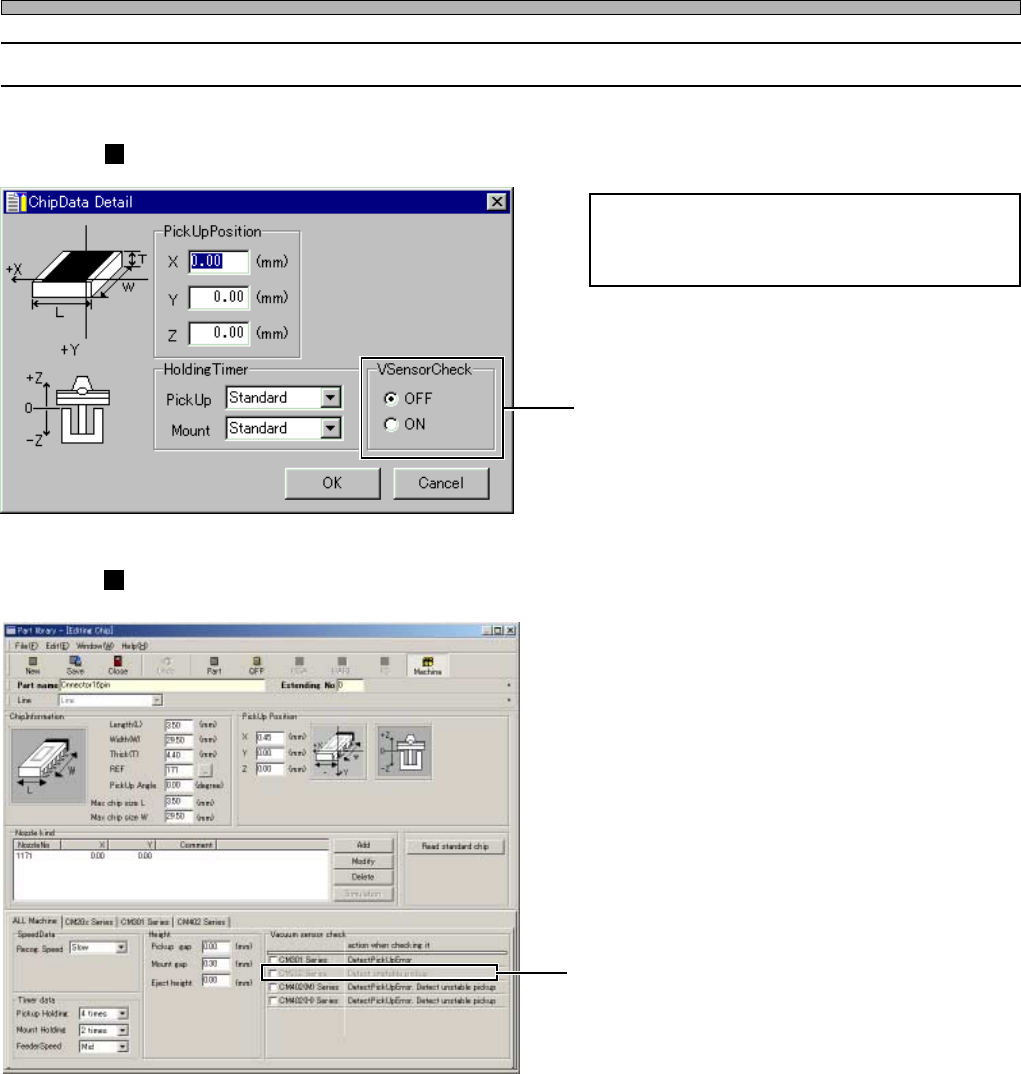
3-6-3 Vacuum Sensor Function Settings (on PT)
Pick-up instability error detection is exclu-
sively targeted for the chips that are pro-
grammed to check in the chip data.
• The checkbuttons exist in the chip data.
Ticking off enables the pick-up instability
detection.
• The checkboxes exist in the chip data.
Ticking off enables the pick-up instability
detection.
PT100’s screen
444C-EOp-Cd-001
444C-EOp-PlEc-001
PT200’s screen