444CEOM1-CM202.pdf - 第98页
Page 2-14 444C-E-OMA02-A01-01 = MEMO =
Page 2-13
BASIC OPERATION
2
444C-E-OMA02-A01-01
Engineer Mode
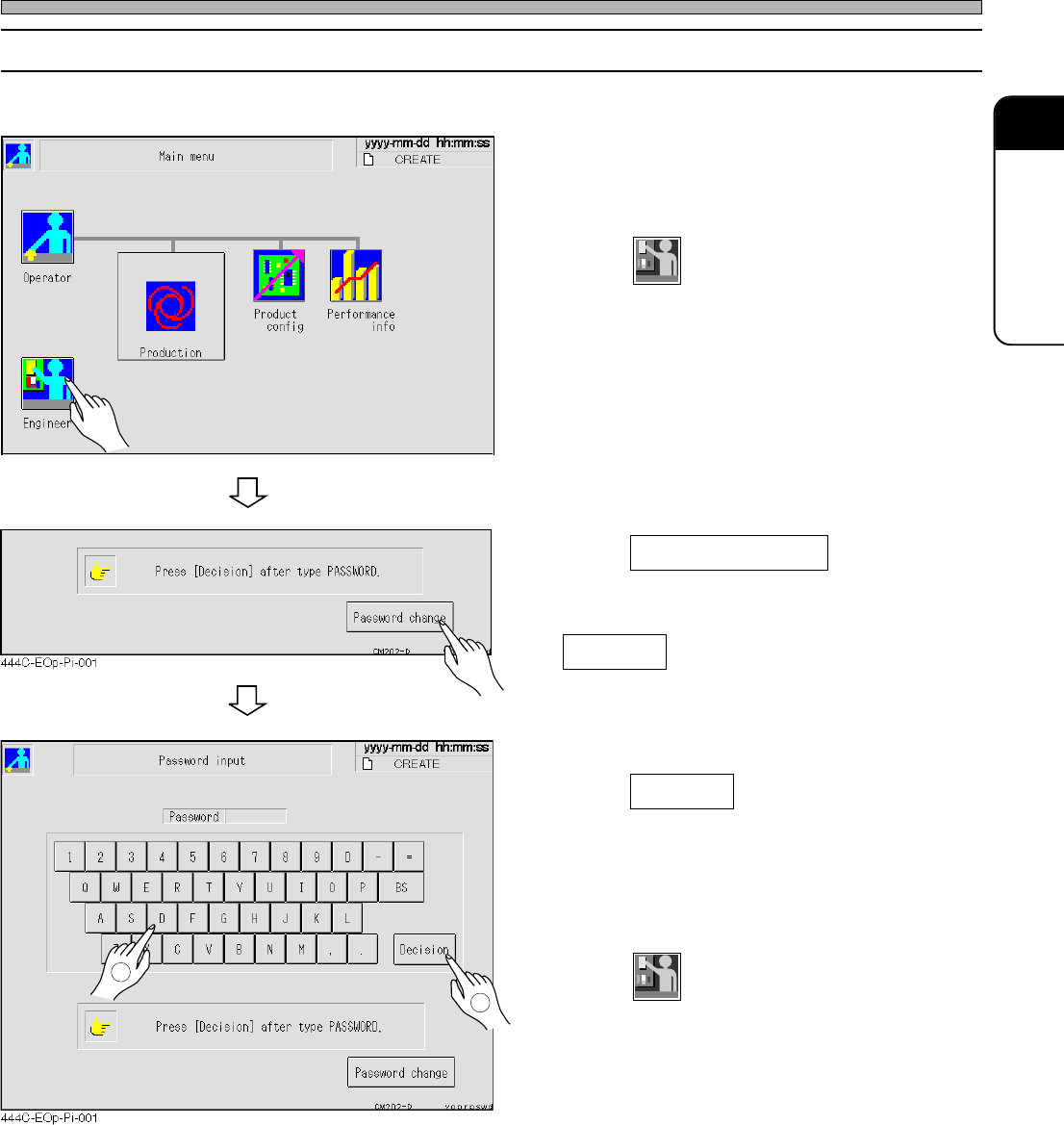
2-4-2 How to Change Password
∗ To change (set) the password, you need the key floppy disk for changing password.
1. Insert the key floppy disk for chang-
ing password into a floppy disk drive.
2. Press
Engineer
on the main menu in the
operator mode.
3. Press Password change .
4. Enter a new password, then press
Decision .
∗ Enter between 1 and 10 letters.
5. Enter the new password again, then
press Decision .
• When the password entered at the step 4 is the
same as the one entered at the step 5, it is
changed and the main menu of operator mode
is displayed.
6. Press
Engineer
, and make sure you can
enter an engineer mode with the new
password.
∗ If you cannot enter an engineer mode, perform
this procedure from the step 3 again.
7. Take out the key floppy disk from the
floppy disk drive.
444C-EOP-Main-001
2
1

Page 2-14
444C-E-OMA02-A01-01
= MEMO =
Page 3-1
444C-E-OMA03-A01-01
Chapter 3
FUNCTIONS
Functions
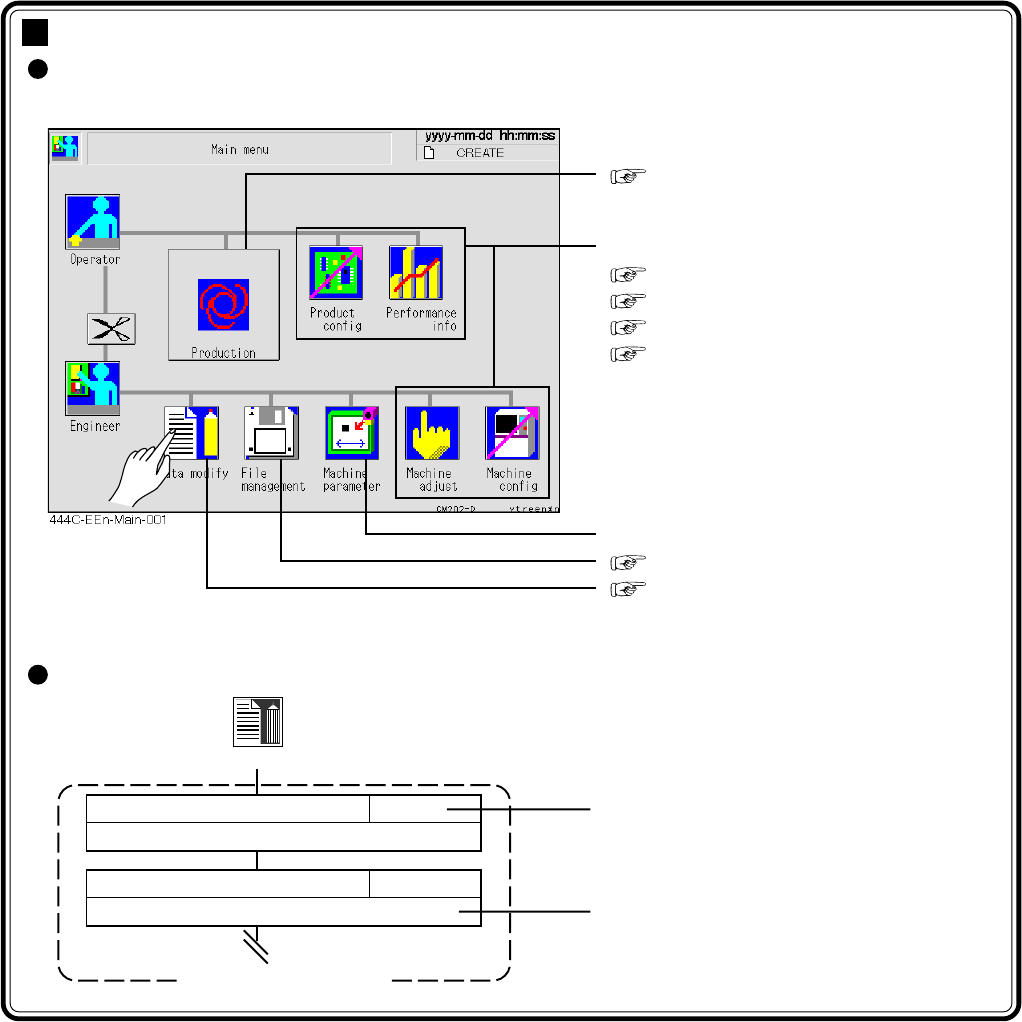
This chapter describes each function that can be chosen from the main menu as
follows.
∗ Pressing an icon displays each menu screen.
How to see the menu configuration
Chapter 4 PRODUCTION
The following are described in this chapter.
3-2 Production Settings
3-3 Production Information
3-4 Machine Adjustment
3-5 Machine Settings
Refer to the maintenance manual.
Chapter 6 FILE OPERATION
Chapter 7 DATA MODIFICATION
Data modify
Reference
Outline of function
Menu configuration
PCB data
Describes checking and modifying board data.
7-2
Board recognition data
Describes checking and modifying board recognition data.
7-3