444CEOM1-CM202.pdf - 第125页
Page 3-27 FUNCTIONS 3 Machine Settings 444C-E-OMA03-A01-04 3-5-5 Customizing Operator Mode The operator mode can be customized so that you can use the functions of data modification, file operation, machine parameters, m…
Page 3-26
Machine Settings
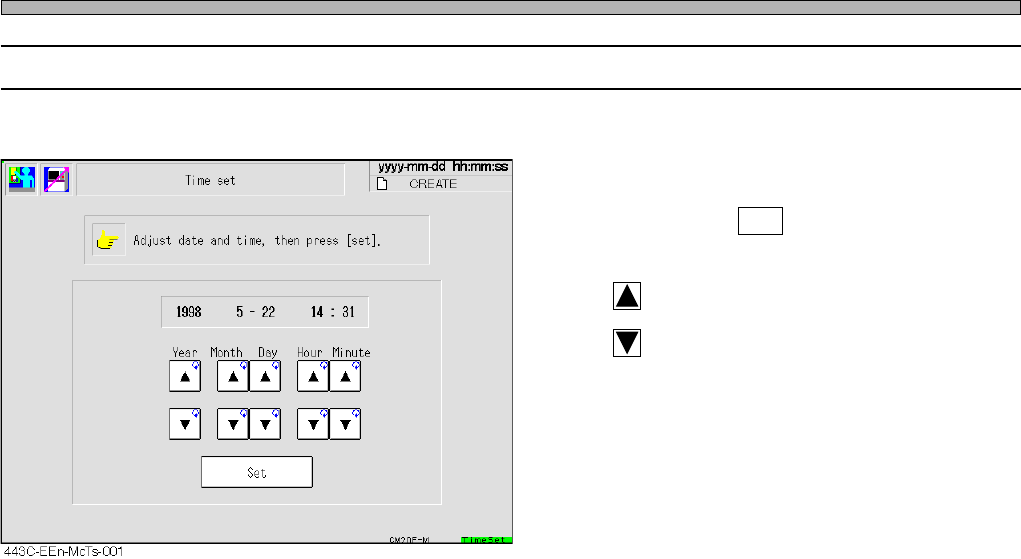
3-5-4 Setting Time
This is used to set the time of the machine.
• Change the numeric value of the year, month,
day, hour and minute you would like to change,
and then press Set .
The current time is changed.
: Puts ahead the time
: Puts back the time.
444C-E-OMA03-A01-02
Page 3-27
FUNCTIONS
3
Machine Settings
444C-E-OMA03-A01-04
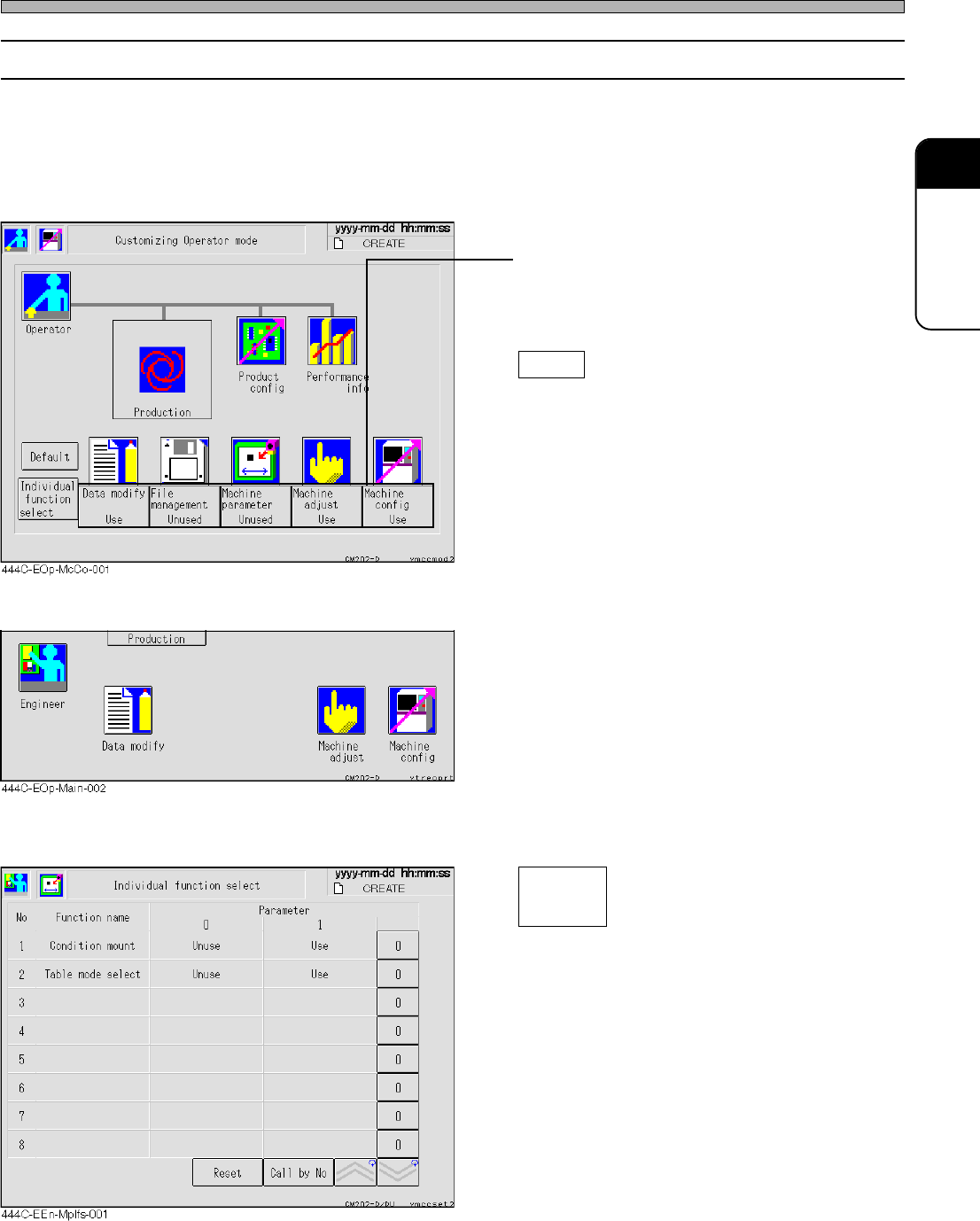
3-5-5 Customizing Operator Mode
The operator mode can be customized so that you can use the functions of data modification, file
operation, machine parameters, machine adjustment and machine settings in this mode.
∗ Even when you have set the machine settings so that it will be available in the operator mode,
you cannot customize the operator mode in the operator mode. When customizing the operator
mode, be sure to choose the machine settings from the engineer mode.
• Press the switch of the function you would like
to use in the operator mode.
Every time you press it, the display changes
alternately “Use” ←→ “Unused”.
Default
Returns all the displays to “Unused”.
<Main menu in the operator mode>
• The icons of the functions you have set “Use”
are displayed on the main menu in the operator
mode, then you can use those functions.
<Individual Function Selection Screen>
Select the desired function in operator mode.
Condition mount
During automatic operation, the conditional
mounting selection screen is displayed.
Table mode select
The screen of the exchange mode and
spare mode is displayed.
Individual
function
select
Page 3-28
Machine Settings
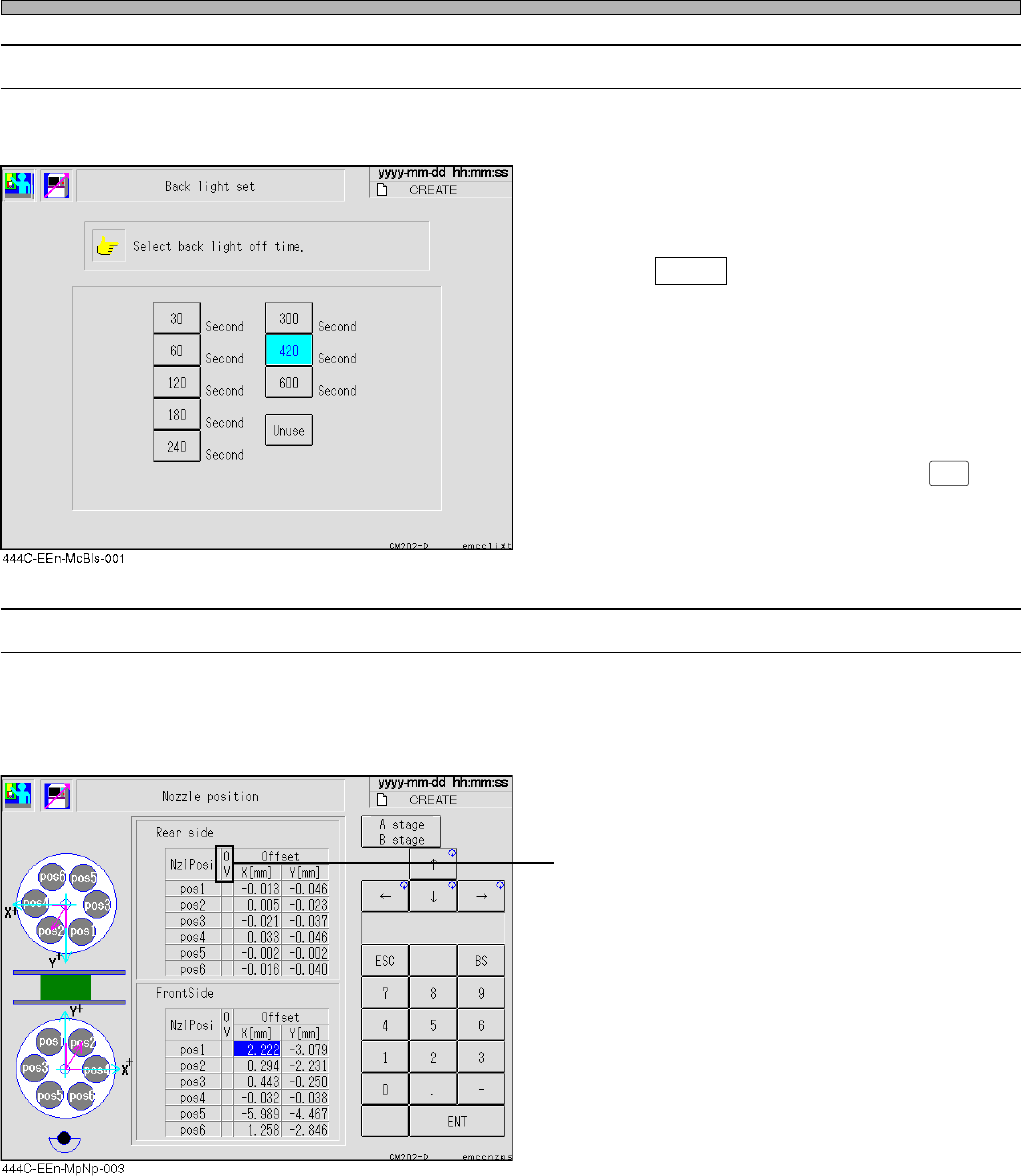
3-5-6 Setting Backlight
If the screen is left untouched until the set time has passed, the backlight turns off automatically.
• Set the off-time by pressing the desired button
indicating the off-time on the backlight setting
screen.
If wishing to disable the backlight-off function,
press Unuse .
∗ It is when the backlight setting screen is
changed to another screen that the backlight-
off time is actually set.
Only pressing the off-time button will not work
this function.
∗ To turn on the backlight again, press
LIGHT ON
on
the operating panel.
3-5-7 Nozzle Position
The center of the nozzle is measured and the nozzle position is changed when checking its diam-
eter before such as automatic operation.
It is reflected when picking up chips.
• If the value is out of range (±0.2 mm or over),
OV field is displayed in red.
444C-E-OMA03-A01-04