182050 User manual.pdf - 第113页
semi automatic 6(735()(5( 1&(6 35()(5(1& (6 Software Version 07SP02 User Manual 2.3 3. Select Edit Dat a , the following wi ndow and menu bar is display ed: Use Incr . or Decr . to selec t the requi red Screen T…
semi automatic
6(735()(5(1&(6
35()(5(1&(6
2.2 User Manual Software Version 07SP02
PREFERENCES
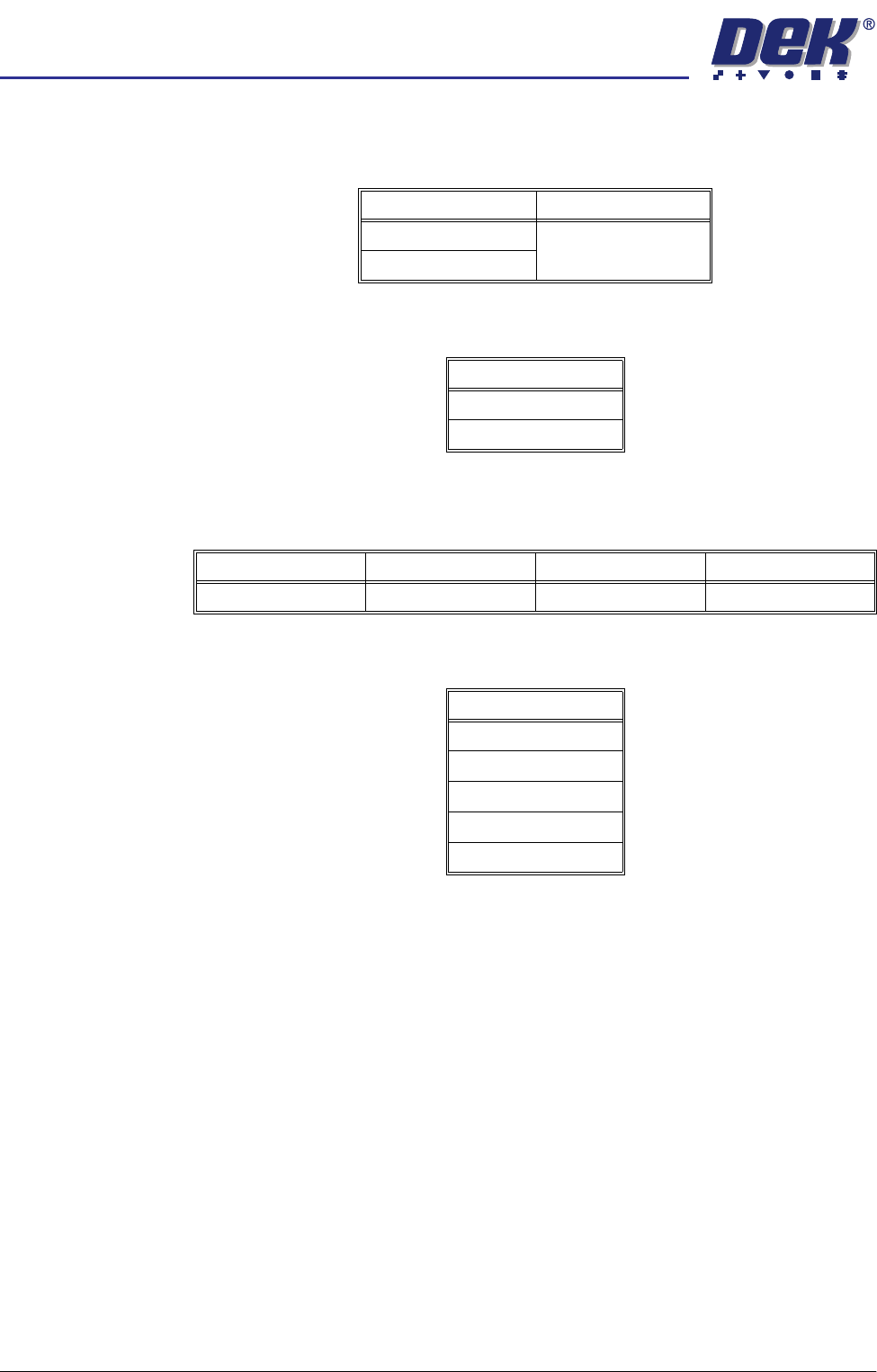
Machine Units Sets the unit of measurement, options are:
Tooling Hardware Sets which type of tooling is fitted, these options are:
ProFlow Contact
Position
This parameter sets the height of the ProFlow printhead so that it just touches
the stencil surface.
Screen Size Sets the screen size frame, these options are:
With Screen Library enabled the printer is provided with detailed screen dimen-
sional information from a ‘read only’ library. This information is stored within the
machine configuration and product files.
Once selected in Set Preferences, detailed frame dimensions are provided to
the printer. In Edit Current Process Parameters, the parameter Image Data
provides comprehensive location and mesh details to the printer.
To enable screen library files carry out the following:
1. Highlight Screen Size in the Set Prefs page.
2. Using Incr. or Decr. select Screen Library.
Edit Data is now available on the menu bar.
Options Default
Metric Metric
Imperial
Options
Vacuum
Plain
Minimum Maximum Increment Default
- 10mm +10mm 0.1mm 0.0mm
Options
265
Fuji
249
Sanyo
Library
semi automatic
6(735()(5(1&(6
35()(5(1&(6
Software Version 07SP02 User Manual 2.3
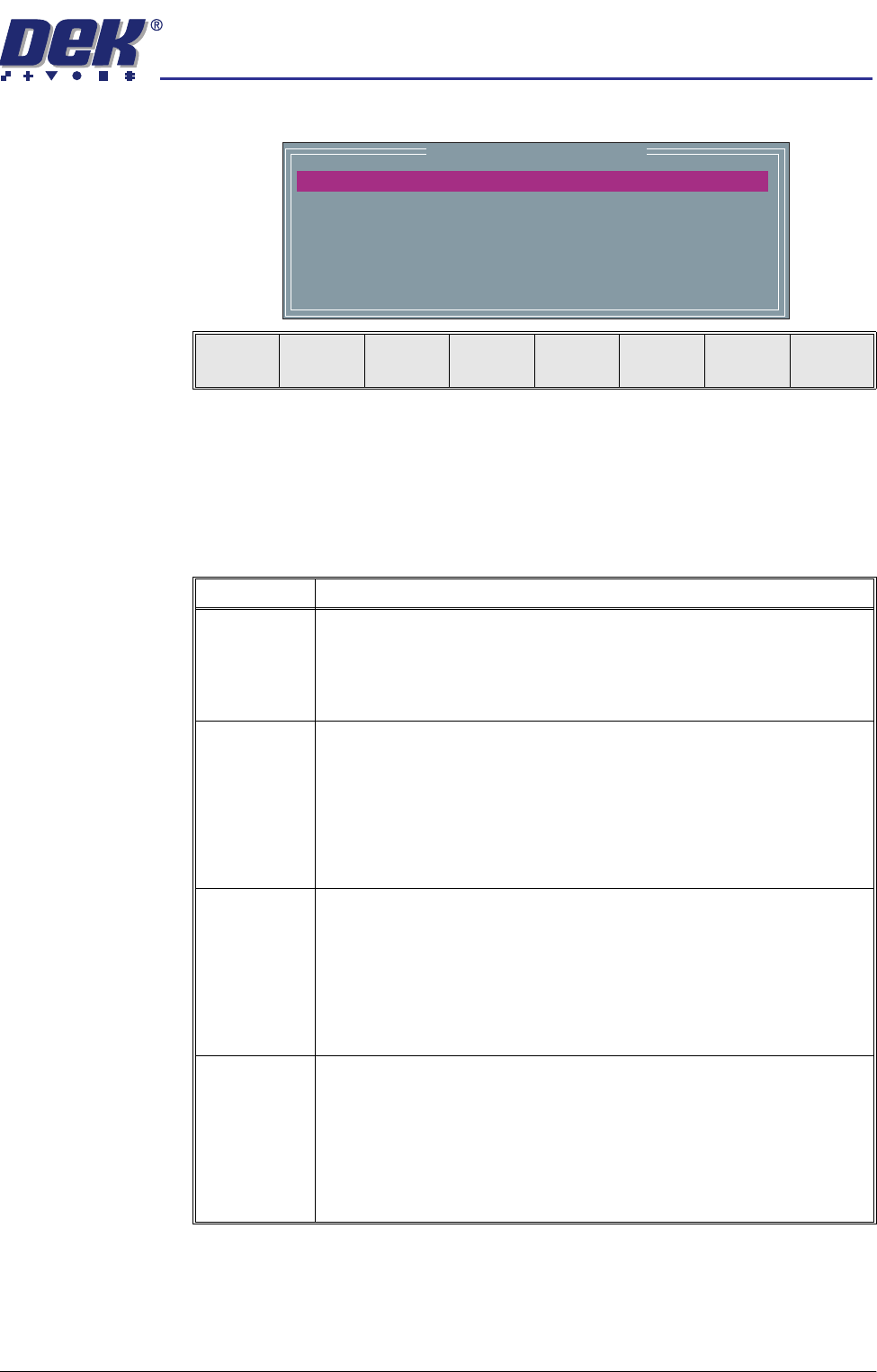
3. Select Edit Data, the following window and menu bar is displayed:
Use Incr. or Decr. to select the required Screen Type. If no valid screen
library files are found, the default file DEK 265 Central Image is displayed.
Use the Next or Previous to select and Incr. or Decr. to modify the screen
frame parameters as required.
The screen library menu parameters are defined in the following table:
mm
mm
mm
mm
mm
mm
Screen Frame Configuration
XXX
XXX
XXX
XXX
XXX
XXX
SCREEN TYPE
SCREEN LENGTH
SCREEN WIDTH
FRAME FRONT
FRAME REAR
FRAME LEFT
FRAME RIGHT
DEK 265 CENTRAL IMAGE
Next Previous Incr. Decr. Exit
Parameter Definition
Screen
Record ID
The identity of the screen type library record containing a text string that
matches the Screen Type selected.
Format Maximum 32 character text string
Default DEK 265 Central Image
Screen Length This parameter sets overall dimension front to rear of the screen frame or
adaptor.
Minimum 550mm
Maximum 860mm
Increment 0.1mm
Default 736.6mm
Screen Width This parameter sets the overall dimension left to right of the screen frame or
adaptor.
Minimum 580mm
Maximum 736.6mm
Increment 0.1mm
Default 736.6mm
Frame Front This parameter sets the distance between the outer edge of the screen frame
or adaptor and the inner edge of the frame, at the front of the frame.
Minimum 20mm
Maximum Screen Length - 250mm
Increment 0.1mm
Default 38.1mm
semi automatic
6(735()(5(1&(6
35()(5(1&(6
2.4 User Manual Software Version 07SP02
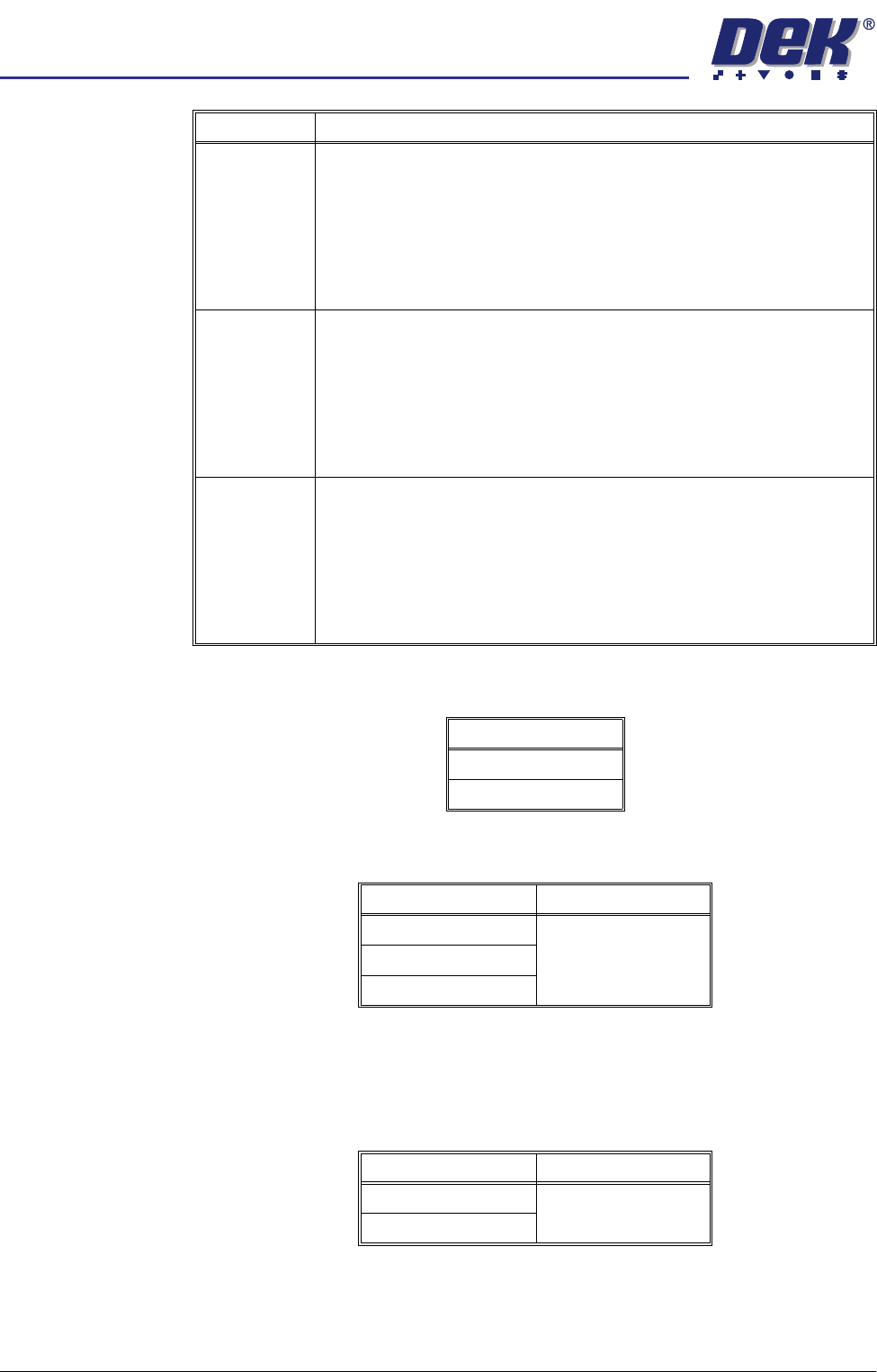
2D Inspection Sets whether the 2D Inspection facility is to be used, options are:
Image Recording Sets whether video images can be recorded, options are:
NOTE
PC disk requires the PC to have 8Mb ram and VP disk requires a SCSI disk to
be attached to the VP.
Under Screen
Cleaner
Sets whether or not the vacuum option is fitted to the machine, options are:
If standard is selected the vacuum options are removed from the screen clean
mode parameters.
Frame Rear This parameter sets the distance between the outer edge of the screen frame
or adaptor and the inner edge of the frame, at the rear of the frame.
Minimum 20mm
Maximum Screen Length - 250mm
Increment 0.1mm
Default 38.1mm
Frame Left This parameter sets the distance between the outer edge of the screen frame
or adaptor and the inner edge of the frame, at the left of the frame.
Minimum 20mm
Maximum Screen Length - 250mm
Increment 0.1mm
Default 38.1mm
Frame Right This parameter sets the distance between the outer edge of the screen frame
or adaptor and the inner edge of the frame, at the right of the frame.
Minimum 20mm
Maximum Screen Length - 250mm
Increment 0.1mm
Default 38.1mm
Parameter Definition
Options
Enabled
Disabled
Options Default
OFF OFF
PC Disk
VP Disk
Options Default
Vacuum Standard
Standard