182050 User manual.pdf - 第253页
semi automatic &21680$ %/(5( 3/(1,6+0 (176 352)/2: Software Version 07SP02 User Manual 8.45 25. Remove the snap fit lid from a new cassette. Fit a new cassett e (1) into the carrie r recess (2) and secu re into plac…
semi automatic
&21680$%/(5(3/(1,6+0(176
352)/2:
8.44 User Manual Software Version 07SP02
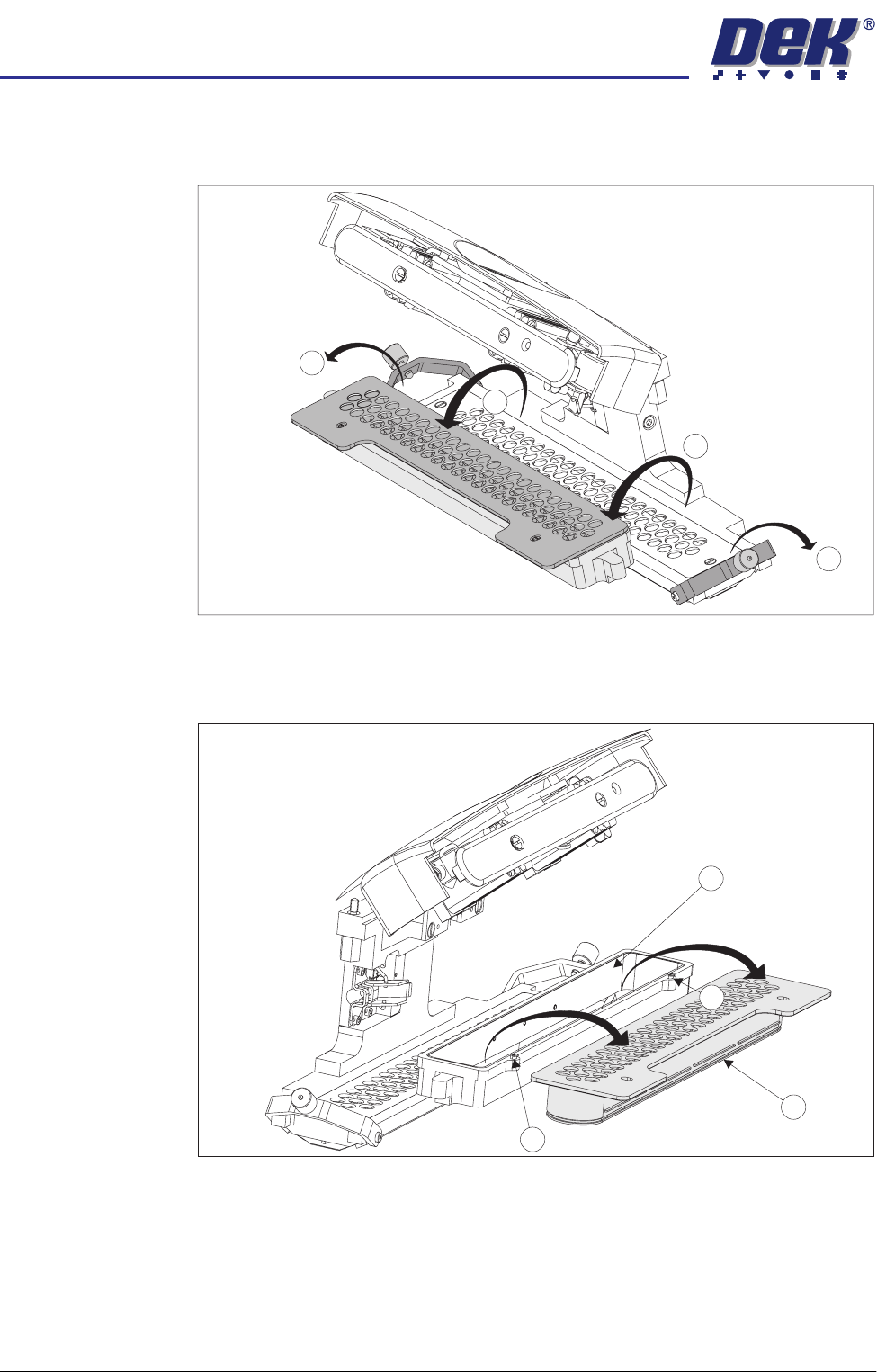
22. Hinge the clamp brackets (1) outwards. Hinge the carrier and cassette (2)
towards the front of the machine exposing the top of the cassette.
23. Carefully remove the empty cassette (1) from the carrier (2) by lifting the
cassette clear of the retaining pins (3) sited at each end of the carrier unit.
24. Dispose of the empty cassette in accordance with local authority guidelines.
2
1
1
2
3
2
3
1
semi automatic
&21680$%/(5(3/(1,6+0(176
352)/2:
Software Version 07SP02 User Manual 8.45
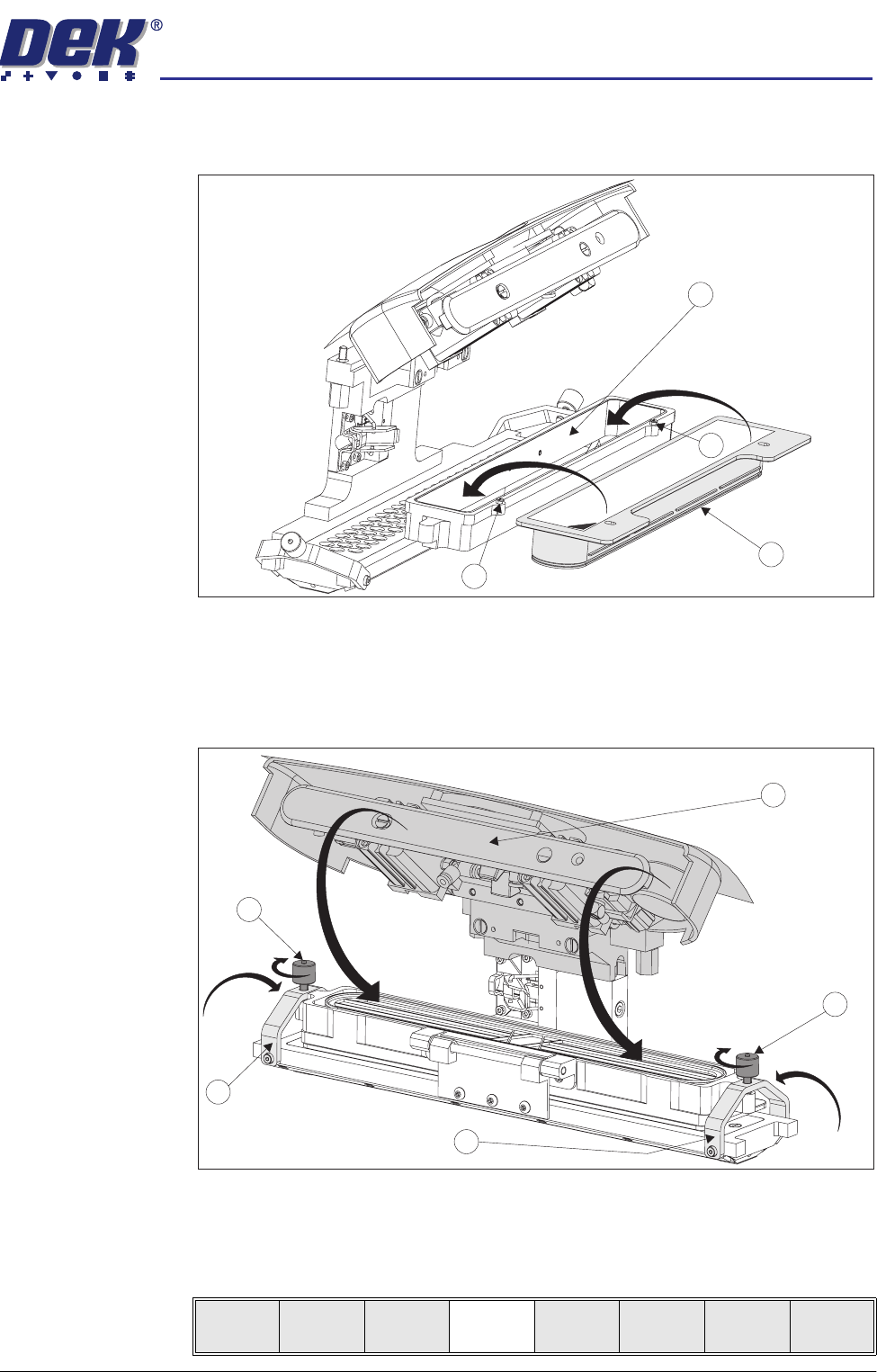
25. Remove the snap fit lid from a new cassette. Fit a new cassette (1) into the
carrier recess (2) and secure into place with the retaining pins (3).
26. Remove the sealing foil from the top of the new cassette.
27. Hinge the clamp brackets (1) inwards to position the cassette onto the
transfer head, secure in place by tightening the thumbscrews (2).
28. Lower the pressure mechanism (3) in place until the latch engages.
29. Lower the printhead cover.
30. Press the System button.
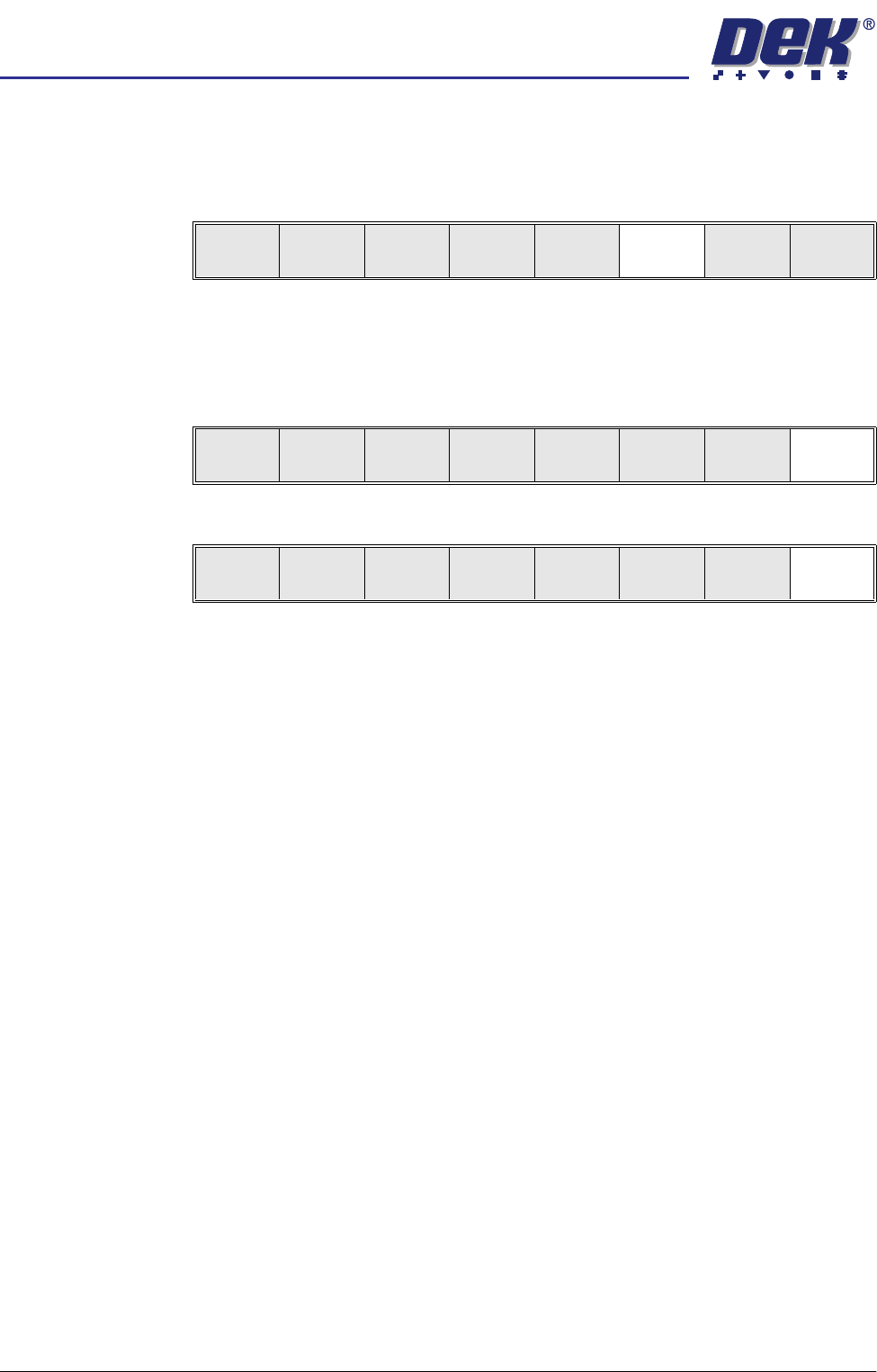
31. Select Setup ProFlow (F4).
3
2
1
3
2
2
3
1
1
Mode
Load
Data
Edit
Data
Setup
ProFlow
Change
Screen
Change
Tooling
Change
Language
Exit
semi automatic
&21680$%/(5(3/(1,6+0(176
352)/2:
8.46 User Manual Software Version 07SP02
32. Press Prime ProFlow (F6). If it is possible to carry out the prime ProFlow
function the message ‘Performing knead off-image.’ is displayed. If it is
not possible the function is deferred until it is, ie at the start of a print stroke
with a board loaded.
NOTE
If stencil protection is set to On in the current board file, Prime ProFlow is
not possible, priming can be carried out by kneading over-image.
33. Press Exit (F8).
34. Press Exit (F8).
Change
ProFlow
Load
Cassette
Prime
ProFlow
Exit
Change
ProFlow
Load
Cassette
Prime
ProFlow
Exit
Mode
Load
Data
Edit
Data
Setup
Squeegee
Change
Screen
Change
Tooling
Change
Language
Exit