182050 User manual.pdf - 第227页
semi automatic &21680$ %/(5( 3/(1,6+0 (176 %/8(81' (56&5 ((1& /($1(5 Software Version 07SP02 User Manual 8.19 NOTE When using 300 or 400mm wide pap er rolls, ensure t he correct paper roll spacer s ar…
semi automatic
&21680$%/(5(3/(1,6+0(176
%/8(81'(56&5((1&/($1(5
8.18 User Manual Software Version 07SP02
WARNING
SOLVENT SPRAY. THE UNDERSCREEN CLEANER SPRAYS A FINE JET OF
SOLVENT SOLUTION ON TO THE CLEANER. APPROVED PROTECTIVE
CLOTHING SHOULD BE WORN.
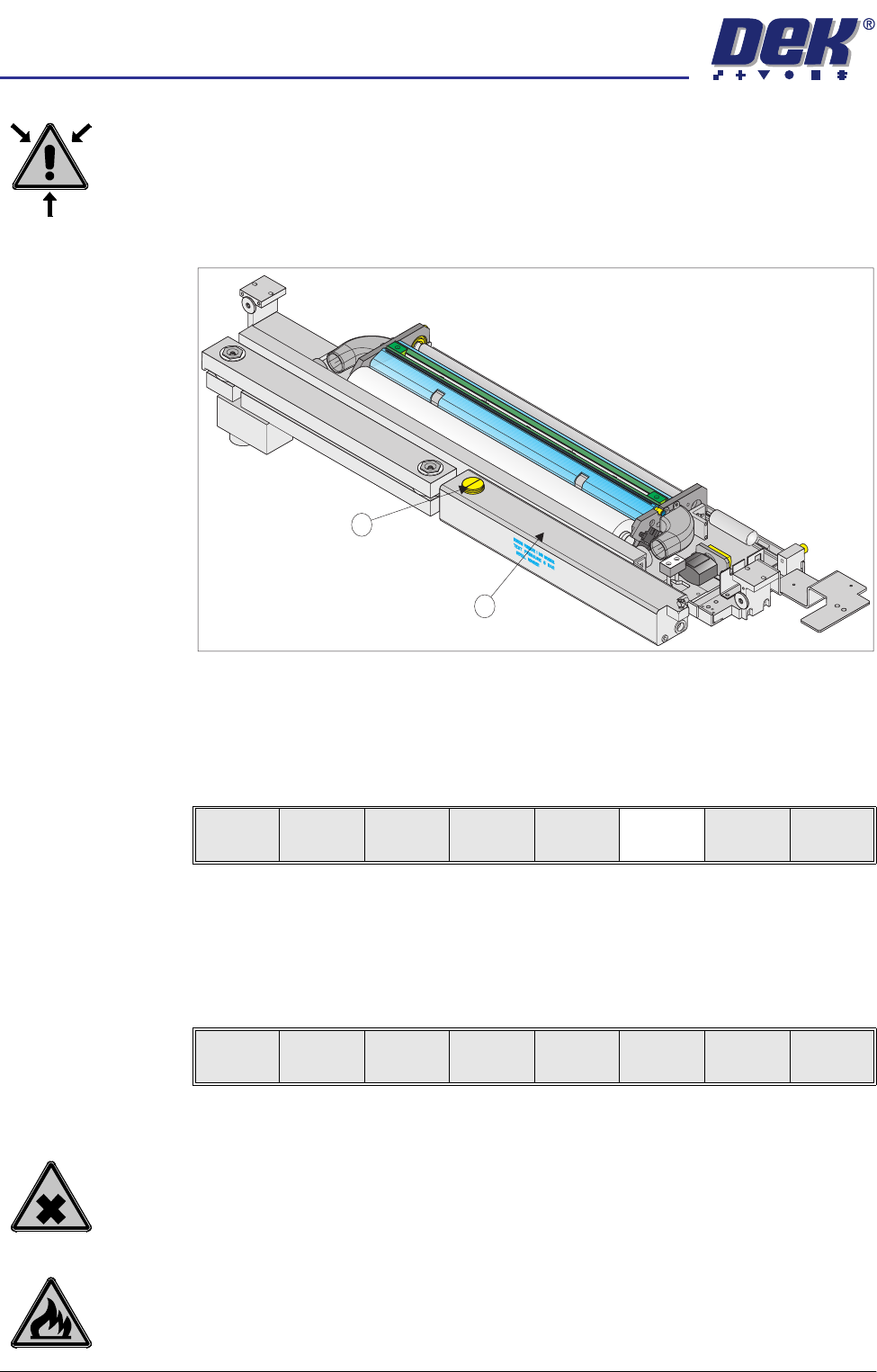
1. Remove the solvent tank cap (1) from the solvent tank (2).
2. Using a suitable container refill the tank and replace the cap.
3. Lower the printhead cover.
4. Press the System button.
5. Press Prime Solvent (F6).
The message ‘Press the two button control buttons to prime solvent.’
is displayed.
6. Prime the solvent using the two button control.
7. Press Exit (F8).
Paper Replenishment
WARNING
PROTECTIVE CLOTHING. APPROVED PROTECTIVE CLOTHING SHOULD BE
WORN BY SOLDER PASTE AND SOLVENT HANDLERS AT ALL TIMES TO
ELIMINATE FUME INHALATION, EYE CONTACT, SKIN CONTACT AND
INGESTION.
WARNING
FLAMMABLE. THE USED PAPER ROLL CONTAINS RESIDUES OF
UNDERSCREEN CLEANER FLUID AND SOLDER PASTE. OBSERVE
MANUFACTURERS’ RECOMMENDED DISPOSAL INSTRUCTIONS.
1
2
Change
Screen
Board
Clamps
Prime
Paper
Prime
Solvent
Exit
Change
Screen
Board
Clamps
Prime
Paper
Prime
Solvent
Exit
semi automatic
&21680$%/(5(3/(1,6+0(176
%/8(81'(56&5((1&/($1(5
Software Version 07SP02 User Manual 8.19
NOTE
When using 300 or 400mm wide paper rolls, ensure the correct paper roll
spacers are used.
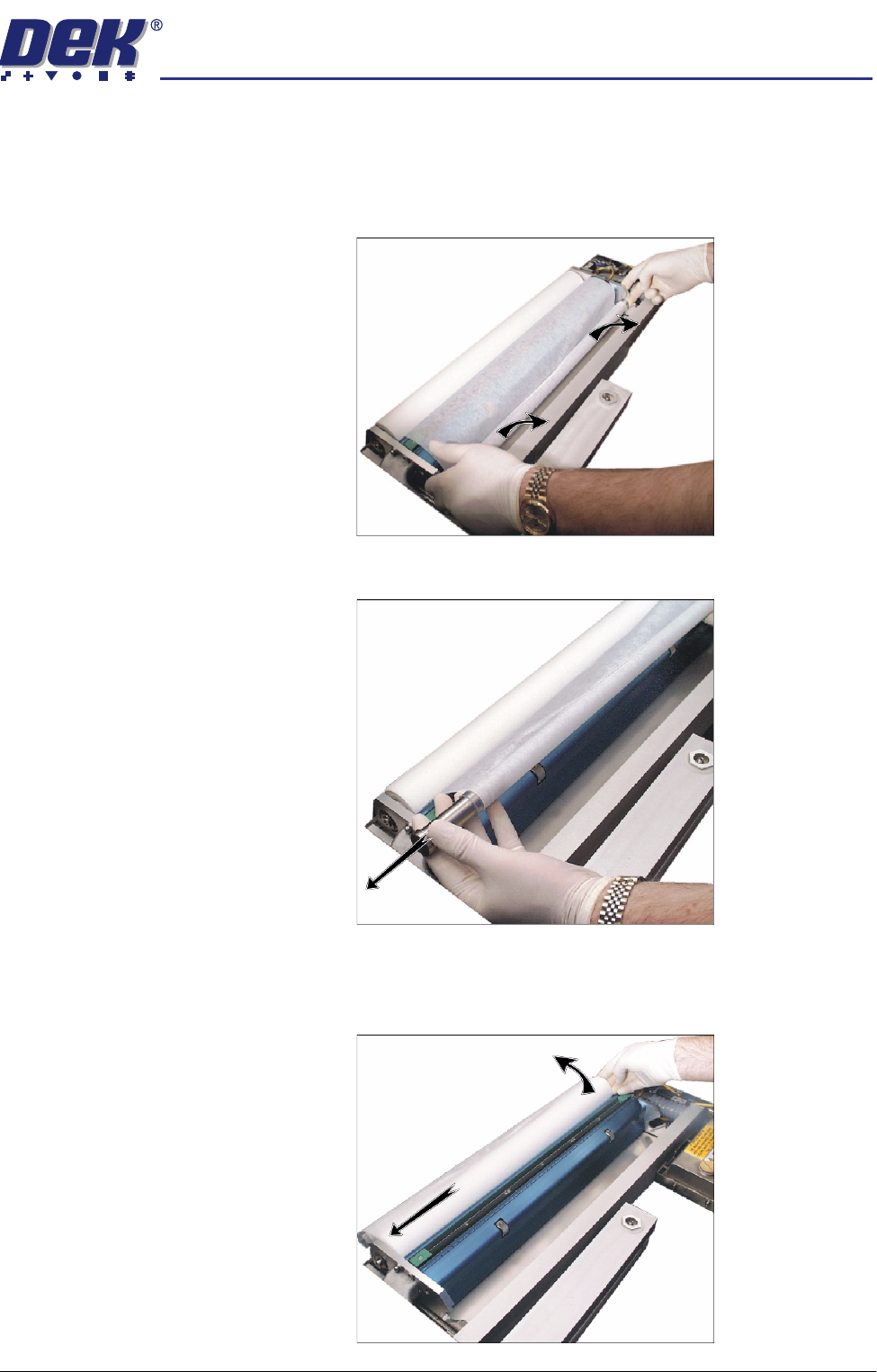
1. Lift the empty roll from the front of the cleaner.
2. Remove the paper spindles from both ends of the empty paper roll.
3. Remove the take up roll from the rear of the unit by easing the roll to the left
against spring pressure, until the right hand end is clear of the motor drive
spindle in the right hand end plate. Lift the take up roll clear of the unit.
semi automatic
&21680$%/(5(3/(1,6+0(176
%/8(81'(56&5((1&/($1(5
8.20 User Manual Software Version 07SP02
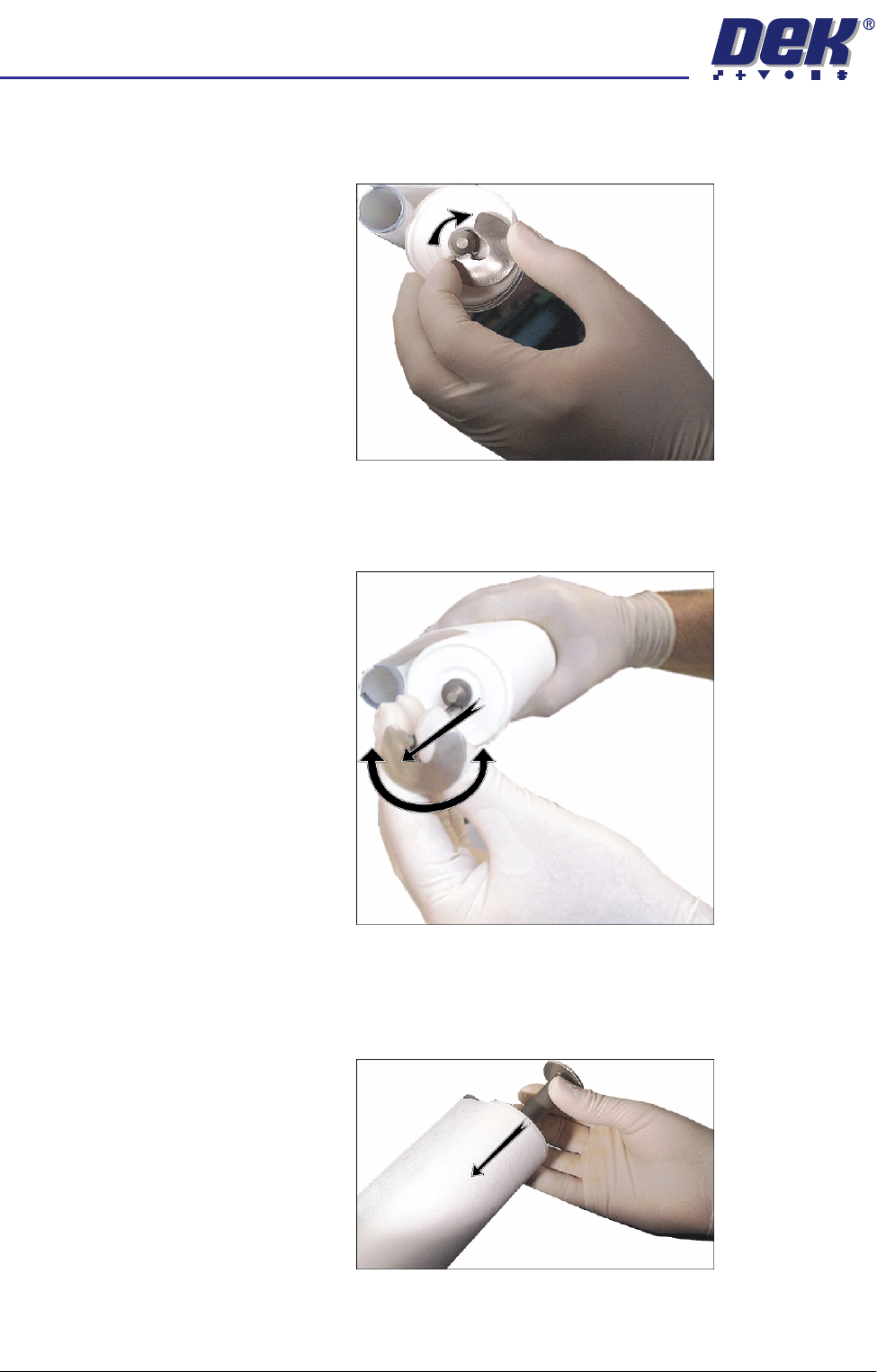
4. Rotate the left hand flange a quarter turn to the right to unlock the paper roll
rod from the paper roll shaft.
5. Rotate the paper roll end flange a quarter turn to the left and right, whilst
gently pulling the rod clear of the paper roll.
6. Slide the contaminated cleaner paper from the paper roll shaft. Dispose of
the contaminated cleaner paper in accordance with manufacturers recom-
mended disposal instructions.