00197463-03_SM_CPP_Customer_EN.pdf - 第102页
8 Screwed joint, silencer and holding circuit 8.4 Replacing the holding circuit 102 Service Manual SIPLACE Multistar (CPP / CPP M) 02/2018 Fig.172: Holding circuit ► Remove the six screws (1) fastening the holding circ…
8 Screwed joint, silencer and holding circuit
8.4 Replacing the holding circuit
Service Manual SIPLACE Multistar (CPP / CPP M) 02/2018 101
8.4 Replacing the holding circuit
NOTICE
Observe the head version
Different holding circuits are used for the SIPLACE CPP heads up to version 04 and those
from version 05 onwards.
Relevant differences for removal and installation work will be mentioned.
Parts, equipment and tools
●
Select the required holding circuit:
– Up to version 04: holding circuit assembly CPP [03055424‑xx]
– From version 05: holding circuit assembly CPP [03081381‑xx] (with integrated silencer)
Replace any defective seals, where required:
●
Seal kit for holding circuit / CPP [03095007‑xx]
Keep any seals which are not needed.
Overview
► Observe the following section:
8.1 "Overview of screwed joint, holding circuit and seals" [}93]
Preparation
► Remove the head from the machine. For details about removing and fitting the placement
head, refer to the service manual for your machine.
fit the head on the head mount [03056231‑xx].
► Make sure that the component sensor protective cap is fitted.
1.1.3 "Protecting the component sensor" [}8]
Removal
► If required, dismantle the front plate.
5.1 "Replacing the front plate [03061102-xx]" [}35]
► Remove the screwed joint.
8.2 "Replacing the screwed joint" [}94]
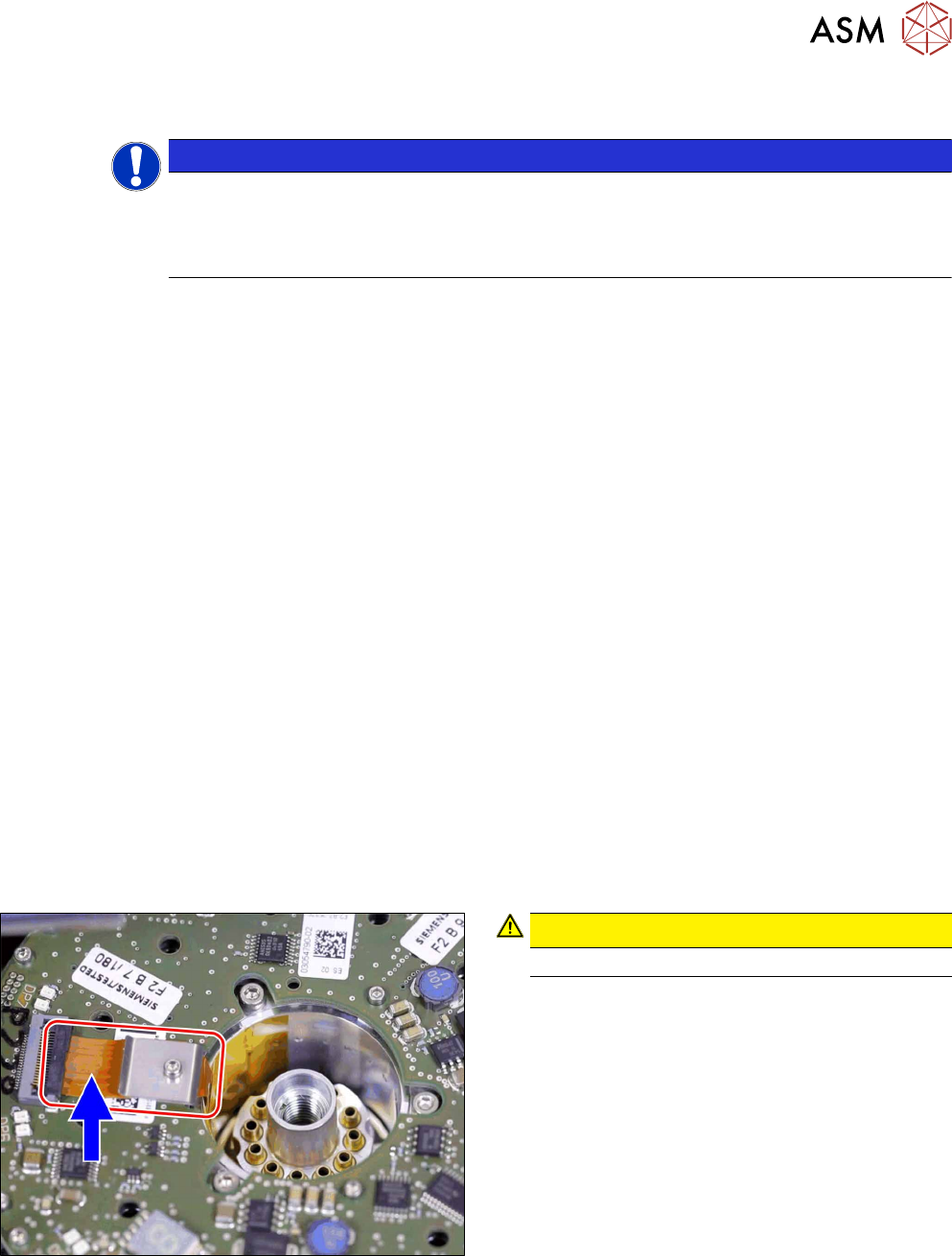
Fig.171: Flexprint cable
CAUTION!
Take care not to damage the Flexprint cable.
.
8 Screwed joint, silencer and holding circuit
8.4 Replacing the holding circuit
102 Service Manual SIPLACE Multistar (CPP / CPP M) 02/2018
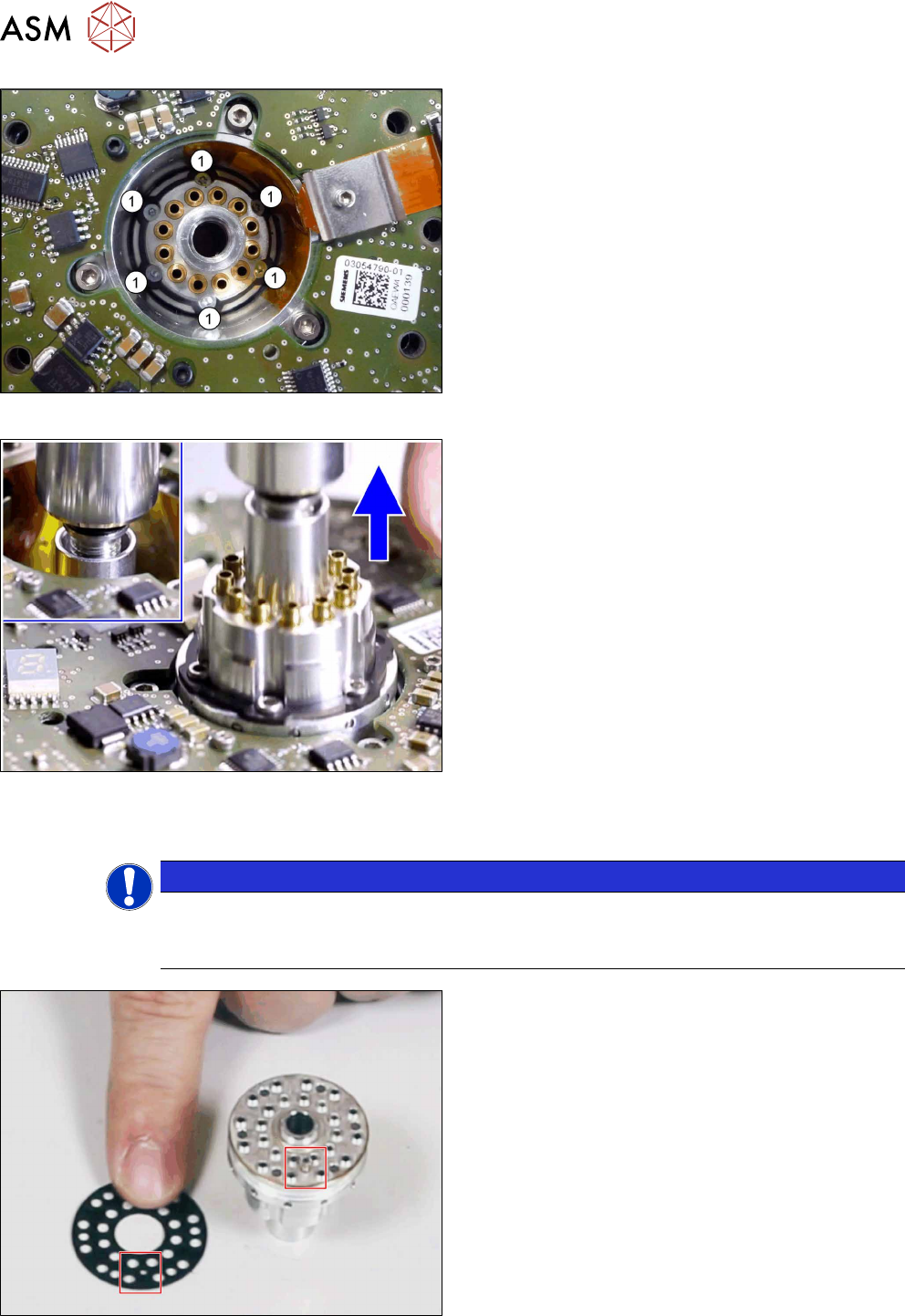
Fig.172: Holding circuit
► Remove the six screws(1) fastening the holding
circuit.
► Screw the screwed joint back into the holding cir-
cuit thread and carefully pull out the holding cir-
cuit.
Fig.173: Removing the holding circuit
► Remove the holding circuit with the help of the
screwed joint.
Installation
NOTICE
Seals
► When you fit a cleaned holding circuit, used new seals from the holding circuit seal set
[03095007-xx]. Keep the remaining seals safe.
Fig.174: Holding circuit seal
► Fit the seal into the holding circuit. Pay attention
to the correct fitting position of the pin.
8 Screwed joint, silencer and holding circuit
8.4 Replacing the holding circuit
Service Manual SIPLACE Multistar (CPP / CPP M) 02/2018 103
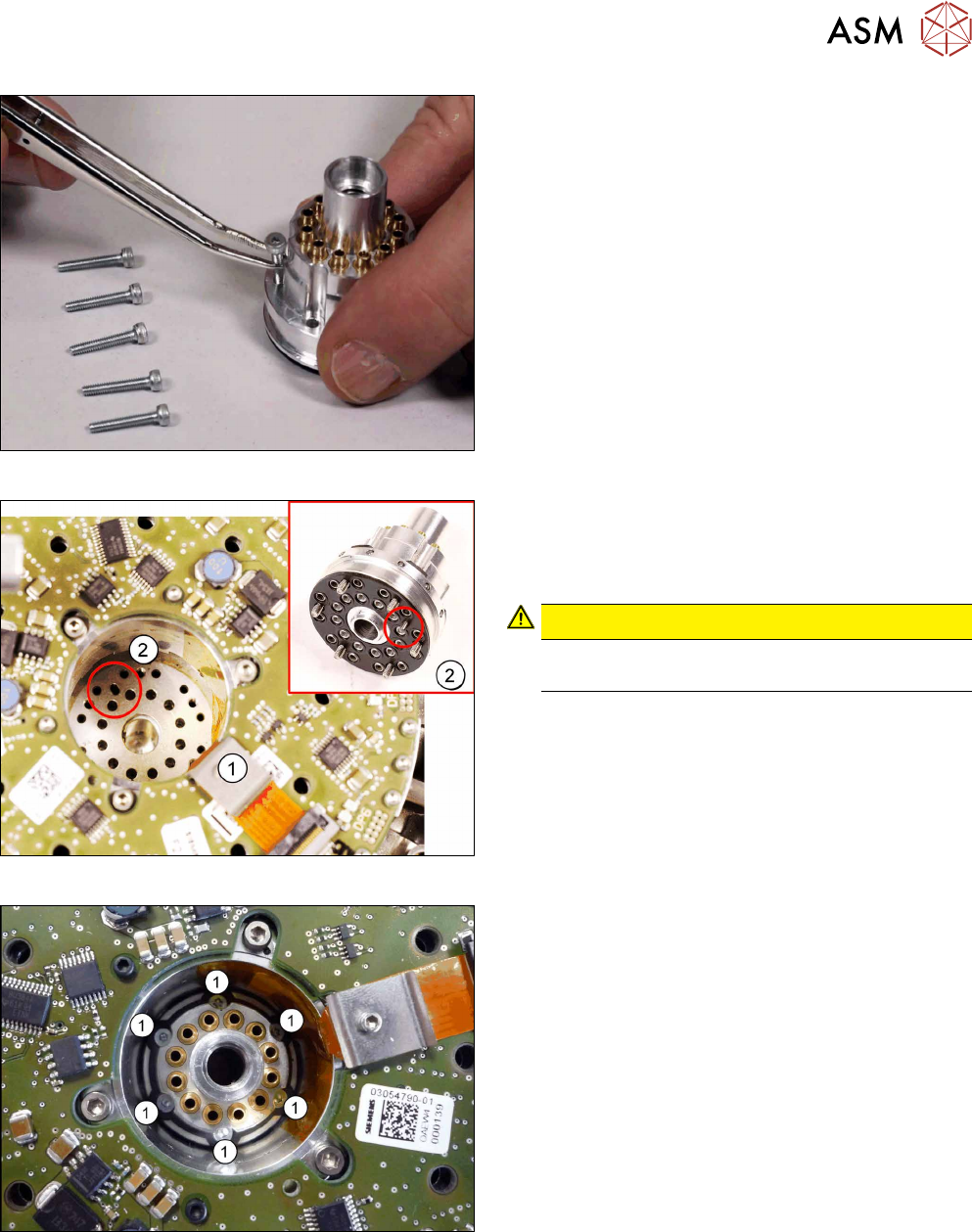
Fig.175: Holding circuit fastening screws
► Insert the six fastening screws into the holding
circuit.
Fig.176: Fitting the holding circuit
► Carefully insert the holding circuit. Pay attention
to the correct fitting position of the pin(2).
The holding circuit must engage properly when
inserted.
CAUTION!
Take care not to damage the Flexprint
cable (1).
.
Fig.177: Fixing the holding circuit
► Lightly tighten the fastening screws.
► Tighten the six screws fastening the holding cir-
cuit crosswise, with a torque of 0.2Nm.