00197463-03_SM_CPP_Customer_EN.pdf - 第25页
3 Usability package 3.1 Parts, equipment and tools Service Manual SIPLACE Multistar (CPP / CPP M) 02/2018 25 3 Usability package Various modifications have been made to the CPP head, to make it easier to fit and remove t…
2 Overview of the Modules
2.1 CPP Head
24 Service Manual SIPLACE Multistar (CPP / CPP M) 02/2018
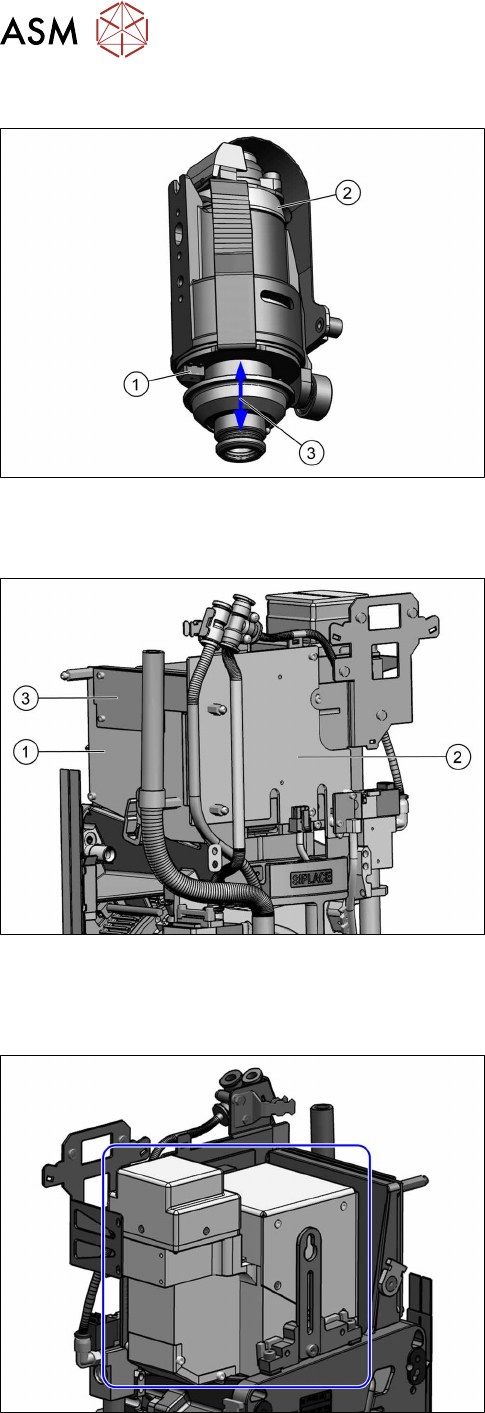
2.1.9.1 DP drive function
Fig.16: DP drive function
1. Light barrier down
2. Measuring system
3. Cushioning path for operating the light barrier
down
The DP drives are controlled by the SCS board, in
accordance with the counter pulse and nominal value
(pickup angle, placement angle and correction angle
after Vision).
The feedback about the position of the DC motor is
monitored by an incremental measuring system.
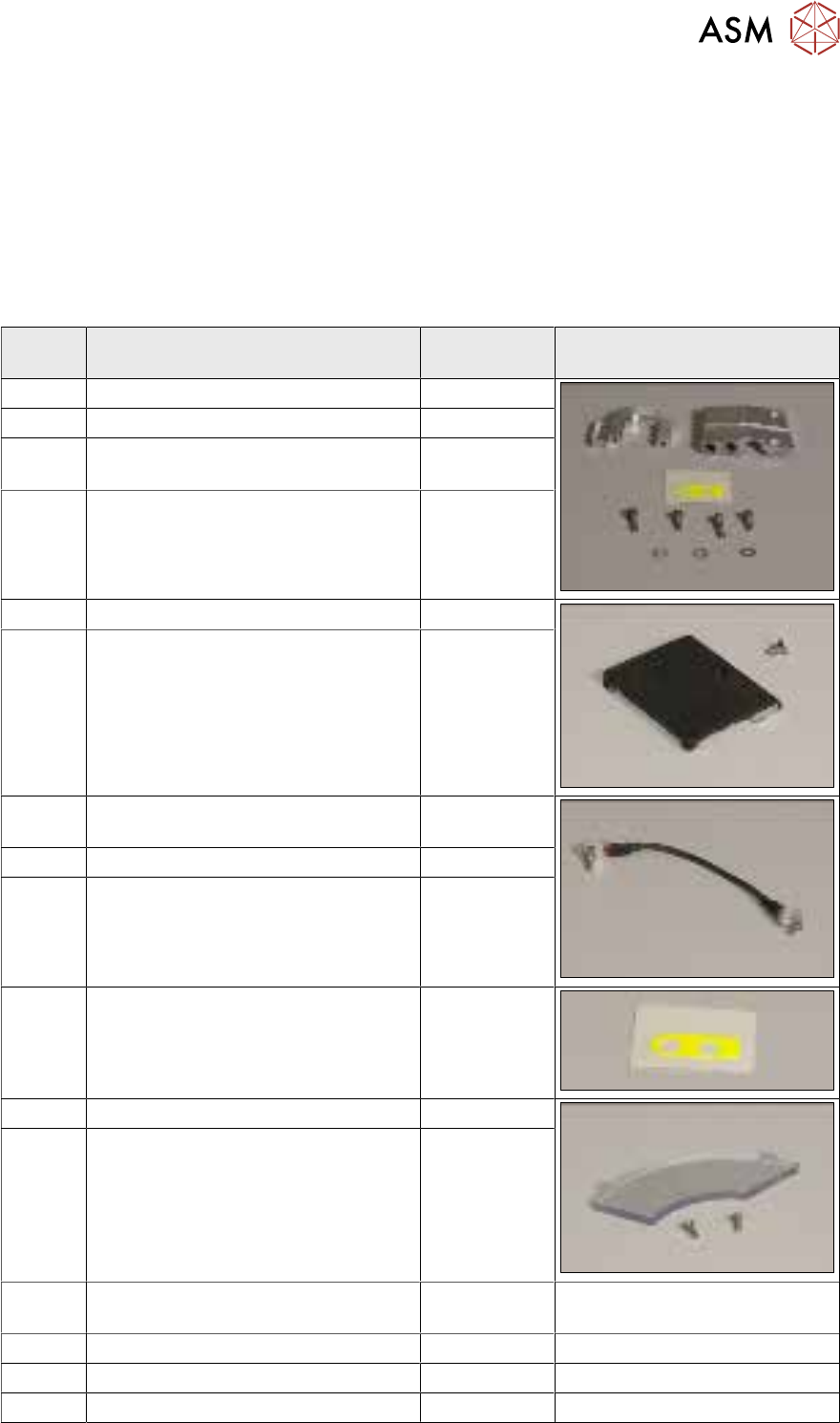
2.1.10 Intermediate distributor 1 and 2 (ID1 and ID2)
Fig.17: Intermediate distributor (from version 05)
1. Intermediate distributor 1
2. Intermediate distributor2
3. KE control board ID2 for contactless data trans-
mission (from version 05)
Intermediate distributor function:
●
LEDs show the operating voltages at the head
and the sensor states
●
Test connector for the track signals and test pins
for analog signals
●
Controlled power supply for incremental encoder
from Z and star drive
●
Interface for component sensor, vacuum unit, va-
cuum sensor of holding circuit and EEPROM
●
Startup control for the return cylinder
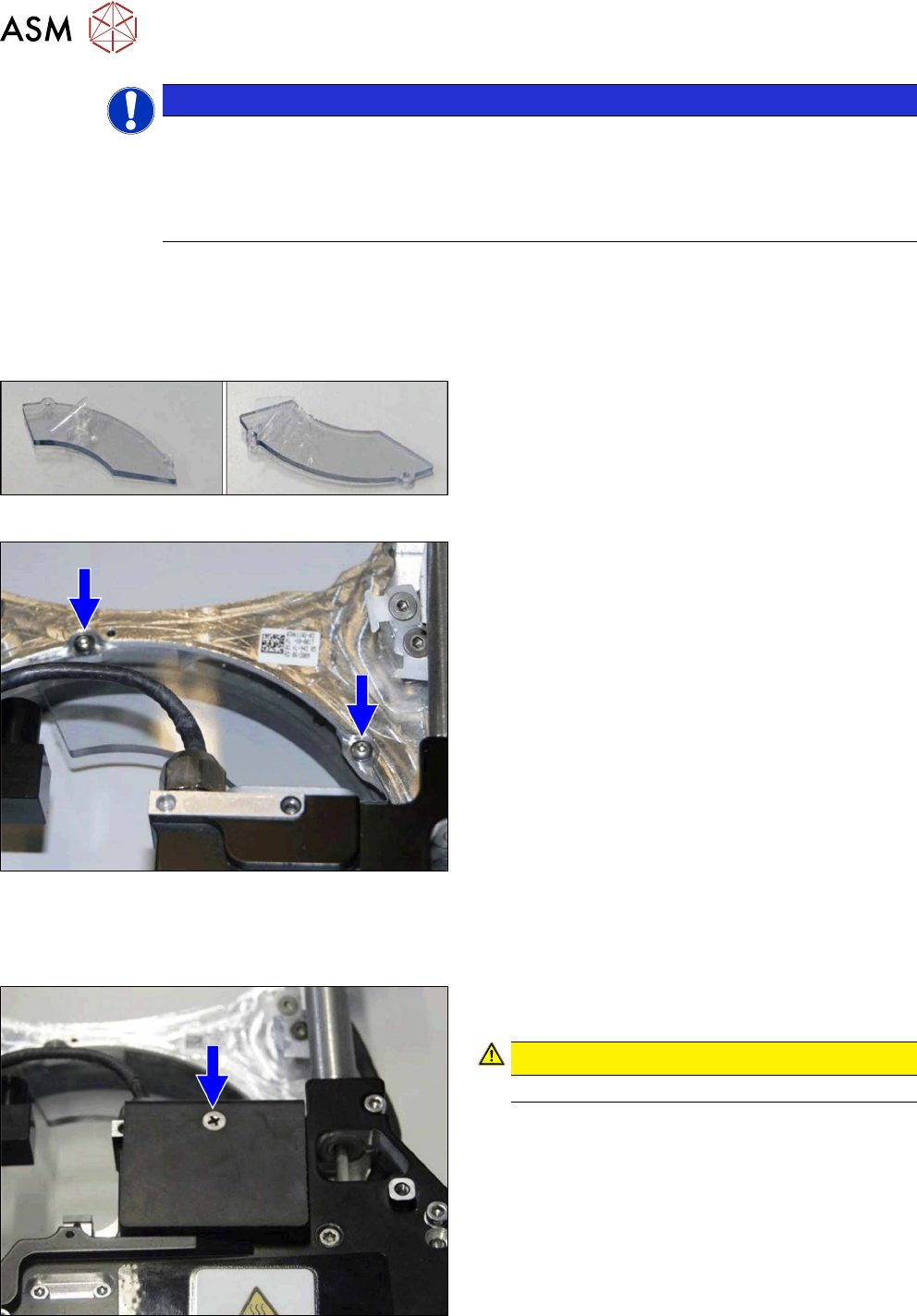
2.1.11 Component camera
Fig.18: Component camera
Component camera
Available types:
●
SST23
●
SST29
●
SST30
●
SST38
●
SST45
The component camera is fitted in the 12 o'clock posi-
tion.
This camera is responsible for optically recognizing
the component and for calculating its centerpoint.
The component camera evaluates the data determ-
ined and calculates the offset between the component
centerpoint and the nozzle centerpoint plus the angle
in the placement position.
3 Usability package
3.1 Parts, equipment and tools
Service Manual SIPLACE Multistar (CPP / CPP M) 02/2018 25
3 Usability package
Various modifications have been made to the CPP head, to make it easier to fit and remove the
SIPLACE Multistar (CPP). These can be retrofitted as a so-called "usability package".
3.1 Parts, equipment and tools
●
Retrofit kit usability CPP [03119882‑xx]
Contents of the "retrofit kit usability CPP" [03119882‑xx]
Quant-
ity
Designation Item no. Figure
1 RH cylinder holder / CPP 03120201-xx
1 Insertion aid - top right / CPP 03118785-xx
1 Label for insertion aid - top right /
CPP
03122619-xx
4 ISO 4762 - M 2 x 8-A2-70 03042526-xx
1 Handle protector CPP assy. 03119772-xx
1 ISO 7046-2-M3 x 5-A2-70-H 03023237-xx
1 Ground connection (ground slit) of
screwed joint CPP
03120256-xx
1 DIN EN ISO 7380-M2 x 4-A2-70 03045177-xx
1 ISO 4762 - M 2 x 4-A2-70 03042523-xx
2 Label for assembly marking CPP 03118678-xx
1 Cover for front plate / CPP 03077012-xx
9 DIN EN ISO 7380-M2.5 x 6-A2-70 03045187-xx
1 Label slanted for assembly marking
CPP
03157186‑xx
2 DIN EN ISO 7380-M2 x 6-A2-70 03045179-xx
1 ISO 7089 - 2.5 - 200 HV - A2 03100632‑xx
1 DIN EN ISO 7380-M2.5 x 8-A2- 03045188‑xx
3 Usability package
3.2 Retrofitting the usability package
26 Service Manual SIPLACE Multistar (CPP / CPP M) 02/2018
NOTICE
Small screws and screws with plastic threads
When tightening smaller screws and screws with plastic threads, observe the following pro-
cedure:
► Turn the screw first to the left, until it falls into the thread. Then tighten the screw care-
fully.
3.2 Retrofitting the usability package
Assembly of:
●
Cover for front plate / CPP [03077012‑xx]
Fig.19: Pulling off the protective sheet
► Pull the protective sheet off both sides of the
cover.
Fig.20: Fitting the cover
► Fit the cover on the front plate.
Assembly of:
●
Handle protector CPP assy. [031119772‑xx]
Fig.21: Fitting the handle protector
► Fit the handle protector assy for the CPP onto the
front plate.
CAUTION!
Secure the screw with Loctite 243.
.