00197463-03_SM_CPP_Customer_EN.pdf - 第28页
3 Usability package 3.2 Retrofitting the usability package 28 Service Manual SIPLACE Multistar (CPP / CPP M) 02/2018 Assembly of: ● Ground connection (ground slit) of screwed joint CPP [03120256‑xx] Fig.25: Fastening th…
3 Usability package
3.2 Retrofitting the usability package
Service Manual SIPLACE Multistar (CPP / CPP M) 02/2018 27
Assembly of:
●
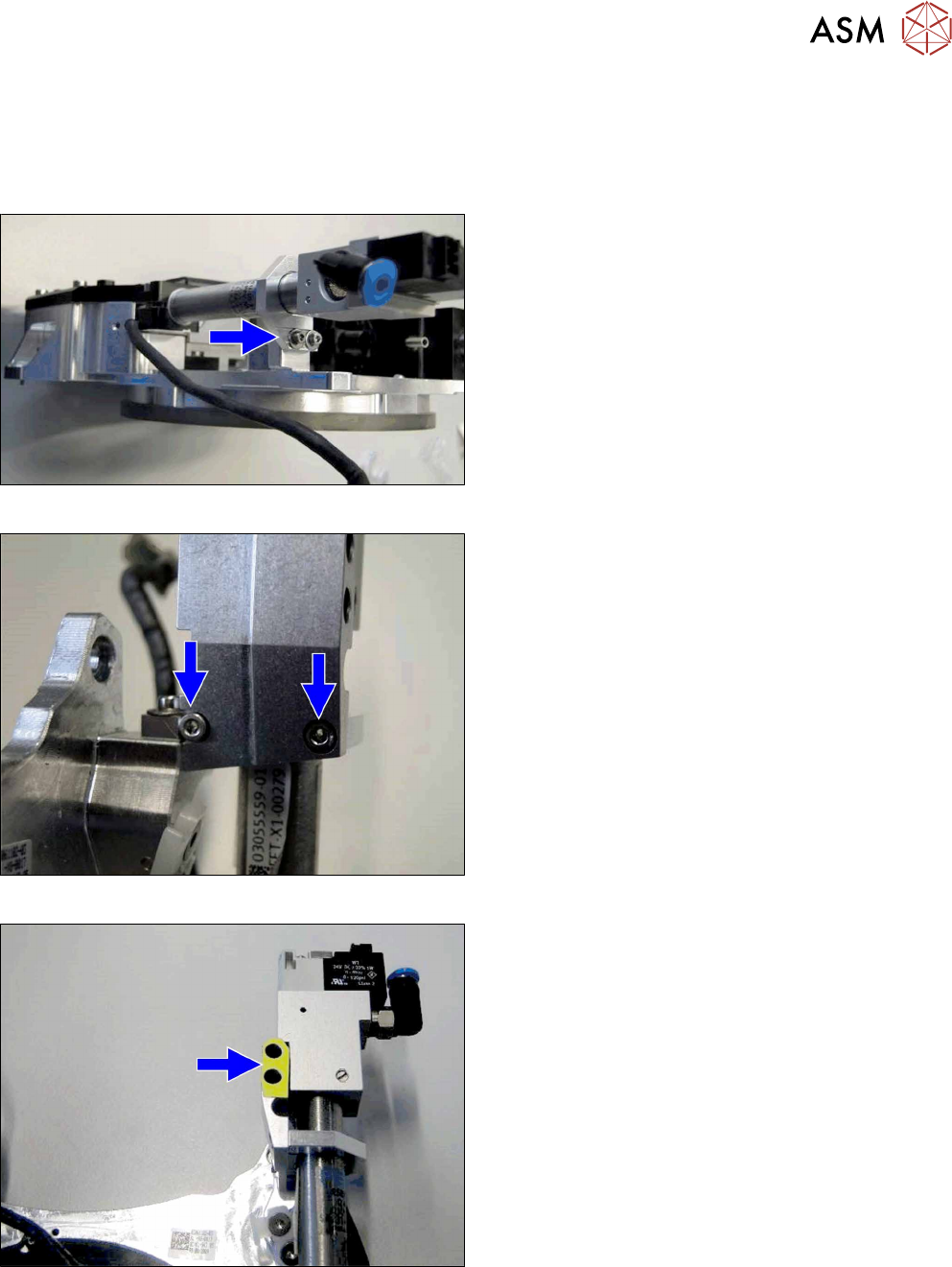
Insertion aid top right / CPP [03118785‑xx]
●
Label for insertion aid [03122619‑xx]
●
RH cylinder holder / CPP [03120201‑xx]
Fig.22: Replacing the cylinder holder
► Replace the RH cylinder holder. This is neces-
sary before you can fit the insertion aid.
Fig.23: Fitting the insertion aid
► Fit the "insertion aid top right / CPP".
Fig.24: Fitting the label
► Attach the "insertion aid label".
3 Usability package
3.2 Retrofitting the usability package
28 Service Manual SIPLACE Multistar (CPP / CPP M) 02/2018
Assembly of:
●
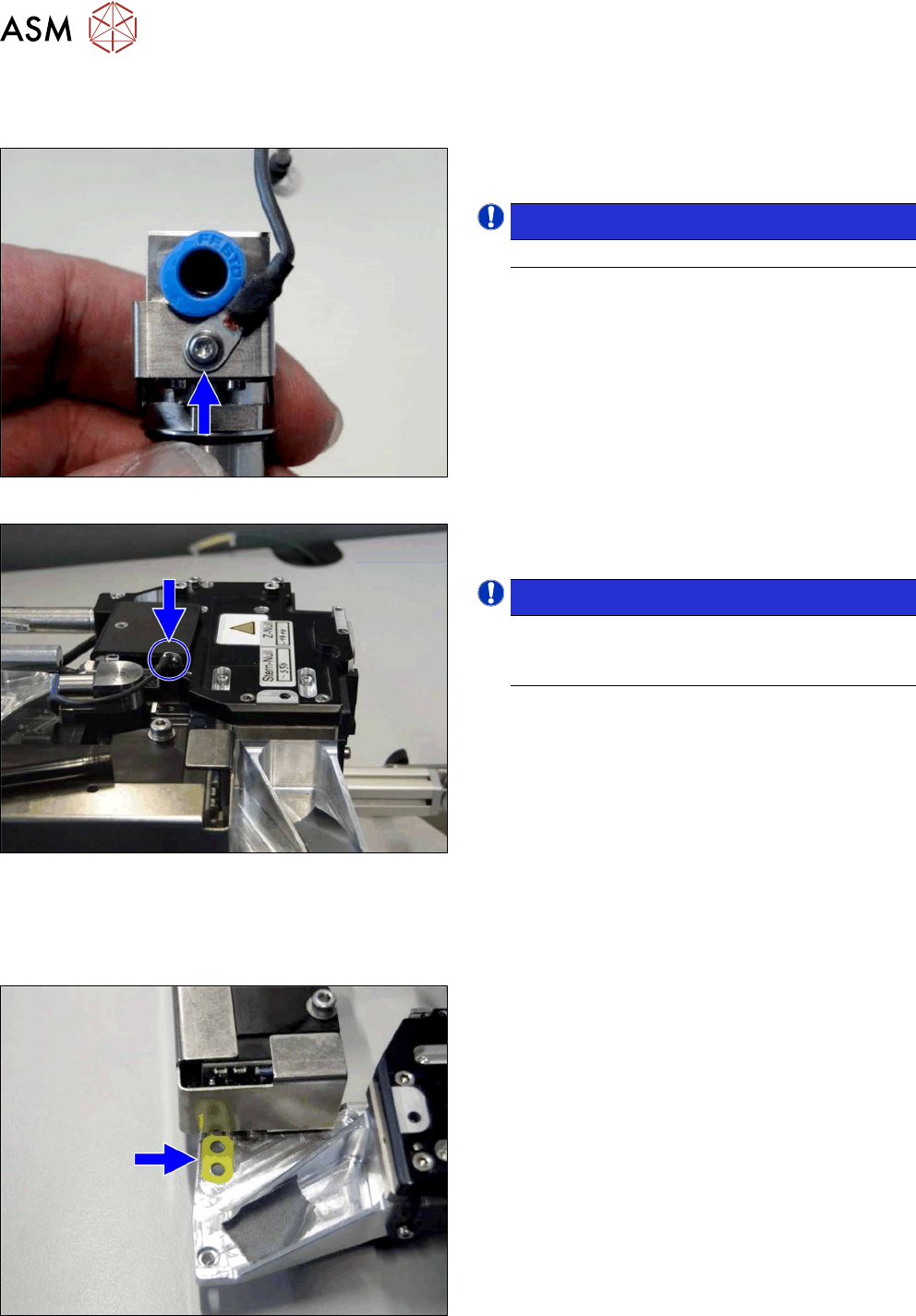
Ground connection (ground slit) of screwed joint CPP [03120256‑xx]
Fig.25: Fastening the ground connection to the screwed joint
► Screw the new ground connection to the screwed
joint using the straight cable lug.
NOTICE!
Observe the correct installation direction.
.
Fig.26: Fastening the ground connection to the front section of
the head
► Fit the ground connection to the front section of
the head using the curved cable lug (if present).
NOTICE!
Make sure that the curved cable lug does not
protrude beyond the handle protector for the
CPP.
.
Assembly of:
●
Label assembly marking CPP [03118678‑xx]
Fig.27: Fitting the label
► Attach the label to the position shown.
4 Component camera and component sensor
4.1 Replacing the component camera [03018637‑xx]
Service Manual SIPLACE Multistar (CPP / CPP M) 02/2018 29
4 Component camera and component sensor
4.1 Replacing the component camera [03018637‑xx]
Parts, equipment and tools
●
Select the required spare part:
– Component camera C&P (type 23) 6x6 GigE [03105195Sxx]
– Component camera C&P (type 29) 27x27 digital RK [03018637Sxx] (without GigE)
– Component camera C&P (type 30) 27x27 GigE [03101672Sxx]
– Component camera C&P (type 38) 16x16 digital RK [03051870Sxx]
– Component camera CPP (type 45) 15x15 GigE [03106380Sxx]
Overview
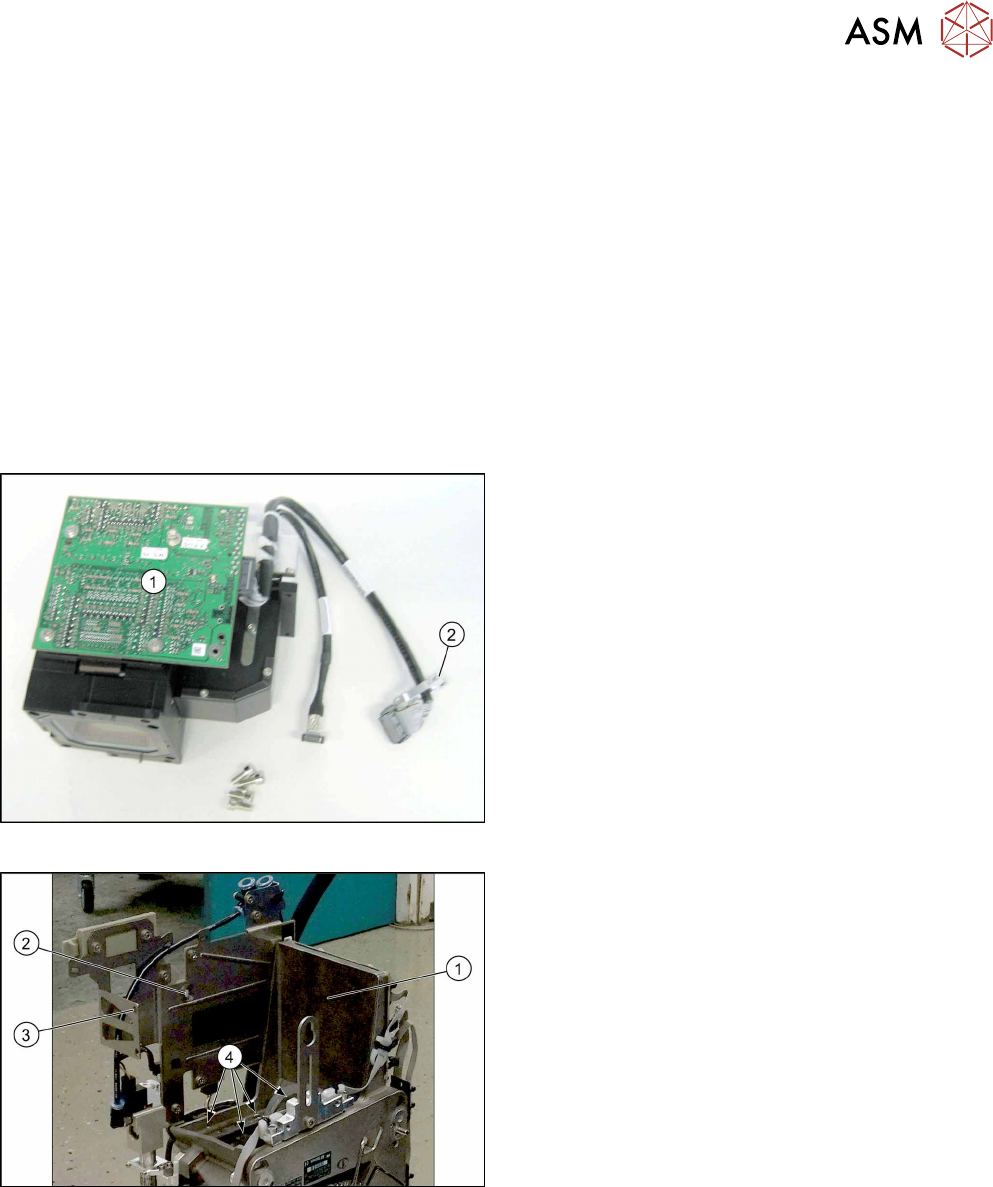
Fig.28: Component camera
1. Illumination control
2. Cable holder
Fig.29: CPP head without component camera
1. Mounting position for the component camera
2. Fixing hole on the board holder
3. Fixing hole on the bracket
4. Fixing holes for the foot of the component cam-
era (two each on each side)