Xg系列调整手册.pdf - 第11页
2 Before beginning adjustments 2- 5 2. Prepar atory w ork 1 On the initial screen, press the [Operator] button. The ID WINDOW dialog box appears for specifying the operator. [Operator] button Press the [Operator] button …
2
Before beginning adjustments
2-4
2. Preparatory work
Before beginning basic adjustments and FAMF adjustments, the machine must be set up for adjust-
ments condition. This section describes how to set up the machine for adjustments.
2.1 System data backup
Before beginning adjustments, save the machine data settings as explained below.
c
CAUTION
Machine conditions during adjustments may adversely affect the component mounting accu-
racy. Be sure to make a backup of the system data to save the machine data settings before
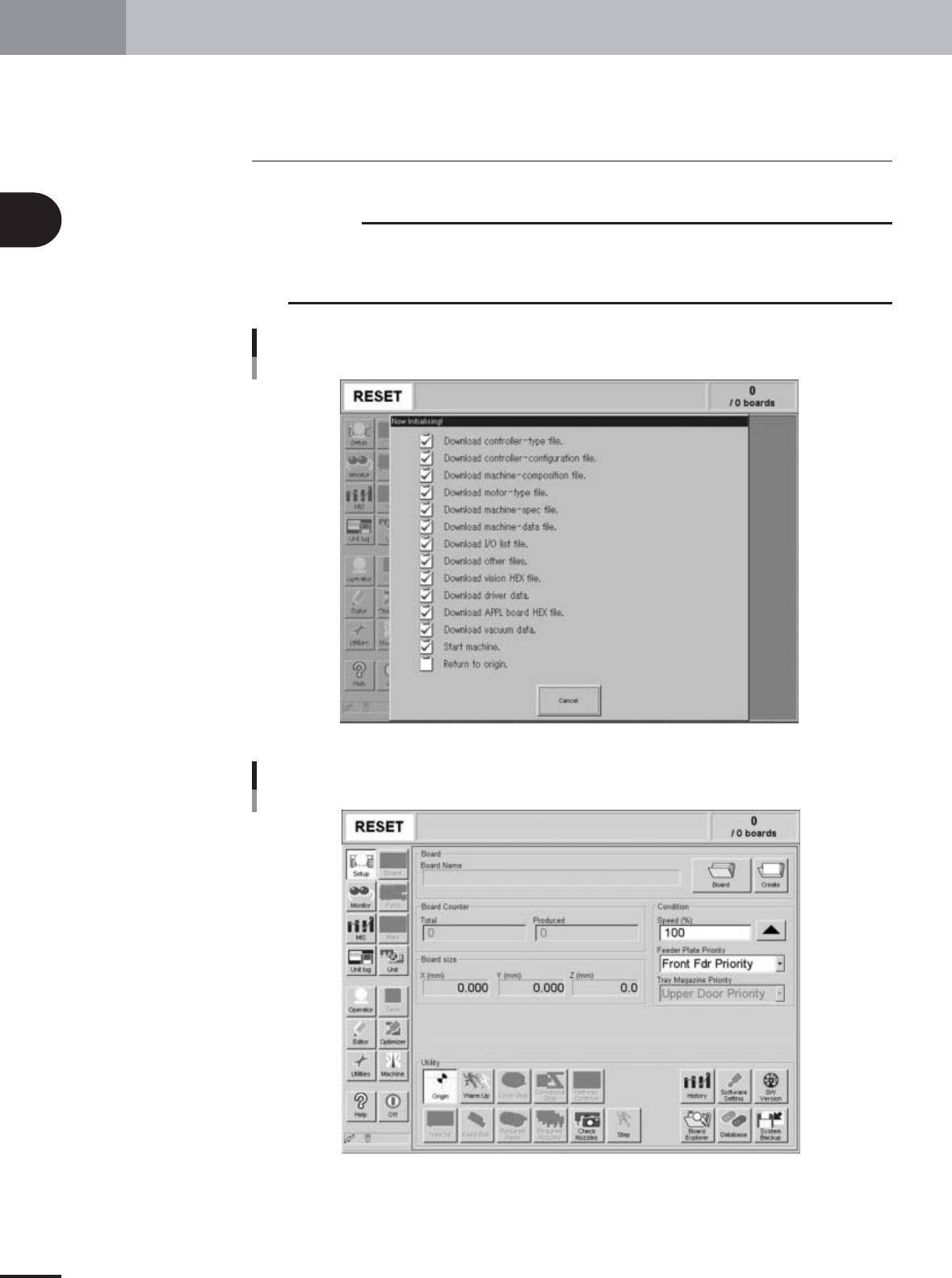
adjustments. First turn on the power switch to start up the machine and display the initial
screen.
Initialization screen
27004-X9-00
Initial screen
27005-X9-00
2
Before beginning adjustments
2-5
2. Preparatory work
1
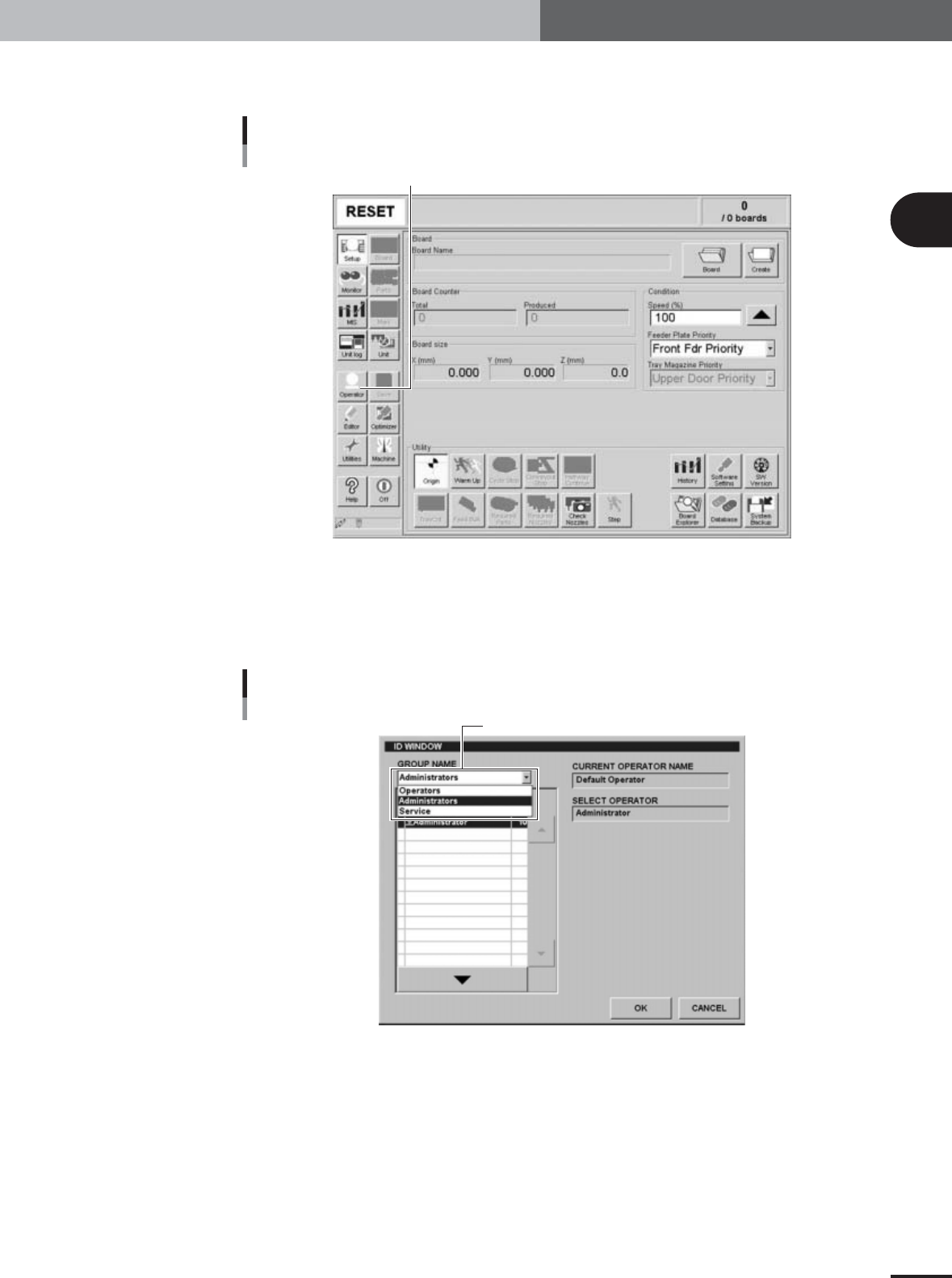
On the initial screen, press the [Operator] button.
The ID WINDOW dialog box appears for specifying the operator.
[Operator] button
Press the [Operator] button to open the ID WINDOW.
27005-X9-A0
2
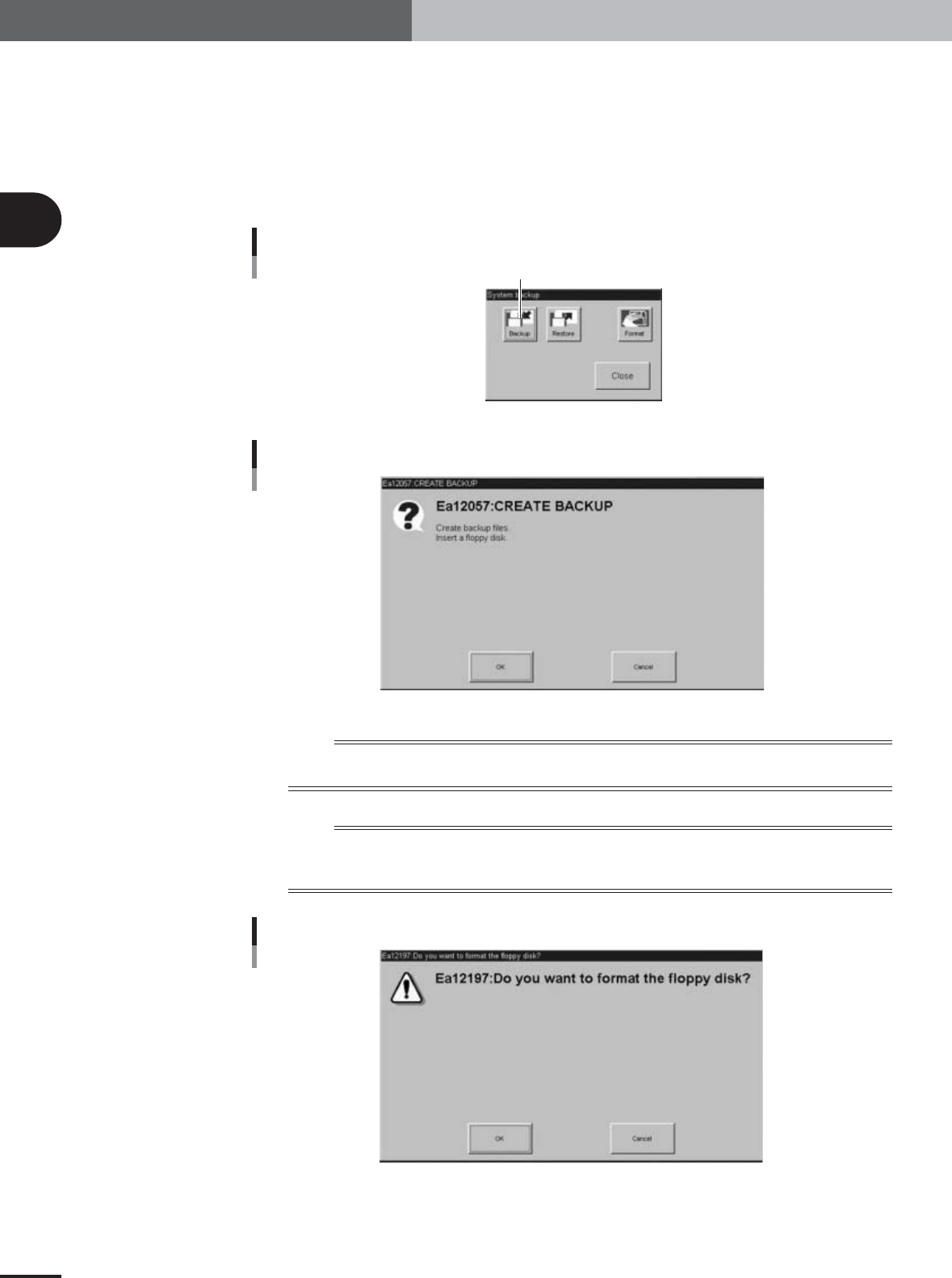
Specify the operator and enter the password.
You may select "Administrator" or "Service" from the GROUP NAME drop-down list.
When the password is verified, the initial screen (Setup screen before selecting PCB
data) appears.
ID WINDOW
Select "Administrators" or "Service".
27006-X9-00
2
Before beginning adjustments
2-6
2. Preparatory work
3
Make a backup of the system data.
1.Insert a formatted floppy disk into the FD drive of the machine.
2.Press the [System Backup] button on the Setup screen.
The System Backup dialog box appears.
3.Press the [Backup] button.
The Create Backup dialog box appears.
4.Press the [OK] button to make a backup of the system data.
System Backup dialog box
Press the [Backup] button.
27007-X9-00
Create Backup dialog box
26009-X9-00
n
NOTE
The system data should be backed up each time before beginning FAMF adjustments. If the adjustment results are
unsatisfactory, then you can restore the previous data using the backup data.
n
NOTE
If an unformatted floppy disk is used, the system data may not be stored on one floppy disk. In this case, press the
[Format] button to initialize the floppy disk. The "Disk format" dialog box then appears, so press the [OK] button
to format the disk and then back up the system data.
Disk format dialog box
26008-X9-00