Xg系列调整手册.pdf - 第15页
2 Before beginning adjustments 2- 9 2. Prepar atory w ork 3 Restore the system data. 1. Insert the floppy disk containing the system backup data, into the FD drive of the machine. 2. Press the [System Backup] button at t…
2
Before beginning adjustments
2-8
2. Preparatory work
1
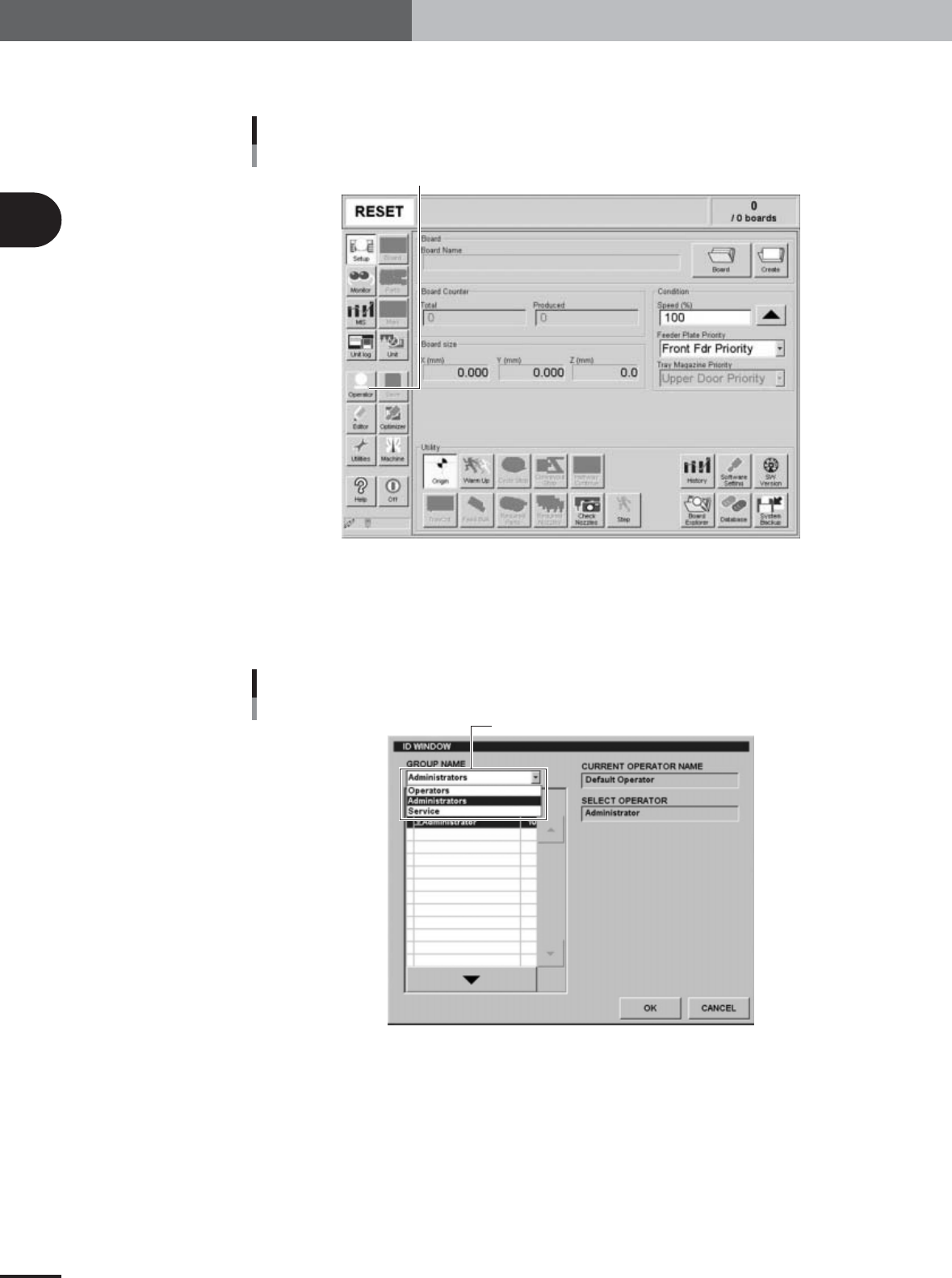
On the initial screen, press the [Operator] button.
The ID WINDOW dialog box appears for specifying the operator.
[Operator] button
Press the [Operator] button to open the ID WINDOW.
27005-X9-A0
2
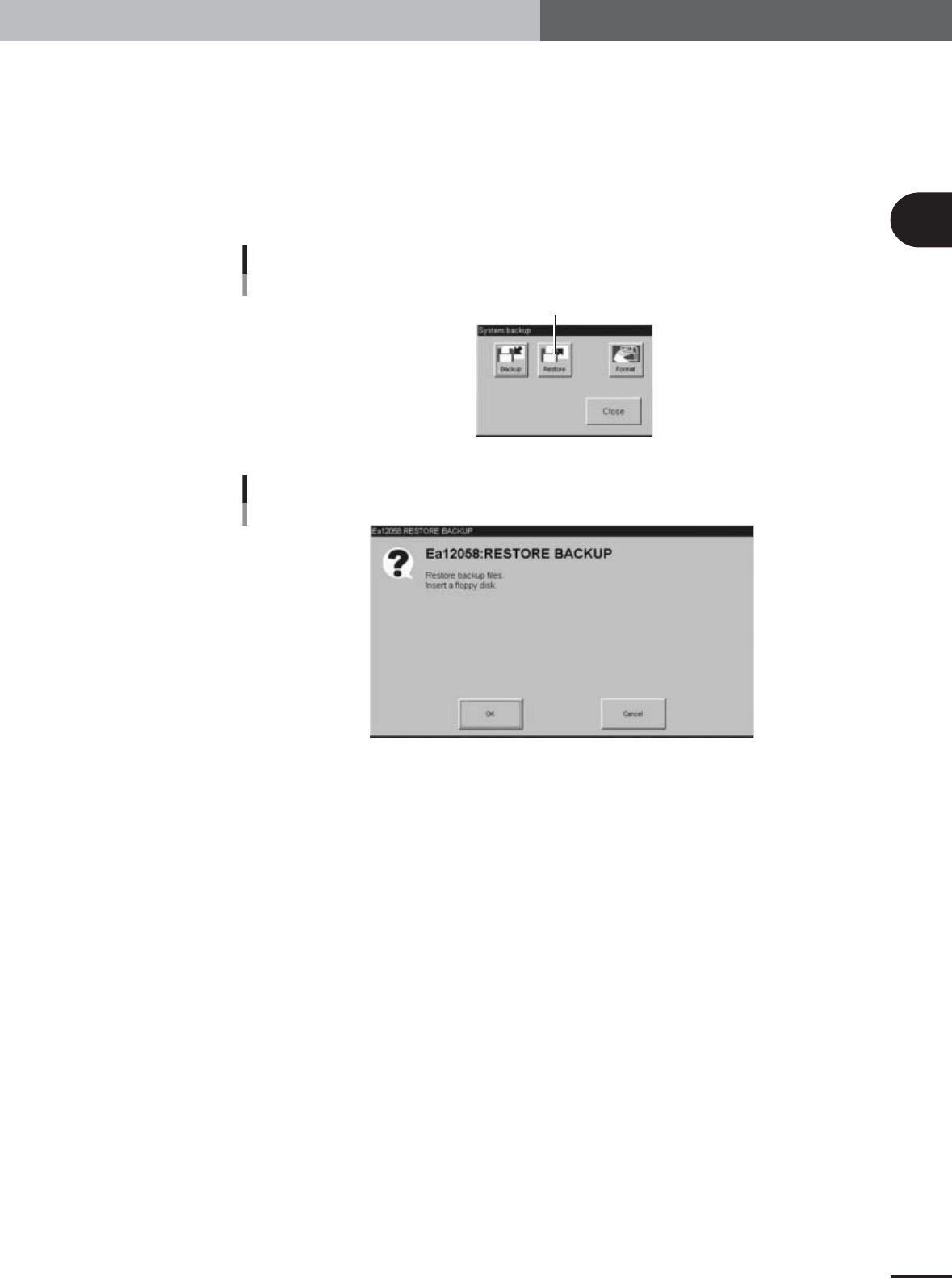
Specify the operator and enter the password.
You may select "Administrator" or "Service" from the GROUP NAME drop-down list.
When the password is verified, the initial screen (Setup screen before selecting PCB
data) appears.
ID WINDOW
Select "Administrators" or "Service".
27006-X9-00
2
Before beginning adjustments
2-9
2. Preparatory work
3
Restore the system data.
1.Insert the floppy disk containing the system backup data, into the FD drive of the
machine.
2.Press the [System Backup] button at the lower right of the Setup screen.
The System Backup dialog box appears.
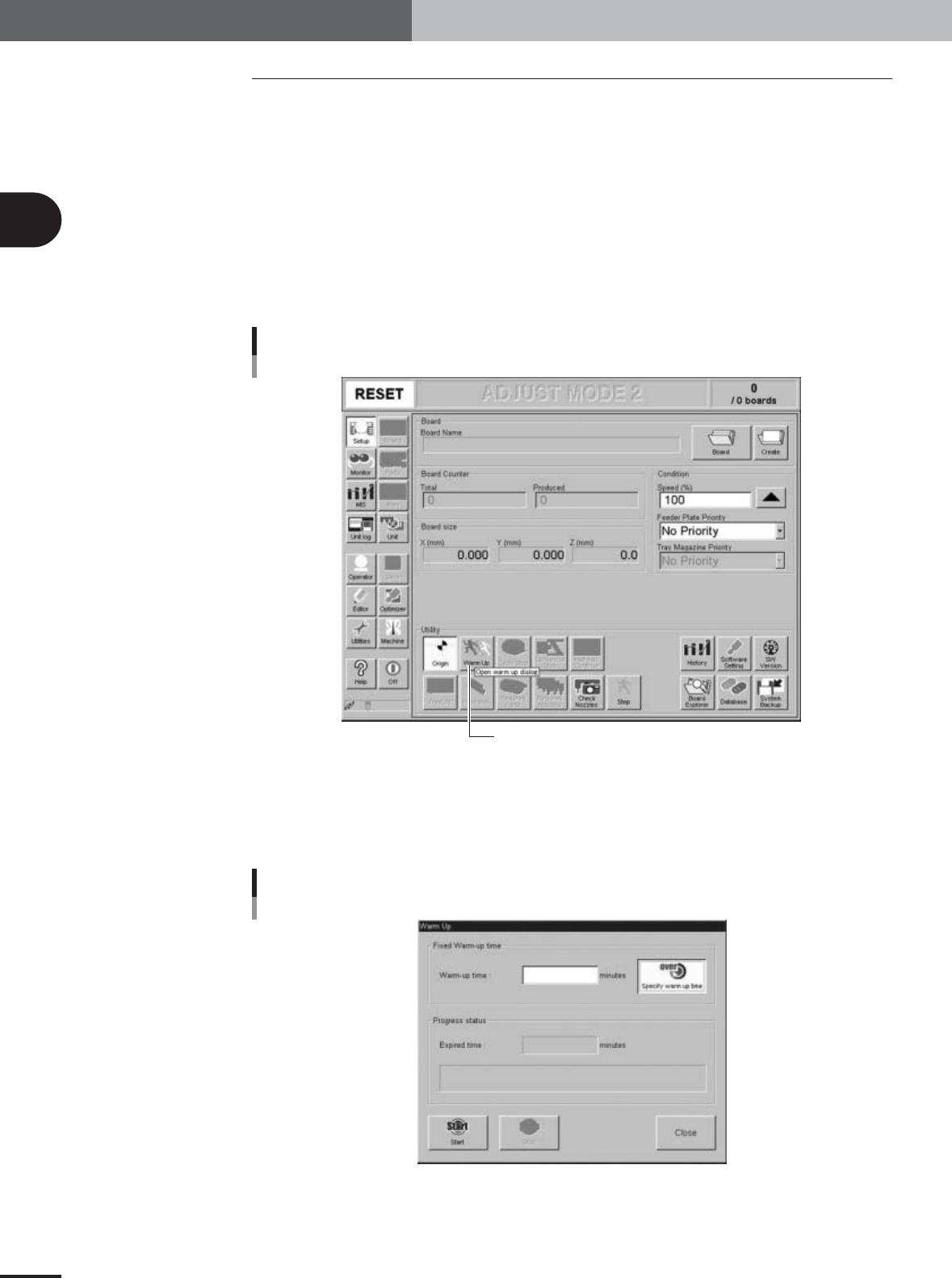
3.Press the [Restore] button.
The Restore Backup dialog box appears.
4.Press the [OK] button to restore the system data.
System Backup dialog box
Press the [Restore] button.
27007-X9-A0
Restore Backup dialog box
27010-X9-00
2
Before beginning adjustments
2-10
2. Preparatory work
2.3 Warming up the machine
After starting up the machine, warm it up before beginning adjustments. We recommend
warming up the machine for about 30 minutes, which is longer than the warm-up for PCB
production.
If the machine is stopped for more than 5 minutes during adjustments, then warm it up
again for about 5 minutes.
1
Make pre-operation checks and then start up the machine.
For pre-operation checks and starting up the machine, refer to chapter 2, "Basic
operation", in the separate YV100Xg, YV88Xg surface mounter operation manual.
2
Press the [Warm Up] button on the Setup screen.
The Warm-up dialog box then appears.
[Warm-up] button
Press the [Warm Up] button to open the warm-up setting screen.
27015-X9-01
3
Enter a warm-up time.
Press the [Stop after time over] button and then enter the warm-up time. Warm-up
will automatically stop when the warm-up time you set has elapsed. A warm-up time
of 30 minutes is recommended for FAMF adjustments.
Warm-up dialog box
27016-X9-00