Xg系列调整手册.pdf - 第60页
3 Basic adjustments 3- 38 3. Head offset adjustments Head offset is the position of a head other than Head 1, relative to Head 1. This section explains how to adjust the head offset of standard heads and FNC (flying nozz…
3
Basic adjustments
3-37
2. R-axis accuracy offset
6
Cancel emergency stop and press the [Execute] button to start
measurements.
The head assembly moves to a position above the single-vision camera and the
component is recognized at each mounting angle to measure the R-axis accuracy
offset.
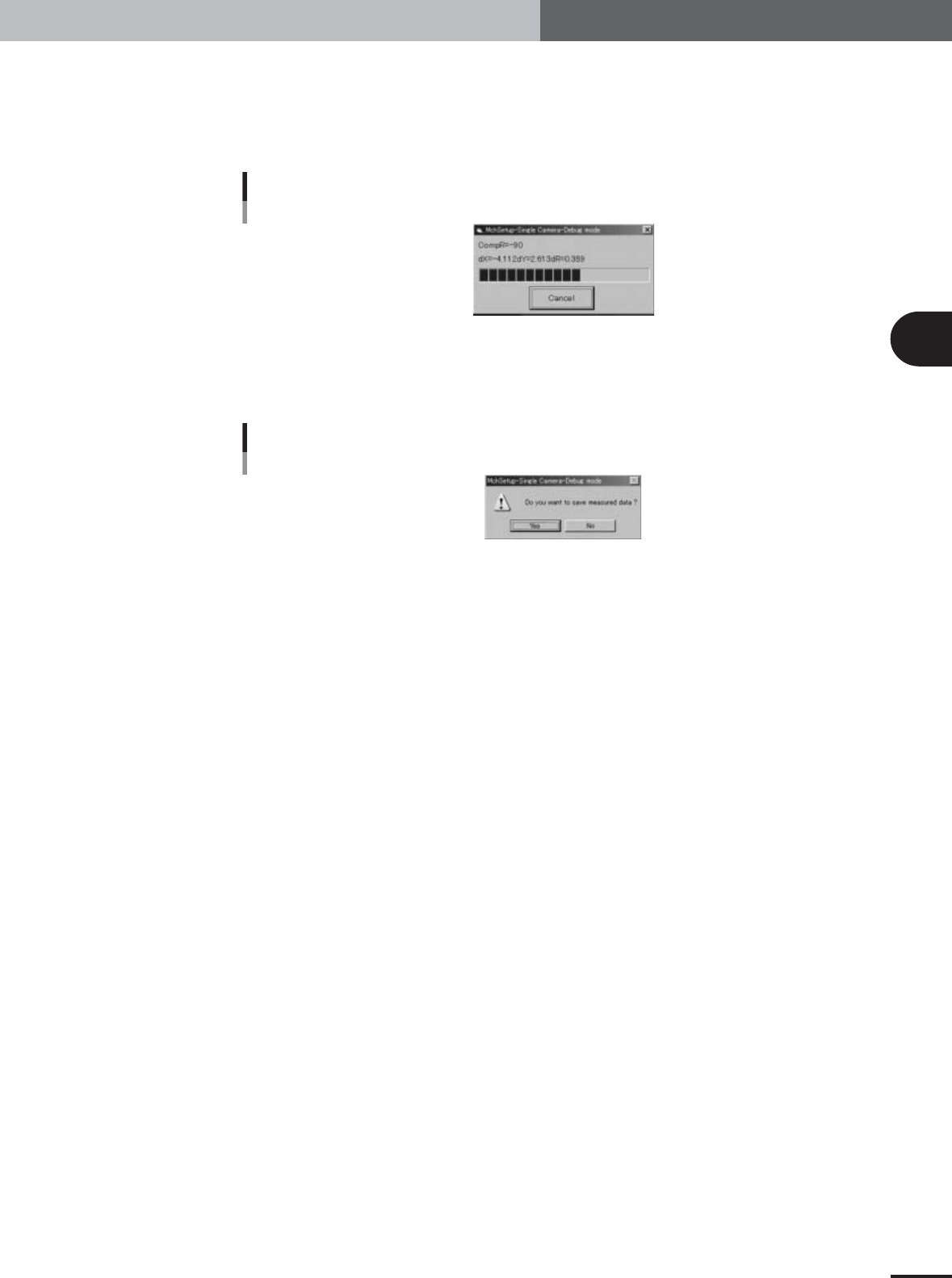
Progress bar during adjustment
27098-X9-00
7
Save the results.
When the measurements are complete, a dialog box appears asking whether to save
the results. Check the results and press the [Yes] button to save them.
Save confirmation dialog box
27099-X9-00
3
Basic adjustments
3-38
3. Head offset adjustments
Head offset is the position of a head other than Head 1, relative to Head 1. This section explains how
to adjust the head offset of standard heads and FNC (flying nozzle change) heads.
3.1 Preparation for head offset adjustments of Heads 3, 5,
and 7 (YV100Xg family) or Head 2 (YV88Xg)
1
Check the "Adjust Mode" parameter and PCB data.
Offset adjustments of Heads 3, 5, and 7 (YV100Xg family) or Head 2 (YV88Xg) use a
glass QFP, so the machine must be set to "Adjust Mode2" and the "MCH_SETUP"
PCB data loaded into the machine.
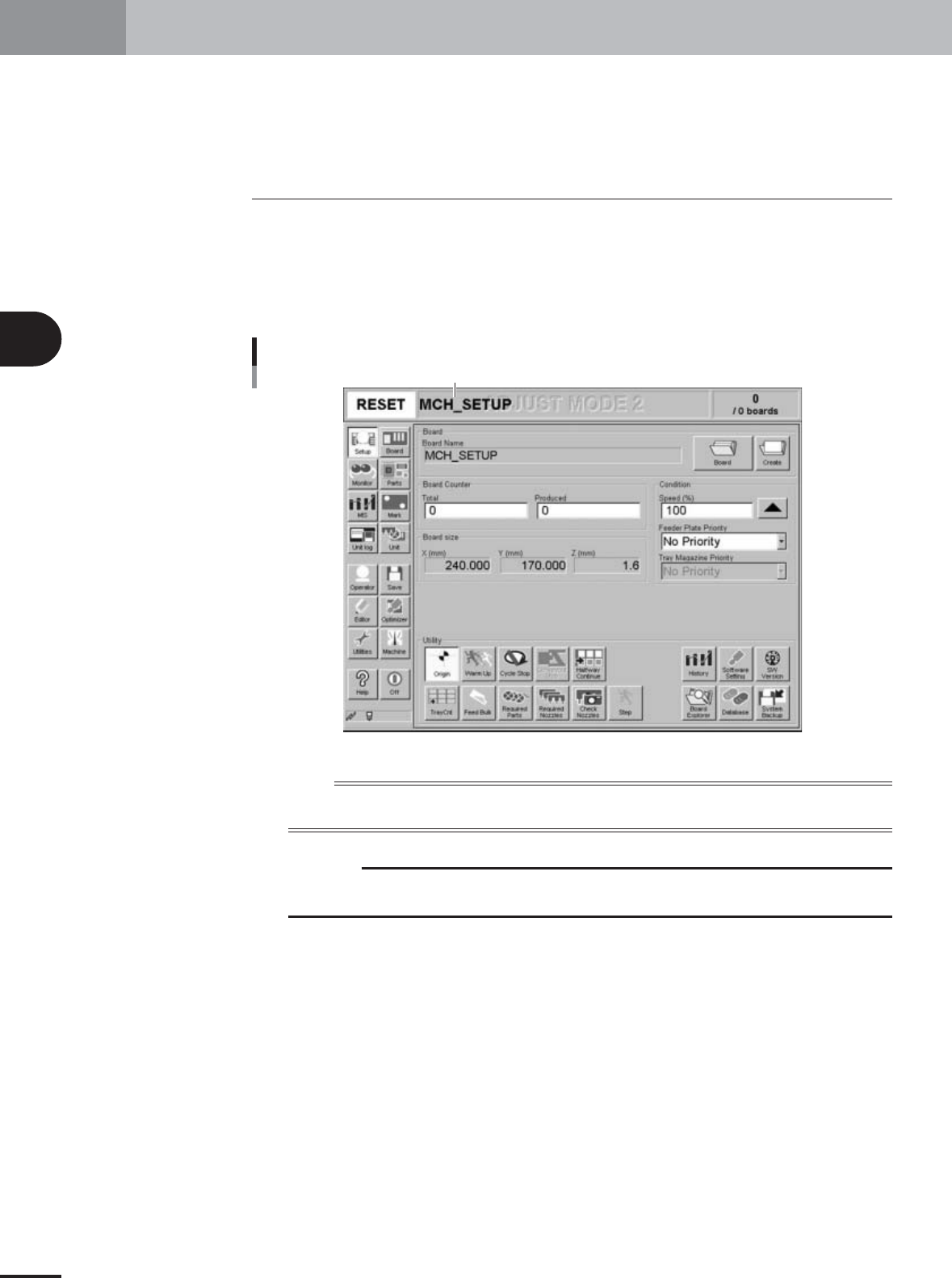
You can check the currently selected PCB data and "Adjust Mode" on the status bar.
Status bar display
Status bar shows currently selected PCB data and "Adjust Mode".
27085-X9-00
n
NOTE
For these head offset adjustments, the machine must be set to "Adjust Mode2" (see sections 2.5 and 2.6 in
Chapter 2) and the "MCH_SETUP" PCB data loaded into the machine (see section 2.7 in Chapter 2).
c
CAUTION
When adjusting the head offset of Head 2 (YV88Xg), use a Type 65 nozzle to pick up a glass
QFP.
3
Basic adjustments
3-39
3. Head offset adjustments
2
Change the Head Specification and Head Offset information as
needed. (YV100Xg family)
Depending on the specifications, some YV100Xg family machines have only one Type
74 nozzle. In this case, change the Head Specification and Head Offset information
as explained below.
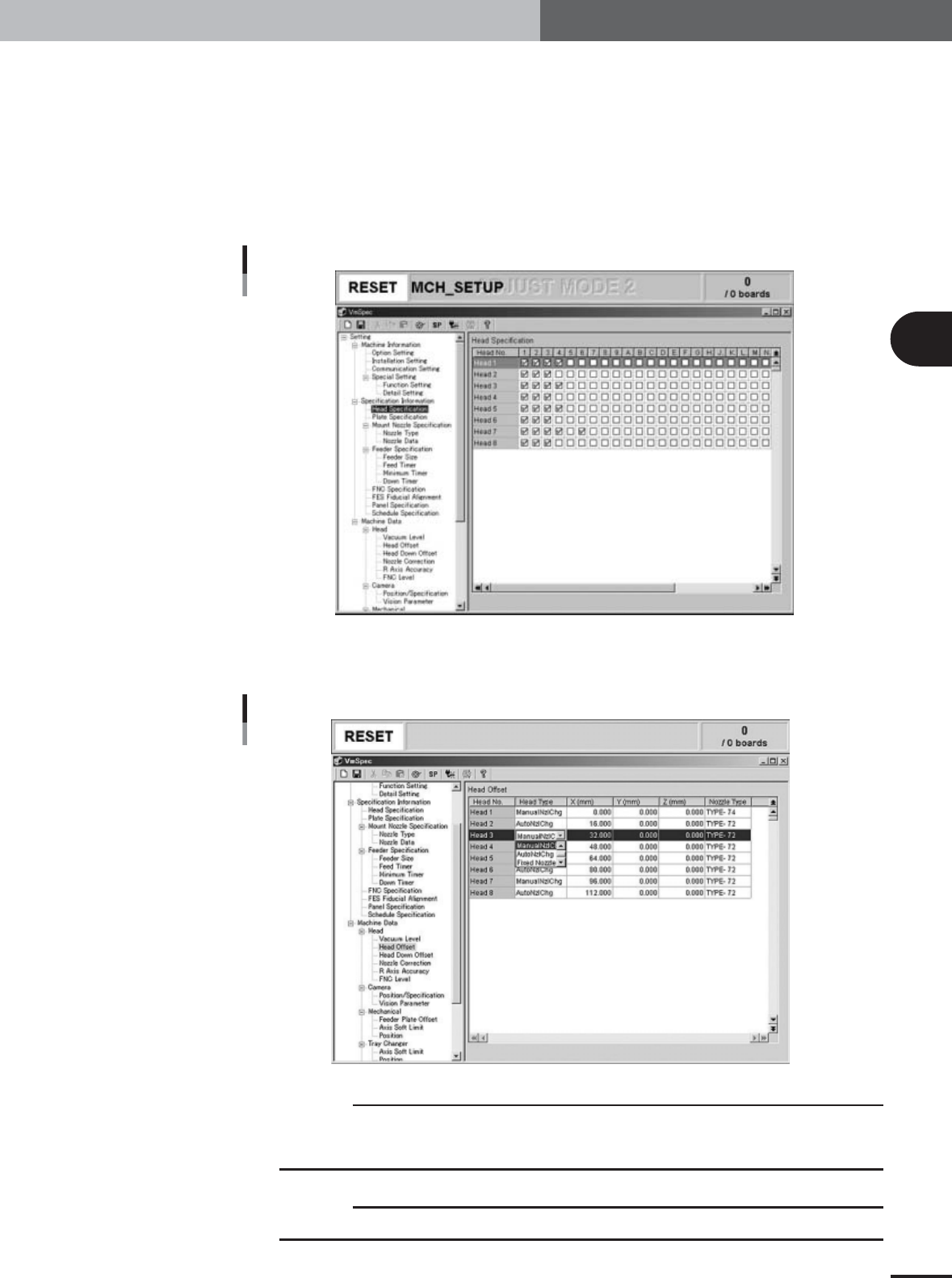
1.Press the [Machine] button to display the machine setting screen (VmSpec screen).
2.Select the "Specification"-"Head Specification" in the left-hand tree view to display
the Head Specification information in the right-hand main view.
3.Mark the check boxes in the "4" (Type 74) column and Heads 1, 3, 5 and 7 rows.
Head Specification change
27106-X9-00
4.Select the "Machine Data"-"Head"-"Head Offset" in the left-hand tree view to
display the Head Offset information in the right-hand main view.
5.Change "AutoNzlChg" to "ManualNzlChg" in the Heads 1, 3, 5 and 7 rows.
Head Offset change
27107-X9-00
c
CAUTION
Head and nozzle specifications differ depending on the machine being adjusted. Check the
machine's specifications before starting head offset adjustments. Adjustments not matching
the machine's specifications will cause poor results and the glass QFP might be damaged.
c
CAUTION
After adjustments are complete, always return the machine settings to the original state.