Xg系列调整手册.pdf - 第18页
2 Before beginning adjustments 2- 12 2. Prepar atory w ork 2.4 How to start the adjustment utility. To perform various adjustments, you must start the adjustment utility. You will be required to enter the password for se…
2
Before beginning adjustments
2-11
2. Preparatory work
4
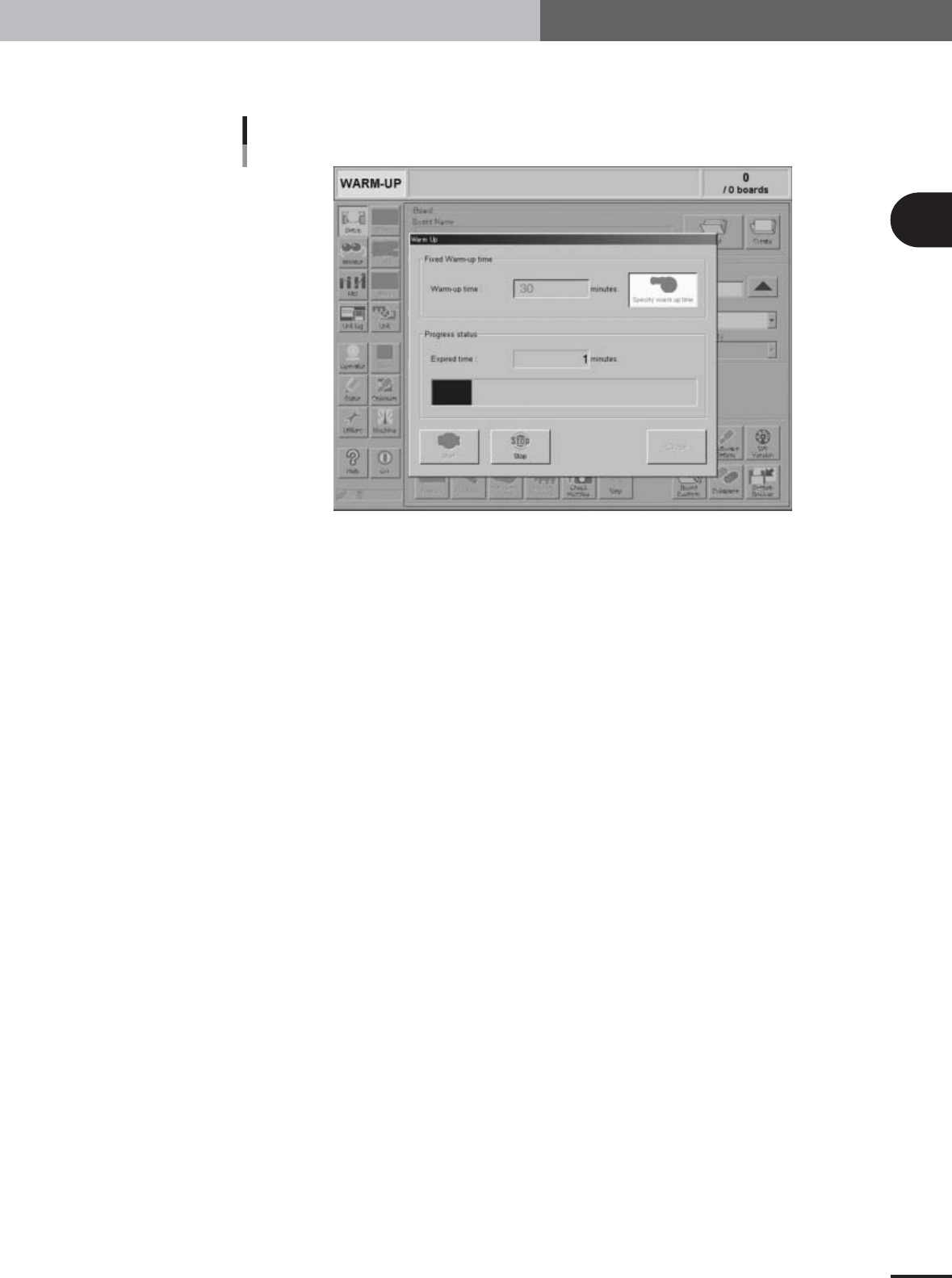
Press the [Start] button to start warm-up.
The warm-up progress time and bar will appear under the "Progress Status".
Warm-up screen
27017-X9-00
5
Finish the warm-up.
Warm-up will automatically stop when the warm-up time you set in step 3 has
expired. Press the [Close] button after warm-up is complete and return to the previous
screen.
2
Before beginning adjustments
2-12
2. Preparatory work
2.4 How to start the adjustment utility.
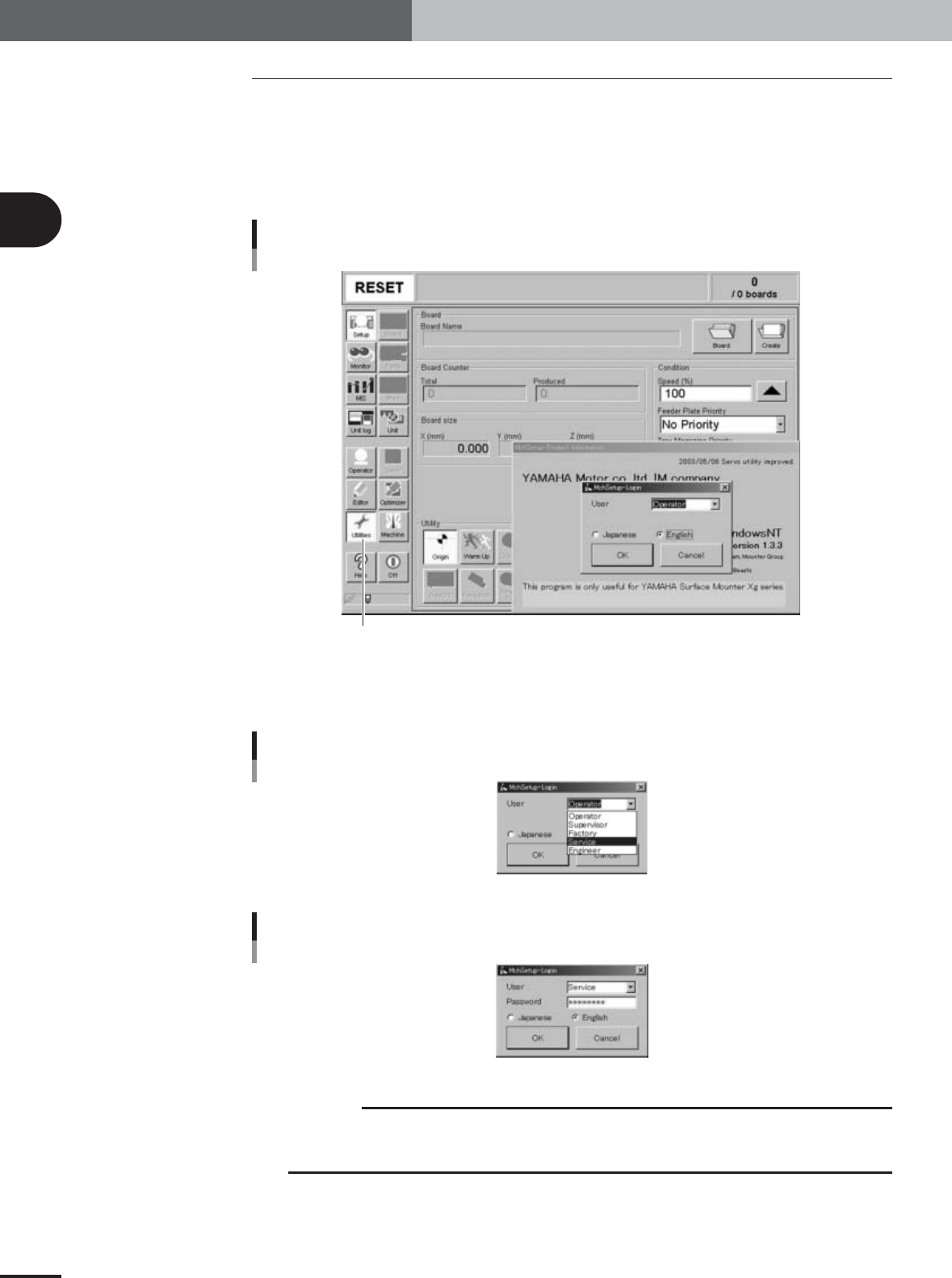
To perform various adjustments, you must start the adjustment utility. You will be
required to enter the password for security.
1
Press the [Utilities] button in the main menu button area of the
operation display.
The login dialog box appears as shown below.
Adjustment utility login dialog box
[Utilities] button
27018-X9-00
2
Select "Service" from the User drop-down list and enter the
password.
Selecting the user
27019-X9-00
Entering the password
27020-X9-00
c
CAUTION
Any work carried out with the adjustment utility will affect the machine performance and
operating accuracy. Keep the password carefully and do not share it with any person other than
supervisors.
2
Before beginning adjustments
2-13
2. Preparatory work
3
Select the language.
Select the English option button so that the menu will appear in English.
4
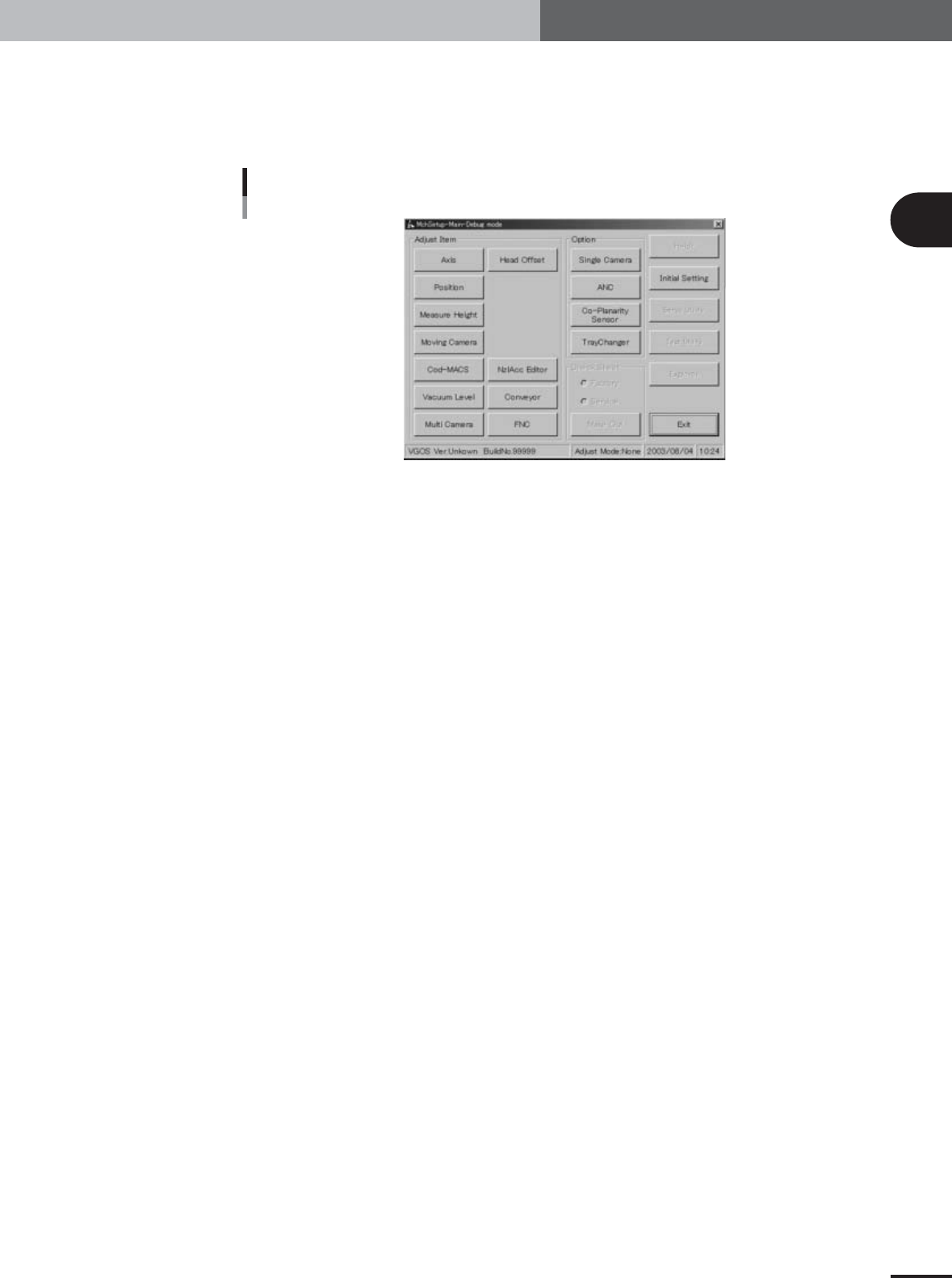
Press the [OK] button to start the adjustment utility.
The adjustment utility menu window appears as shown below.
Adjustment utility menu window
27021-X9-00