Xg系列调整手册.pdf - 第69页
3 Basic adjustments 3- 47 3. Head offset adjustments q Press the [Find Best] button to find the optimum threshold level. [Find Best] button [Find Best] button 27118-X9-00 w Press the [Dump] button to dump the component. …
3
Basic adjustments
3-46
3. Head offset adjustments
9
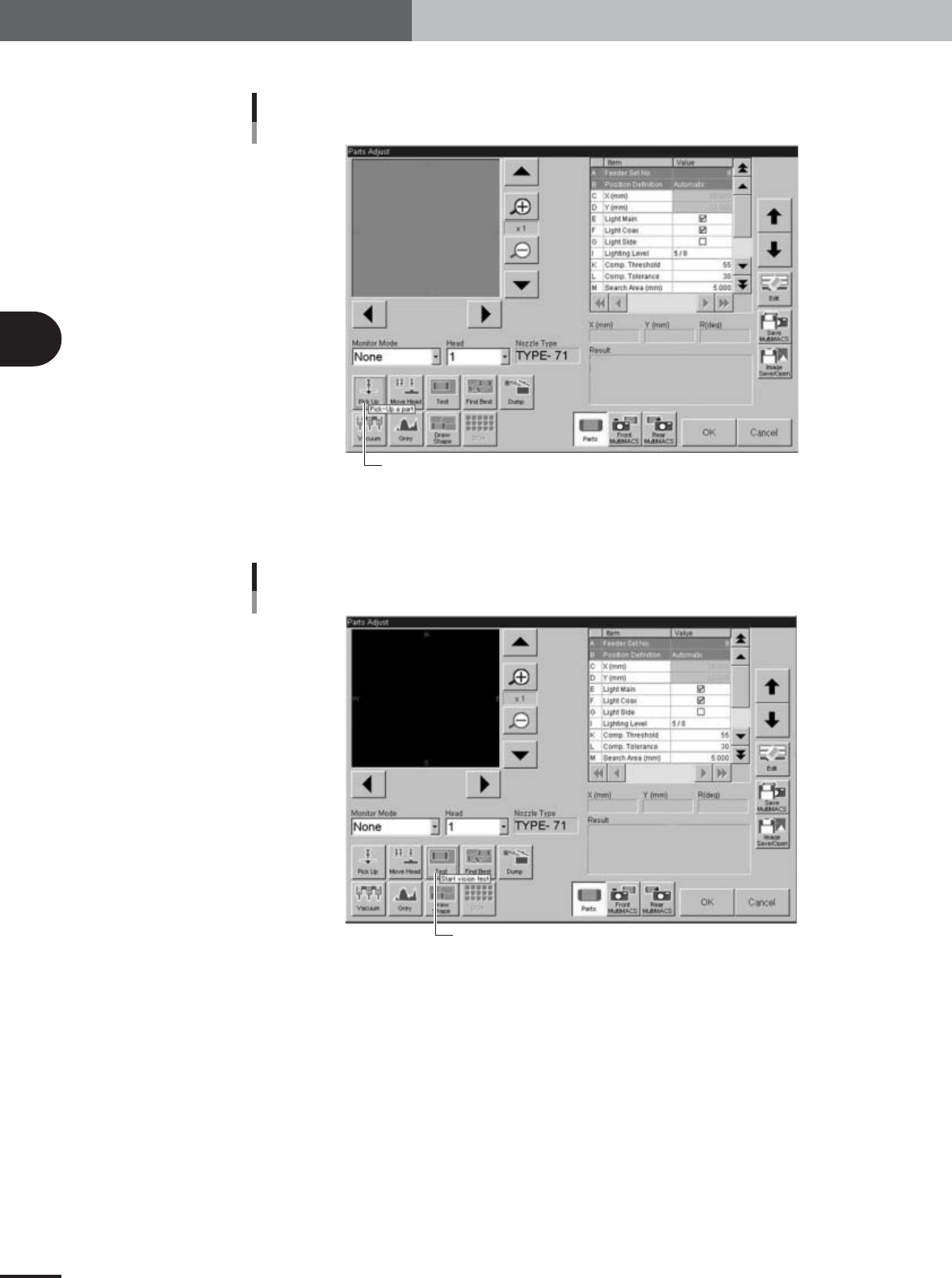
Press the [Pick] button to pick up a component.
[Pick Up] button
[Pick Up] button
27116-X9-00
0
Press the [Test] button to execute a vision test.
This test checks whether the component is recognized correctly.
[Test] button
[Test] button
27117-X9-00
3
Basic adjustments
3-47
3. Head offset adjustments
q
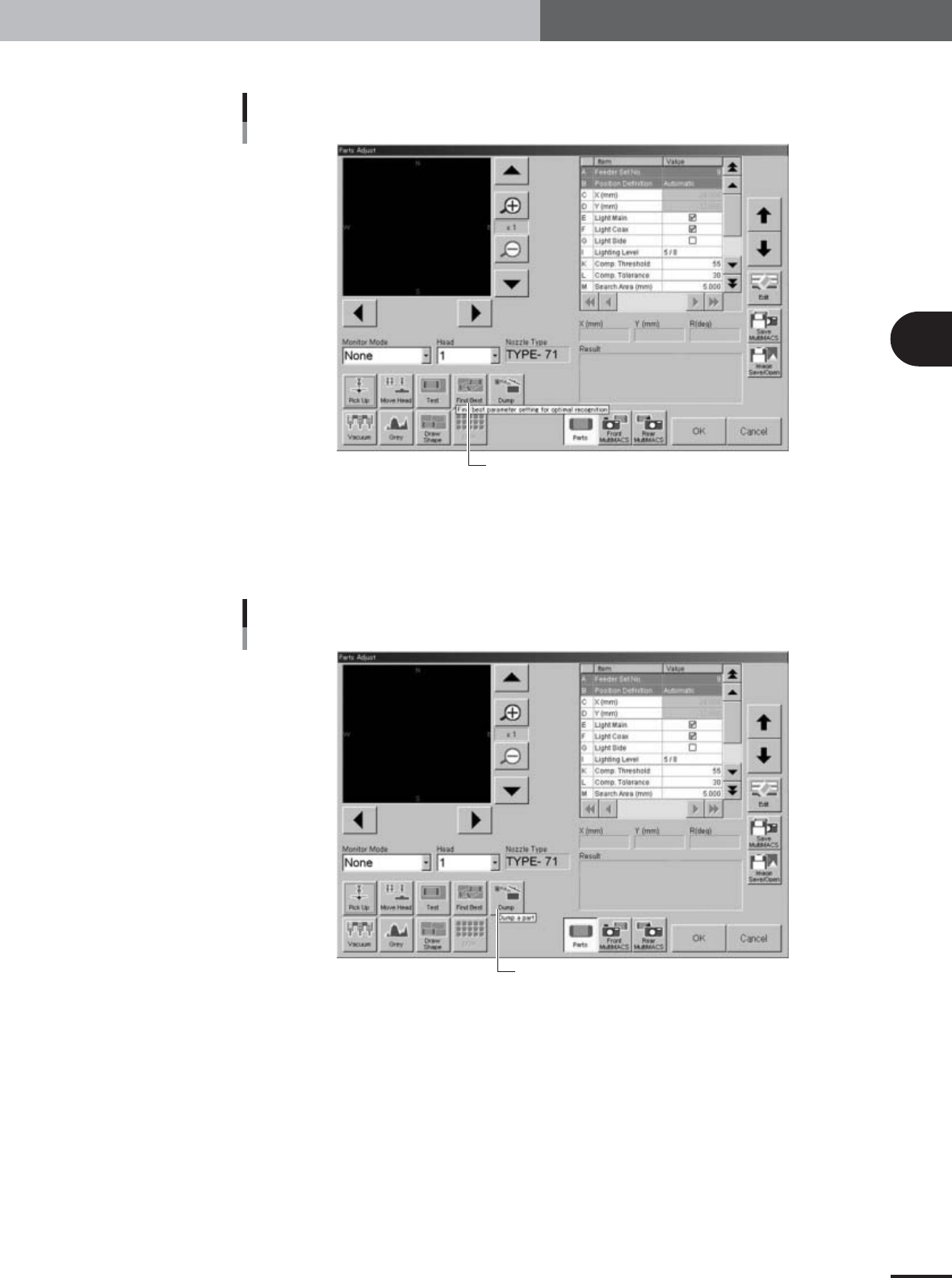
Press the [Find Best] button to find the optimum threshold level.
[Find Best] button
[Find Best] button
27118-X9-00
w
Press the [Dump] button to dump the component.
If you want to manually remove the component from the nozzle, press the emergency
stop and remove it by hand. Then press the [Dump] button to stop the vacuum
suction.
[Dump] button
[Dump] button
27119-X9-00
e
Press the [OK] button to close the Parts Adjust window.
3
Basic adjustments
3-48
3. Head offset adjustments
3.4 Adjusting the head offset of Heads 2, 4, 6 and 8
(YV100Xg family)
Follow these steps to adjust the head offset of Heads 2, 4, 6 and 8 (YV100Xg family)
using 16-pin SOP components.
1
Press the [Utilities] button to start the adjustment utility.
n
NOTE
For how to start the adjustment utility, see section 2.4 in Chapter 2.
2
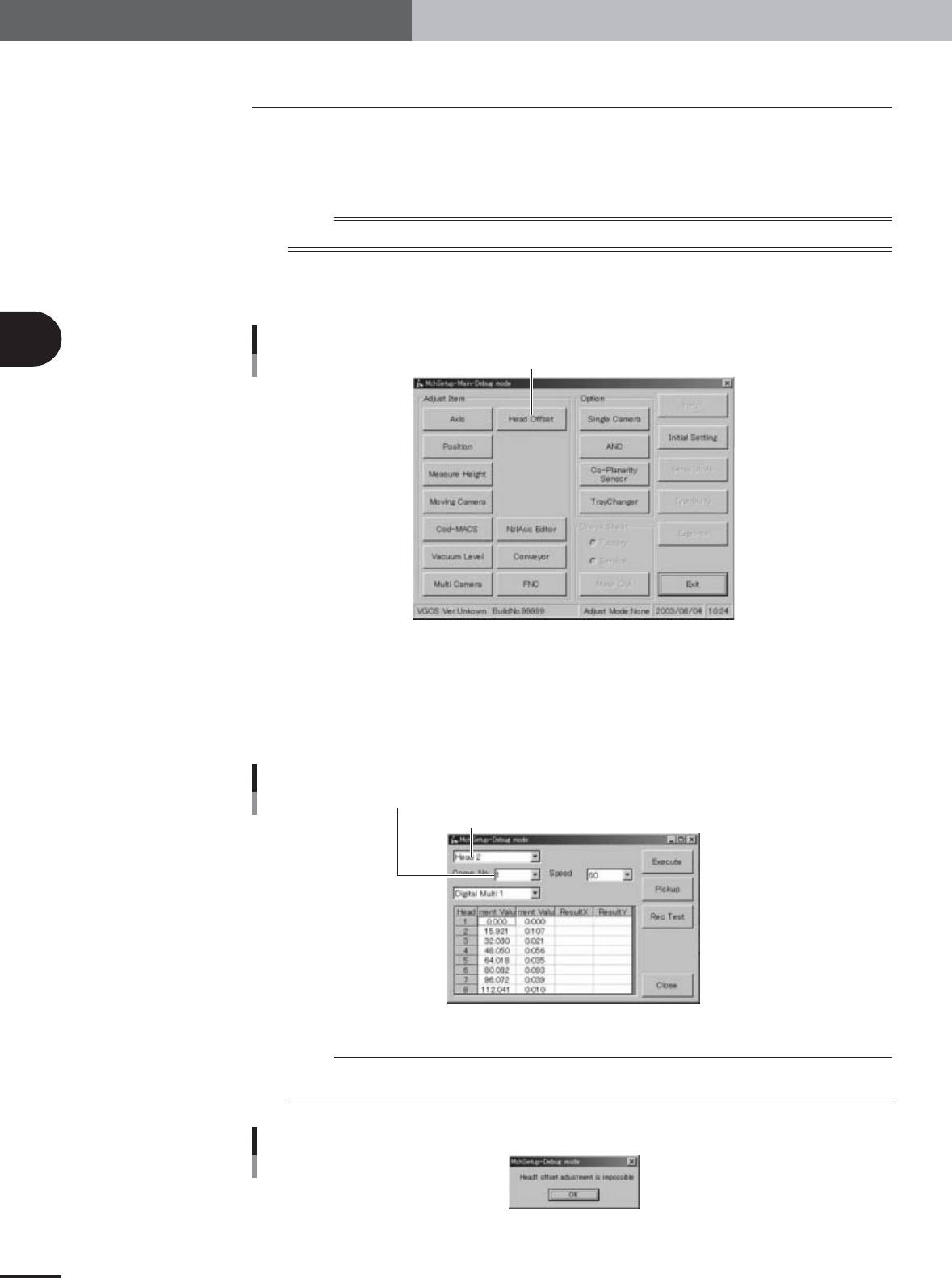
Press the [Head Offset] button to open the head offset adjustment
dialog box.
Adjustment utility menu window
[Head Offset] button
27021-X9-G0
3
Select the adjustment conditions.
Head : Head 2, 4, 6 or 8
Comp. No. : 6 (16-pin SOP)
Camera : Digital Multi 1
Speed : 60
Head offset adjustment dialog box
Enter "11" in the Comp. No. combo box
Select "Head 3", "Head 5" or "Head 7" (YV100Xg family), or "Head 2" (YV88Xg)
27108-X9-00
n
NOTE
Head 1 cannot be selected for head offset adjustment since Head 1 is the reference position. If you select Head 1,
an alert message appears as shown below.
Alert message when Head 1 is selected
27109-X9-00