Xg系列调整手册.pdf - 第6页
1 Ho w to use this manual 1- 5 3. Page layout The description below shows a typical page layout used in this manual. 3 Basic adjustments 3- 43 3. Head offset adjustments 3.3 Preparation for head offset adjustments of Hea…

1
How to use this manual
1-4
2. Contents of each chapter
This manual consists of the following chapters.
Chapter 1 How to use this manual
Chapter 1 provides a brief guide to this manual to help you use it effectively, explaining
the contents of each chapter and the layout of a typical page.
Chapter 2 Before beginning adjustments
This chapter describes preparatory work necessary to make basic adjustments and FAMF
adjustments.
Chapter 3 Basic adjustments
Chapter 3 explains basic adjustments such as camera-related parameters, R-axis accuracy
offset and head offset, required to ensure high accuracy for FAMF adjustments.
Chapter 4 FAMF adjustments
This chapter explains the procedures for FAMF adjustments.
Appendix
Appendix at the end of this manual gives standard values obtained by FAMF adjustments.
Refer to these values as needed to verify whether results are satisfactory.
1
How to use this manual
1-5
3. Page layout
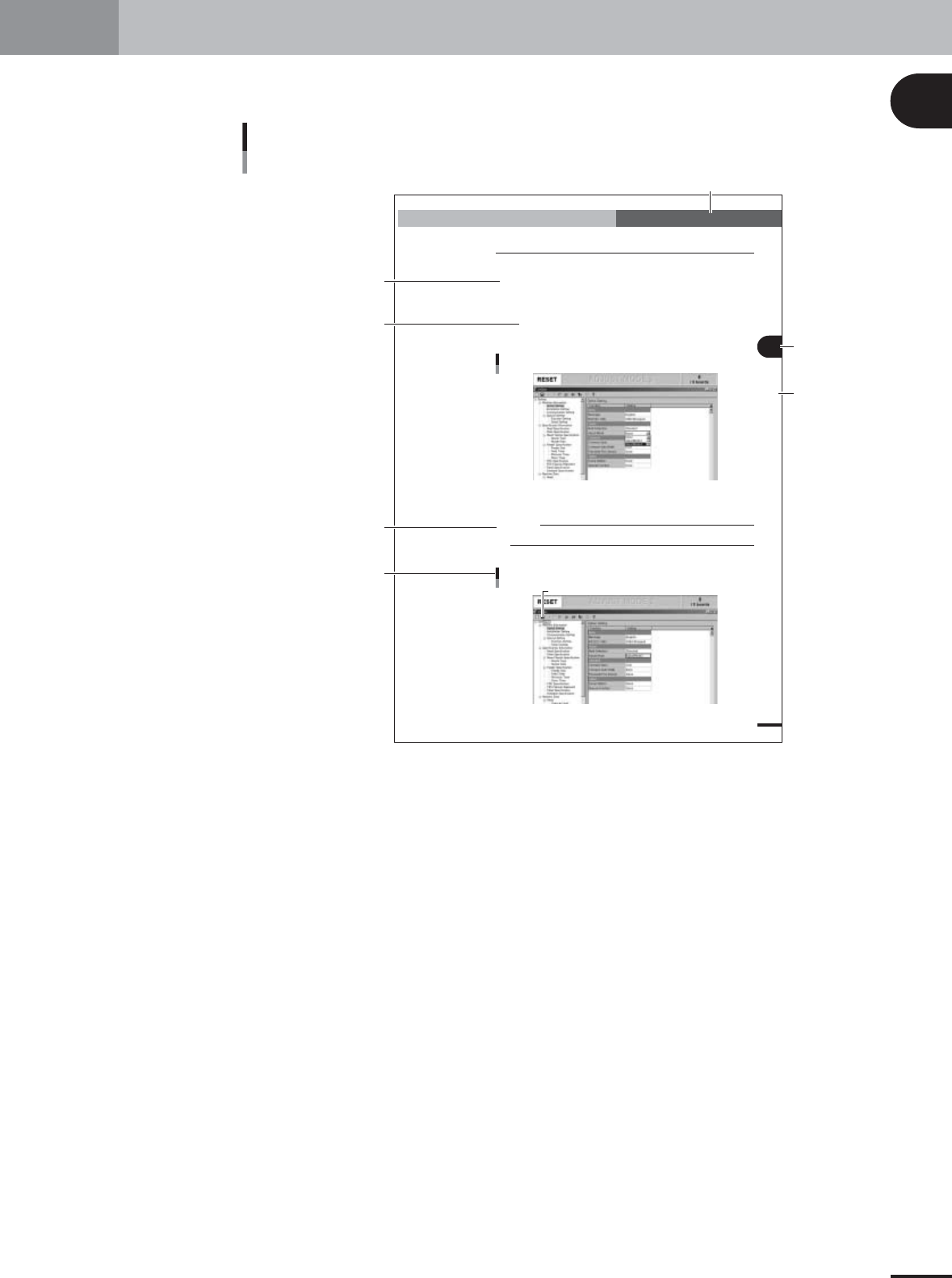
The description below shows a typical page layout used in this manual.
3
Basic adjustments
3-43
3. Head offset adjustments
3.3 Preparation for head offset adjustments of Heads 2, 4,
6 and 8 (YV100Xg family)
Follow these steps to adjust the head offset of Heads 2, 4, 6 and 8 (YV100Xg family)
using 16-pin SOP components.
1
Install a tape feeder on the feeder plate.
Install a tape feeder loaded with a 16-pin SOP reel, at the feeder set position No. 9 on
the feeder plate.
2
Change the "Adjust Mode" parameter.
Since SOP components are used for head offset adjustments of Heads 2, 4, 6 and 8,
the "Adjust Mode" parameter must be changed and the "MCH_SETUP" PCB data
reloaded into the machine.
1.Press the [Machine] button to display the machine setting screen (VmSpec screen).
Machine data setting window (VmSpec window)
27022-X9-00
2.In the left-hand tree view, select "Machine Information" – "Option Setting" to open
the "Option Setting" screen in the right-hand main view.
3.Set the "Adjust Mode" parameter under "Vision" to "None".
c
CAUTION
Offset adjustments using SOP components cannot be performed if the "Adjust Mode" is set to
other than "None".
3
Press the [Save] button on the toolbar to save the change.
[Save] button
[Save] button
27023-X9-00
Typical page layout
Step
Chapter number
Chapter title
Section in chapter
Sub step or
description of step
Illustration or table title
Note, Caution or Warning
23001-X9-00
• Step
This describes the procedure for each operation.
• Substep or description of step
This provides detailed information on the steps in each procedure.
• Illustration or table title
This is the title of the illustration or table and appears above the illustration or table to the left.
• Notes, Caution, Warning
These are explained in the "Safety and warranty" introductory section of the Xg series surface
mounter operation manual.

1
How to use this manual
1-6
4. Applicable models
This manual applies to the following YAMAHA surface mounter models that operate with VGOS
software.
Applicable models
YV88Xg
YV100Xg
YV180Xg
YV100XTg
Reference
This manual refers to the YV100Xg, YV180Xg and YV100XTg as the YV100Xg family, since they have
basically the same type of 8 in-line heads.
c
CAUTION
FAMF adjustments described in this manual cannot be performed on any machine other than
the above models operating with YGOS. Use this manual only when adjusting the above
applicable models.