Xg系列调整手册.pdf - 第66页
3 Basic adjustments 3- 44 3. Head offset adjustments 4 Reload the PCB data. Open the Setup screen, press the [Board] button and select the "MCH_SETUP" PCB data (even if it is currently loaded), to enable the ch…
3
Basic adjustments
3-43
3. Head offset adjustments
3.3 Preparation for head offset adjustments of Heads 2, 4,
6 and 8 (YV100Xg family)
Follow these steps to adjust the head offset of Heads 2, 4, 6 and 8 (YV100Xg family)
using 16-pin SOP components.
1
Install a tape feeder on the feeder plate.
Install a tape feeder loaded with a 16-pin SOP reel, at the feeder set position No. 9 on
the feeder plate.
2
Change the "Adjust Mode" parameter.
Since SOP components are used for head offset adjustments of Heads 2, 4, 6 and 8,
the "Adjust Mode" parameter must be changed and the "MCH_SETUP" PCB data
reloaded into the machine.
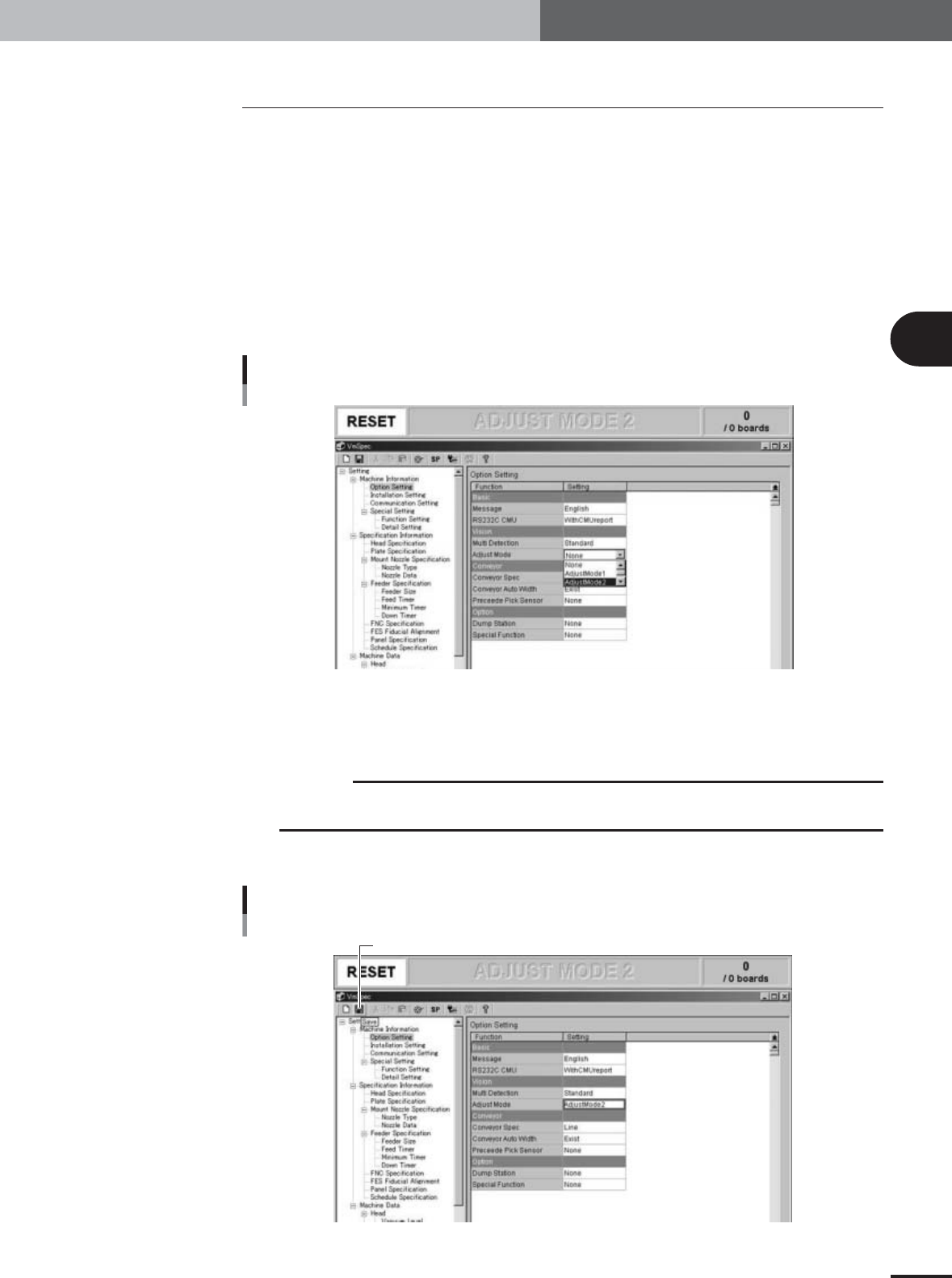
1.Press the [Machine] button to display the machine setting screen (VmSpec screen).
Machine data setting window (VmSpec window)
27022-X9-00
2.In the left-hand tree view, select "Machine Information" – "Option Setting" to open
the "Option Setting" screen in the right-hand main view.
3.Set the "Adjust Mode" parameter under "Vision" to "None".
c
CAUTION
Offset adjustments using SOP components cannot be performed if the "Adjust Mode" is set to
anything other than "None".
3
Press the [Save] button on the toolbar to save the change.
[Save] button
[Save] button
27023-X9-00
3
Basic adjustments
3-44
3. Head offset adjustments
4
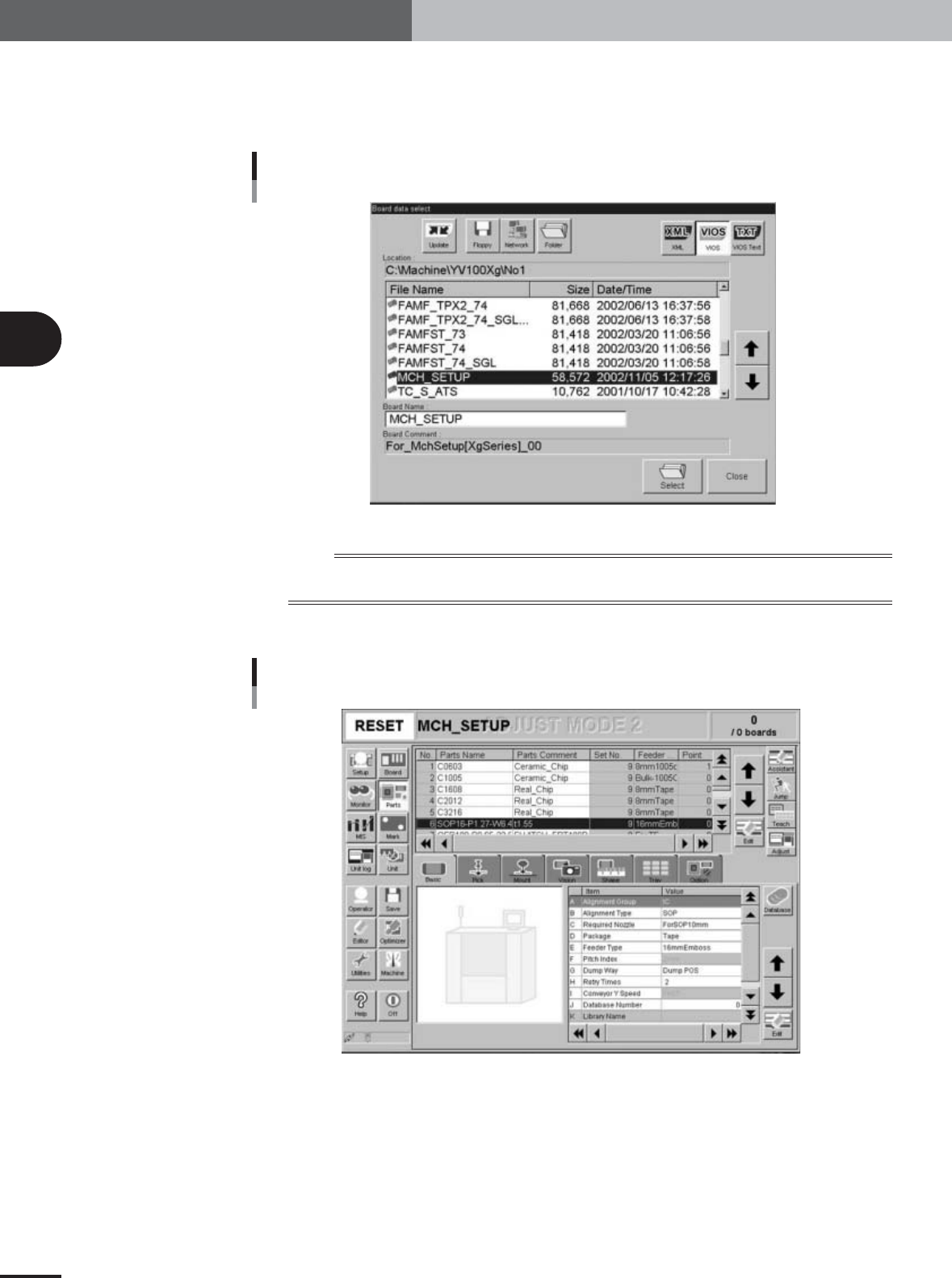
Reload the PCB data.
Open the Setup screen, press the [Board] button and select the "MCH_SETUP" PCB
data (even if it is currently loaded), to enable the changes you have made to the
machine setting.
Board Data Select dialog box
27024-X9-00
n
NOTE
After changing the machine setting, be sure to load PCB data again to enable the changes you have made to the
machine setting.
5
Press the [Parts] button to open the Parts information screen.
Parts information screen
27113-X9-00
6
Select "SOP16" (No. 6) in the upper display of the Parts information
screen.
3
Basic adjustments
3-45
3. Head offset adjustments
7
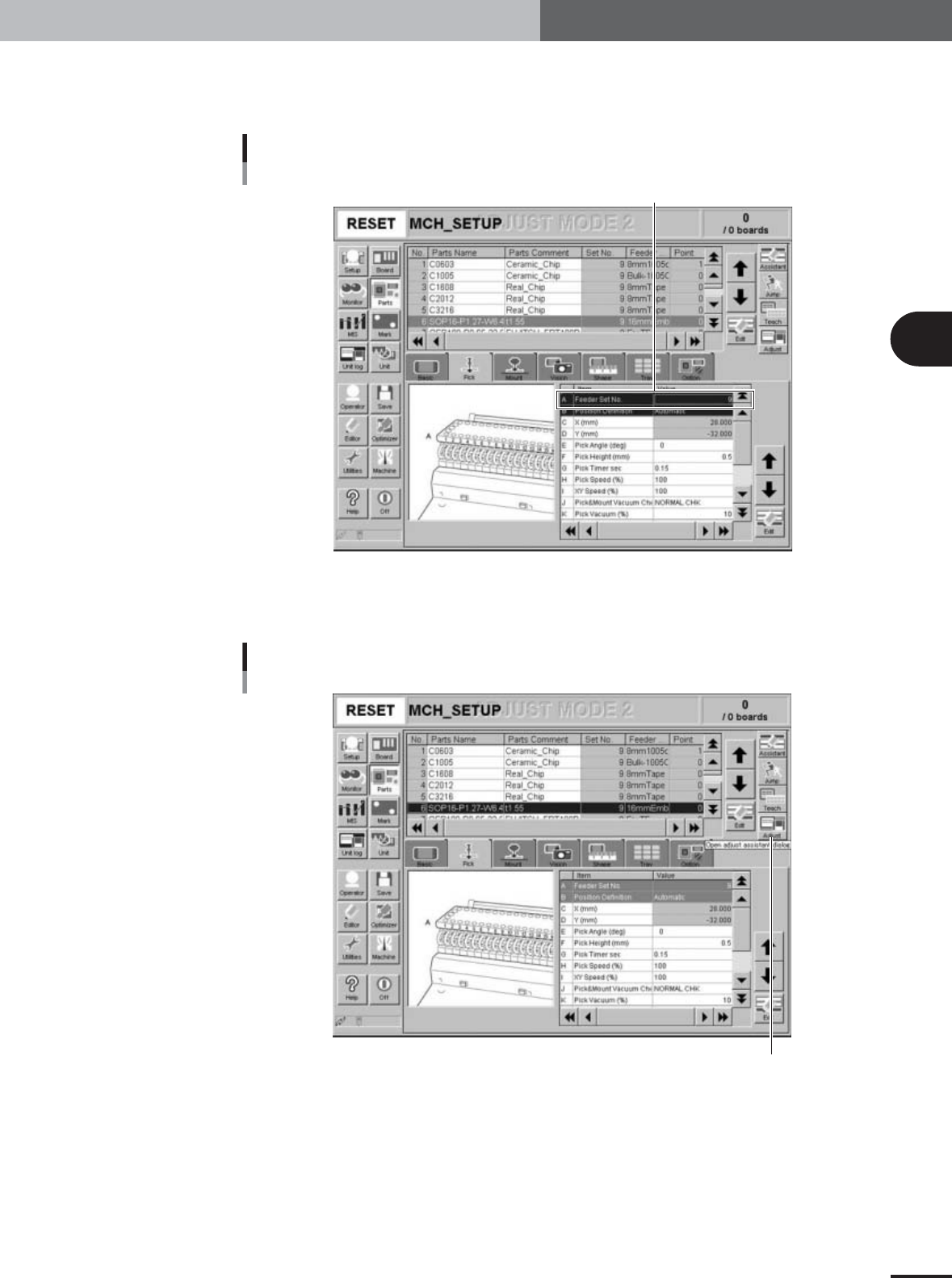
Check the feeder set position.
Open the [Pick] tab and make sure the "Feeder Set No." is set to "9" where you
installed the tape feeder in step 1.
Feeder Set No. parameter
Check for the feeder set No.
27114-X9-00
8
Press the [Adjust] button to enter the Parts Adjust mode.
The Parts Adjust window opens.
[Adjust] button
[Adjust] button
27115-X9-00