Xg系列调整手册.pdf - 第20页
2 Before beginning adjustments 2- 14 2. Prepar atory w ork 2.5 Changing the machine setting To perform FAMF adjustments and other basic adjustments explained in this manual, the "Adjust Mode" parameter of the m…
2
Before beginning adjustments
2-13
2. Preparatory work
3
Select the language.
Select the English option button so that the menu will appear in English.
4
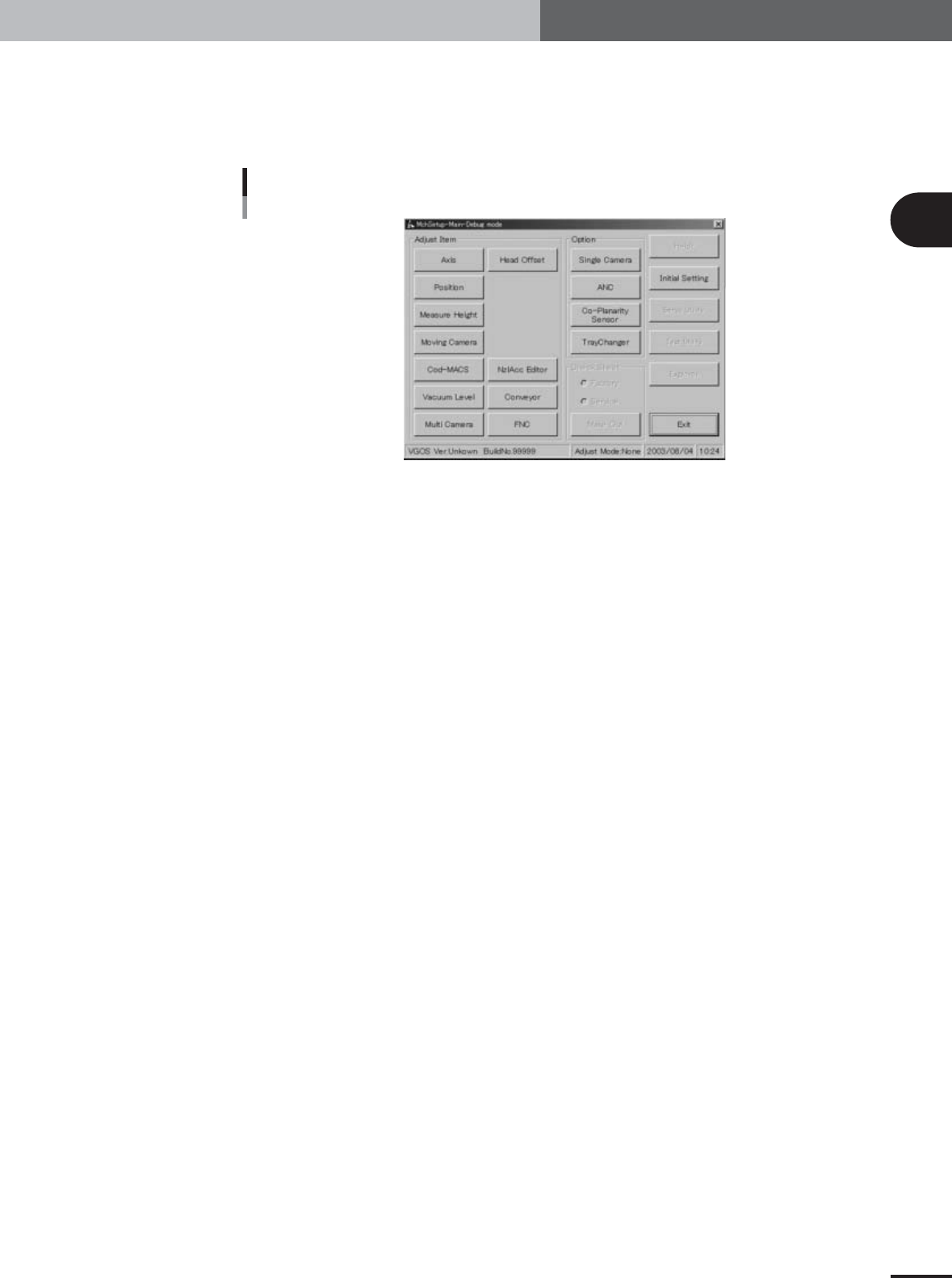
Press the [OK] button to start the adjustment utility.
The adjustment utility menu window appears as shown below.
Adjustment utility menu window
27021-X9-00
2
Before beginning adjustments
2-14
2. Preparatory work
2.5 Changing the machine setting
To perform FAMF adjustments and other basic adjustments explained in this manual, the
"Adjust Mode" parameter of the machine setting must be changed according to the
adjustment work.
c
CAUTION
After adjustments are complete, always return the machine setting to the original state and then
load PCB data.
If you start PCB production without doing this returning the machine setting to the original
state before loading PCB data, the adjusted data will not be applied to the machine data and
might be overwritten inadvertently.
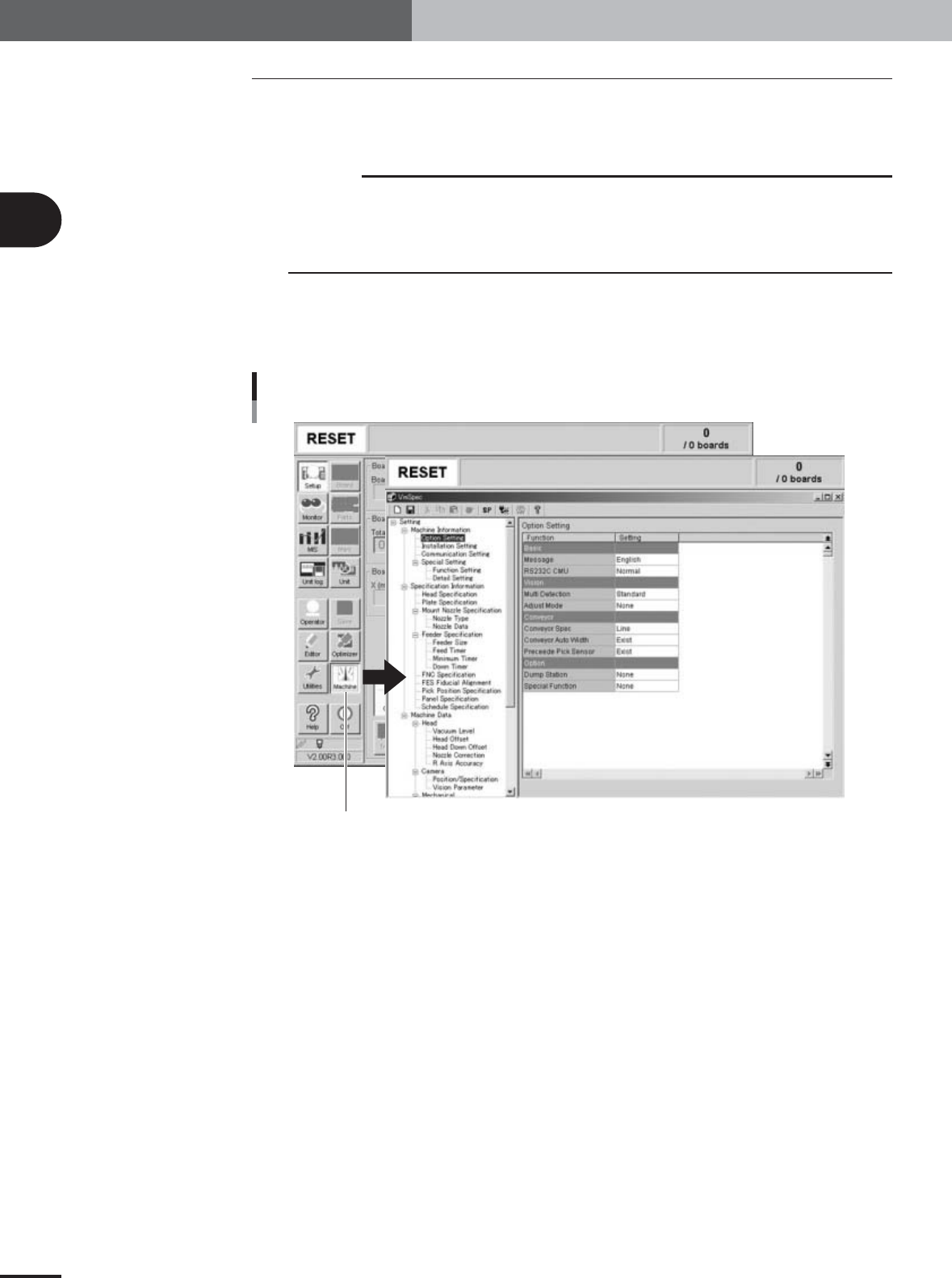
1
Press the [Machine] button in the main menu button area of the
operation display.
The machine setting screen (VmSpec screen) appears as shown below.
Machine data setting window (VmSpec window)
[Machine] button
27222-X9-00
2
Before beginning adjustments
2-15
2. Preparatory work
2
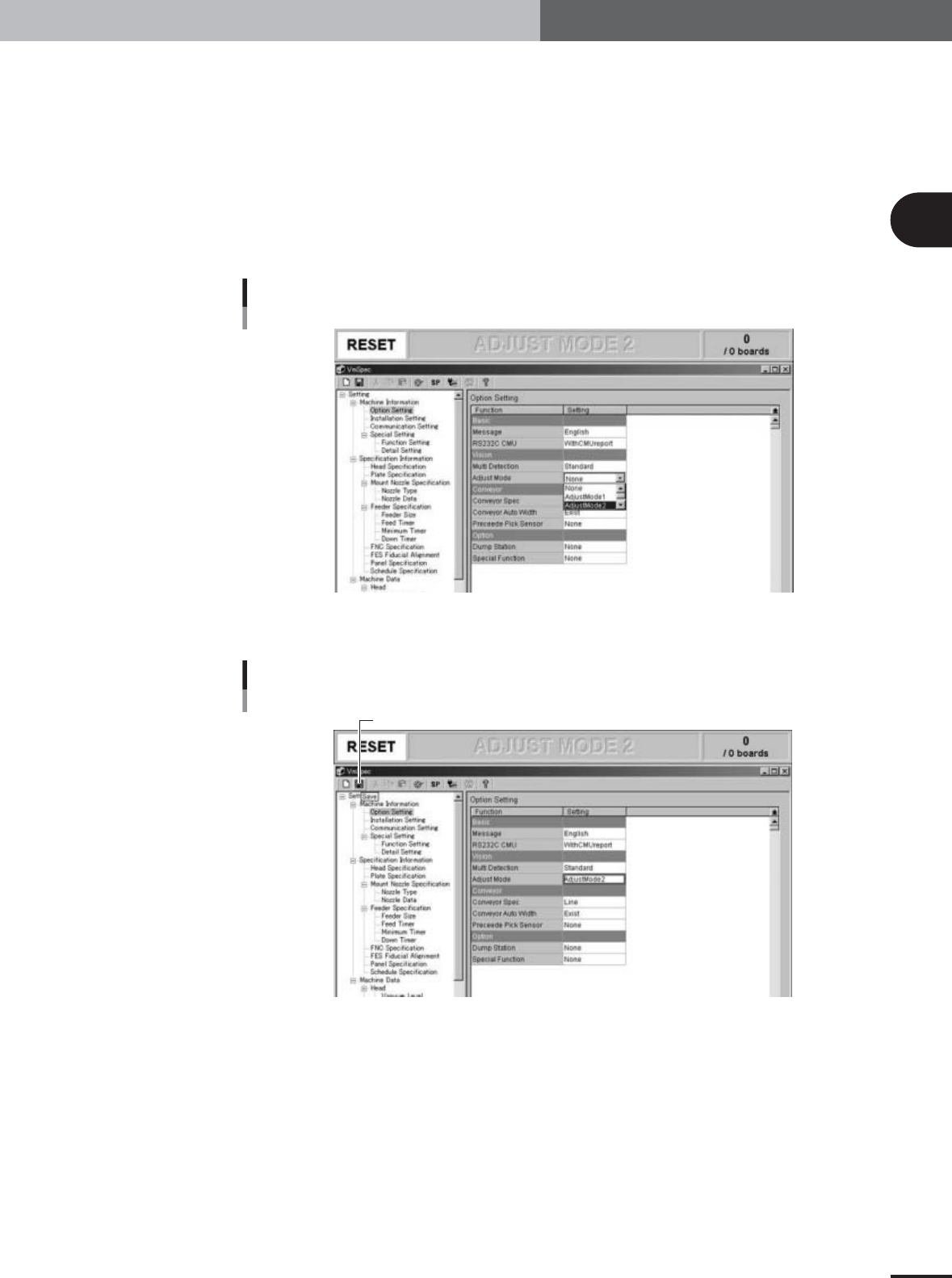
On the "Option Setting" screen, change the "Adjust Mode"
parameter as needed.
1.Check that "Option Setting" under "Machine Information" is selected in the left-
hand tree view and the "Option Setting" screen is displayed in the right-hand main
view.
2.Set the "Adjust Mode" parameter under "Vision" to match the adjustment work as
follows.
When using glass QFP: Set to "Adjust Mode2".
When using ceramic chip components: Set to "Adjust Mode1".
When using SOP: Set to "None".
Adjust Mode parameter
27022-X9-A0
3
Press the [Save] button on the toolbar to save the change.
[Save] button
[Save] button
27023-X9-00