Dual Simultaneous Programmable Pitch Rev 02.pdf - 第21页
Dual-Simultaneous Pr ogrammable Pitch Owner ’s Manual In stallation and Configuratio n © 2024 Nordson Corporation 17 6. To align the appl icators and clear the service s tation, the D SPP moun ting plate may nee d to cha…
Dual-Simultaneous Programmable Pitch Owner’s Manual Installation and Configuration
16 © 2024 Nordson Corporation
?
NOTE
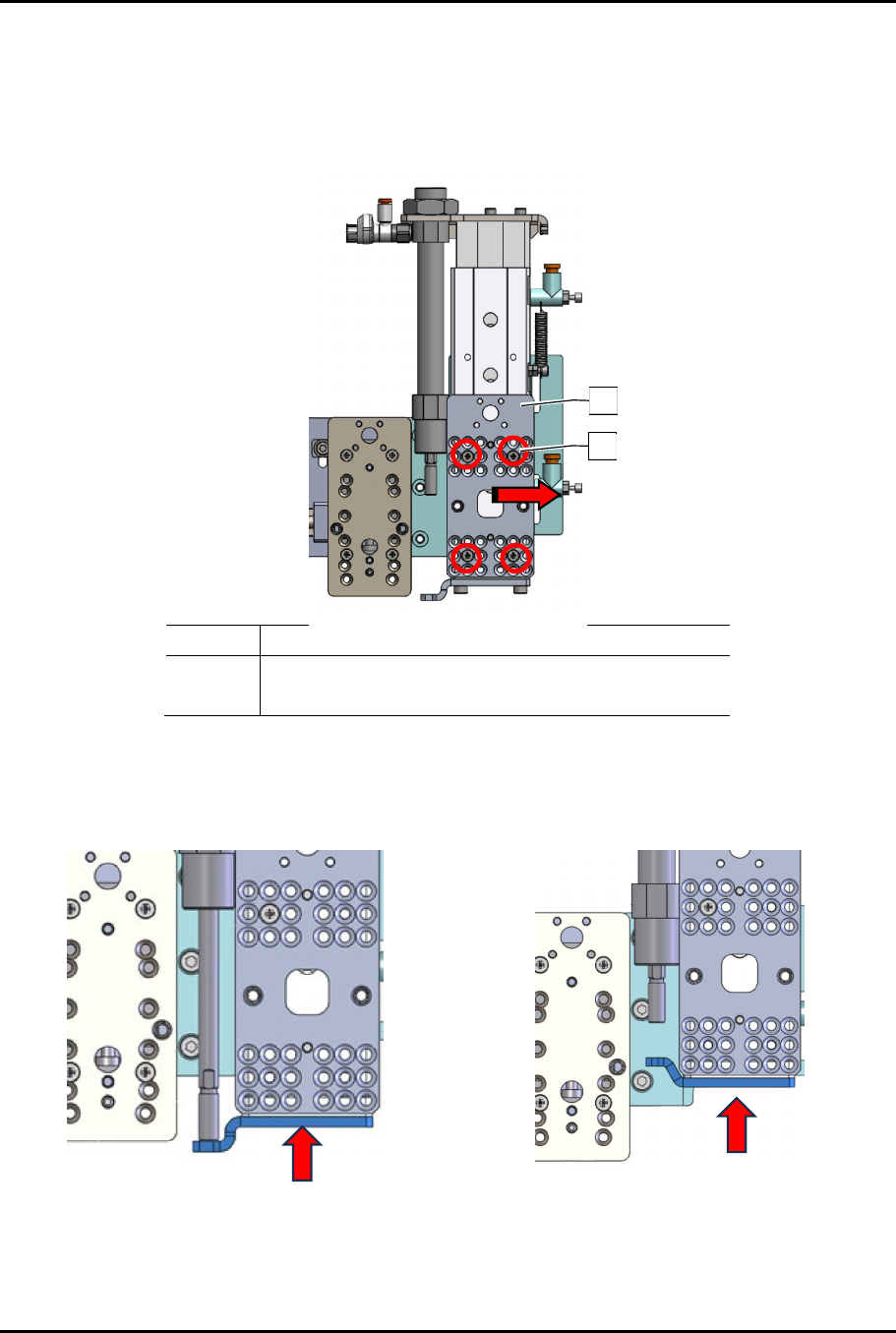
If the V2 applicator is a larger dispensing valve (i.e., SC-280) with rotate and tilt, the
toggle bracket must be mounted on the outside slot and the applicator bracket on the
front of the toggle bracket must also be moved as far to the right as possible
(Figure 3-9).
Item Description
1 Applicator Bracket
2 Screws (4)
Figure 3-9 Moving Toggle Bracket Applicator Bracket
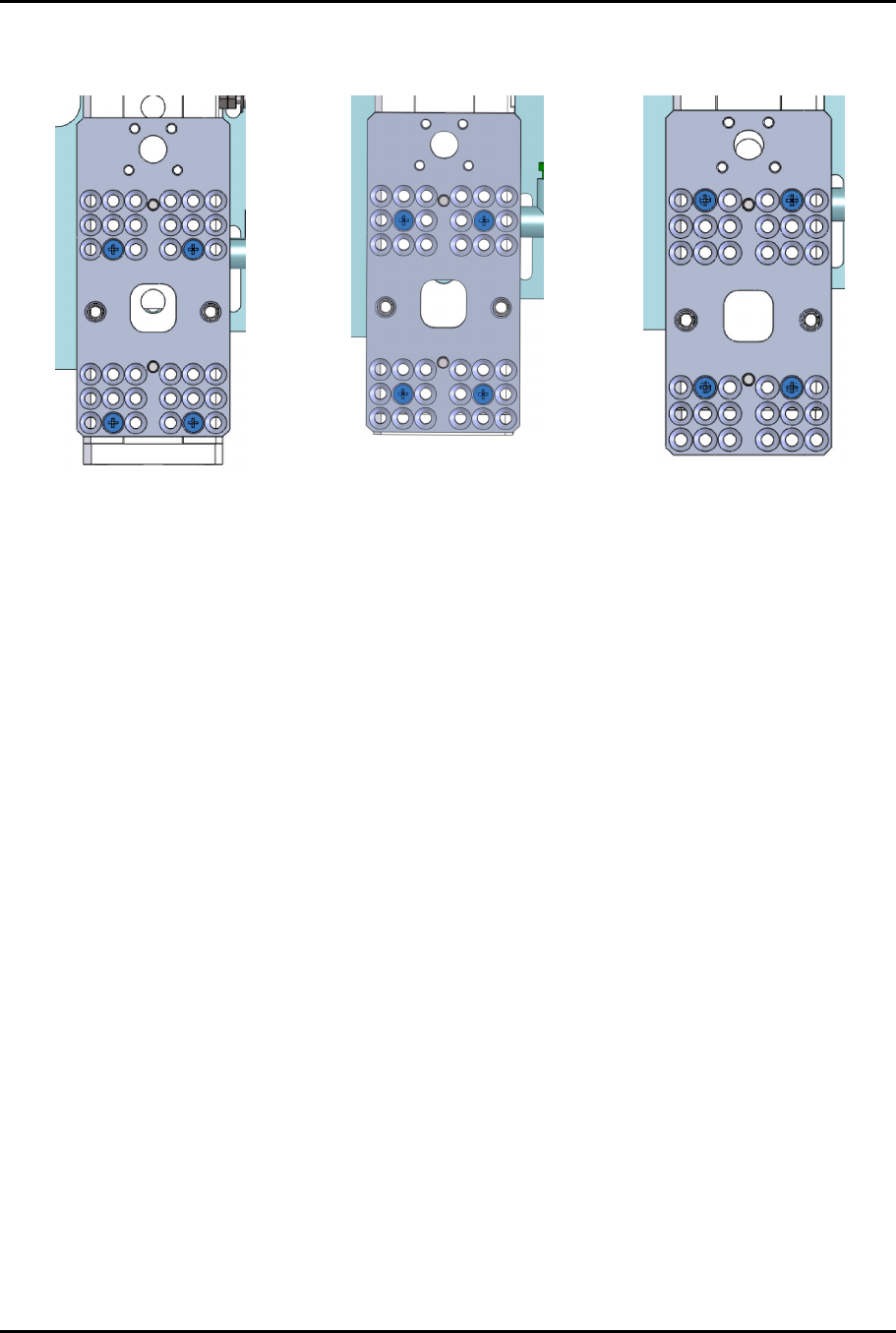
4. Remove the two (2) screws securing the slide (Figure 3-10).
5. Orient the slide to the desired configuration.
Default Toggle Stop “Down”
(Two Solvent Cups and Ultrasonic Cleaner
Configuration)
Toggle Stop “Up”
(Three Solvent Cups Configuration)
Figure 3-10 Configuring the Slide for the 3rd Applicator
2
1
Dual-Simultaneous Programmable Pitch Owner’s Manual Installation and Configuration
© 2024 Nordson Corporation 17
6. To align the applicators and clear the service station, the DSPP mounting plate may need to
change position (Figure 3-11).
UP Position
Center Position (default)
Down Position
Figure 3-11 Toggle Mounting Plate Positions
Dual-Simultaneous Programmable Pitch Owner’s Manual Installation and Configuration
18 © 2024 Nordson Corporation
3.10 Third Valve Macro Setup
1. Open the EasyCoat software.
2. In the Operator Screen, select Edit > Edit Mode.
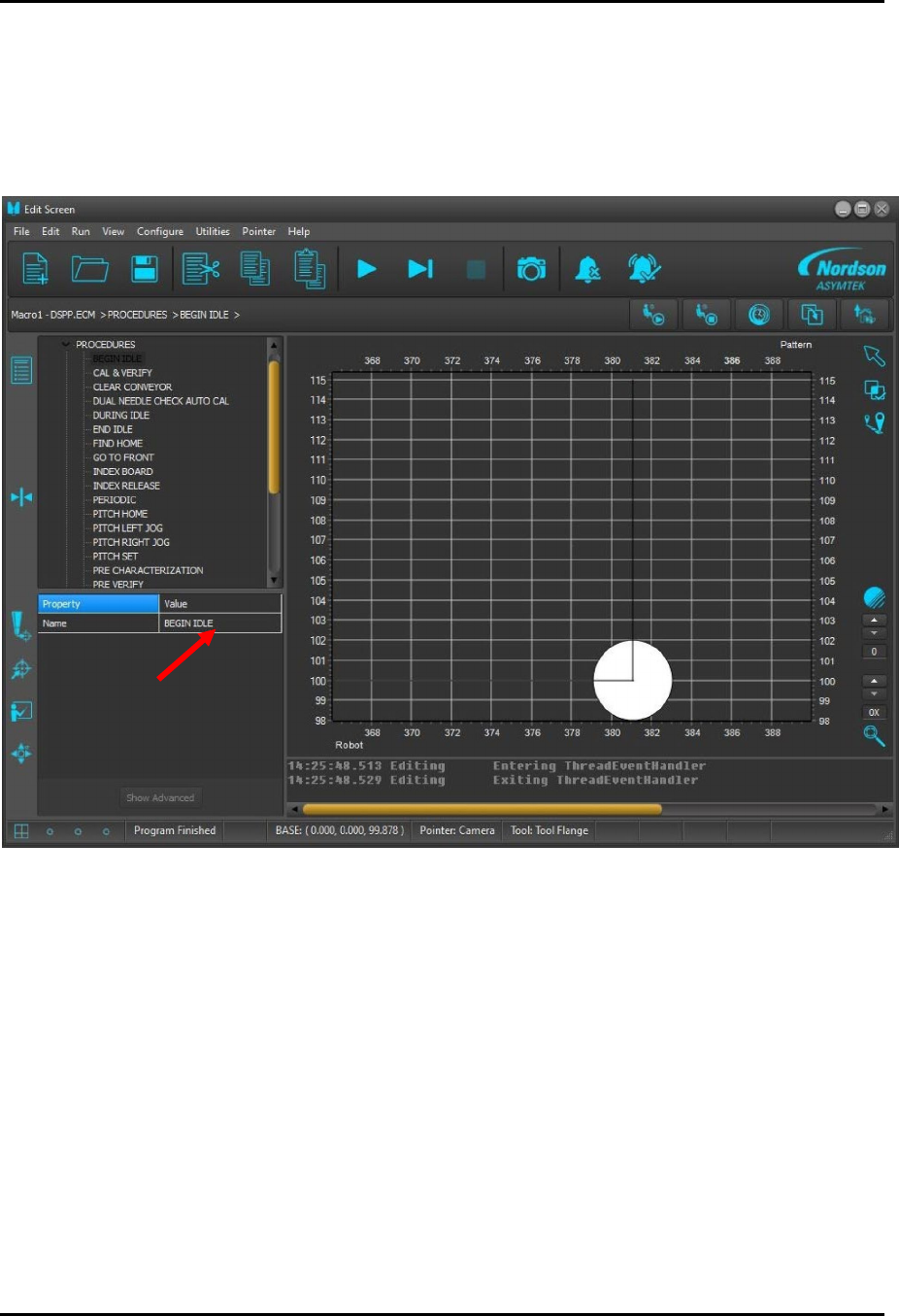
3. In the Edit Screen, select Begin Idle (Figure 3-12).
Figure 3-12 Selecting Begin Idle