Dual Simultaneous Programmable Pitch Rev 02.pdf - 第50页
Dual-Simultaneous Pr ogrammable Pitch Owner ’s Manual Operation 46 © 2024 Nordson Corporation 27. Set t he width of the dispensed l ine to 11 mm (Figure 4-50). Figure 4-50 S et Dispe nse Pattern Width 28. Click Next . 29…
Dual-Simultaneous Programmable Pitch Owner’s Manual Operation
© 2024 Nordson Corporation 45
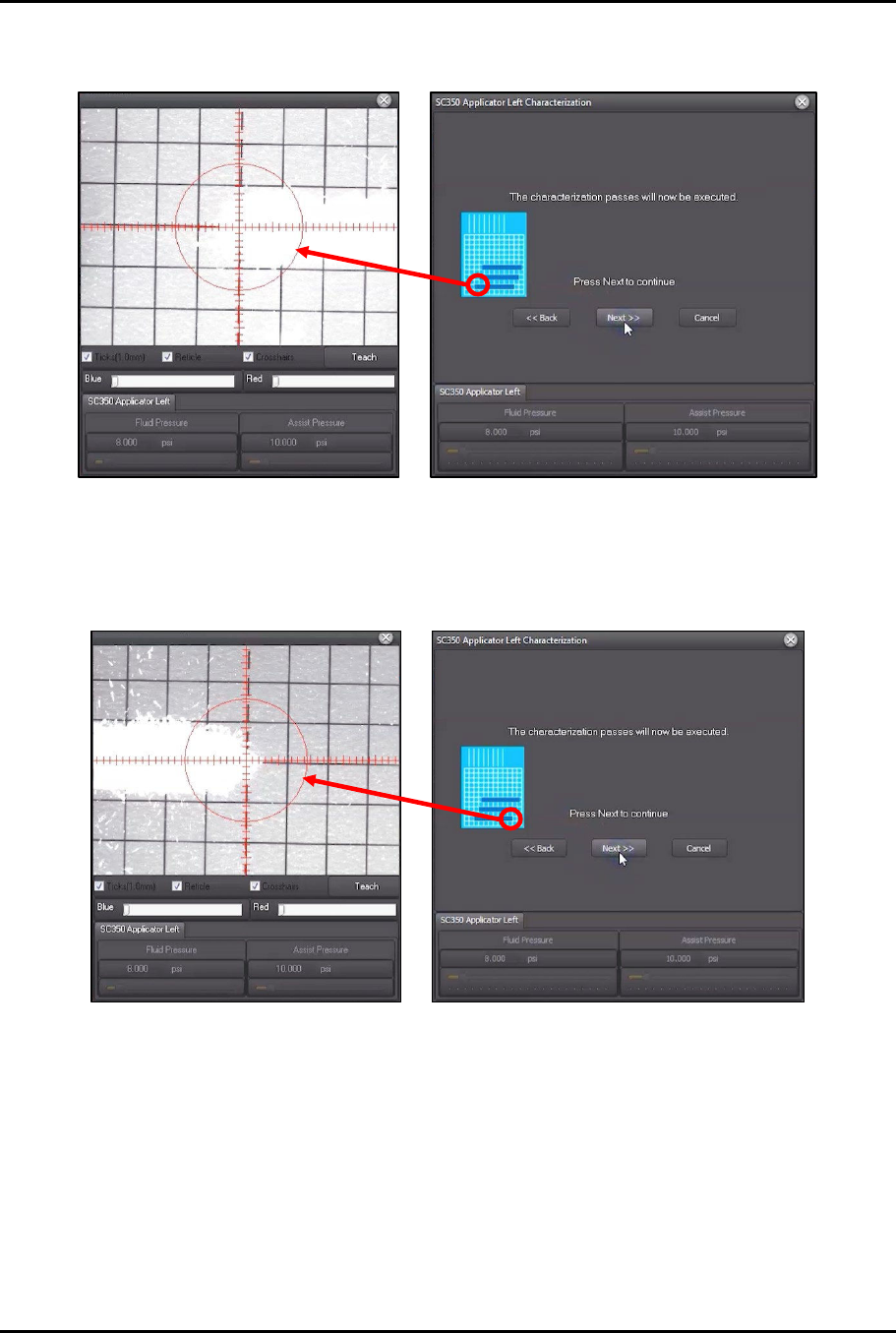
23. Move the dispense head to align the applicator with the left edge of the first characterization
pass (Figure 4-48).
Figure 4-48 Align Applicator to First Pass
24. Click Next.
25. Move the dispense head to align the applicator with the opposite end of the same
characterization pass (Figure 4-49).
Figure 4-49 Align Applicator to Opposite End
26. Click Next.
Dual-Simultaneous Programmable Pitch Owner’s Manual Operation
46 © 2024 Nordson Corporation
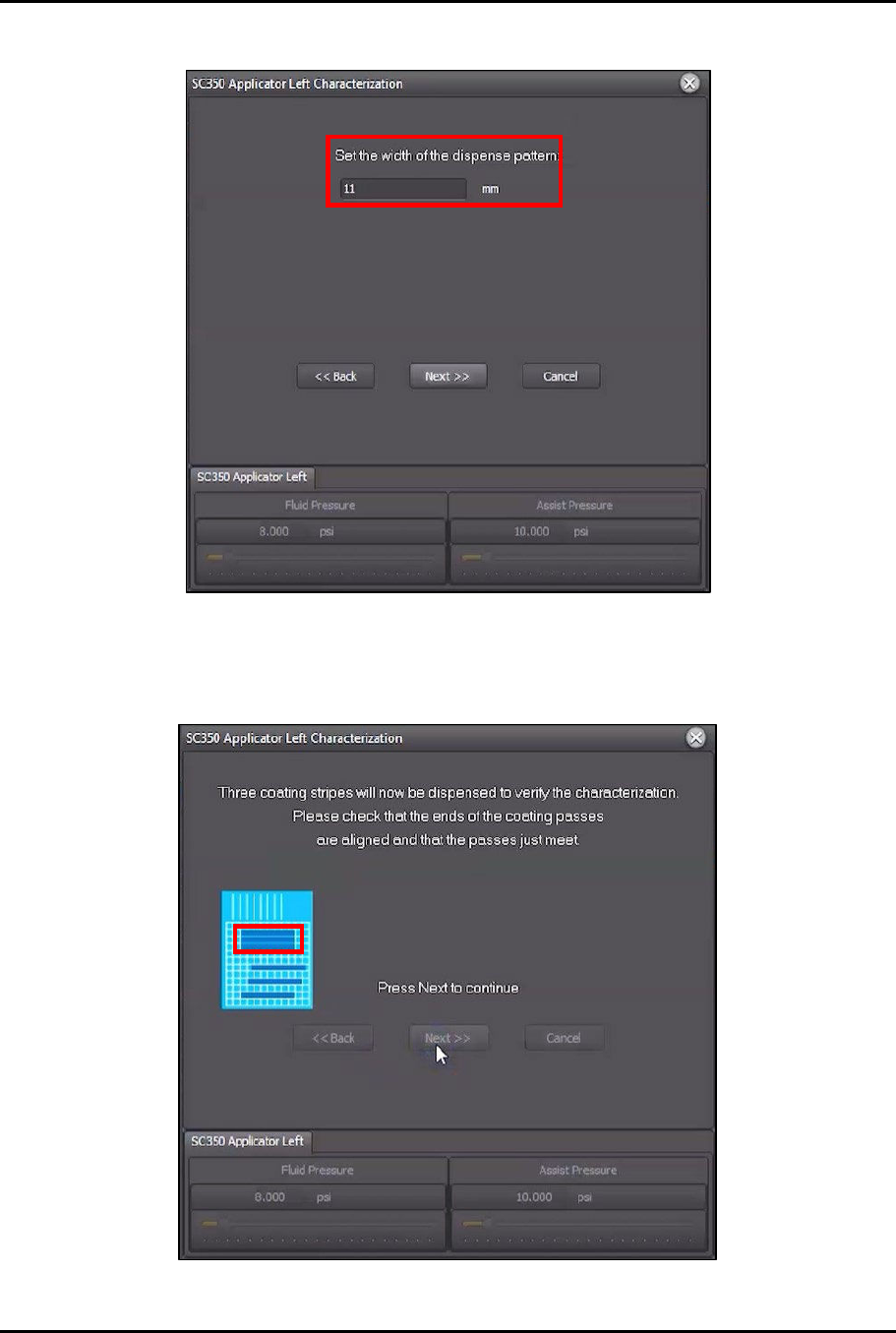
27. Set the width of the dispensed line to 11 mm (Figure 4-50).
Figure 4-50 Set Dispense Pattern Width
28. Click Next.
29. Three (3) stripes will be dispensed to verify characterization (Figure 4-51).
Figure 4-51 Coating Stripes Dispensed
Dual-Simultaneous Programmable Pitch Owner’s Manual Operation
© 2024 Nordson Corporation 47
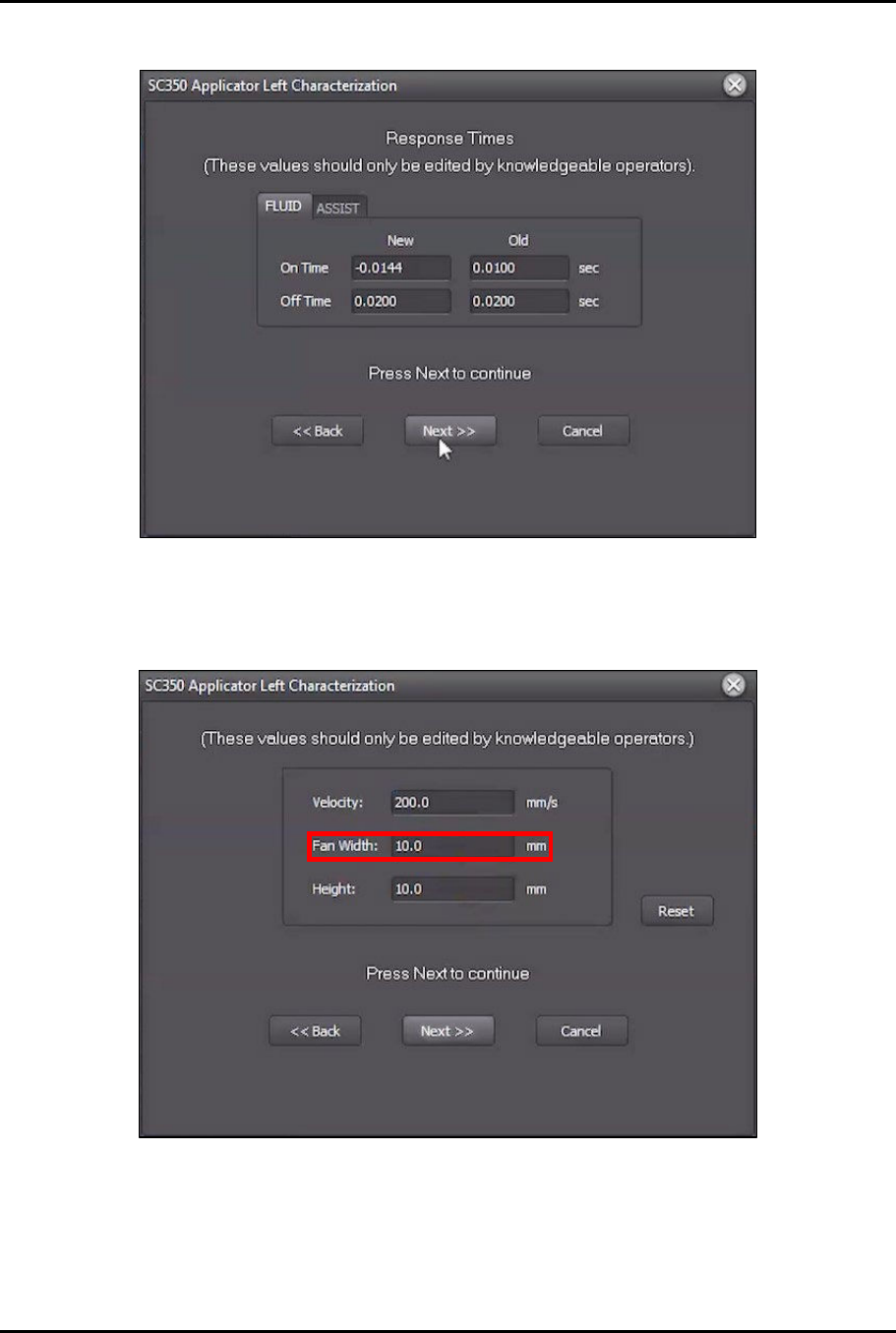
30. Once the stipes have been dispensed, EasyCoat will display the results (Figure 4-52).
Figure 4-52 Dispensing Results
31. Click Next.
32. Change Fan Width to 10 mm (Figure 4-53).
Figure 4-53 Change Fan Width
33. Click Next.
34. Click Finish to update the settings (Figure 4-54).