Dual Simultaneous Programmable Pitch Rev 02.pdf - 第22页
Dual-Simultaneous Pr ogrammable Pitch Owner ’s Manual In stallation and Configuratio n 18 © 2024 Nordson Corporation 3.10 Third Valve Macr o Setup 1. Open the EasyCoat software. 2. In the Operat or Screen, se lect Edit &…
Dual-Simultaneous Programmable Pitch Owner’s Manual Installation and Configuration
© 2024 Nordson Corporation 17
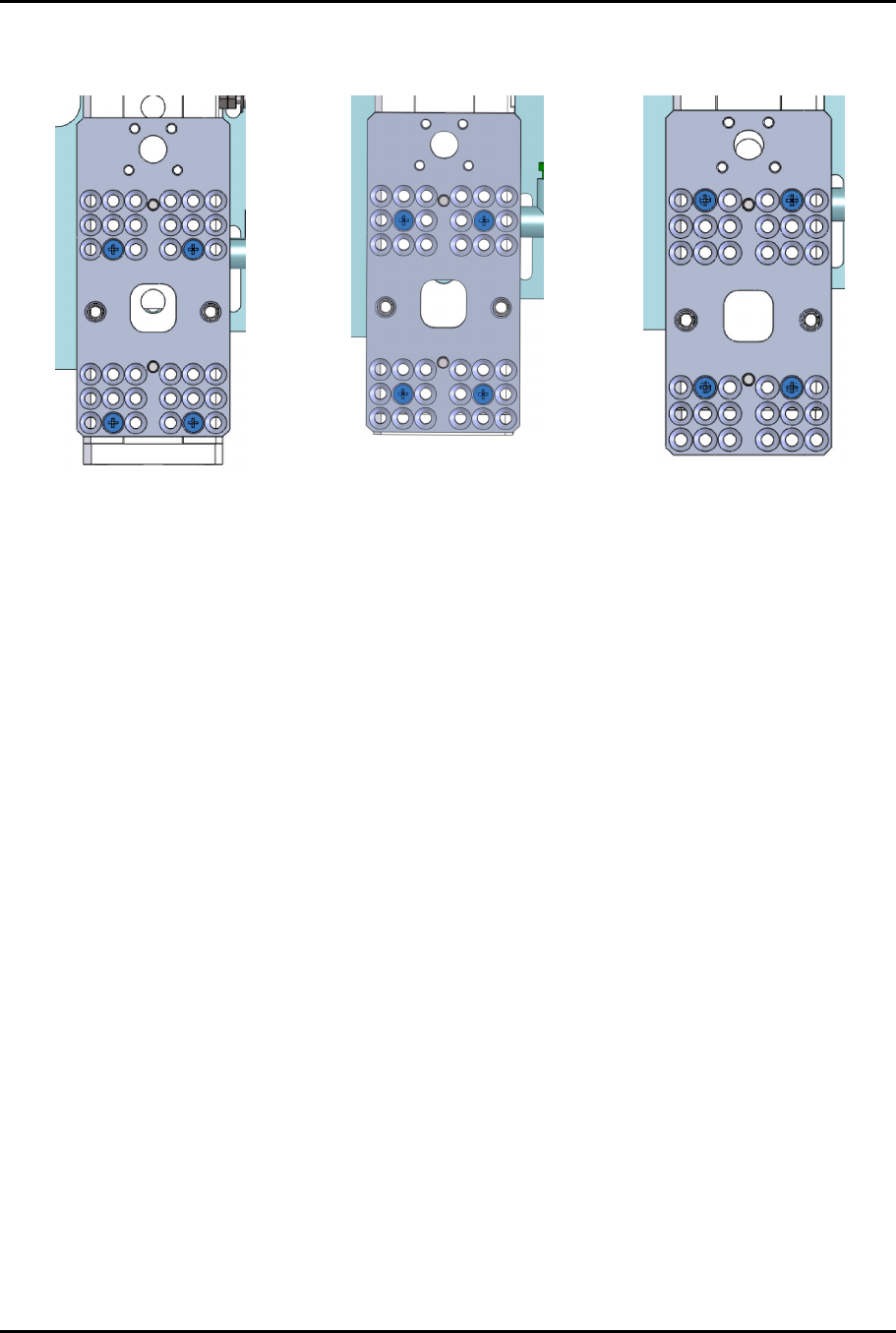
6. To align the applicators and clear the service station, the DSPP mounting plate may need to
change position (Figure 3-11).
UP Position
Center Position (default)
Down Position
Figure 3-11 Toggle Mounting Plate Positions
Dual-Simultaneous Programmable Pitch Owner’s Manual Installation and Configuration
18 © 2024 Nordson Corporation
3.10 Third Valve Macro Setup
1. Open the EasyCoat software.
2. In the Operator Screen, select Edit > Edit Mode.
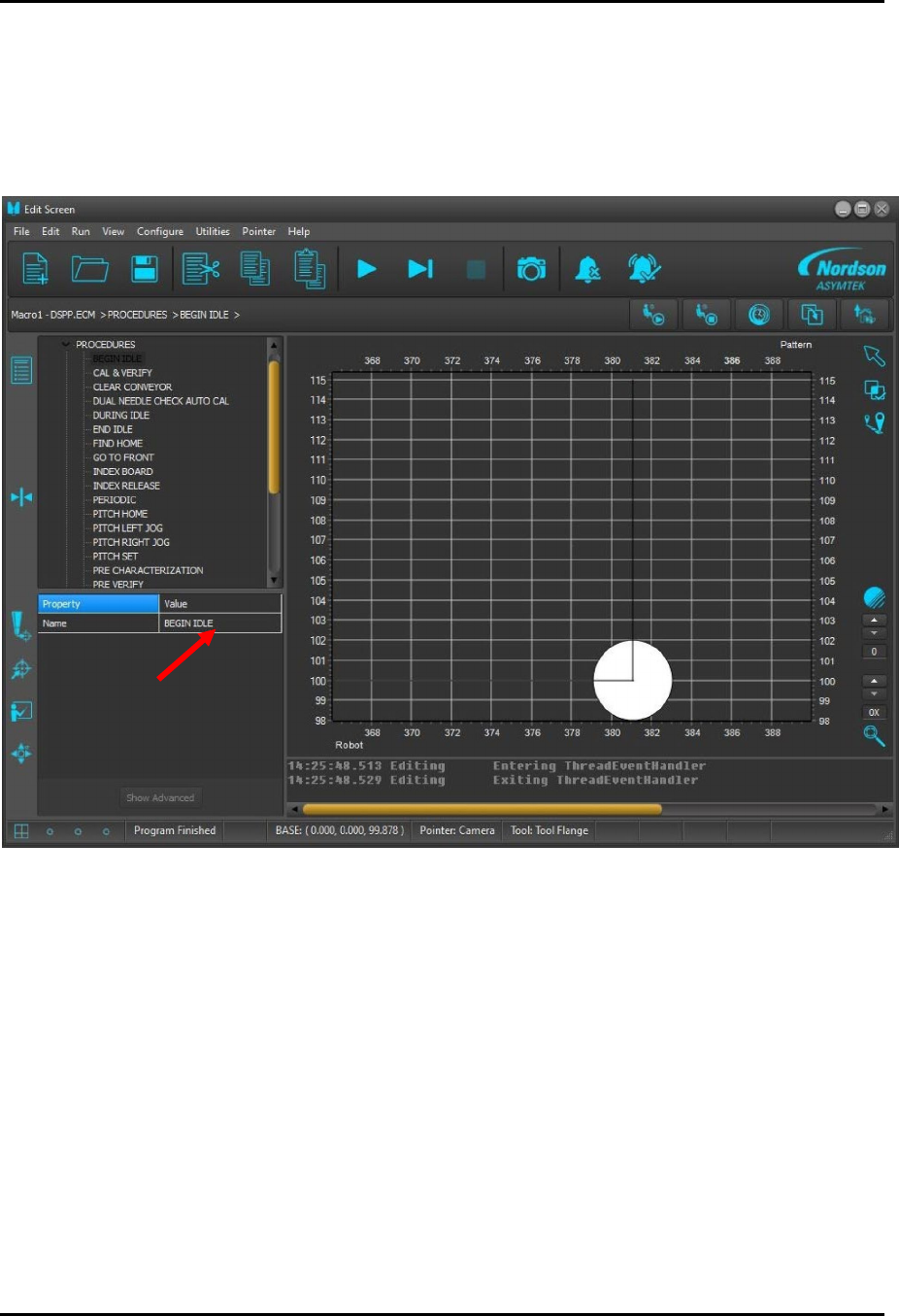
3. In the Edit Screen, select Begin Idle (Figure 3-12).
Figure 3-12 Selecting Begin Idle
Dual-Simultaneous Programmable Pitch Owner’s Manual Installation and Configuration
© 2024 Nordson Corporation 19
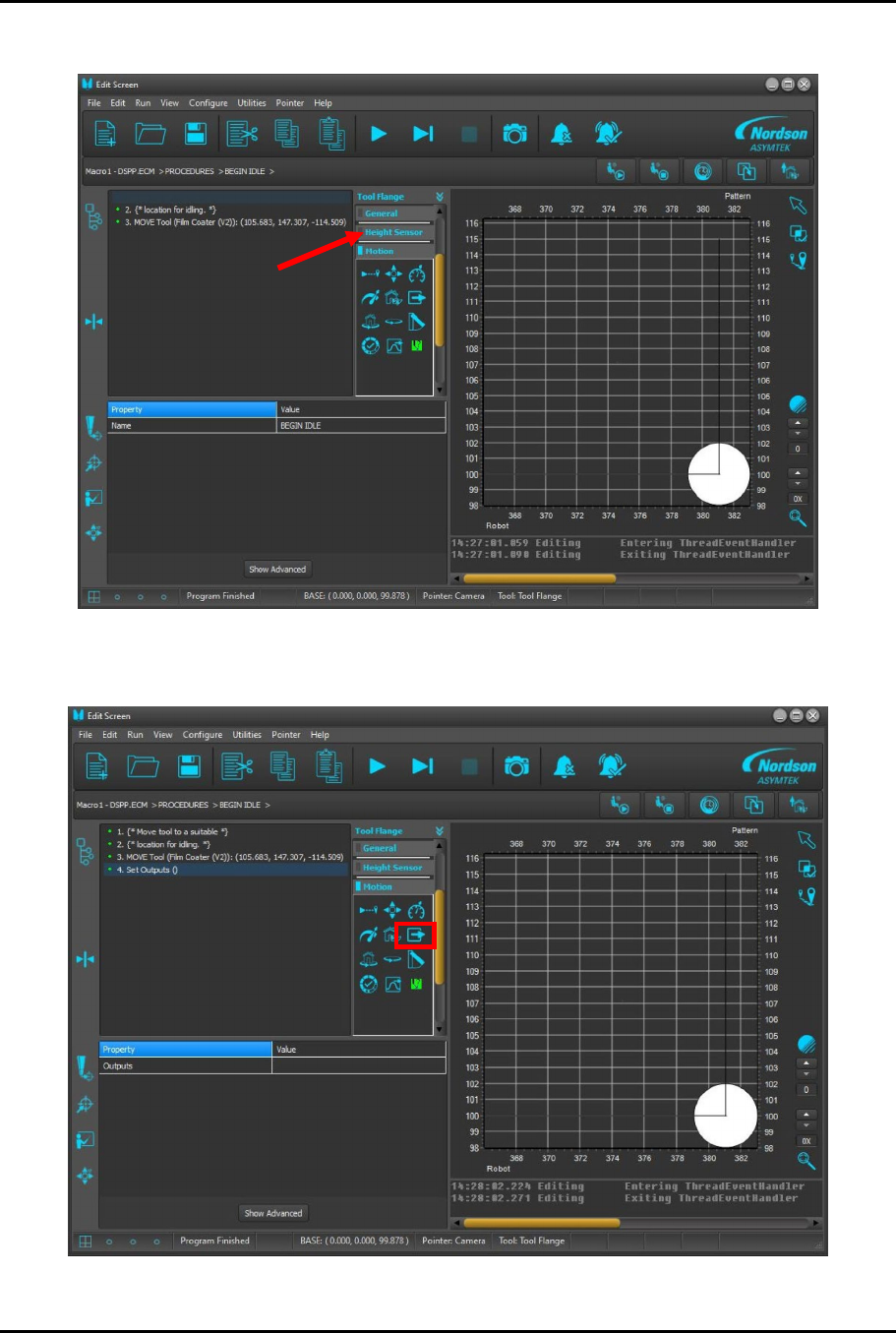
4. Select Motion tab (Figure 3-13).
Figure 3-13 Selecting Motion Tab
5.
Select Change Output button (
Figure 3-14
).
Figure 3-14 Selecting Change Output