Dual Simultaneous Programmable Pitch Rev 02.pdf - 第38页
Dual-Simultaneous Pr ogrammable Pitch Owner ’s Manual Operation 34 © 2024 Nordson Corporation 17. Close the EasyCoa t softwa re. 18. Access the EasyCoa t folder in File Explorer and s earch for the Variabl es.txt file an…
Dual-Simultaneous Programmable Pitch Owner’s Manual Operation
© 2024 Nordson Corporation 33
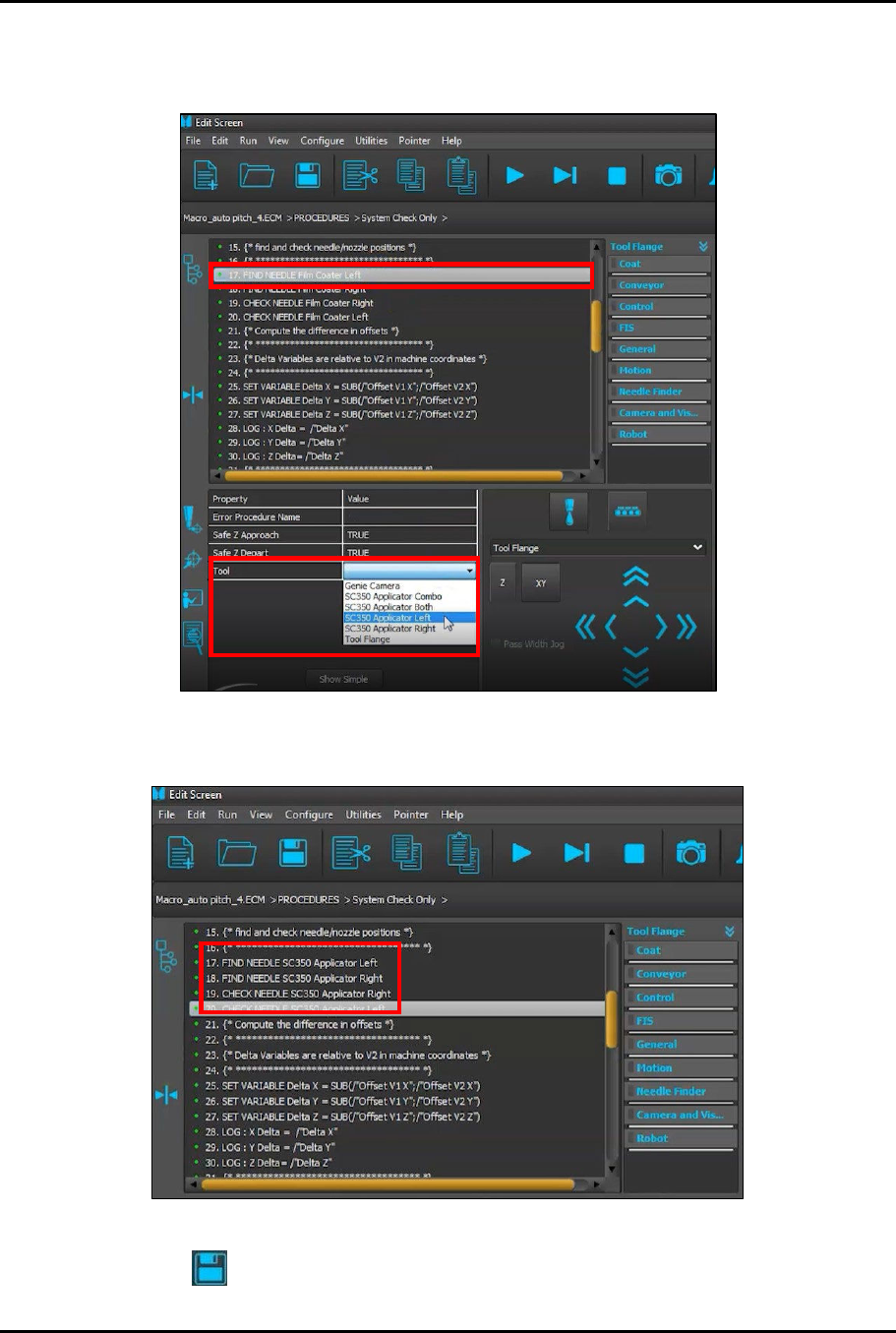
14. Change the applicator names in the System Check Only procedure by highlighting one of
them (e.g., Film Coater Left) and then selecting the corresponding applicator from the
drop-down list (Figure 4-21).
Figure 4-21 Select Applicator Name
15. Repeat Step 14 until all applicator entries have been changed (Figure 4-22).
Figure 4-22 All Applicator Names Changed
16. Click on to save the changes.
Dual-Simultaneous Programmable Pitch Owner’s Manual Operation
34 © 2024 Nordson Corporation
17. Close the EasyCoat software.
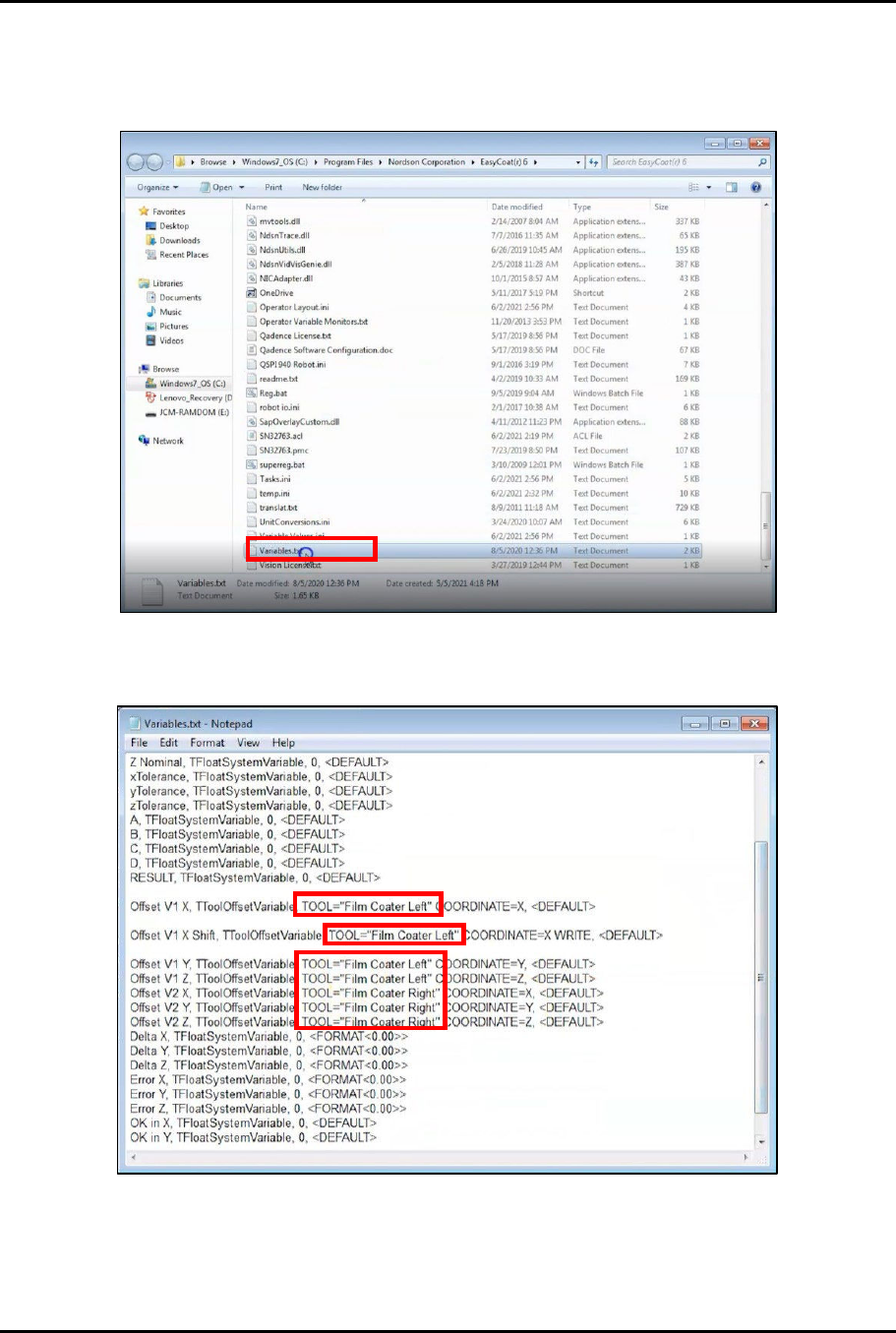
18. Access the EasyCoat folder in File Explorer and search for the Variables.txt file and open it
in Notepad (Figure 4-23).
Figure 4-23 Open Variables.txt File
19. Locate the applicator names in the Variables.txt file (Figure 4-24).
Figure 4-24 Locate Applicator Names
Dual-Simultaneous Programmable Pitch Owner’s Manual Operation
© 2024 Nordson Corporation 35
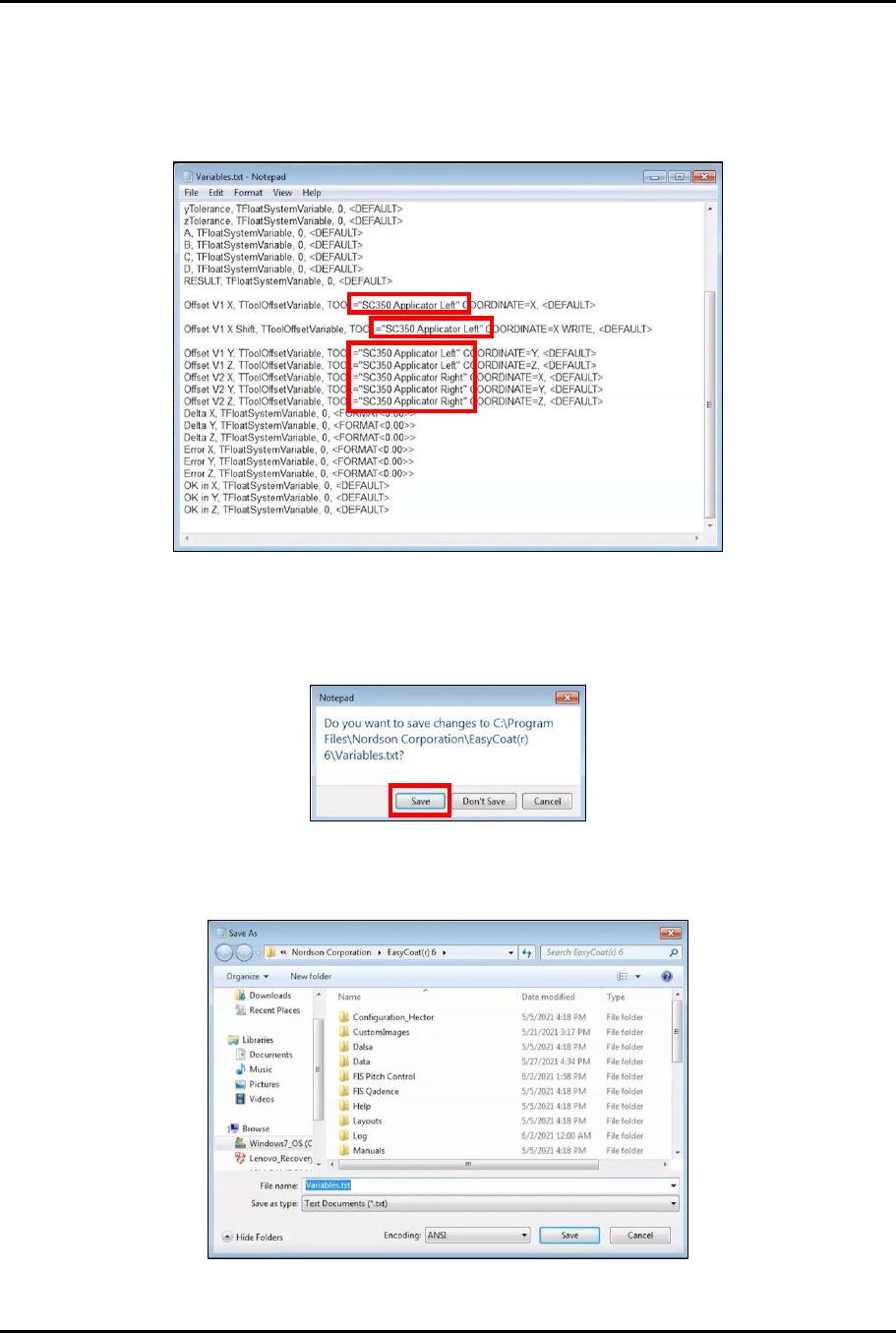
20. Manually change the applicator names in the Variables.txt file to match the applicator
names established in the Cal & Verify and System Check Only procedures (Figure 4-25).
?
NOTE
The applicator names in the Variables.txt file and the applicator names in the Cal
& Verify and System Check Only procedures MUST ALL MATCH EXACTLY.
Figure 4-25 Change Applicator Names
21. Close the Variables.txt file.
22. When asked to save changes, click Save (Figure 4-26).
Figure 4-26 Save Changes
23. In the Save As window, click Save (Figure 4-27).
Figure 4-27 Save Variables.txt File