Dual Simultaneous Programmable Pitch Rev 02.pdf - 第24页
Dual-Simultaneous Pr ogrammable Pitch Owner ’s Manual In stallation and Configuratio n 20 © 2024 Nordson Corporation 6. Select and drag 4. Set Outpu ts () up above Step 3 ( Fig ure 3-1 5 ). Figure 3-15 Sw itching St eps …
Dual-Simultaneous Programmable Pitch Owner’s Manual Installation and Configuration
© 2024 Nordson Corporation 19
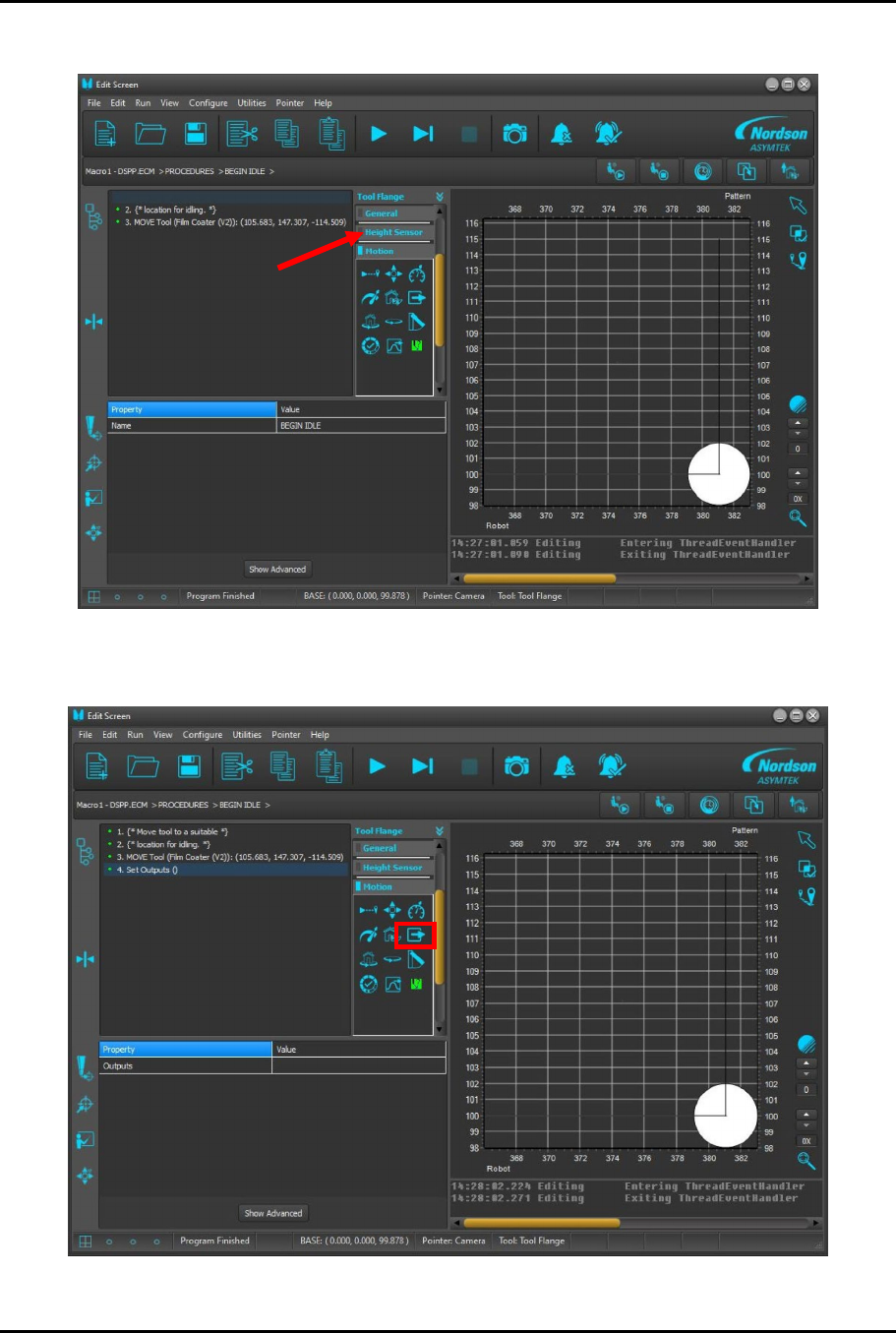
4. Select Motion tab (Figure 3-13).
Figure 3-13 Selecting Motion Tab
5.
Select Change Output button (
Figure 3-14
).
Figure 3-14 Selecting Change Output
Dual-Simultaneous Programmable Pitch Owner’s Manual Installation and Configuration
20 © 2024 Nordson Corporation
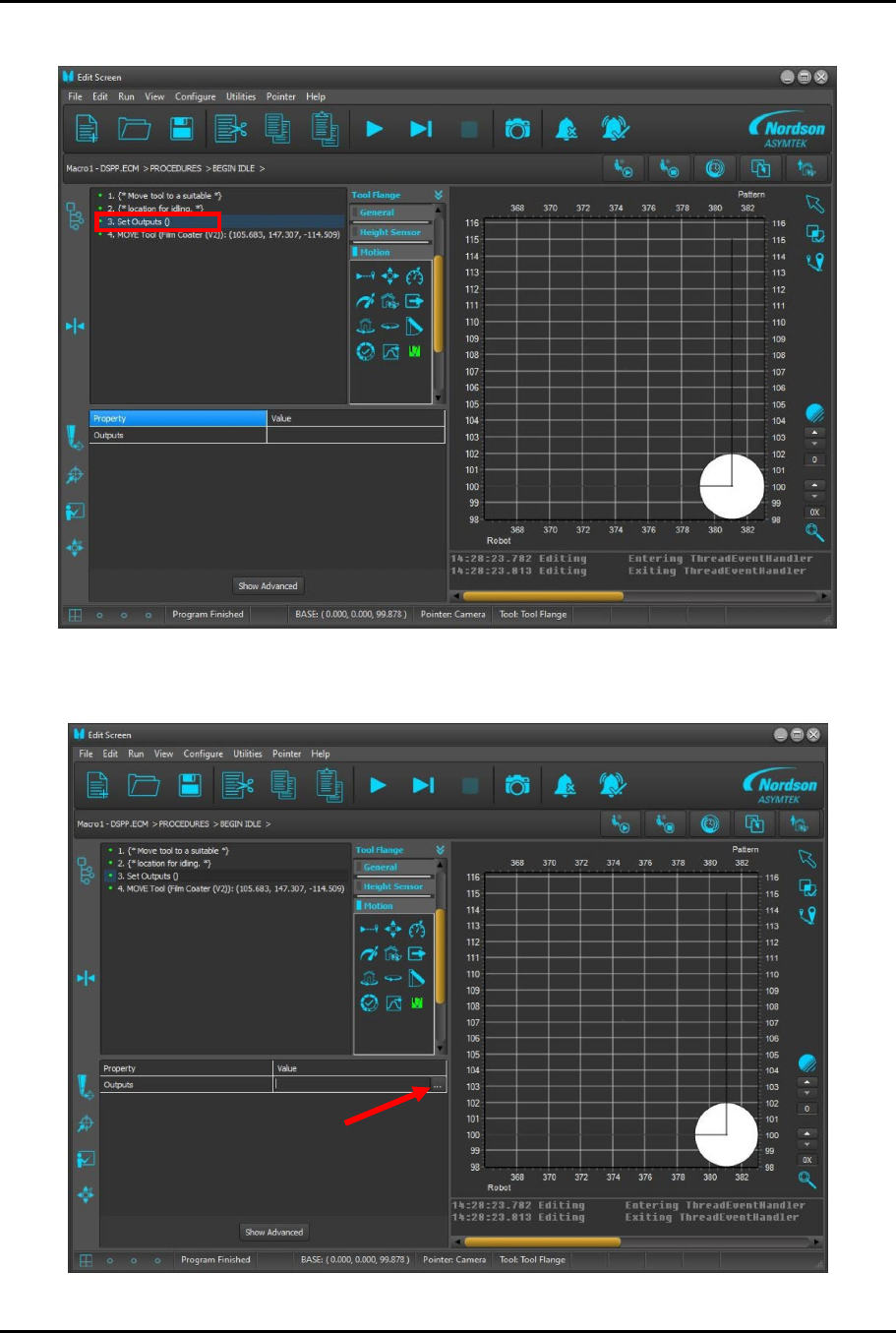
6.
Select and drag
4. Set Outputs ()
up above Step 3 (
Figure 3-15
).
Figure 3-15 Switching Steps
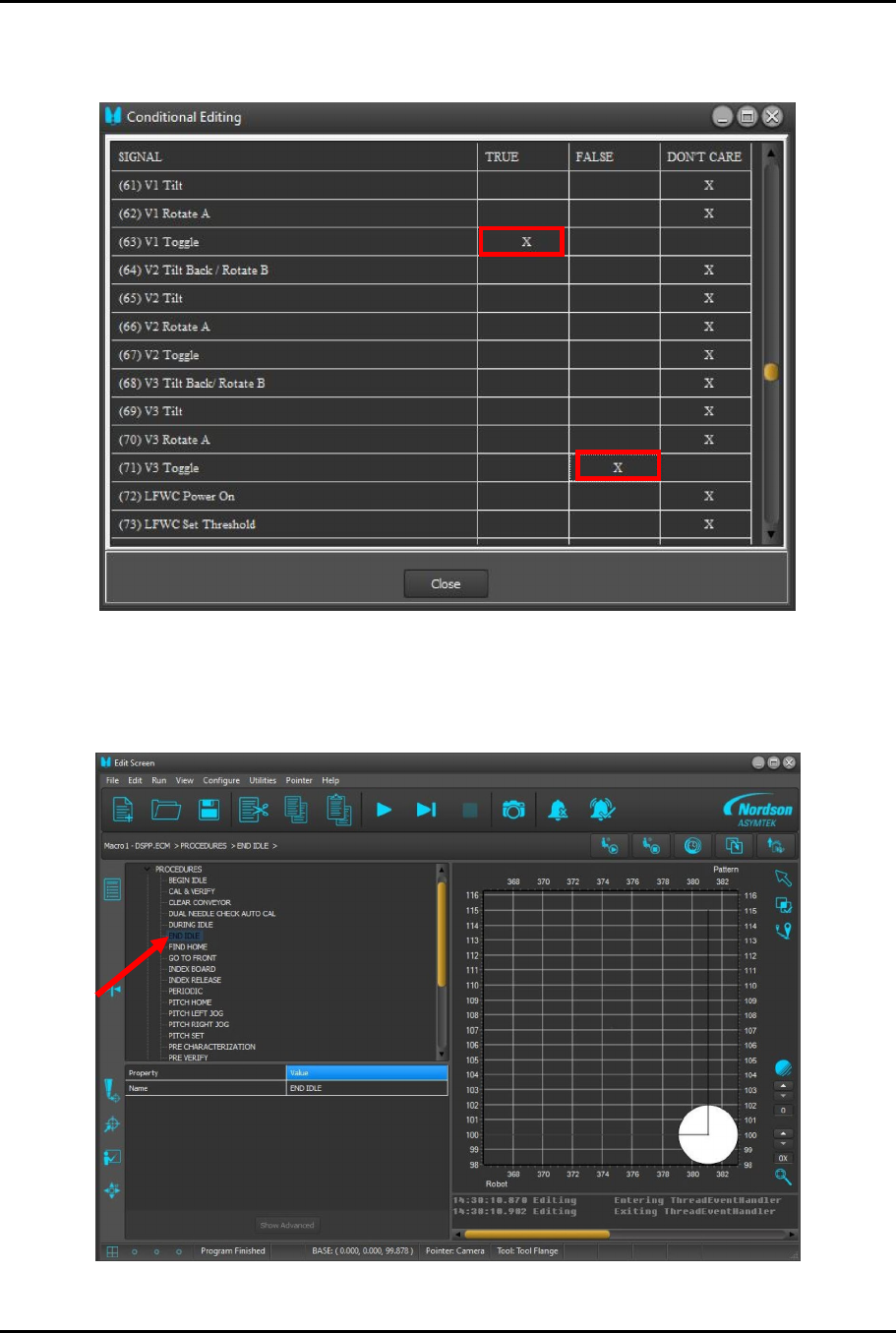
7. After selection Step 3, select … (Figure 3-16).
Figure 3-16 Select
Dual-Simultaneous Programmable Pitch Owner’s Manual Installation and Configuration
© 2024 Nordson Corporation 21
8.
Scroll down to view output
Signal 61
and
Signal 71
. Select the respective
TRUE
boxes
(
Figure 3-17
.).
Figure 3-17 Selecting Output Signals
9.
Select
Close
.
10.
Select
END IDLE
to modify the END IDLE Macro (
Figure 3-18
).
Figure 3-18 Modify the Macro