Dual Simultaneous Programmable Pitch Rev 02.pdf - 第30页
Dual-Simultaneous Pr ogrammable Pitch Owner ’s Manual Operation 26 © 2024 Nordson Corporation 3. Subtract 2,00 0 from the PE25 value and ch ange PE 25 to the n ew value (Figure 4-3). Example: 50 582-2000=485 82 Figure 4-…
Dual-Simultaneous Programmable Pitch Owner’s Manual Operation
© 2024 Nordson Corporation 25
4.5 Production Setup
4.5.1 Setup Travel Limits
Travel limits should only need to be setup once before the system’s initial production run. However, if
applicators are changed, if programs change, or if other hardware changes are made, travel limits may
need to be reestablished.
To setup travel limits:
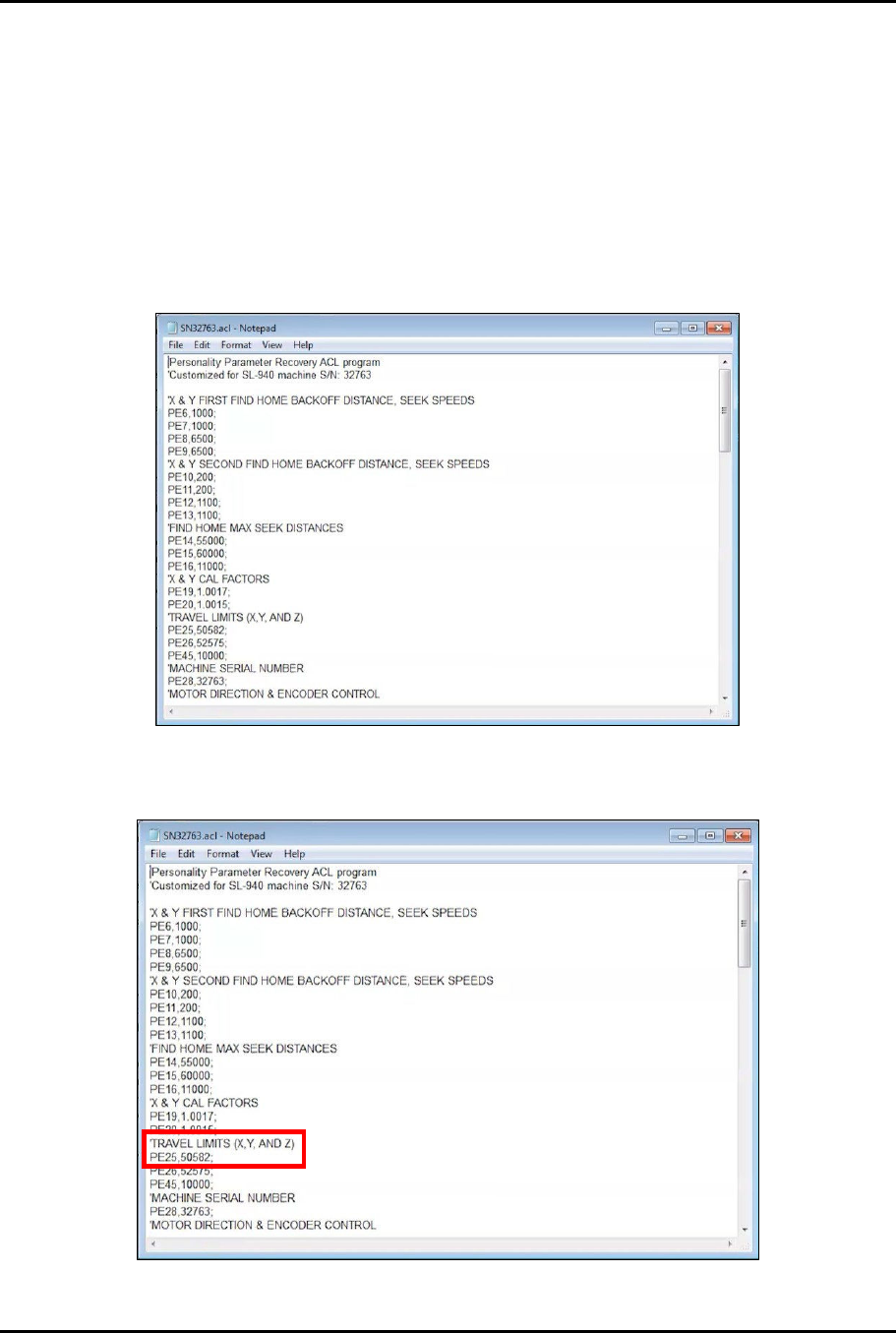
1. Access the EasyCoat folder in File Explorer and search for file SNXXXXX.acl and open the
file in Notepad (Figure 4-1).
Figure 4-1 Open SNXXXXX.acl File
2. In the SNXXXXX.acl file, locate PE25 under TRAVEL LIMITS (X, Y, AND Z) (Figure 4-2).
Figure 4-2 Locate PE25
Dual-Simultaneous Programmable Pitch Owner’s Manual Operation
26 © 2024 Nordson Corporation
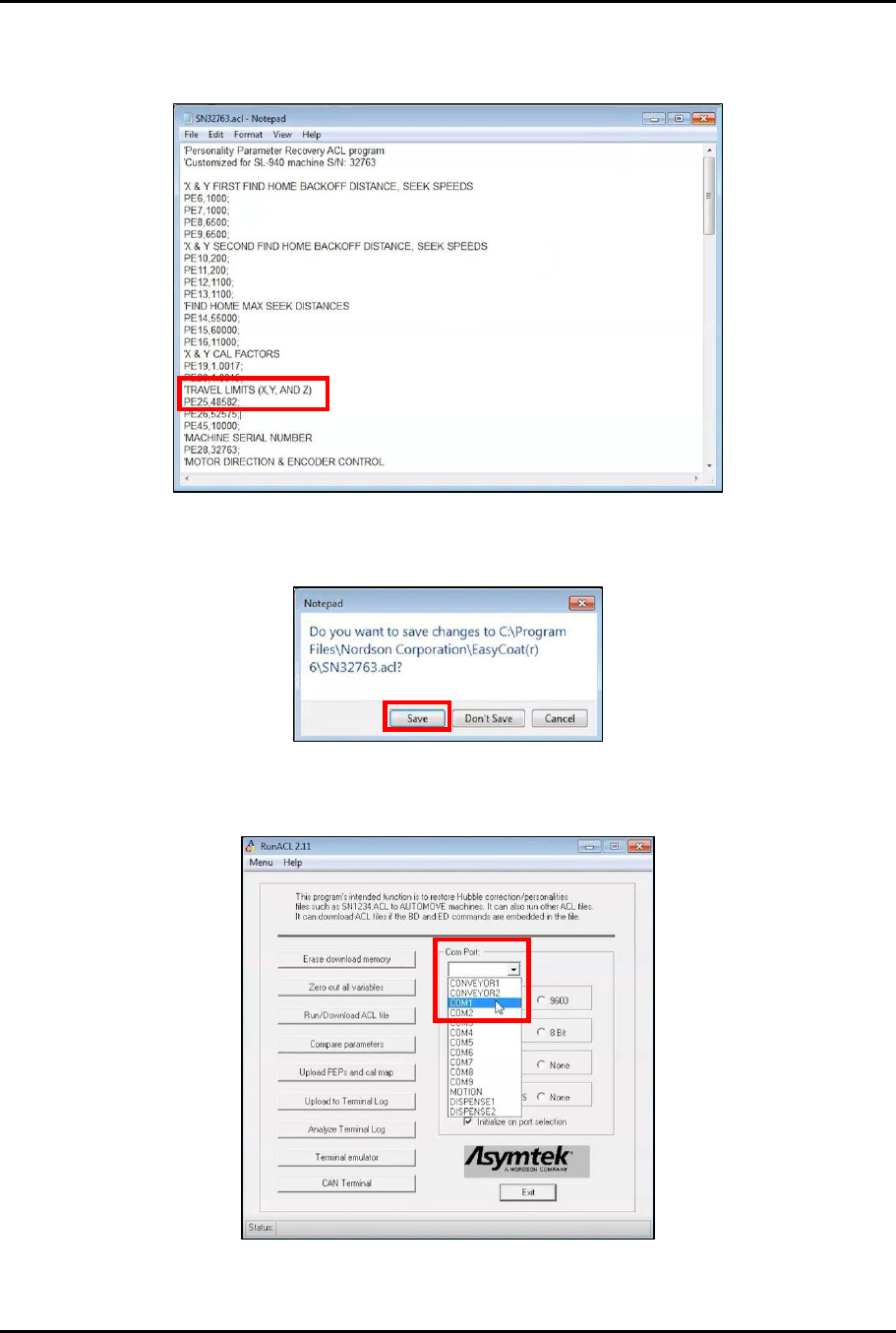
3. Subtract 2,000 from the PE25 value and change PE25 to the new value (Figure 4-3).
Example: 50582-2000=48582
Figure 4-3 Change PE25
4. Close and save the SNXXXXX.acl file (Figure 4-4).
Figure 4-4 Save SNXXXXX.acl File
5. Open RunACL and change the Com Port setting to COM1 (Figure 4-5).
Figure 4-5 Change Com Port to COM1
Dual-Simultaneous Programmable Pitch Owner’s Manual Operation
© 2024 Nordson Corporation 27
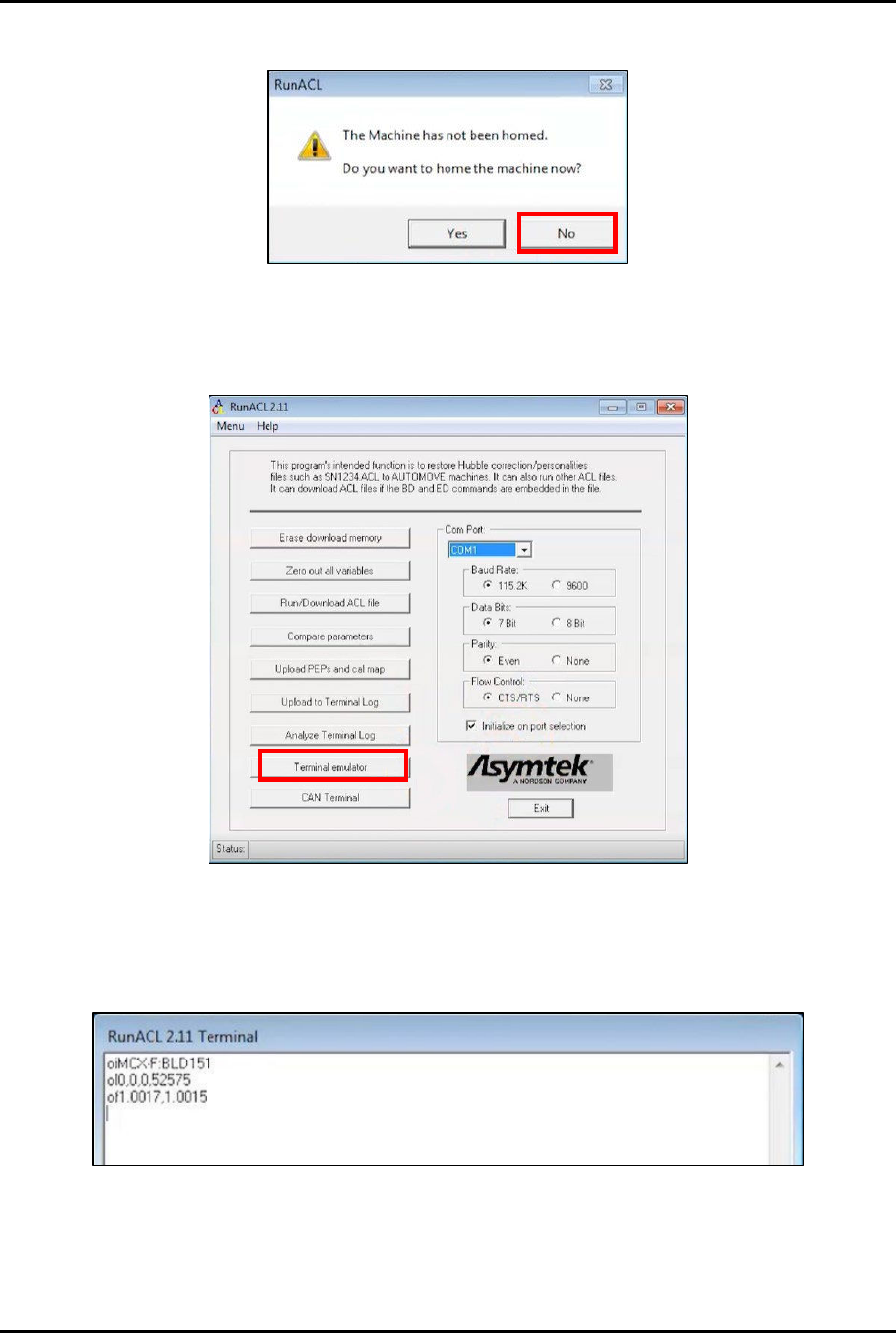
6. A message will pop up indicating that the machine has not been homed (Figure 4-6).
Figure 4-6 Do Not Home the Machine
7. Click No.
8. In the RunACL window, click on Terminal emulator (Figure 4-7).
Figure 4-7 Click on Terminal Emulator
9. Test communication by typing the following codes into the Terminal emulator screen and
checking the response (Figure 4-8): oi, ol, of.
> The emulator should return the current machine values for each command.
Figure 4-8 Test Communication
10. Click Exit.