Dual Simultaneous Programmable Pitch Rev 02.pdf - 第41页
Dual-Simultaneous Pr ogrammable Pitch Owner ’s Manual Operation © 2024 Nordson Corporation 37 27. Change the fol lowing parameters in the ECW. ini file t o match the values listed be low: a. Needle Find er Distance Limit…
Dual-Simultaneous Programmable Pitch Owner’s Manual Operation
36 © 2024 Nordson Corporation
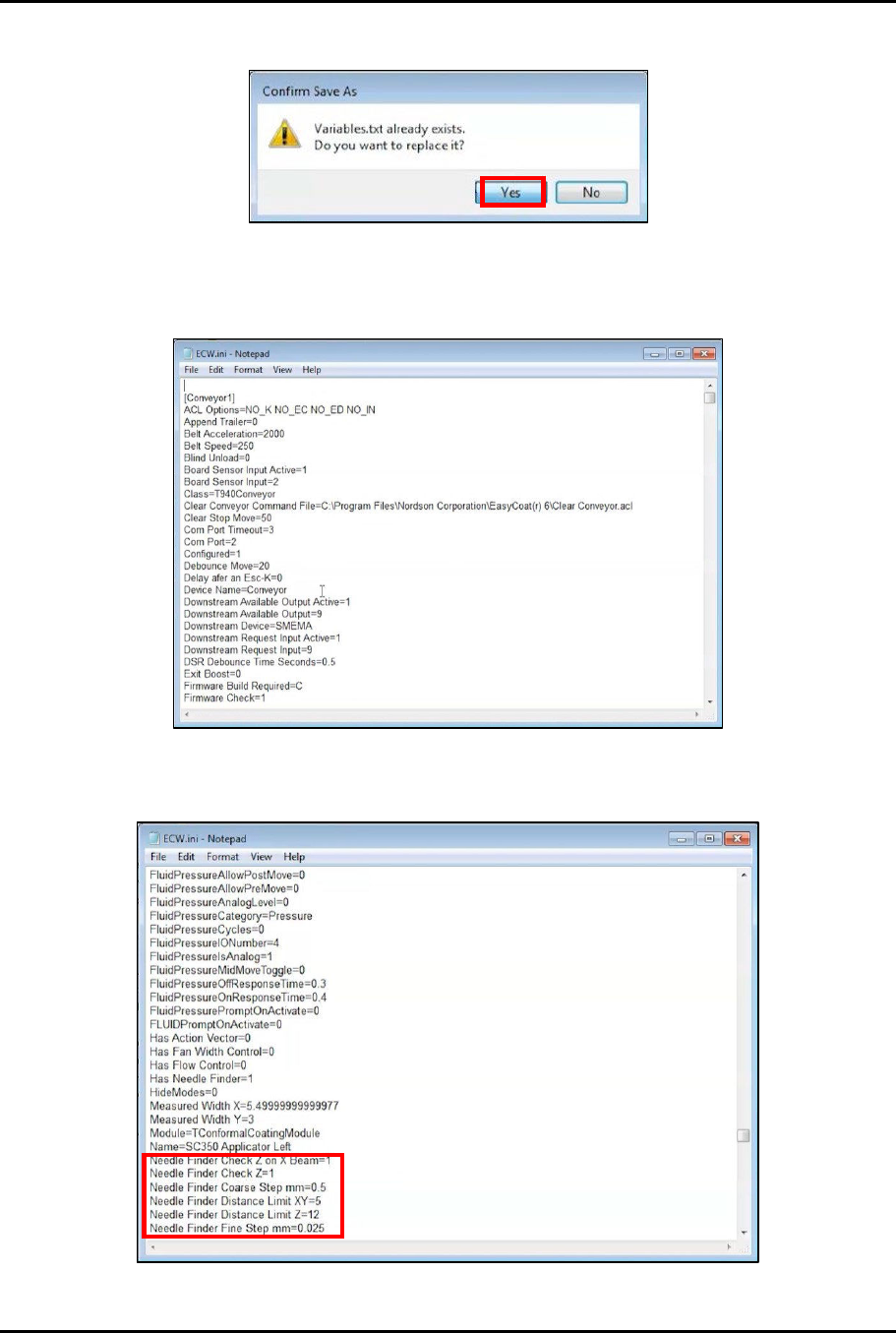
24. When asked to replace the existing Variables.txt file, click Yes (Figure 4-28).
Figure 4-28 Replace Existing File
25. In the EasyCoat folder in File Explorer search for the ECW.ini file and open it in Notepad
(Figure 4-29).
Figure 4-29 Open ECW.ini File
26. In the ECW.ini file, locate the Needle Finder parameters (Figure 4-30).
Figure 4-30 Locate Needle Finder Parameters
Dual-Simultaneous Programmable Pitch Owner’s Manual Operation
© 2024 Nordson Corporation 37
27. Change the following parameters in the ECW.ini file to match the values listed below:
a. Needle Finder Distance Limit XY = 15
b. Needle Finder Measure Width From Tip mm = 2
c. Needle Finder Search Depth mm = 9
d. Needle Finder Tolerance XY = 1
28. Close and save the ECW.ini file.
29. Start the EasyCoat software.
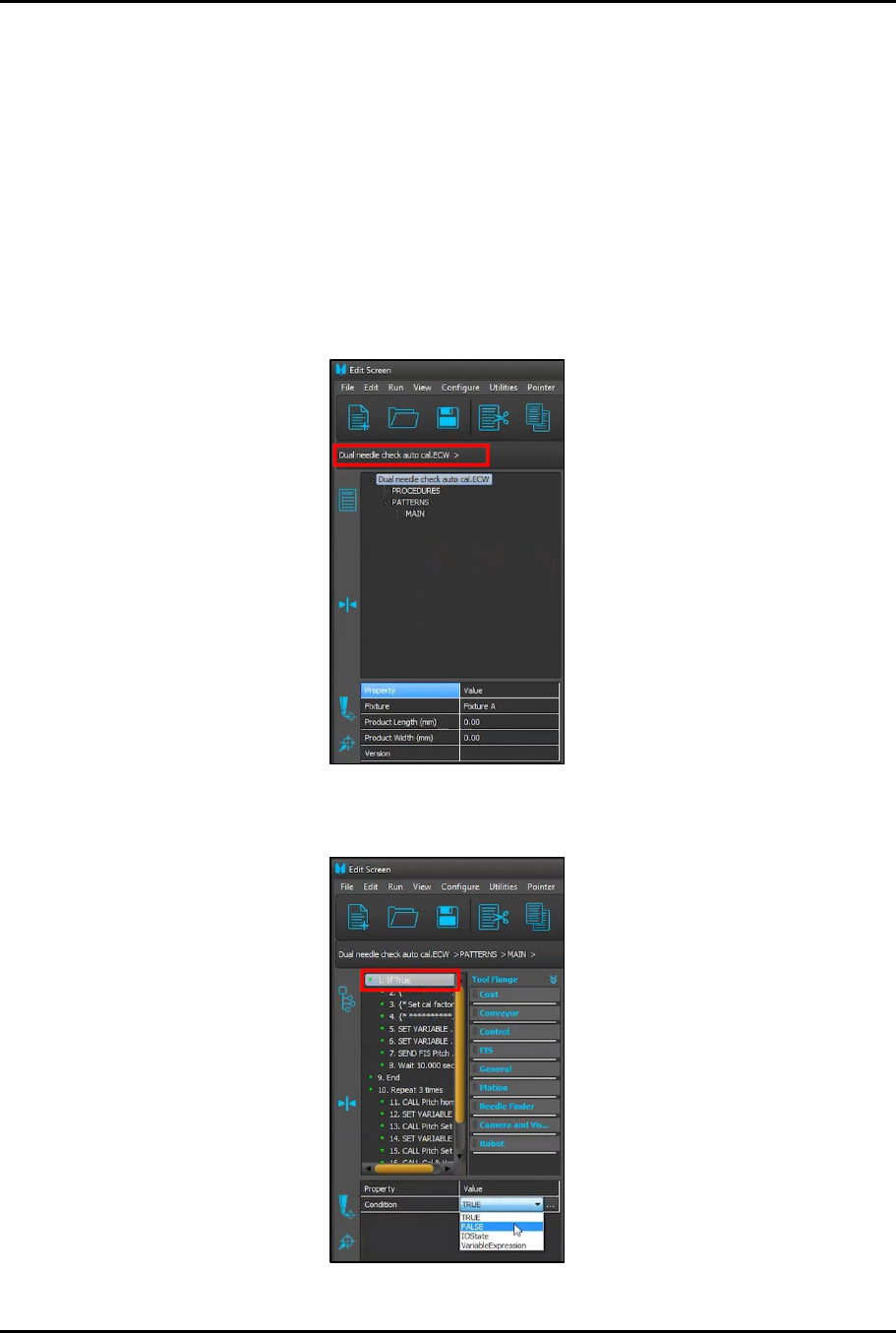
30. In the Operator Screen, click on Edit > Edit Mode to enter the Edit Screen.
31. In the Edit Screen, load the Dual needle check auto cal.ECW procedure (Figure 4-31).
Figure 4-31 Load Dual Needle Check Auto Cal.ECW Procedure
32. Click on MAIN and change the If True condition to FALSE (Figure 4-32).
Figure 4-32 Change to FALSE
Dual-Simultaneous Programmable Pitch Owner’s Manual Operation
38 © 2024 Nordson Corporation
33. Click on to run the procedure.
> By the third pass, the procedure should run without any errors.
> If the procedure still results in errors after the third run, contact Technical Support.
4.5.3 Changing Master Valve
The default master valve for the DSPP is the left valve. If the application is tolerance sensitive, it is
recommended that the right valve be identified as the master valve. Use the following instructions to
change the master valve.
To change the master valve:
1. Access the EasyCoat folder in File Explorer and search for the ECW.ini file and open it in
Notepad.
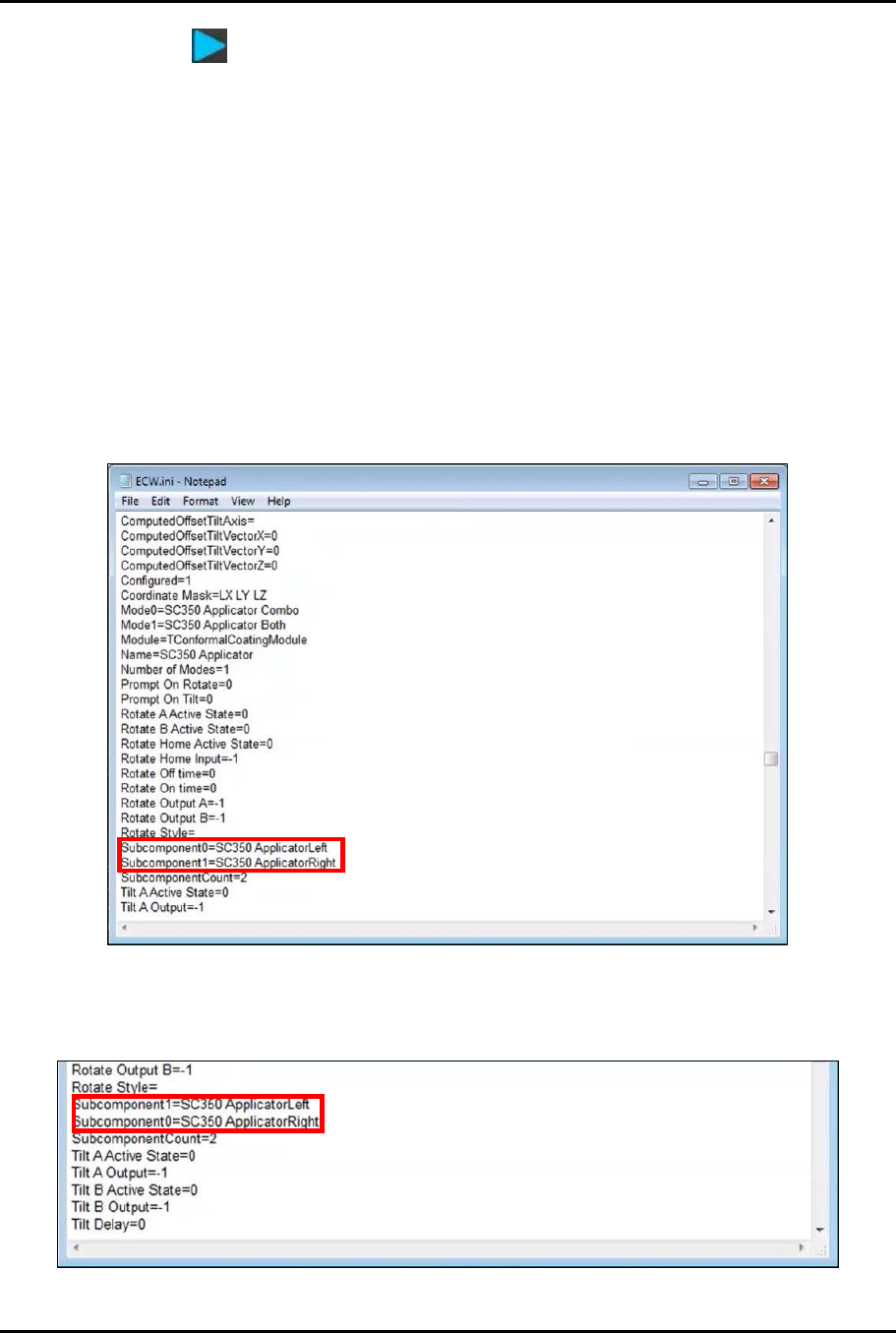
2. In the ECW.ini file, locate the applicators (Figure 4-33).
> Subcomponent0 defines the master valve.
Figure 4-33 Locate Applicators
3. Change the values so that Subcomponent0=ApplicatorRight and
Subcomponent1=ApplicatorLeft (Figure 4-34).
Figure 4-34 Change Subcomponent Values