Dual Simultaneous Programmable Pitch Rev 02.pdf - 第47页
Dual-Simultaneous Pr ogrammable Pitch Owner ’s Manual Operation © 2024 Nordson Corporation 43 16. Move the d ispense head t o center th e applic ator over the l ower left intersectio n of dotte d lines on the character i…
Dual-Simultaneous Programmable Pitch Owner’s Manual Operation
42 © 2024 Nordson Corporation
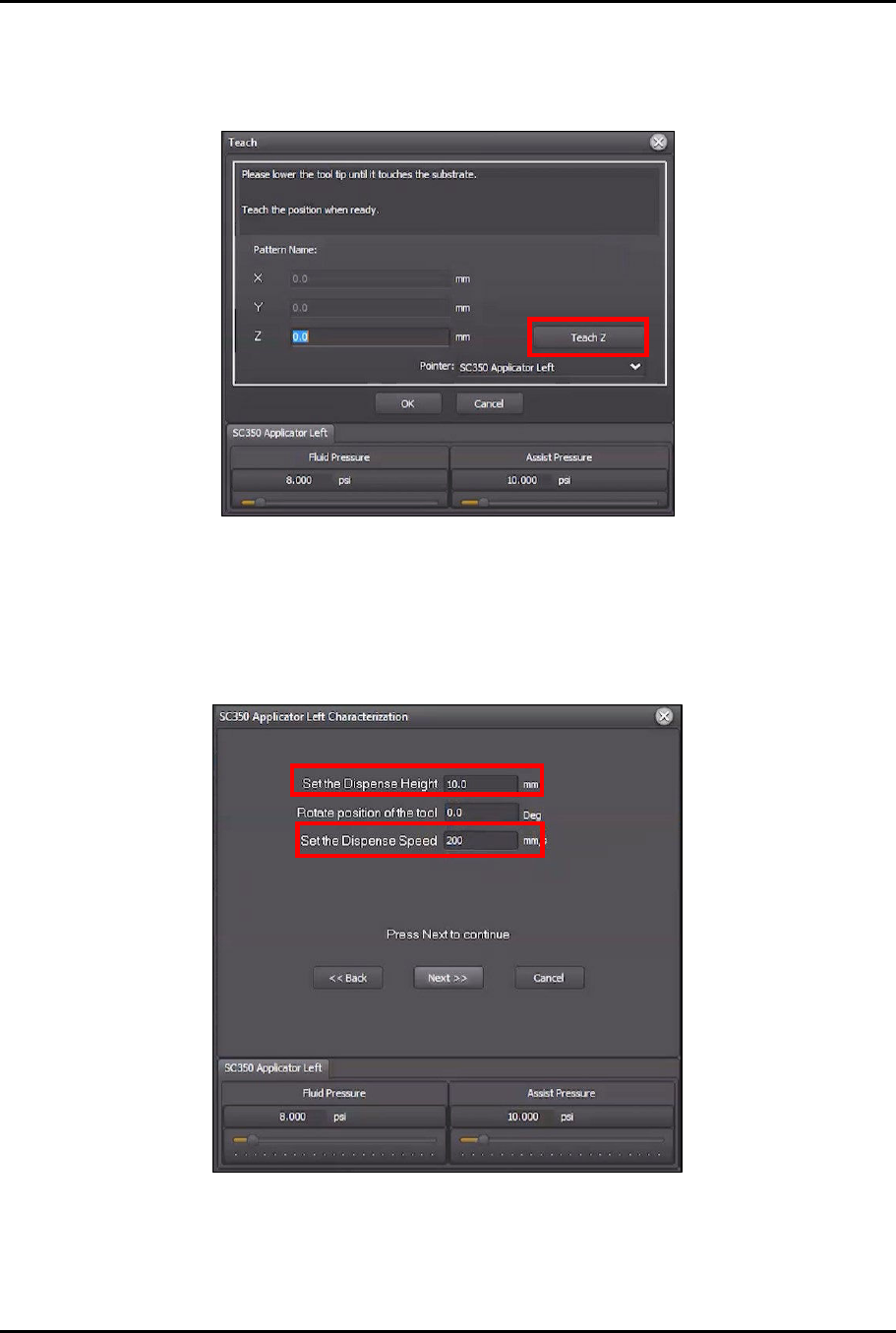
11. Use the jog controls to lower the dispense head until the tip of the applicator touches the
substrate.
12. In the Teach window, click Teach Z (Figure 4-42).
Figure 4-42 Teach Z
> The Z value should change to a negative number.
13. Click OK to close the Teach window.
14. In the Characterization Wizard, change the Set the Dispense Height to 10 mm, and
change the Set Dispense Speed to 200 mm/s (Figure 4-43).
Figure 4-43 Change Height and Speed
15. Click Next.
> The Characterization Wizard will ask you to center the applicator over the intersection of
dotted lines in the lower left corner of the screen.
Dual-Simultaneous Programmable Pitch Owner’s Manual Operation
© 2024 Nordson Corporation 43
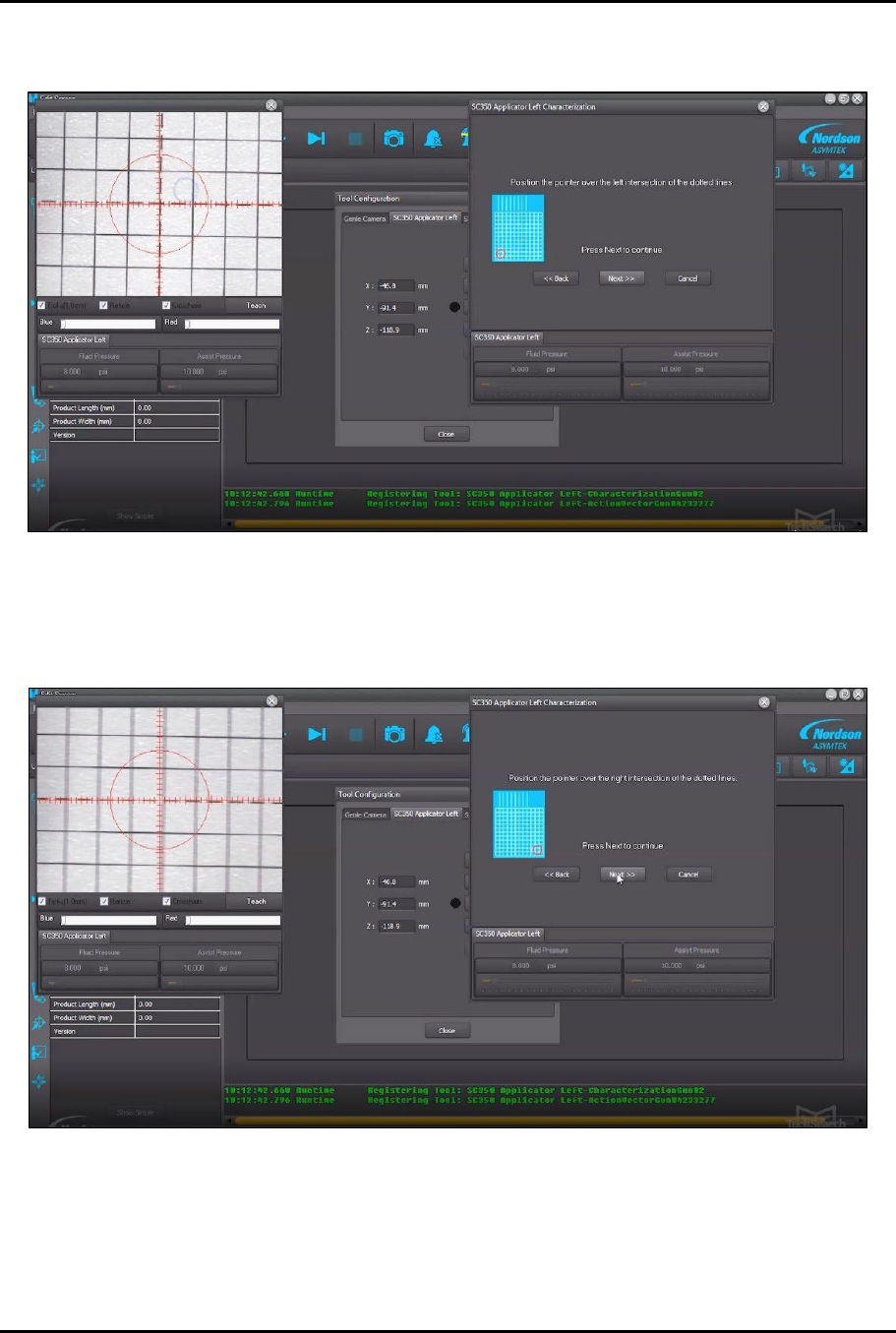
16. Move the dispense head to center the applicator over the lower left intersection of dotted
lines on the characterization card (Figure 4-44).
Figure 4-44 Lower Left Corner
17. Click Next.
18. Move the dispense head to center the applicator over the lower right intersection of dotted
lines (Figure 4-45).
Figure 4-45 Lower Right Corner
19. Click Next.
Dual-Simultaneous Programmable Pitch Owner’s Manual Operation
44 © 2024 Nordson Corporation
20. Move the dispense head to center the applicator over the upper right intersection of dotted
lines (Figure 4-46).
Figure 4-46 Upper Right Corner
21. Click Next.
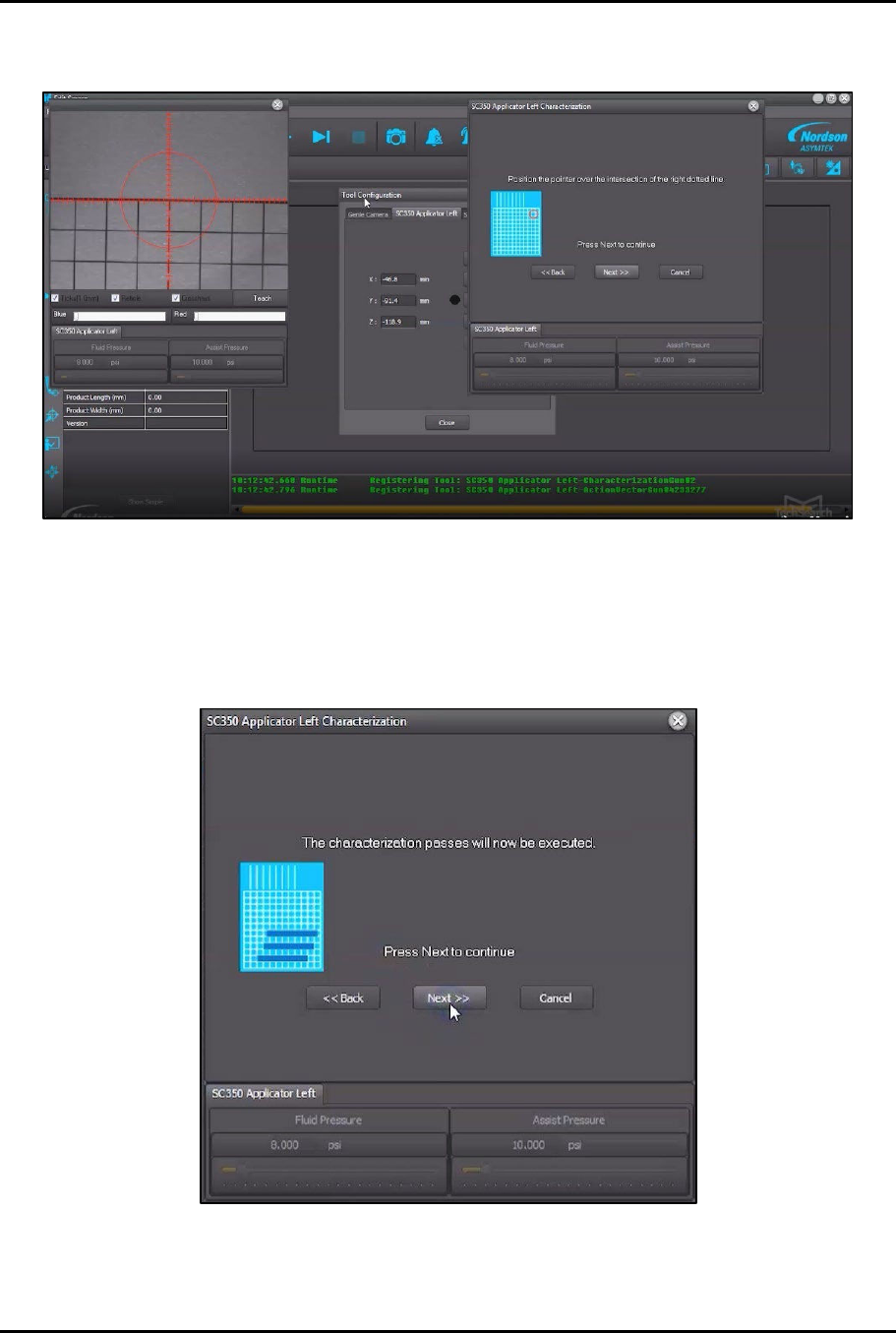
22. Click Next again.
> The dispense head will move to the start position and dispense the three (3)
characterization passes using the left valve (Figure 4-47).
Figure 4-47 Dispense Characterization Passes