Dual Simultaneous Programmable Pitch Rev 02.pdf - 第61页
Dual-Simultaneous Pr ogrammable Pitch Owner ’s Manual Operation © 2024 Nordson Corporation 57 21. Select the Place P attern function from the Control menu (Figure 4-72). Figure 4-72 S elect Place Pattern 22. In the Pro p…
Dual-Simultaneous Programmable Pitch Owner’s Manual Operation
56 © 2024 Nordson Corporation
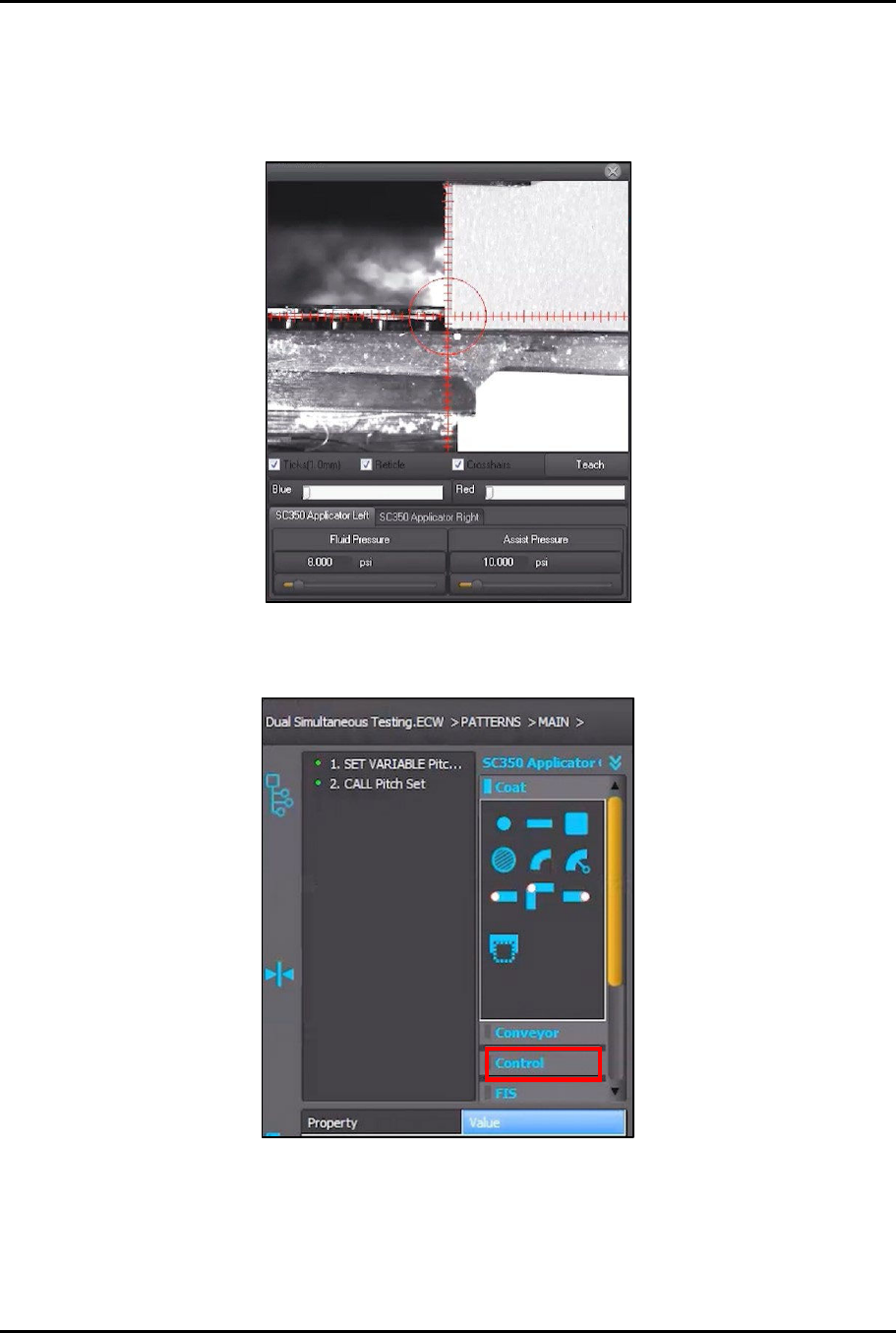
19. Use the jog controls to move the dispensing head and align the left applicator to the front
left corner of the characterization card (Figure 4-70).
?
NOTE
You are going to place the newly created pattern at different locations on the
characterization card.
Figure 4-70 Align Left Applicator
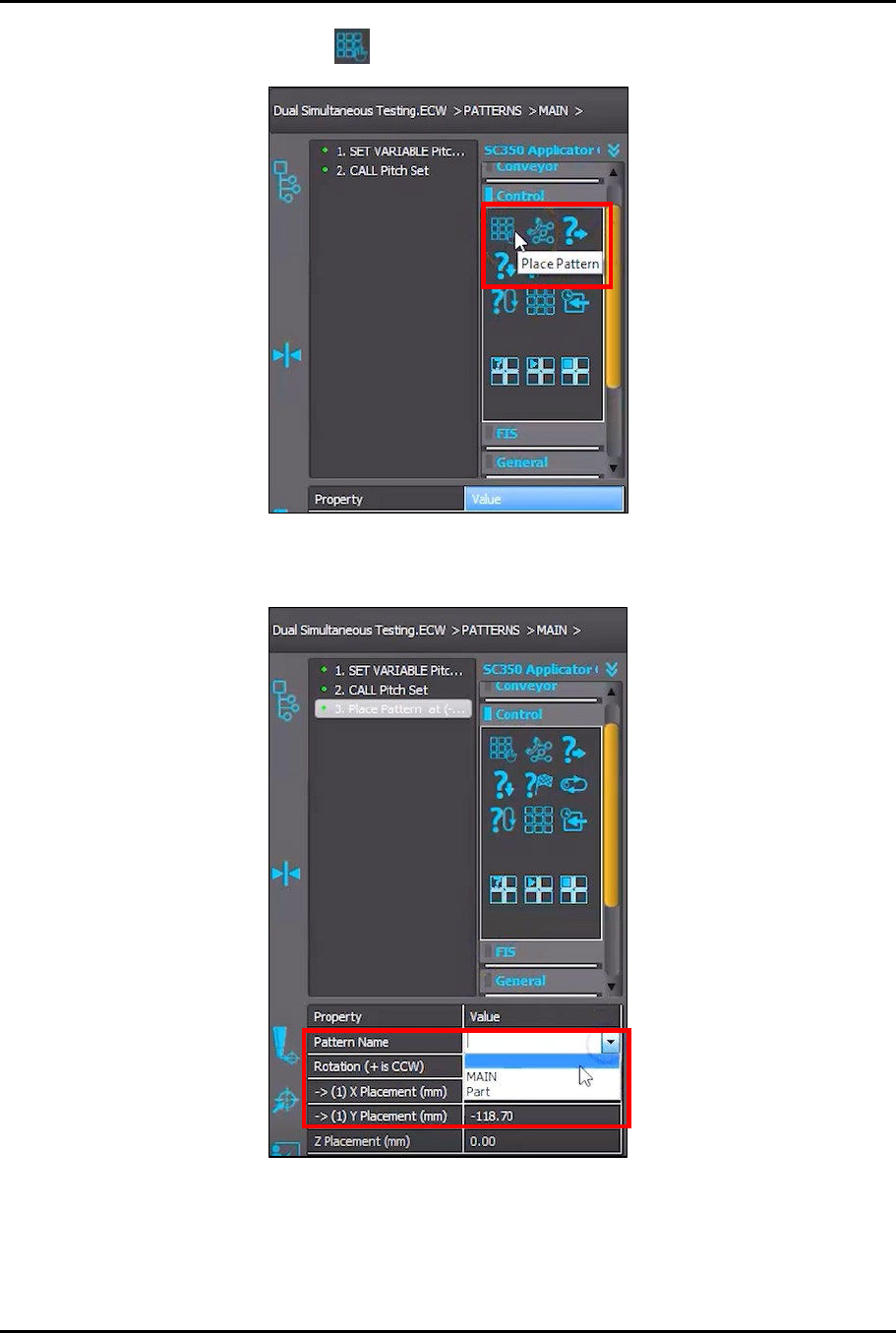
20. Click on Control in the instruction panel (Figure 4-71).
Figure 4-71 Click on Control
Dual-Simultaneous Programmable Pitch Owner’s Manual Operation
© 2024 Nordson Corporation 57
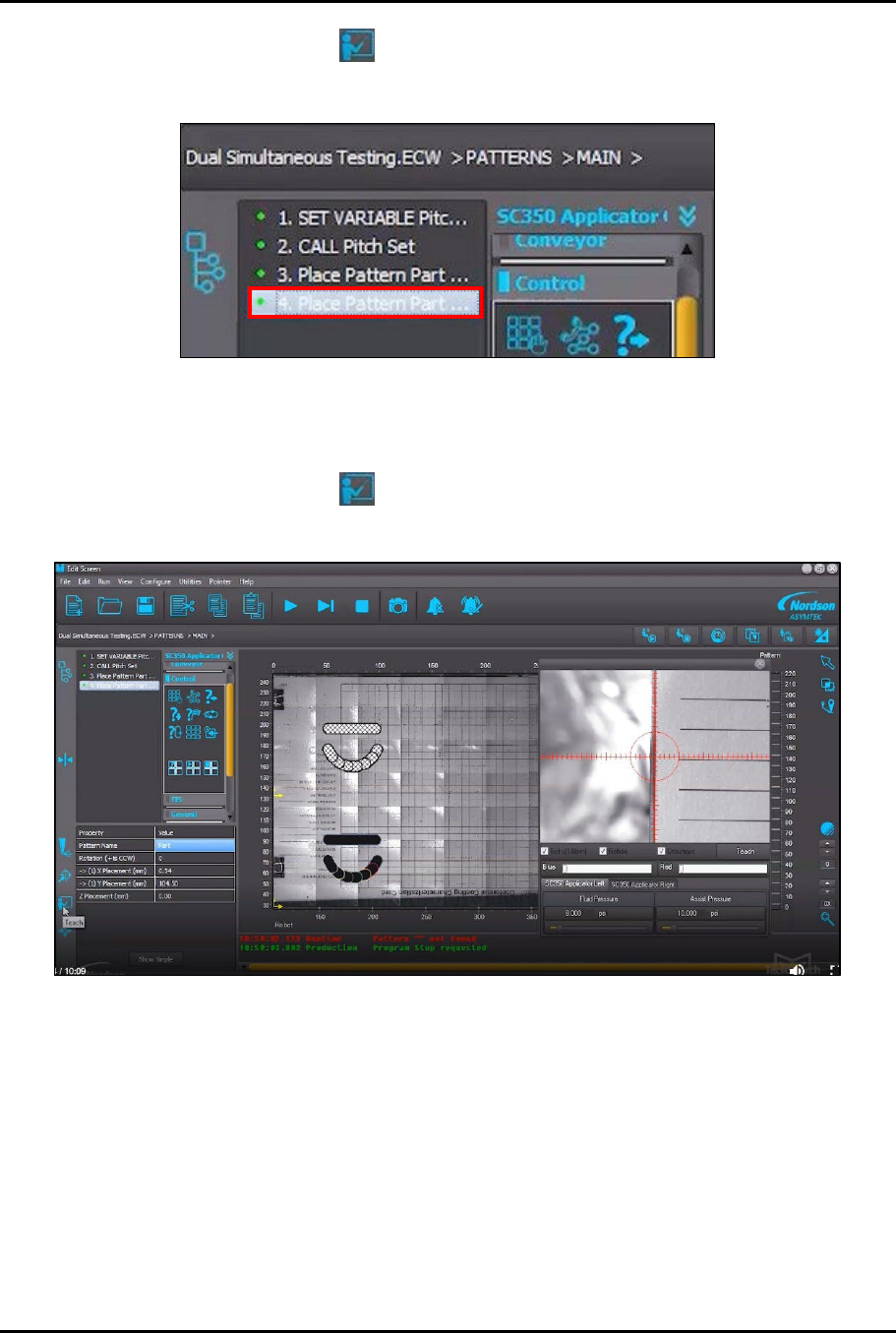
21. Select the Place Pattern function from the Control menu (Figure 4-72).
Figure 4-72 Select Place Pattern
22. In the Property field, click on Pattern Name and select Part from menu (Figure 4-73).
Figure 4-73 Select Part Pattern
Dual-Simultaneous Programmable Pitch Owner’s Manual Operation
58 © 2024 Nordson Corporation
23. Click on the Teach button .
24. In the instruction panel, click on 4. Place Pattern Part (Figure 4-74).
Figure 4-74 Click on Place Pattern Part
25. Use the jog controls to move the dispensing head toward the back of the machine in the
same Y-axis as the pattern that was already placed earlier in this procedure.
26. Click on the Teach button .
> A second pattern will be placed at the new location (Figure 4-75).
Figure 4-75 Place Pattern