Dual Simultaneous Programmable Pitch Rev 02.pdf - 第55页
Dual-Simultaneous Pr ogrammable Pitch Owner ’s Manual Operation © 2024 Nordson Corporation 51 5. Click OK . 6. In the Pro perty field, c hange the pattern n ame to Pa rt (Figure 4-60). Figure 4-60 Chang e Pattern Name 7.…
Dual-Simultaneous Programmable Pitch Owner’s Manual Operation
50 © 2024 Nordson Corporation
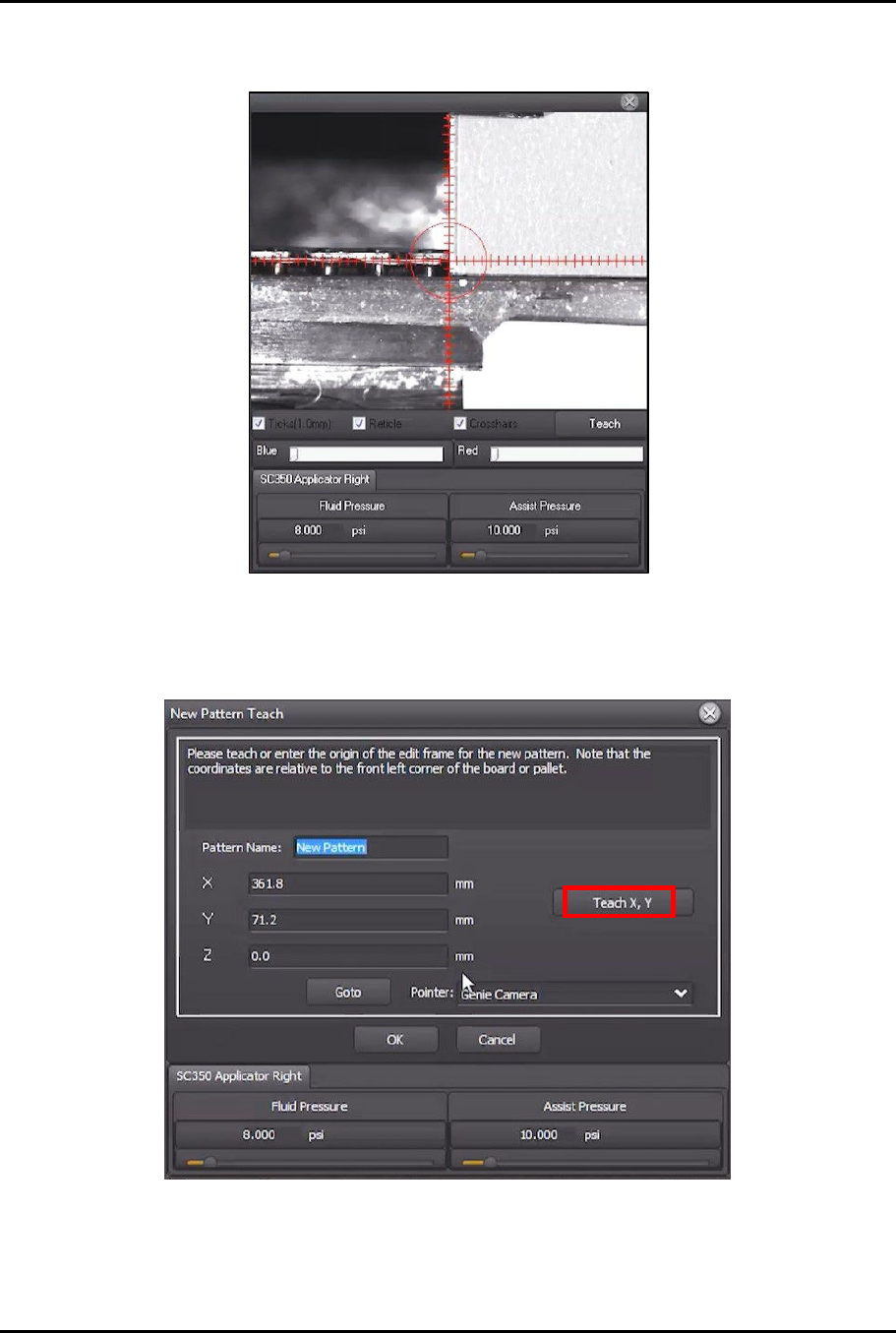
3. Use the jog controls to move the dispensing head and align the right applicator to the front
left corner of the characterization card (Figure 4-58).
Figure 4-58 Teach Pattern Origin
> This will be the origin of the new pattern.
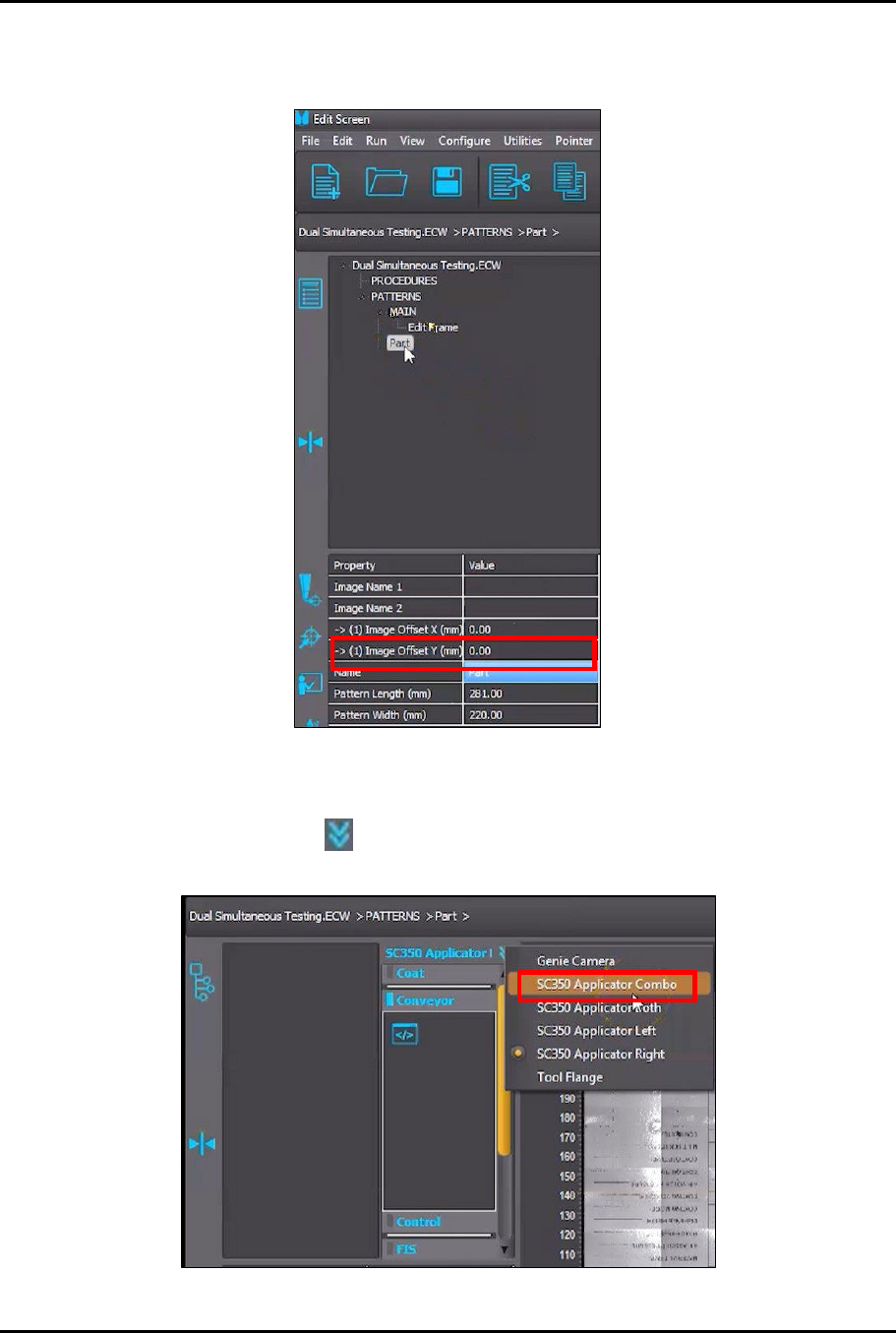
4. Click on Teach X, Y (Figure 4-59).
Figure 4-59 Click Teach X,Y
Dual-Simultaneous Programmable Pitch Owner’s Manual Operation
© 2024 Nordson Corporation 51
5. Click OK.
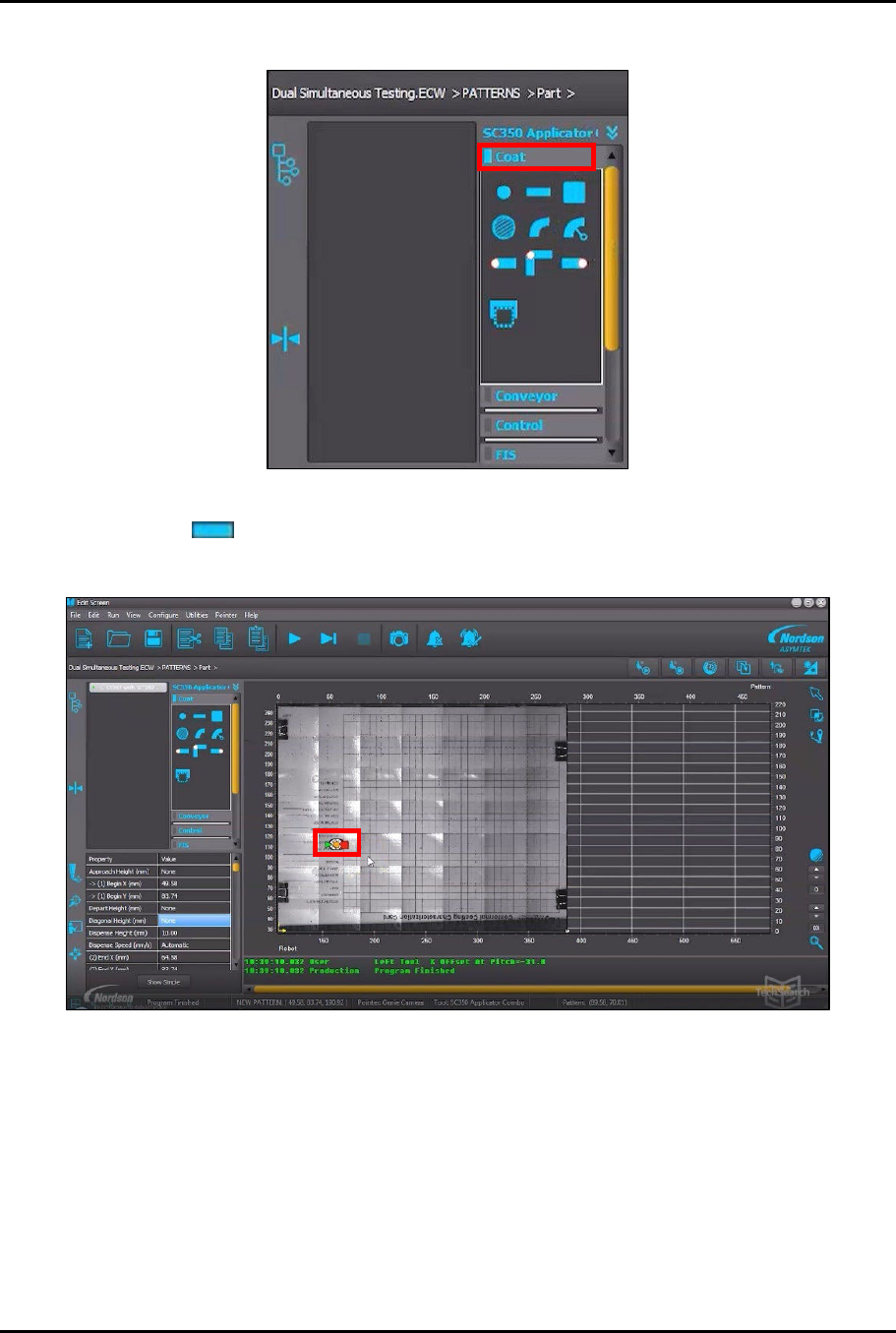
6. In the Property field, change the pattern name to Part (Figure 4-60).
Figure 4-60 Change Pattern Name
7. Click on Part in the program tree (Figure 4-60).
8. Click on the List arrows in the instruction panel and select the Applicator Combo
option (SC350 Applicator Combo shown in this example) from the menu (Figure 4-61).
Figure 4-61 Select Applicator Combo
Dual-Simultaneous Programmable Pitch Owner’s Manual Operation
52 © 2024 Nordson Corporation
9. Click on Coat in the instruction panel (Figure 4-62).
Figure 4-62 Click on Coat
10. Click on in the Coat menu (Figure 4-62).
> The instruction element will be added to the vision window (Figure 4-63).
Figure 4-63 Instruction Element Added to Vision Window