Dual Simultaneous Programmable Pitch Rev 02.pdf - 第57页
Dual-Simultaneous Pr ogrammable Pitch Owner ’s Manual Operation © 2024 Nordson Corporation 53 11. Use the cursor to drag the in struction element d own to ward th e lower left cor ner (Figure 4-64). Figure 4-64 Repos iti…
Dual-Simultaneous Programmable Pitch Owner’s Manual Operation
52 © 2024 Nordson Corporation
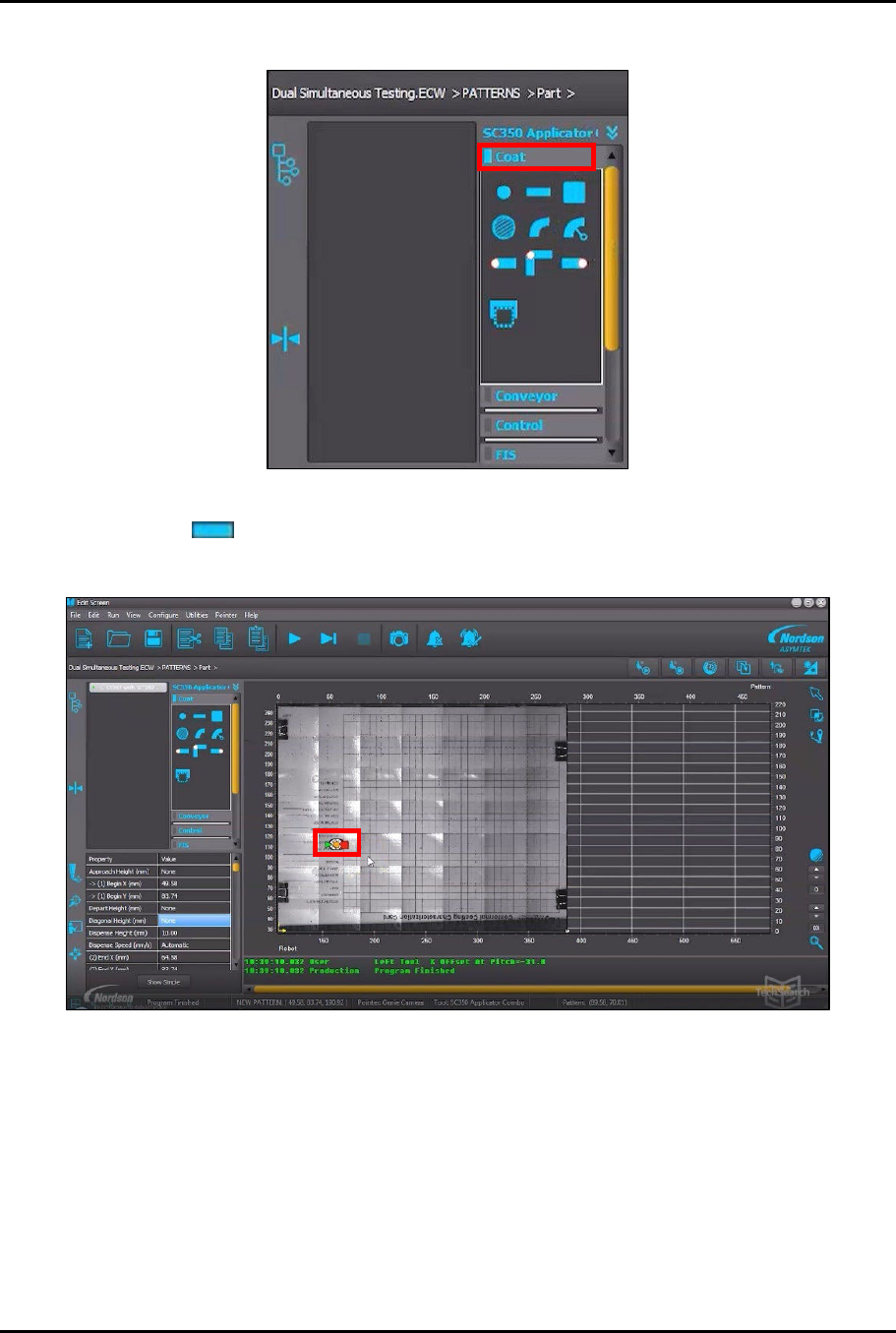
9. Click on Coat in the instruction panel (Figure 4-62).
Figure 4-62 Click on Coat
10. Click on in the Coat menu (Figure 4-62).
> The instruction element will be added to the vision window (Figure 4-63).
Figure 4-63 Instruction Element Added to Vision Window
Dual-Simultaneous Programmable Pitch Owner’s Manual Operation
© 2024 Nordson Corporation 53
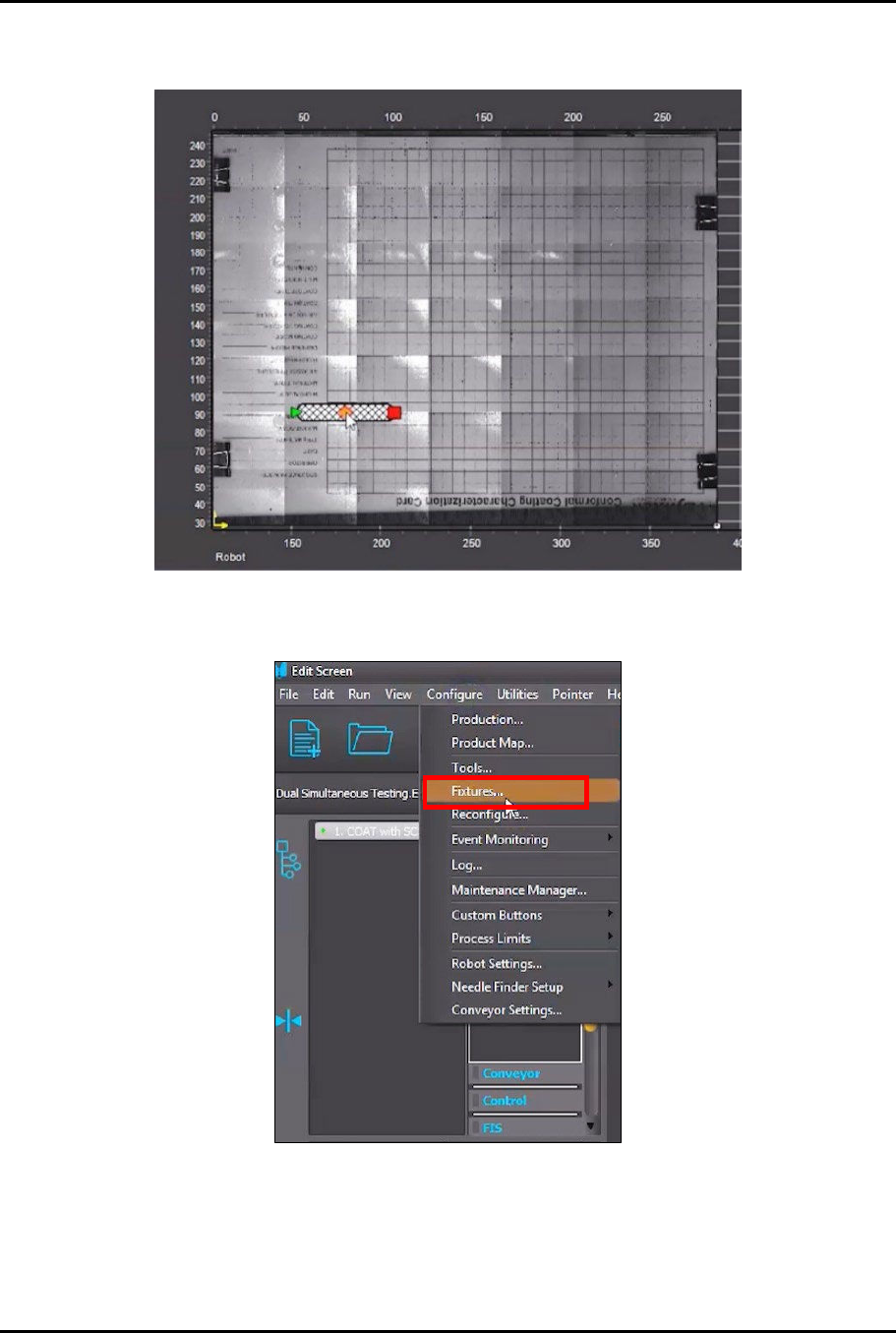
11. Use the cursor to drag the instruction element down toward the lower left corner
(Figure 4-64).
Figure 4-64 Reposition Instruction Element
12. In the Edit Screen, select Configure > Fixtures (Figure 4-65).
Figure 4-65 Select Fixtures
Dual-Simultaneous Programmable Pitch Owner’s Manual Operation
54 © 2024 Nordson Corporation
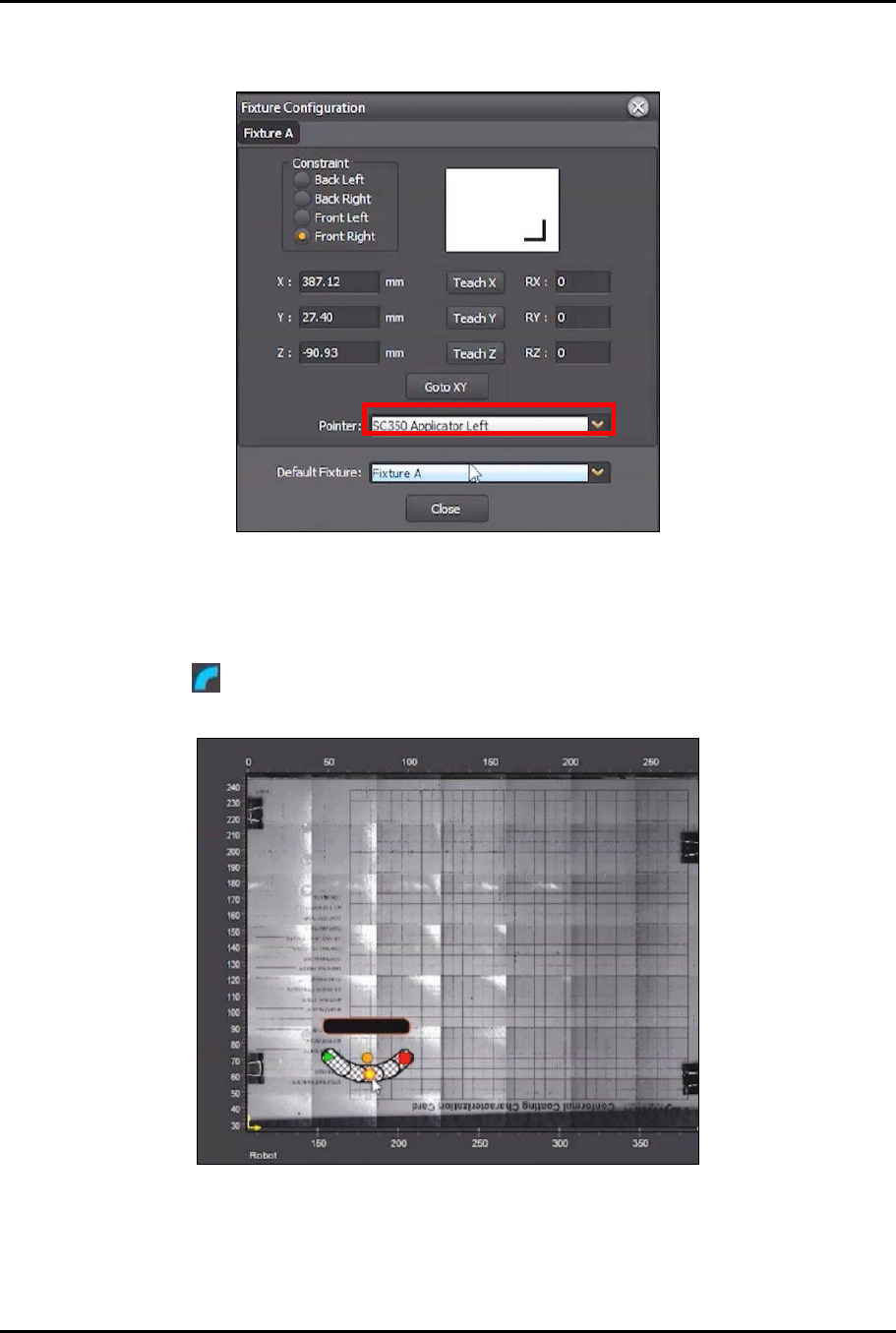
13. In the Fixture Configuration screen, click on Pointer and select Applicator Left (SC350
Applicator Left shown in this example) (Figure 4-66).
Figure 4-66 Change Pointer
14. In the Fixture Configuration screen, click Teach Z (Figure 4-66).
15. Click Close.
16. Click on in the Coat menu and position the instruction element below the line created
earlier (Figure 4-67).
Figure 4-67 Position New Instruction Element
?
NOTE
The finished pattern should look similar to what is shown in Figure 4-68.