Dual Simultaneous Programmable Pitch Rev 02.pdf - 第31页
Dual-Simultaneous Pr ogrammable Pitch Owner ’s Manual Operation © 2024 Nordson Corporation 27 6. A mess age will pop up indicating tha t the machine h as not been ho med (Figure 4- 6). Figure 4-6 D o Not Ho me the Machin…
Dual-Simultaneous Programmable Pitch Owner’s Manual Operation
26 © 2024 Nordson Corporation
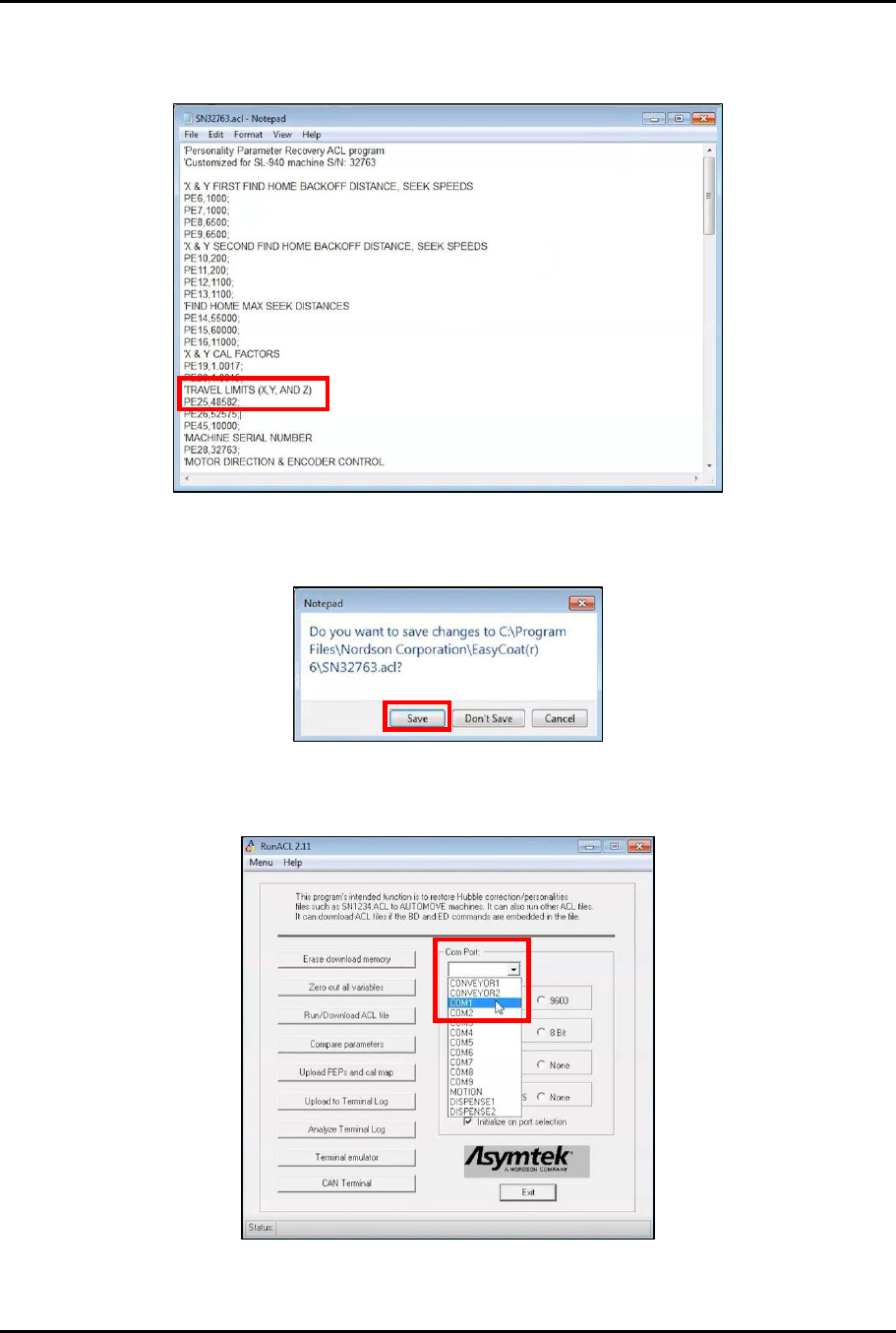
3. Subtract 2,000 from the PE25 value and change PE25 to the new value (Figure 4-3).
Example: 50582-2000=48582
Figure 4-3 Change PE25
4. Close and save the SNXXXXX.acl file (Figure 4-4).
Figure 4-4 Save SNXXXXX.acl File
5. Open RunACL and change the Com Port setting to COM1 (Figure 4-5).
Figure 4-5 Change Com Port to COM1
Dual-Simultaneous Programmable Pitch Owner’s Manual Operation
© 2024 Nordson Corporation 27
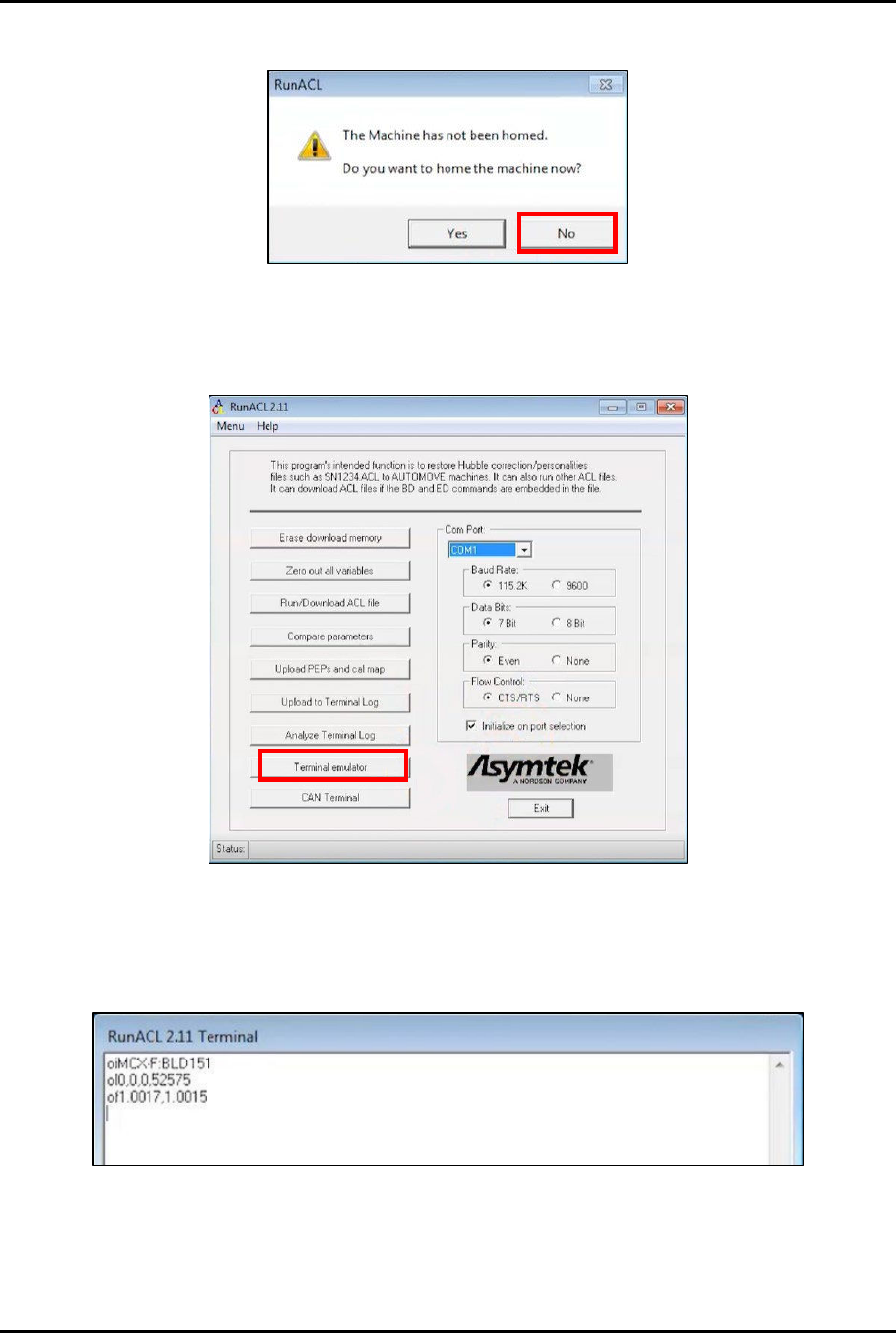
6. A message will pop up indicating that the machine has not been homed (Figure 4-6).
Figure 4-6 Do Not Home the Machine
7. Click No.
8. In the RunACL window, click on Terminal emulator (Figure 4-7).
Figure 4-7 Click on Terminal Emulator
9. Test communication by typing the following codes into the Terminal emulator screen and
checking the response (Figure 4-8): oi, ol, of.
> The emulator should return the current machine values for each command.
Figure 4-8 Test Communication
10. Click Exit.
Dual-Simultaneous Programmable Pitch Owner’s Manual Operation
28 © 2024 Nordson Corporation
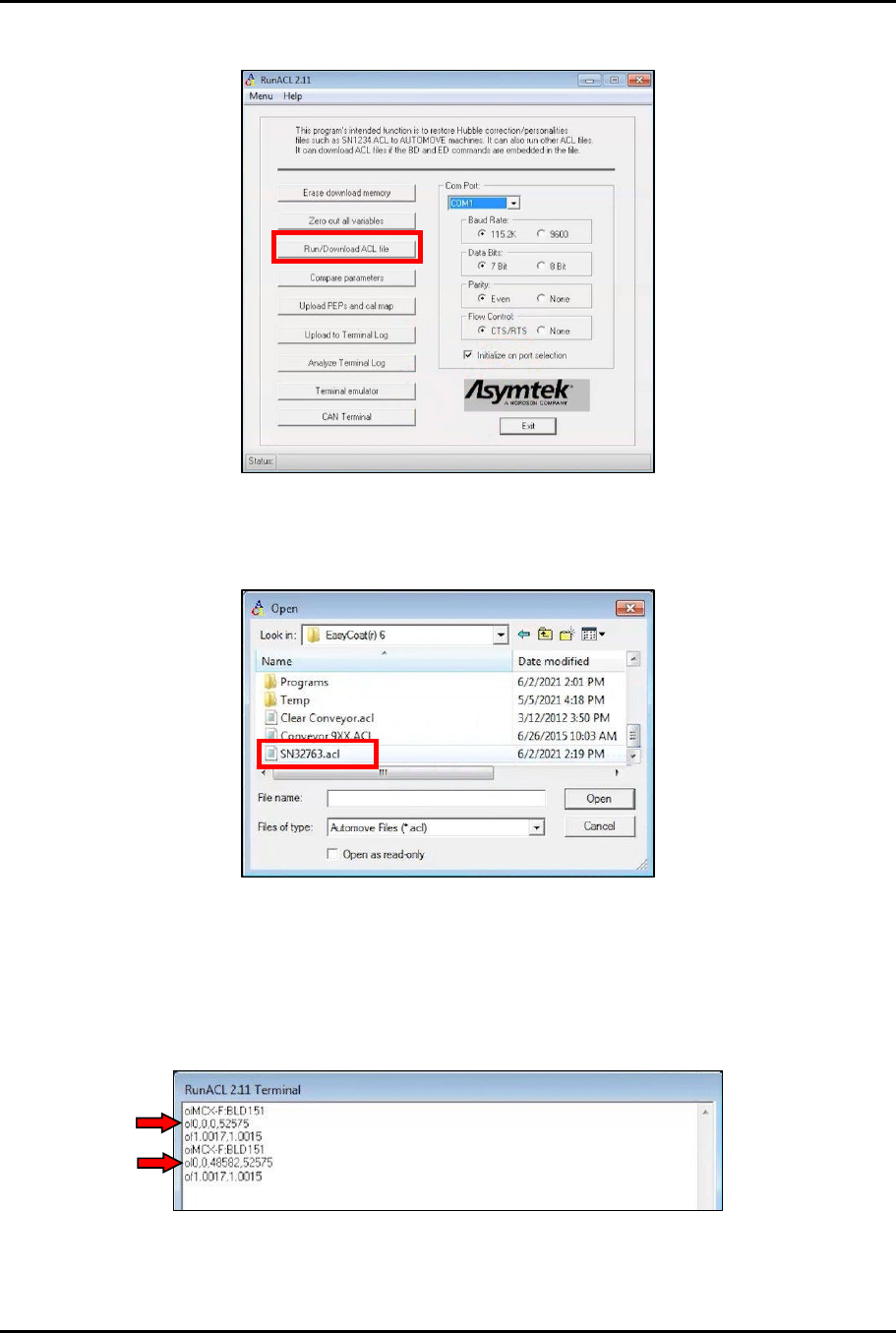
11. In the RunACL window, click on Run/Download ACL file (Figure 4-9).
Figure 4-9 Run/Download ACL File
12. In the Open window, navigate to the EasyCoat(r)6 directory and click on the SNXXXXX.acl
file (Figure 4-10).
Figure 4-10 Open SNXXXXX.acl File
13. Click Open.
14. In the RunACL window, click on Terminal emulator (Figure 4-7).
15. Make sure that the machine values have been updated by typing the following codes into
the Terminal emulator screen and checking the response (Figure 4-11): oi, ol, of.
Figure 4-11 Check Updates
16. Click Exit in the Terminal window.