Dual Simultaneous Programmable Pitch Rev 02.pdf - 第43页
Dual-Simultaneous Pr ogrammable Pitch Owner ’s Manual Operation © 2024 Nordson Corporation 39 4. Save and cl ose the ECW .ini file. 5. Start the EasyCoat softwar e. 6. In the Operat or Screen, cl ick on Edit > Edit Mo…
Dual-Simultaneous Programmable Pitch Owner’s Manual Operation
38 © 2024 Nordson Corporation
33. Click on to run the procedure.
> By the third pass, the procedure should run without any errors.
> If the procedure still results in errors after the third run, contact Technical Support.
4.5.3 Changing Master Valve
The default master valve for the DSPP is the left valve. If the application is tolerance sensitive, it is
recommended that the right valve be identified as the master valve. Use the following instructions to
change the master valve.
To change the master valve:
1. Access the EasyCoat folder in File Explorer and search for the ECW.ini file and open it in
Notepad.
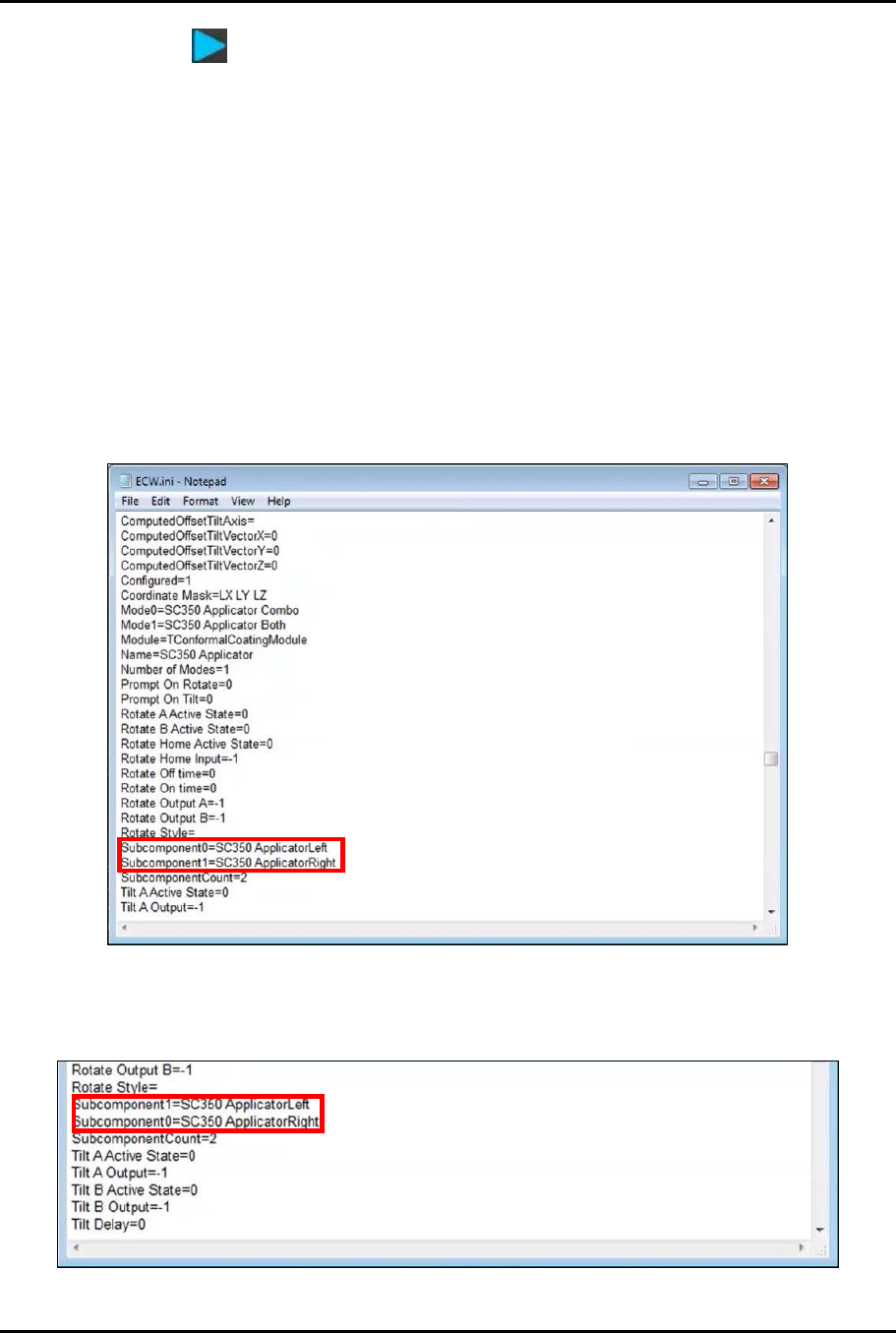
2. In the ECW.ini file, locate the applicators (Figure 4-33).
> Subcomponent0 defines the master valve.
Figure 4-33 Locate Applicators
3. Change the values so that Subcomponent0=ApplicatorRight and
Subcomponent1=ApplicatorLeft (Figure 4-34).
Figure 4-34 Change Subcomponent Values
Dual-Simultaneous Programmable Pitch Owner’s Manual Operation
© 2024 Nordson Corporation 39
4. Save and close the ECW.ini file.
5. Start the EasyCoat software.
6. In the Operator Screen, click on Edit > Edit Mode to enter the Edit Screen.
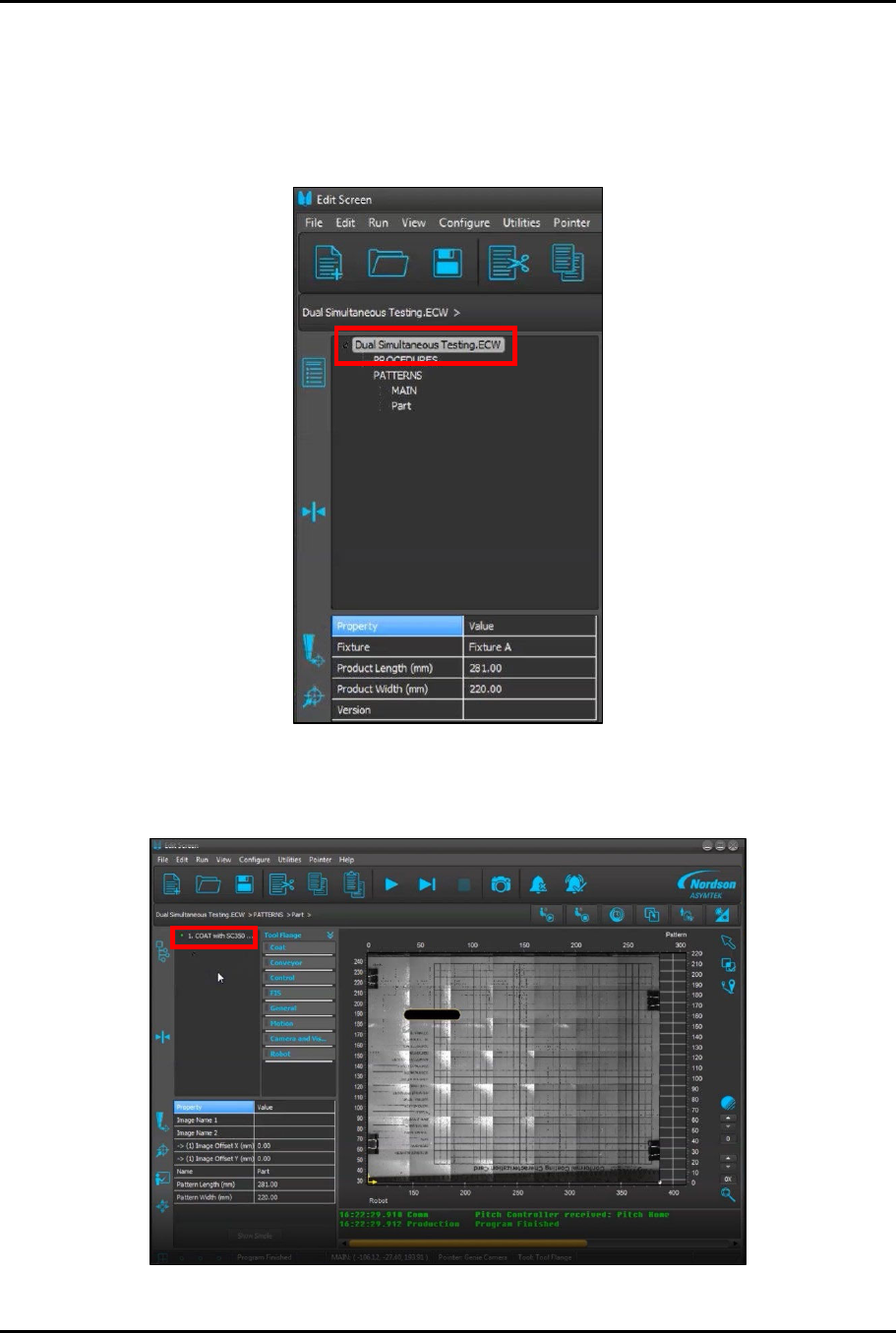
7. In the Edit Screen, load the Dual Simultaneous Testing.ECW procedure (Figure 4-35).
Figure 4-35 Load Dual Simultaneous Testing.ECW Procedure
8. Under PATTERNS, click on Part (Figure 4-35) and then click on 1. COAT with SC350…
(Figure 4-36).
Figure 4-36 Select Program to Test Master Valve
Dual-Simultaneous Programmable Pitch Owner’s Manual Operation
40 © 2024 Nordson Corporation
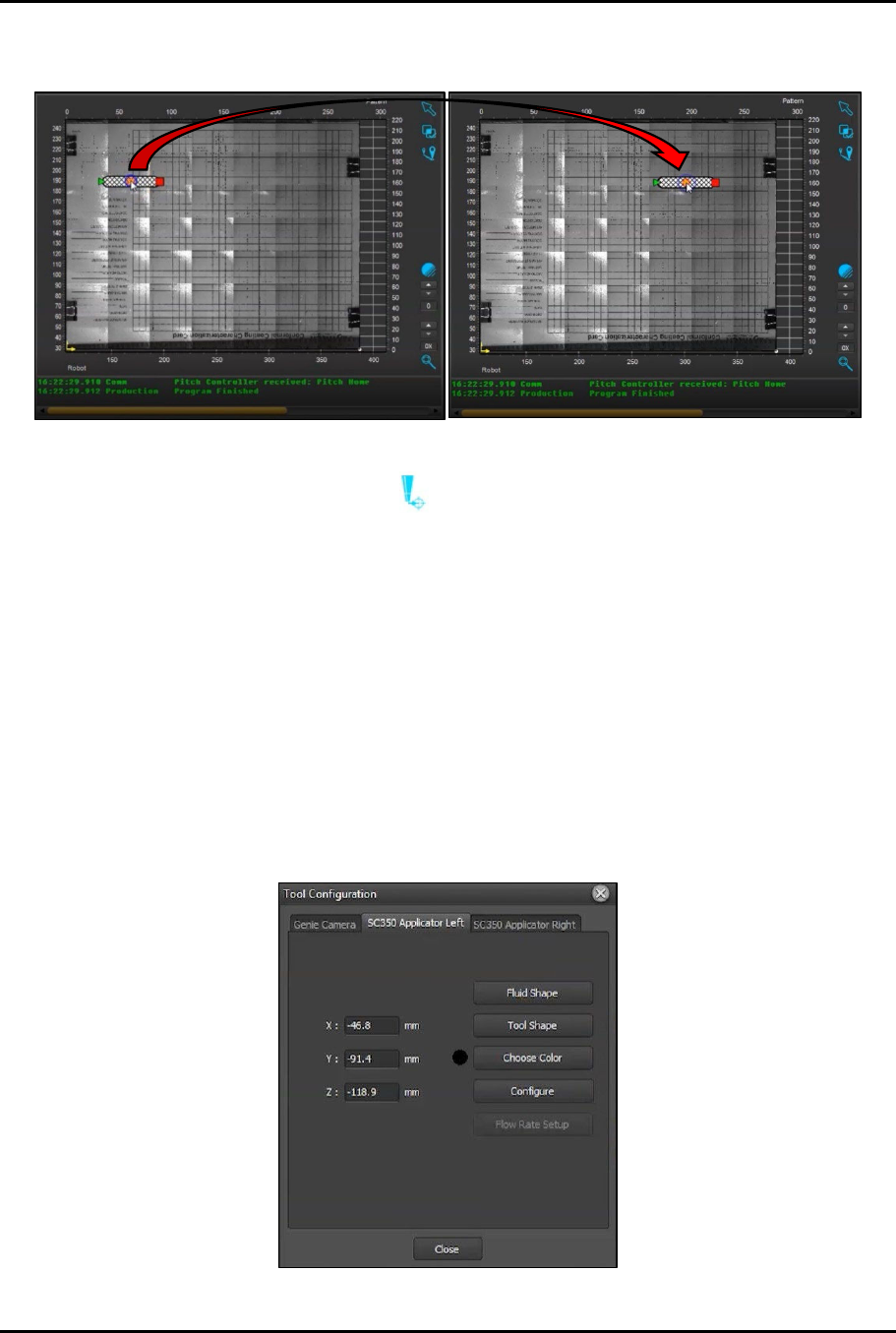
9. Place the cursor over the circle in the center of the line, click-and-drag to move the program
start point to a different location within the screen (Figure 4-37).
Figure 4-37 Move Starting Location
10. Click on the Go To (Tool) button and make sure that the right (master) valve moves to
the new starting point.
> If the right (master) valve does not move to the new starting point, contact Technical
Support.
4.5.4 Perform Characterization Process
The characterization and programming procedure should be performed at initial startup and any time the
home flag, home sensor, or applicators are removed or replaced.
To perform the characterization process:
1. Open the EasyCoat software.
2. In the Operator Screen, select Edit > Edit Mode.
3. In the Edit Screen, click Configure > Tools to open Tool Configuration (Figure 4-38).
Figure 4-38 Tool Configuration