Dual Simultaneous Programmable Pitch Rev 02.pdf - 第59页
Dual-Simultaneous Pr ogrammable Pitch Owner ’s Manual Operation © 2024 Nordson Corporation 55 Figure 4-68 Finishe d Pattern 17. Click on the progra m tree icon . 18. In th e program tree, click on MAIN (Figure 4-6 9). Fi…
Dual-Simultaneous Programmable Pitch Owner’s Manual Operation
54 © 2024 Nordson Corporation
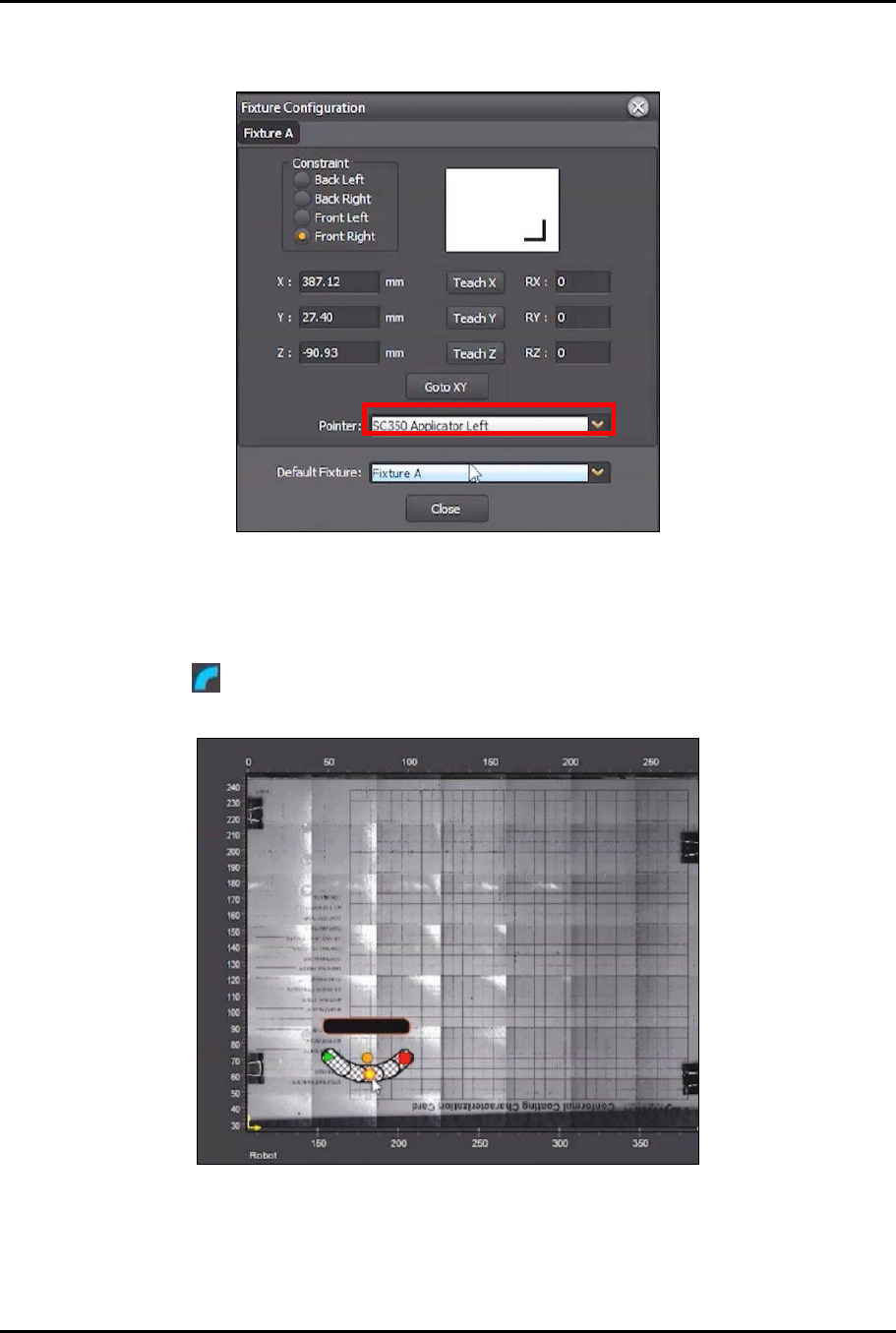
13. In the Fixture Configuration screen, click on Pointer and select Applicator Left (SC350
Applicator Left shown in this example) (Figure 4-66).
Figure 4-66 Change Pointer
14. In the Fixture Configuration screen, click Teach Z (Figure 4-66).
15. Click Close.
16. Click on in the Coat menu and position the instruction element below the line created
earlier (Figure 4-67).
Figure 4-67 Position New Instruction Element
?
NOTE
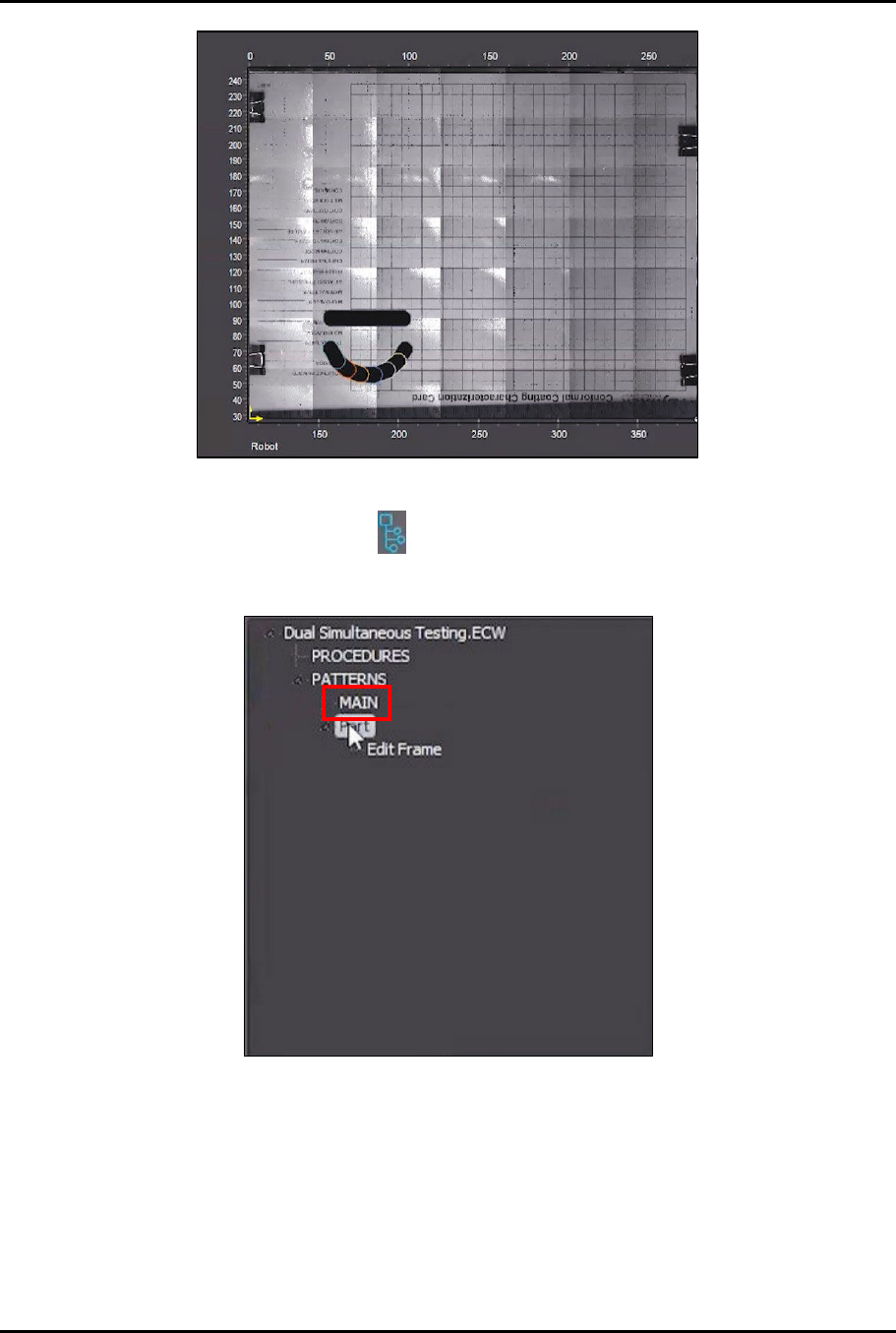
The finished pattern should look similar to what is shown in Figure 4-68.
Dual-Simultaneous Programmable Pitch Owner’s Manual Operation
© 2024 Nordson Corporation 55
Figure 4-68 Finished Pattern
17. Click on the program tree icon .
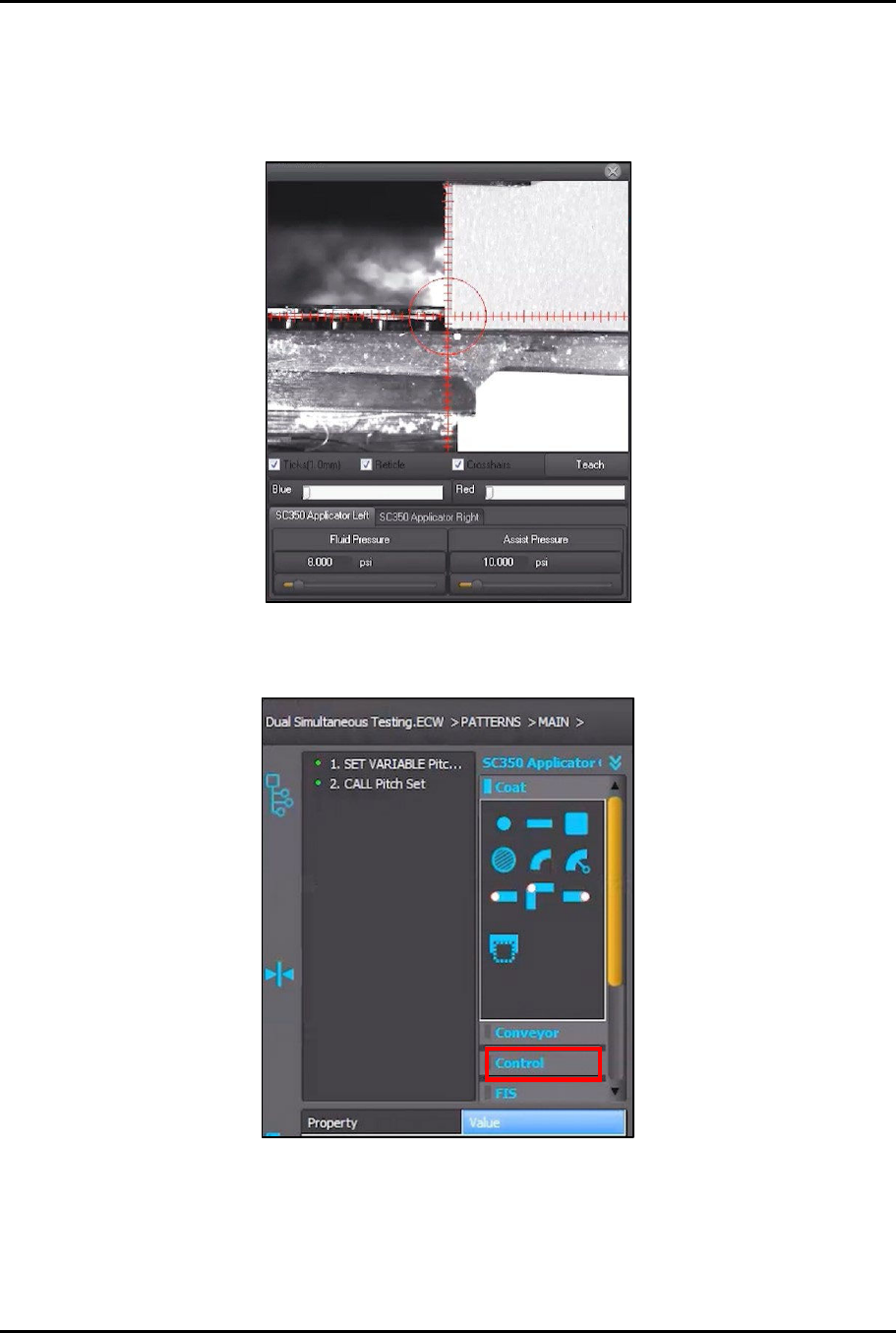
18. In the program tree, click on MAIN (Figure 4-69).
Figure 4-69 Select Main
Dual-Simultaneous Programmable Pitch Owner’s Manual Operation
56 © 2024 Nordson Corporation
19. Use the jog controls to move the dispensing head and align the left applicator to the front
left corner of the characterization card (Figure 4-70).
?
NOTE
You are going to place the newly created pattern at different locations on the
characterization card.
Figure 4-70 Align Left Applicator
20. Click on Control in the instruction panel (Figure 4-71).
Figure 4-71 Click on Control