Dual Simultaneous Programmable Pitch Rev 02.pdf - 第51页
Dual-Simultaneous Pr ogrammable Pitch Owner ’s Manual Operation © 2024 Nordson Corporation 47 30. Once the stipes have been dispensed, Easy Coat will dis play the results ( Figure 4-52). Figure 4-52 Dispe nsing Results 3…
Dual-Simultaneous Programmable Pitch Owner’s Manual Operation
46 © 2024 Nordson Corporation
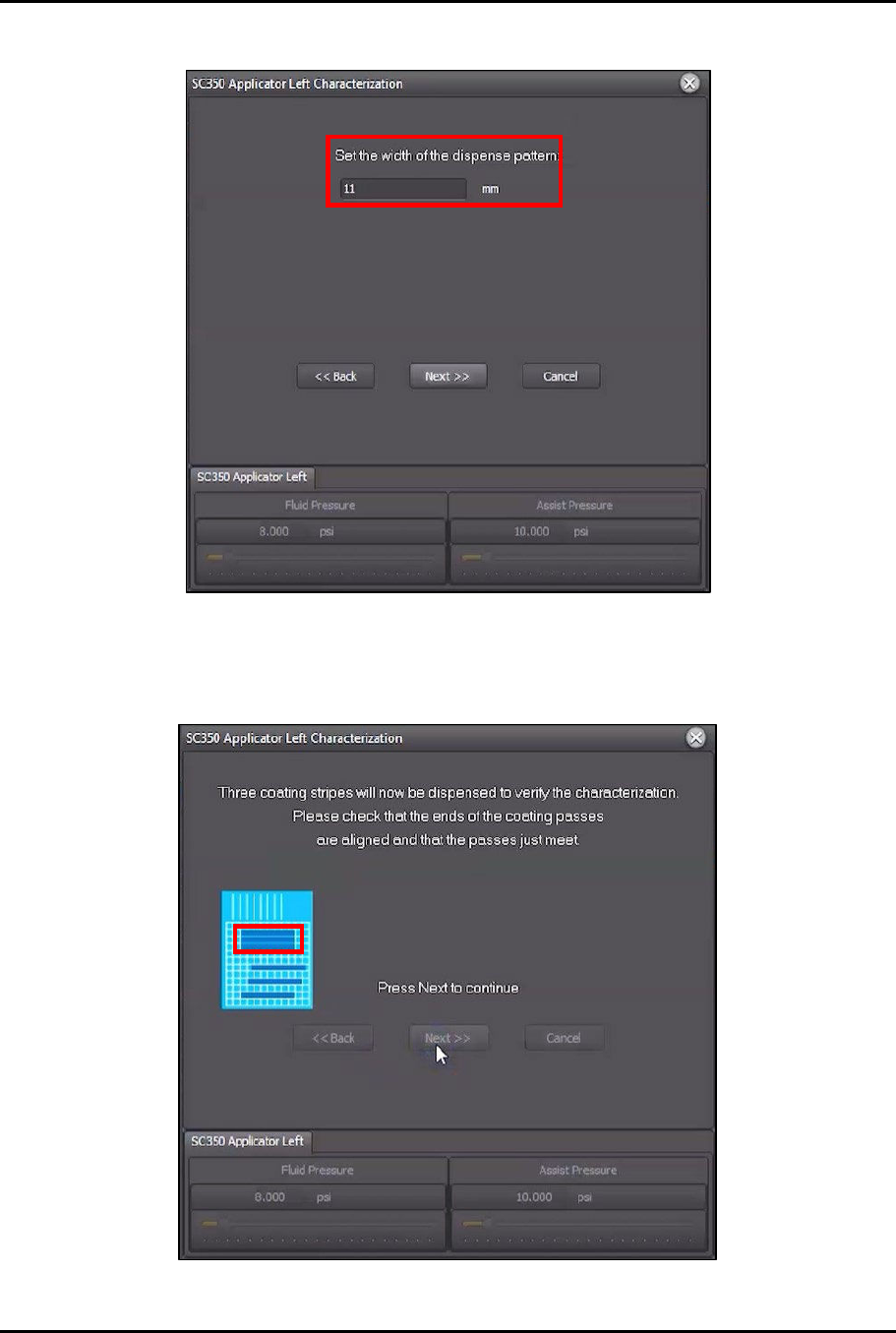
27. Set the width of the dispensed line to 11 mm (Figure 4-50).
Figure 4-50 Set Dispense Pattern Width
28. Click Next.
29. Three (3) stripes will be dispensed to verify characterization (Figure 4-51).
Figure 4-51 Coating Stripes Dispensed
Dual-Simultaneous Programmable Pitch Owner’s Manual Operation
© 2024 Nordson Corporation 47
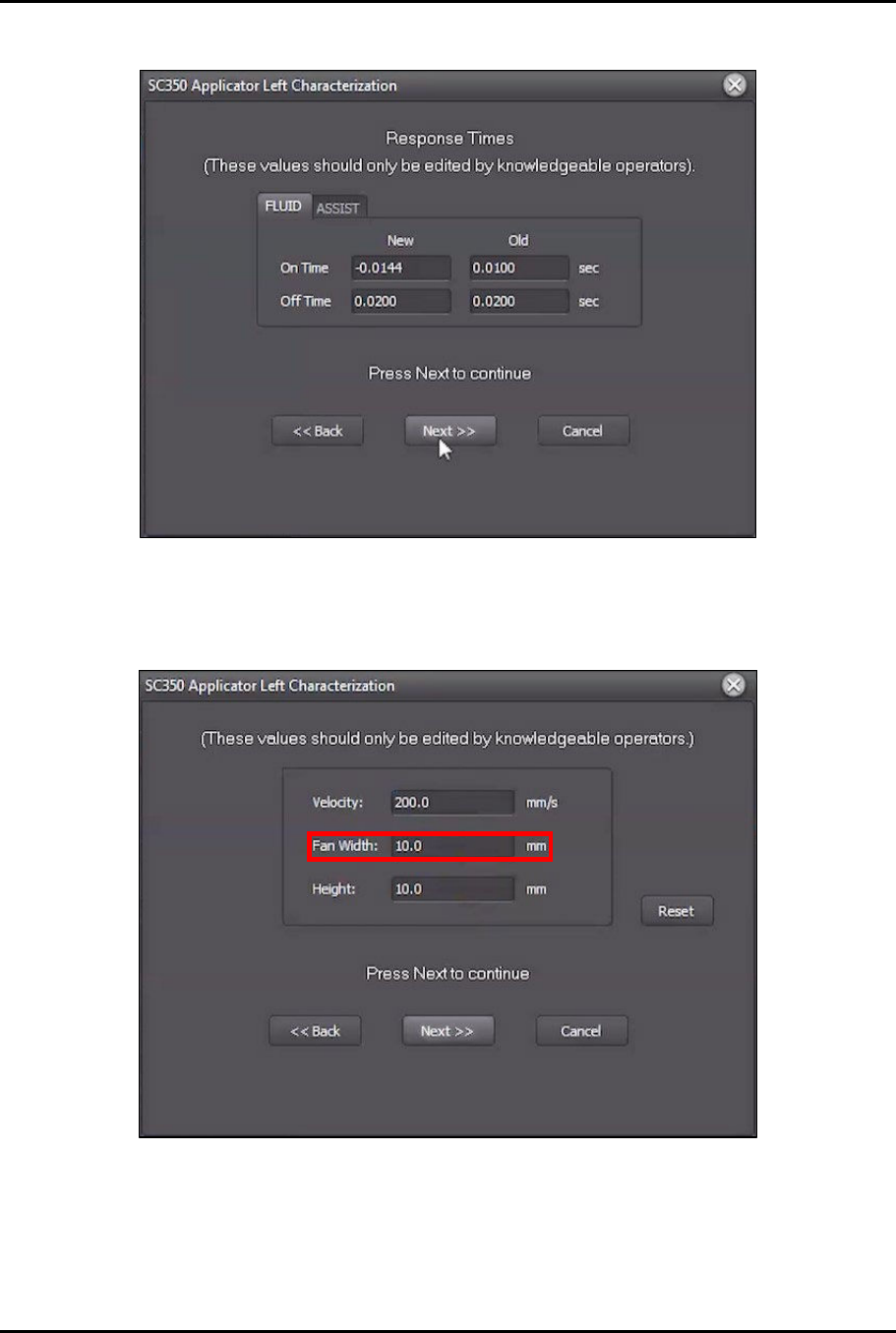
30. Once the stipes have been dispensed, EasyCoat will display the results (Figure 4-52).
Figure 4-52 Dispensing Results
31. Click Next.
32. Change Fan Width to 10 mm (Figure 4-53).
Figure 4-53 Change Fan Width
33. Click Next.
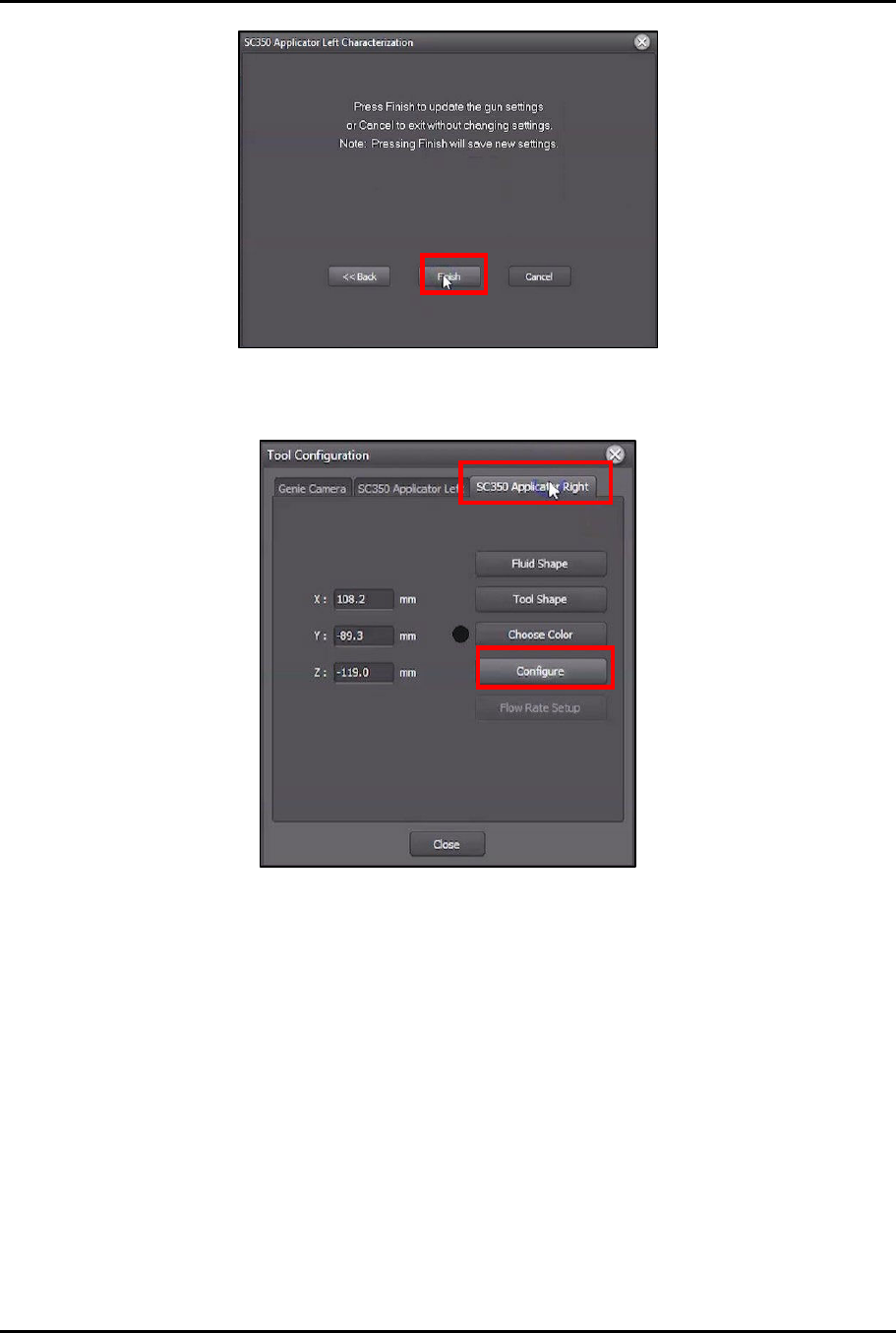
34. Click Finish to update the settings (Figure 4-54).
Dual-Simultaneous Programmable Pitch Owner’s Manual Operation
48 © 2024 Nordson Corporation
Figure 4-54 Click Finish
35. In Tool Configuration, select Applicator Right and click on Configure.
Figure 4-55 Switch to Applicator Right
36. Perform Step 9 through Step 34 of this procedure to complete the characterization process
for the right valve.
?
NOTE
Make sure that all the valve settings used for the right valve are the same
settings that were used for the left valve.
37. Compare the results of the characterization cards side by side and adjust the parameters of
the second valve until the results of the second valve match the results of the first valve as
closely as possible.
?
NOTE
If a Qadence system is installed, ensure that the flow rate is the same for each
valve.
?
NOTE
If a laser fan width system is installed, ensure that the fan width settings are the
same for each valve.
38. Repeat this procedure until the results for each valve match as closely as possible.