Dual Simultaneous Programmable Pitch Rev 02.pdf - 第35页
Dual-Simultaneous Pr ogrammable Pitch Owner ’s Manual Operation © 2024 Nordson Corporation 31 8. Change the app licator nam es in the Cal & Verify pr ocedure by highlighting one o f them (e.g., Film Coater L eft) an …
Dual-Simultaneous Programmable Pitch Owner’s Manual Operation
30 © 2024 Nordson Corporation
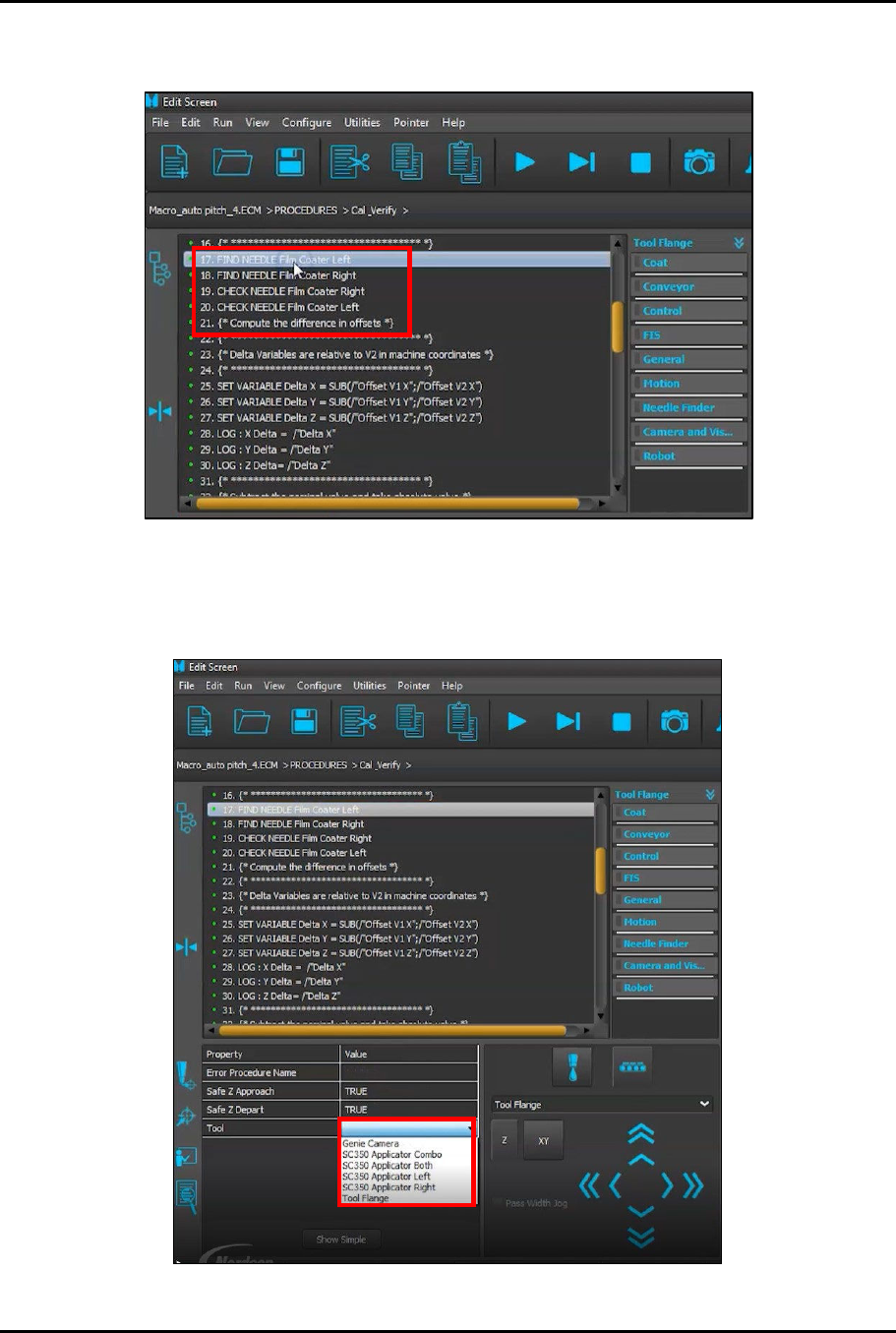
6. Scroll through the Cal & Verify procedure until you locate the applicator names
(Figure 4-14). Click on the first applicator name to highlight it.
Figure 4-14 Locate Applicator Names
7. Click on the Value for Tool to activate the drop-down list (Figure 4-15).
?
NOTE
Make a note of the exact name of each applicator on the drop-down list.
Figure 4-15 Activate Drop-Down Menu
Dual-Simultaneous Programmable Pitch Owner’s Manual Operation
© 2024 Nordson Corporation 31
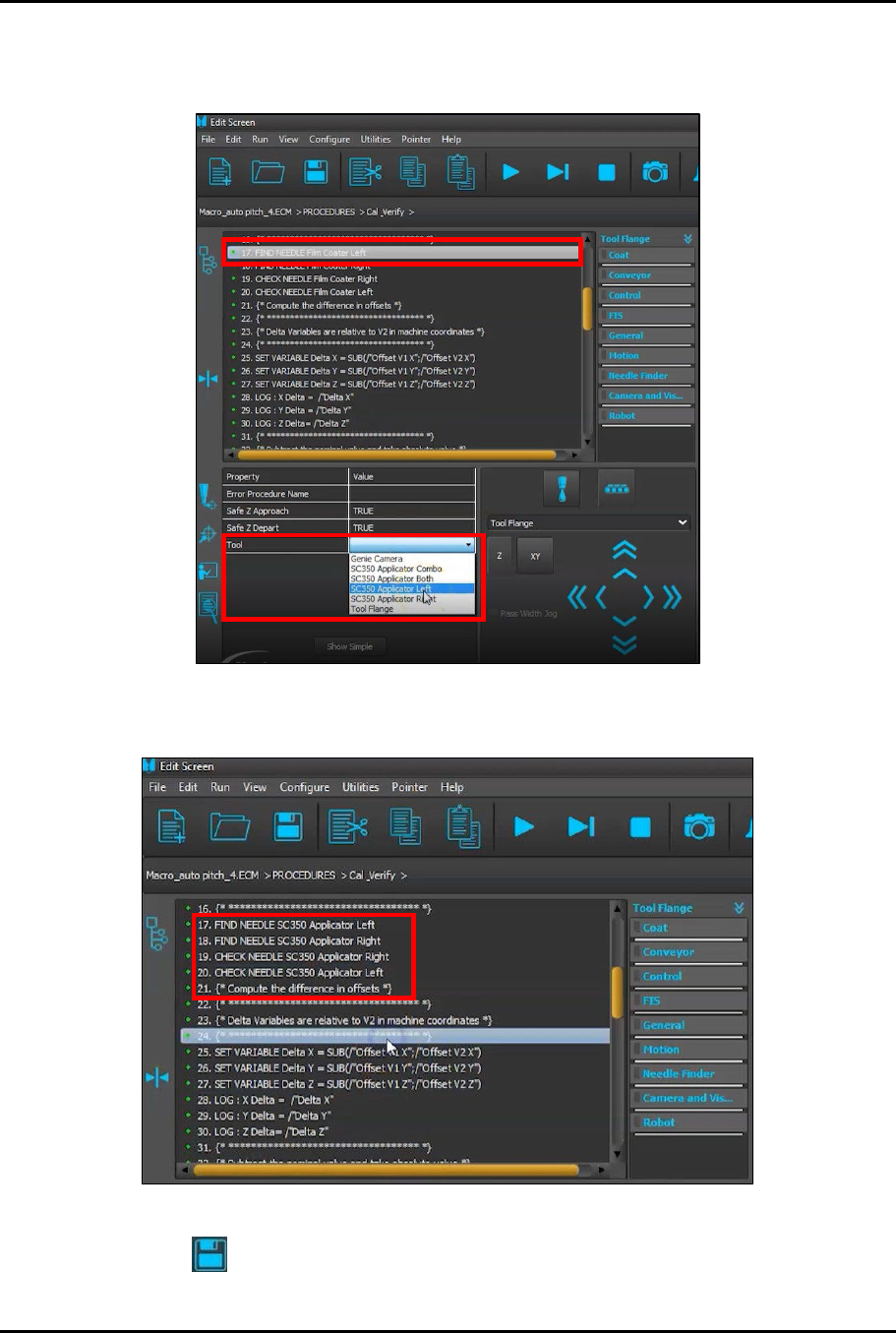
8. Change the applicator names in the Cal & Verify procedure by highlighting one of them
(e.g., Film Coater Left) and then selecting the corresponding applicator from the drop-down
list (Figure 4-16).
Figure 4-16 Select Applicator Name
9. Repeat Step 8 until all applicator entries have been changed (Figure 4-17).
Figure 4-17 All Applicator Names Changed
10. Click on to save the changes.
Dual-Simultaneous Programmable Pitch Owner’s Manual Operation
32 © 2024 Nordson Corporation
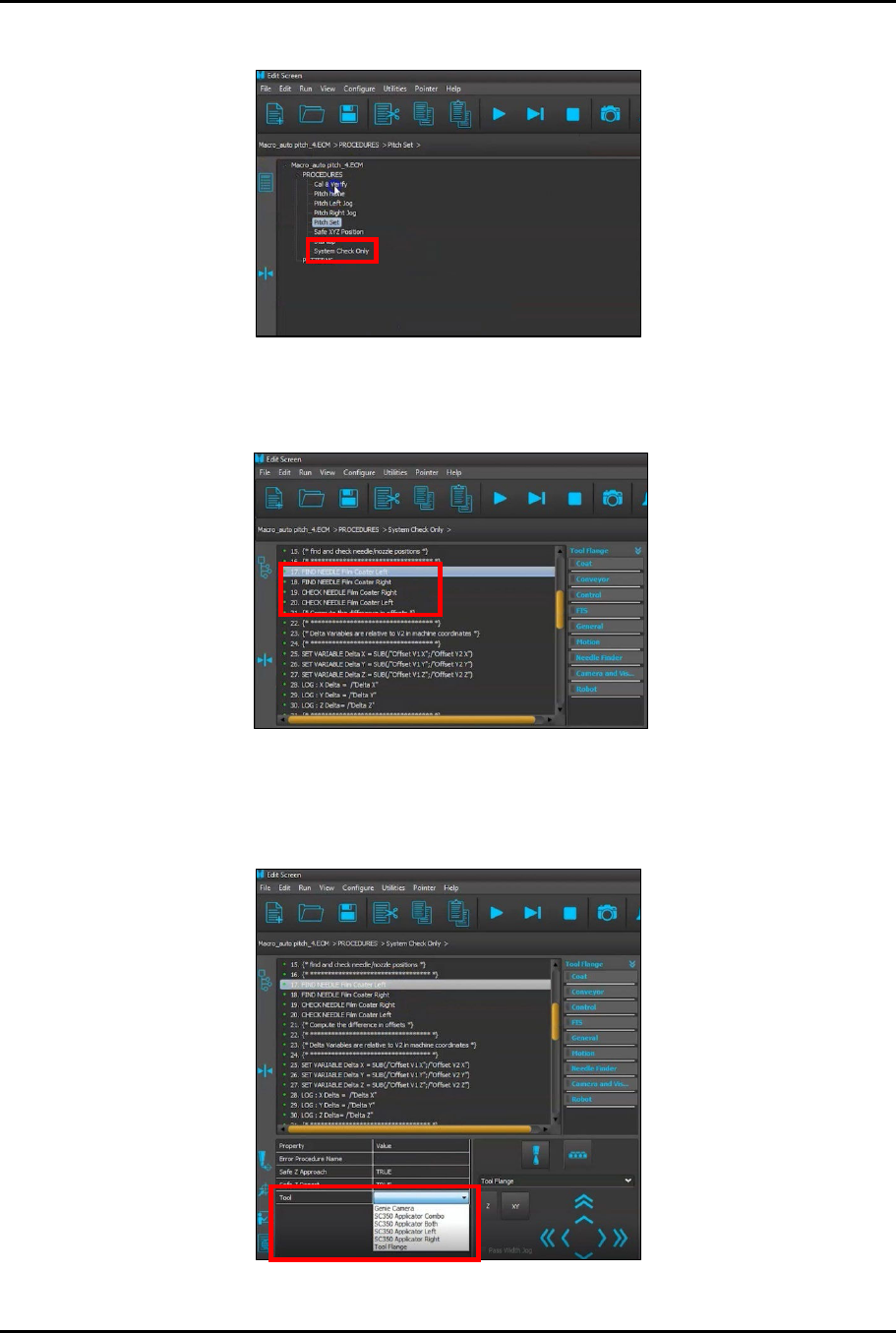
11. In the Edit Screen, locate and click on the procedure System Check Only (Figure 4-18).
Figure 4-18 Select System Check Only Procedure
12. Scroll through the System Check Only procedure until you locate the applicator names
(Figure 4-19). Click on the first applicator name to be highlighted.
Figure 4-19 Locate Applicator Names
13. Click on the Value for Tool to activate the drop-down list (Figure 4-20).
?
NOTE
Make a note of the exact name of each applicator on the drop-down list.
Figure 4-20 Activate Drop-Down Menu