Dual Simultaneous Programmable Pitch Rev 02.pdf - 第54页
Dual-Simultaneous Pr ogrammable Pitch Owner ’s Manual Operation 50 © 2024 Nordson Corporation 3. Use the jog contro ls to move the dispensing he ad and align the right ap plicator to the front left corner of the characte…
Dual-Simultaneous Programmable Pitch Owner’s Manual Operation
© 2024 Nordson Corporation 49
4.5.5 Setup Routine Instructions
Customer applications may include boards with multiple pitches, but the pitch for the solvent cups is fixed.
This setup routine will match the pitch of the valves to the pitch of the solvent cups.
To perform the setup routine:
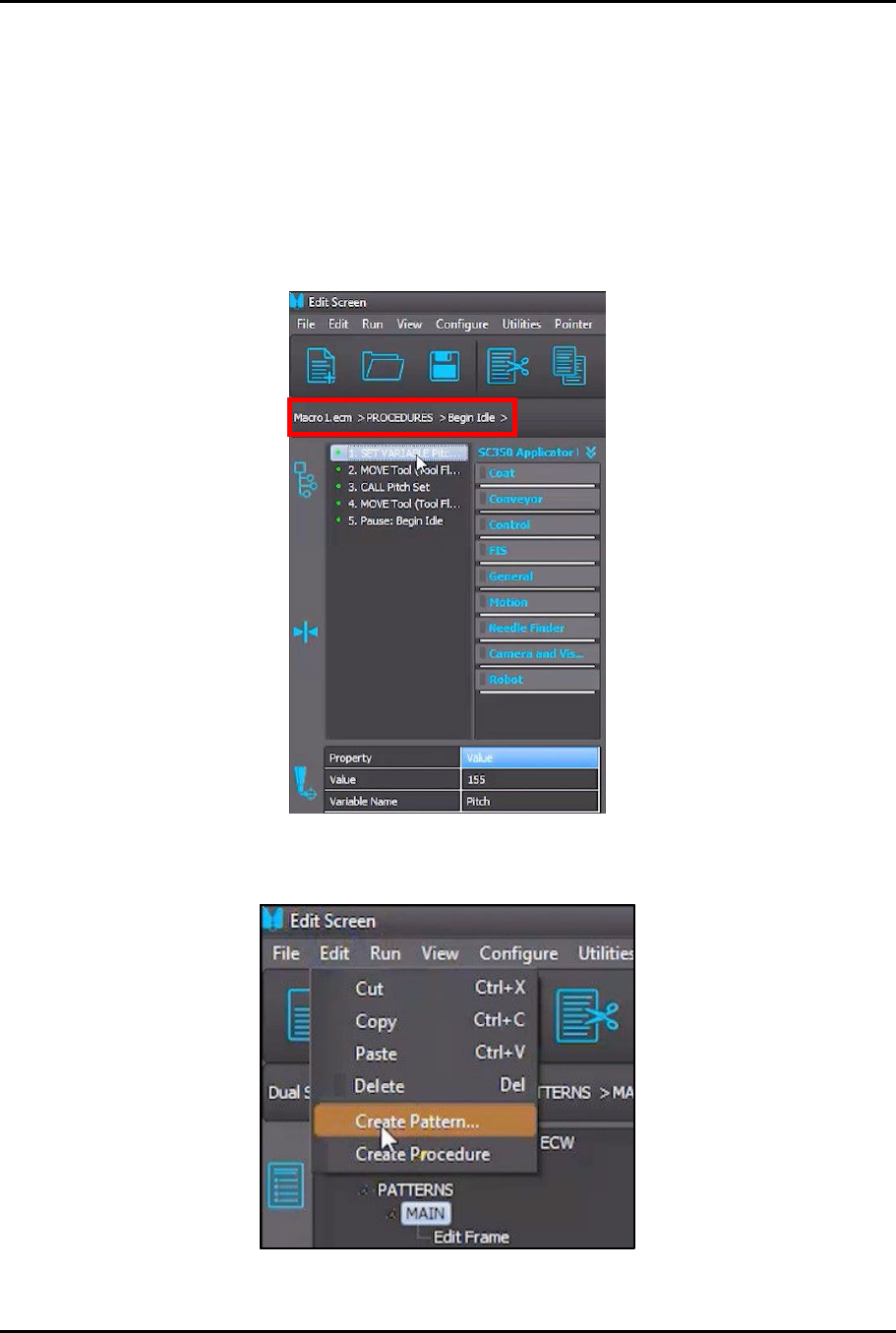
1. In the Edit Screen, load the Macro1.ecm > PROCEDURES > Begin Idle procedure
(Figure 4-56).
> The first two (2) instructions in the procedure are designed to match the pitch for both
valves to the pitch of the solvent cups.
Figure 4-56 Load Begin Idle Procedure
2. In the Edit Screen, select Edit > Create Pattern (Figure 4-57).
Figure 4-57 Select Create Pattern
Dual-Simultaneous Programmable Pitch Owner’s Manual Operation
50 © 2024 Nordson Corporation
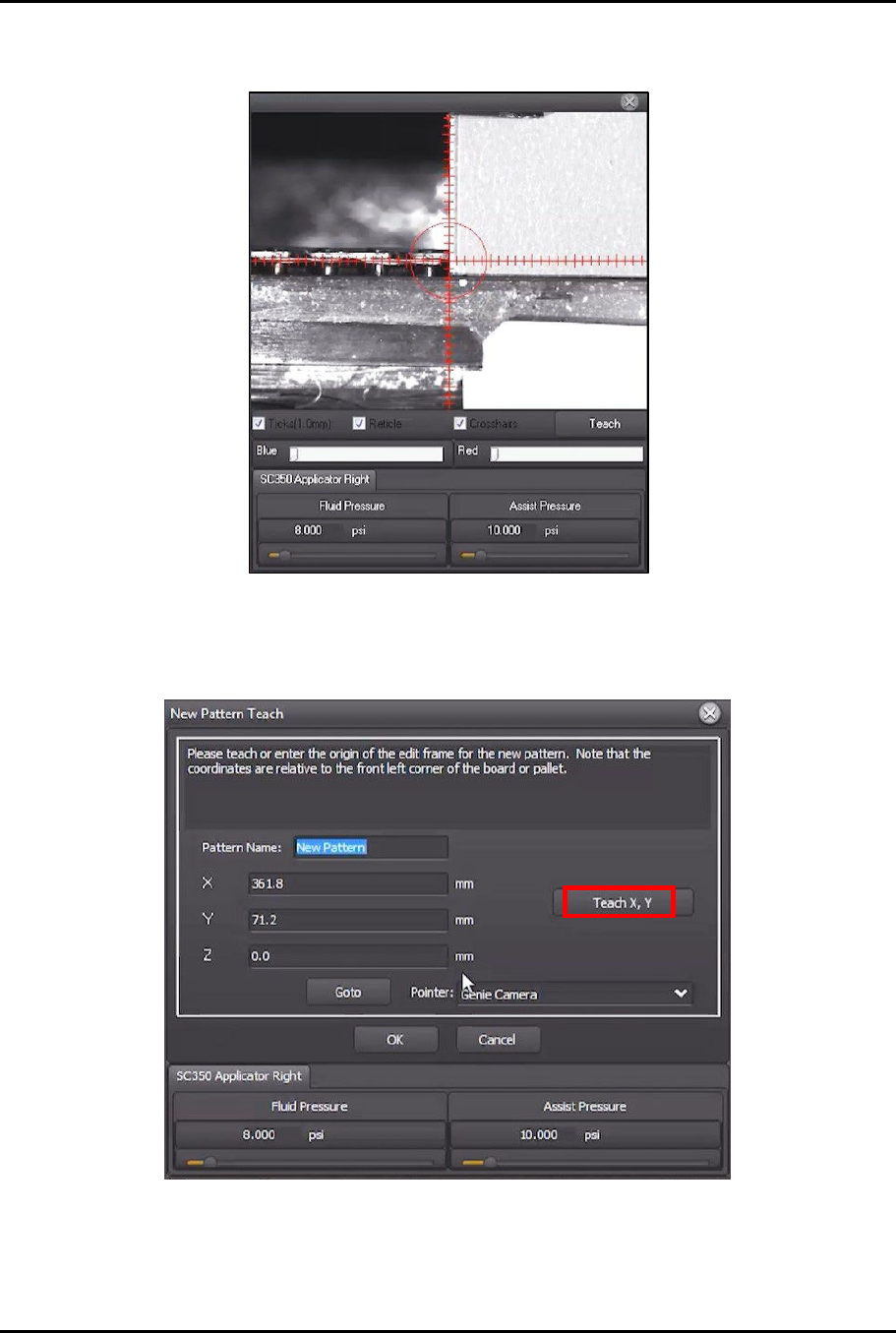
3. Use the jog controls to move the dispensing head and align the right applicator to the front
left corner of the characterization card (Figure 4-58).
Figure 4-58 Teach Pattern Origin
> This will be the origin of the new pattern.
4. Click on Teach X, Y (Figure 4-59).
Figure 4-59 Click Teach X,Y
Dual-Simultaneous Programmable Pitch Owner’s Manual Operation
© 2024 Nordson Corporation 51
5. Click OK.
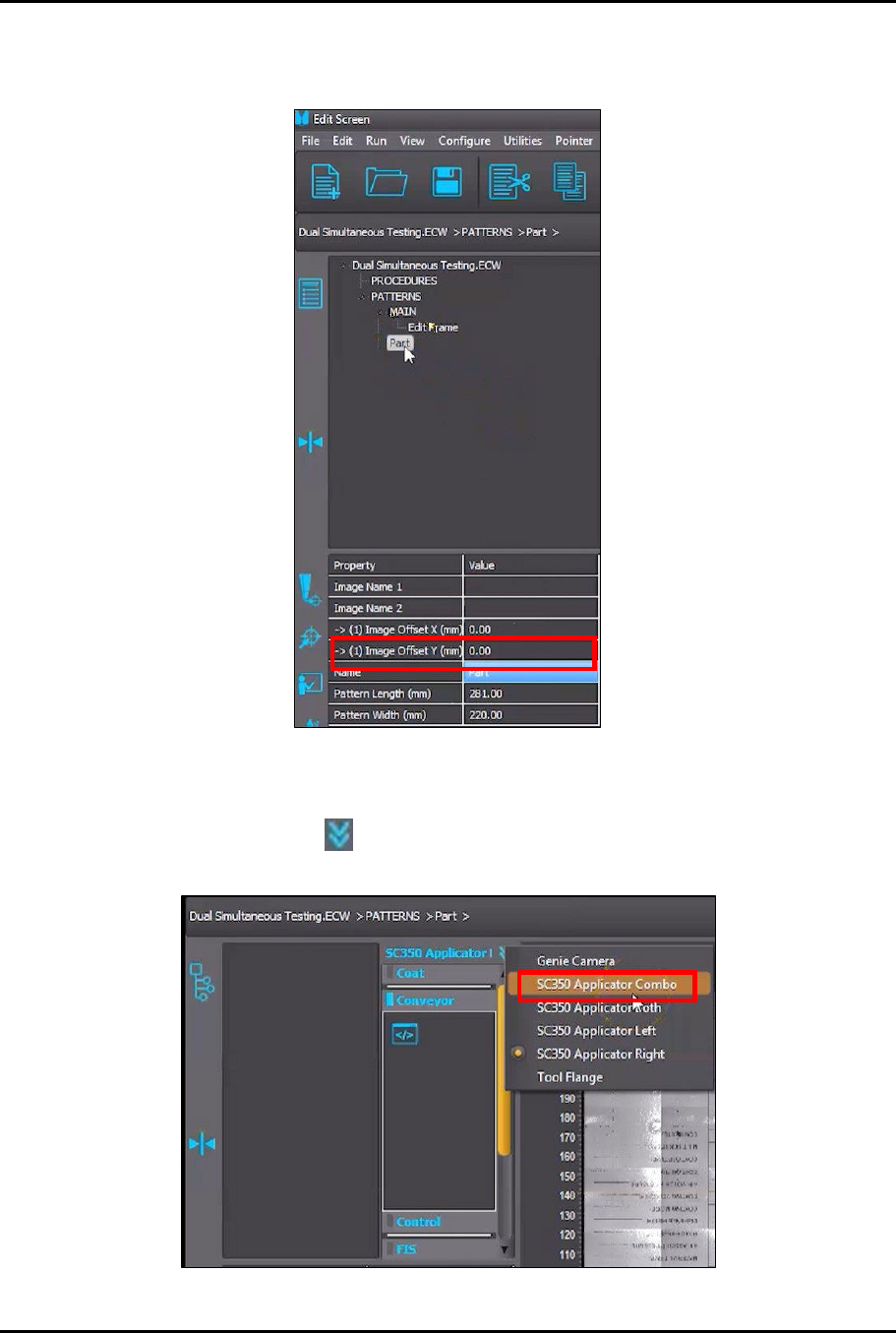
6. In the Property field, change the pattern name to Part (Figure 4-60).
Figure 4-60 Change Pattern Name
7. Click on Part in the program tree (Figure 4-60).
8. Click on the List arrows in the instruction panel and select the Applicator Combo
option (SC350 Applicator Combo shown in this example) from the menu (Figure 4-61).
Figure 4-61 Select Applicator Combo