Dual Simultaneous Programmable Pitch Rev 02.pdf - 第39页
Dual-Simultaneous Pr ogrammable Pitch Owner ’s Manual Operation © 2024 Nordson Corporation 35 20. Manually c hange the app licator names in the Variab les.txt file to match the ap plicator names es tablished in the C al …
Dual-Simultaneous Programmable Pitch Owner’s Manual Operation
34 © 2024 Nordson Corporation
17. Close the EasyCoat software.
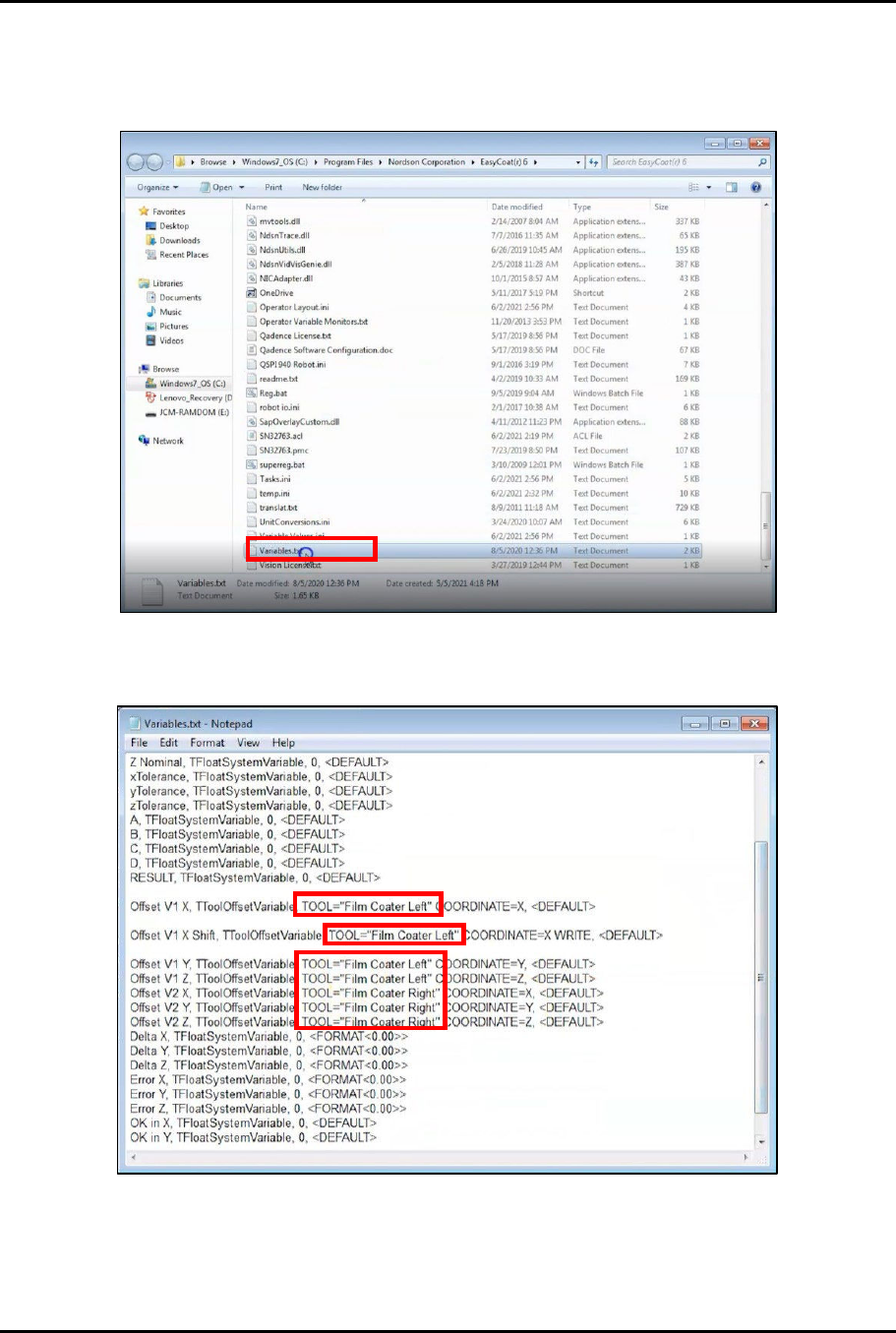
18. Access the EasyCoat folder in File Explorer and search for the Variables.txt file and open it
in Notepad (Figure 4-23).
Figure 4-23 Open Variables.txt File
19. Locate the applicator names in the Variables.txt file (Figure 4-24).
Figure 4-24 Locate Applicator Names
Dual-Simultaneous Programmable Pitch Owner’s Manual Operation
© 2024 Nordson Corporation 35
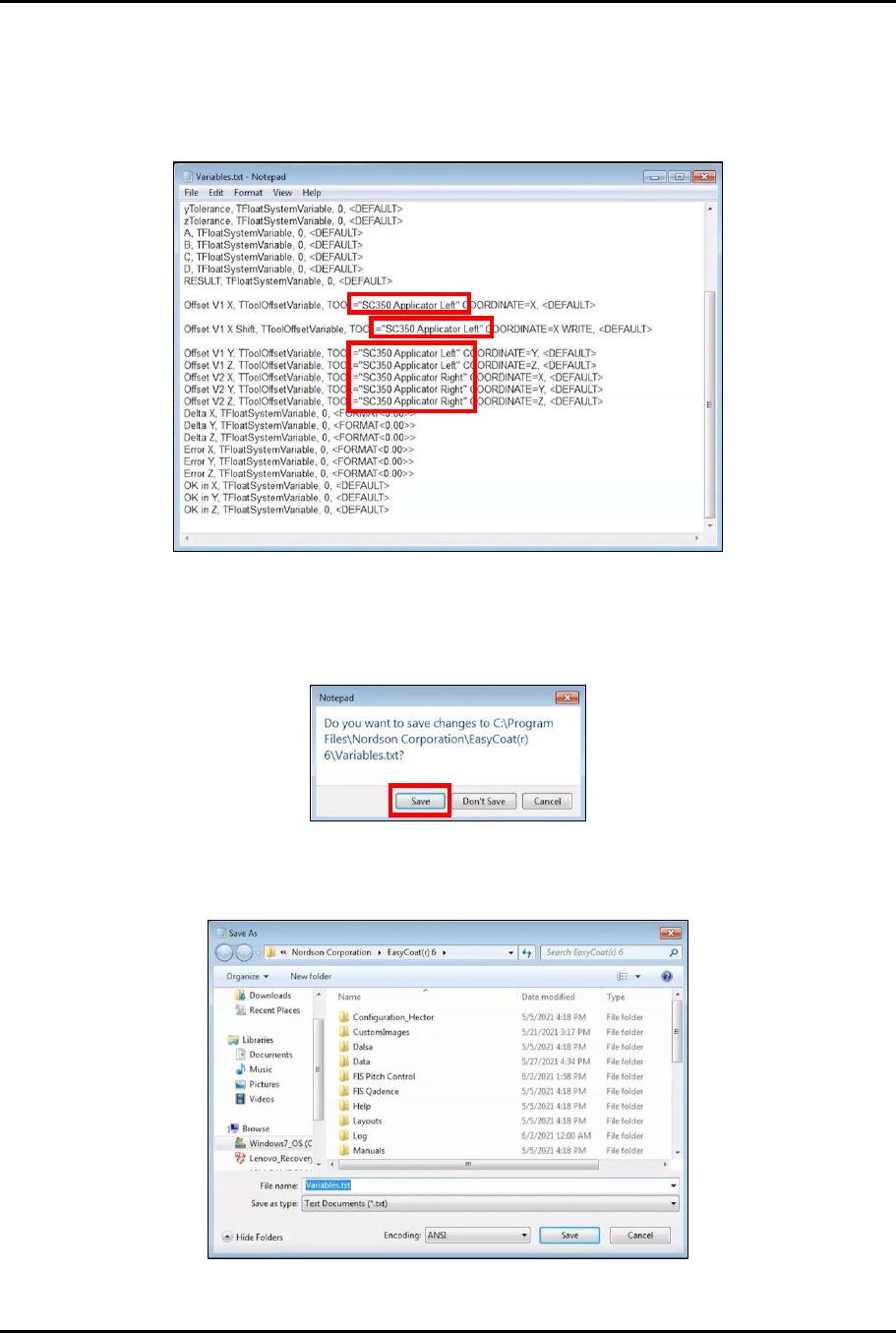
20. Manually change the applicator names in the Variables.txt file to match the applicator
names established in the Cal & Verify and System Check Only procedures (Figure 4-25).
?
NOTE
The applicator names in the Variables.txt file and the applicator names in the Cal
& Verify and System Check Only procedures MUST ALL MATCH EXACTLY.
Figure 4-25 Change Applicator Names
21. Close the Variables.txt file.
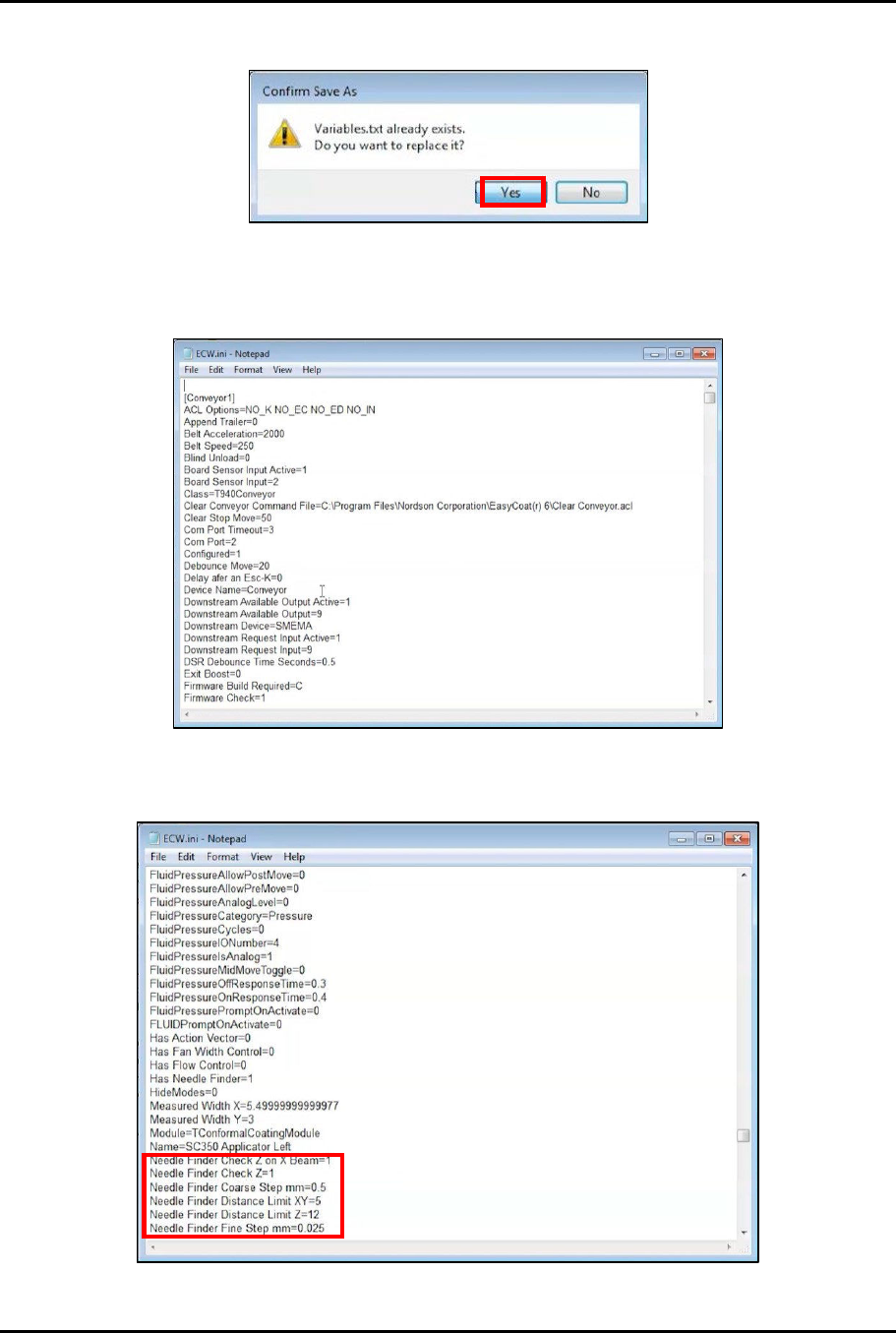
22. When asked to save changes, click Save (Figure 4-26).
Figure 4-26 Save Changes
23. In the Save As window, click Save (Figure 4-27).
Figure 4-27 Save Variables.txt File
Dual-Simultaneous Programmable Pitch Owner’s Manual Operation
36 © 2024 Nordson Corporation
24. When asked to replace the existing Variables.txt file, click Yes (Figure 4-28).
Figure 4-28 Replace Existing File
25. In the EasyCoat folder in File Explorer search for the ECW.ini file and open it in Notepad
(Figure 4-29).
Figure 4-29 Open ECW.ini File
26. In the ECW.ini file, locate the Needle Finder parameters (Figure 4-30).
Figure 4-30 Locate Needle Finder Parameters