SIPLACE X-Series (SIPLACE X-Series S, from SC 708.1) Edition 05/2015 EN User manual.pdf - 第358页
6 Station extensions User manual SIPLACE X-Series 6.1 Nozzle changer From software version 708.1 Version 05/2015 358 6.1.5.5 Component reject bin for the SIPLACE T winSt ar A component reject bin can be in stalled for th…
User manual SIPLACE X-Series 6 Station extensions
From software version 708.1 Version 05/2015 6.1 Nozzle changer
357
6.1.5.4 Assembly
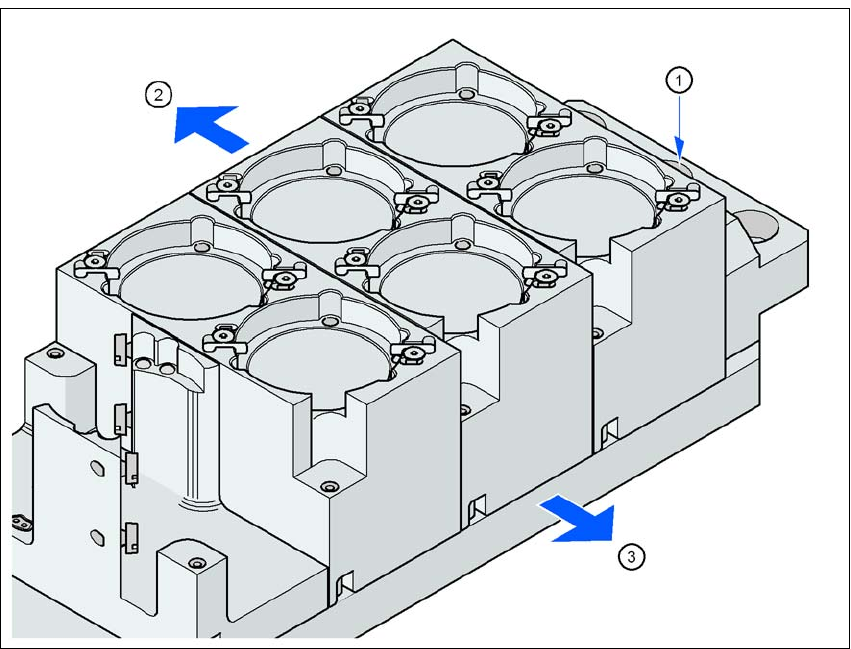
The nozzle changer is fixed to the COT insert.
6
Fig. 6.1 - 26 Assembly position
(1) Marking hole
(2) Operator side
(3) Arrow pointing toward the PCB conveyor
6
Align the nozzle changer so that the marking hole (item 1) is on the left, as viewed by the op-
erator.
6 Station extensions User manual SIPLACE X-Series
6.1 Nozzle changer From software version 708.1 Version 05/2015
358
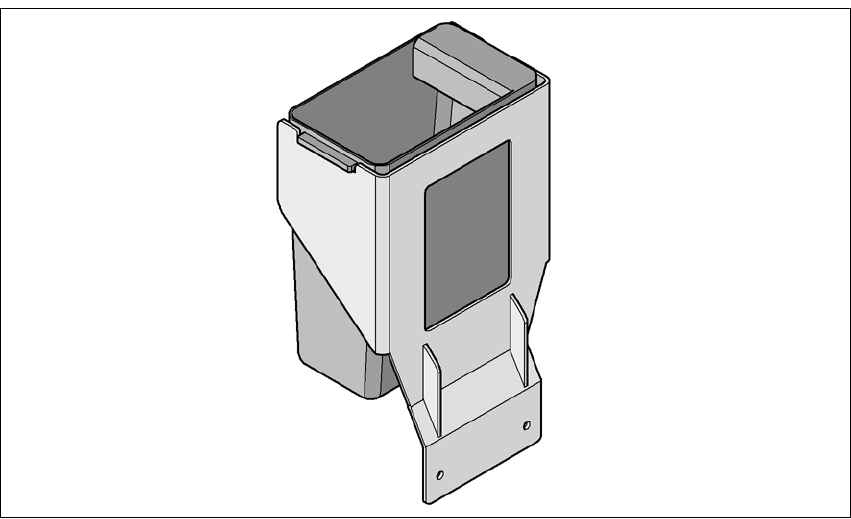
6.1.5.5 Component reject bin for the SIPLACE TwinStar
A component reject bin can be installed for the SIPLACE TwinStar. This is positioned next to the
stationary camera.
6
Fig. 6.1 - 27 Component reject bin for the SIPLACE TwinStar
6.1.5.6 Grippers and special nozzles
The SIPLACE machines can process components based on through hole technology and odd-
shaped (OSC) components, in addition to the standard SMT spectrum. ASM also continuously de-
velops special nozzles and grippers.
Special nozzles are available for all placement heads in order to process placement jobs with max-
imum speed, precision and flexibility. The use of automatic nozzle changers also reduces the
setup times that occur at a product change.
ASM can provide mechanical grippers for Pick&Place heads. If a component's surface is not suit-
able for sucking up with nozzles, then it can be picked up and placed with mechanical grippers.
There are two types of gripper and their functions can be divided into two groups:
– Grippers that grip the component at its outer edges and
– Grippers that grip the component at its inner edge.
Information on special nozzles and grippers is available from ASM. For the production of special
magazines and grippers, again contact ASM.
User manual SIPLACE X-Series 6 Station extensions
From software version 708.1 Version 05/2015 6.2 PCB barcode scanner
359
6.2 PCB barcode scanner
Item no. 00519881-xx 2D board code reader
Item no. 00519839-xx Mechanics assembly set
Item no. 00519834-xx Electrics assembly kit for 2D board code reader
6.2.1 Description
The PCB barcode reader is used to automatically record and decode barcodes on PCBs. The
PCB barcode scanners are installed on a special frame on the input side of the placement ma-
chine on the PCB
conveyor. Depending
on the position of the barcode strips, the barcode scanner can be attached in a few simple
steps so that the strips can be read parallel to or across the PCB transport direction.
When using dual conveyors, four board barcode readers can be retrofitted. These can scan both
the top or bottom of the boards on both conveyor lanes.
There are two variants of the barcode scanner:
– 2D board code reader
This code reader processes barcodes and matrix codes. Matrix code is primarily used when
there is
not enough space for barcode labels. 6