SIPLACE X-Series (SIPLACE X-Series S, from SC 708.1) Edition 05/2015 EN User manual.pdf - 第366页
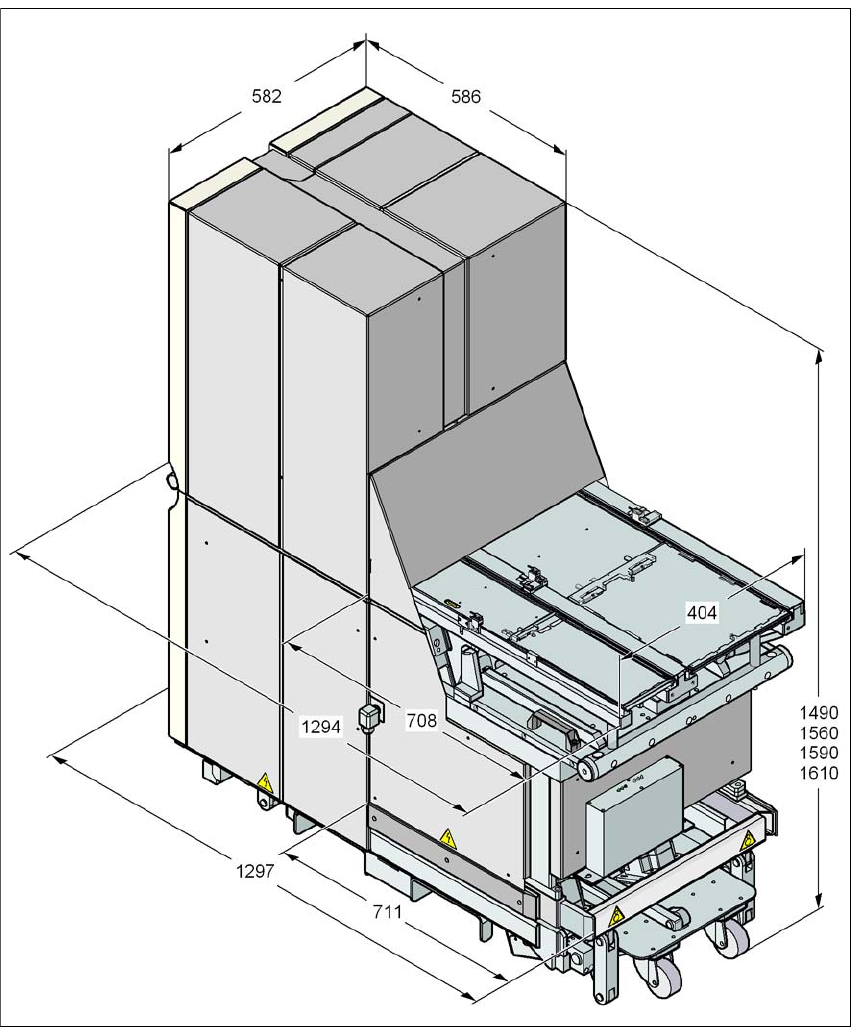
6 Station extensions User manual SIPLACE X-Series 6.4 Matrix tray changer From software version 708.1 Version 05/2015 366 6.4.4.1 Dimensions 6 Fig. 6.4 - 1 Matrix tray changer , dimensions, all data in millimeters

User manual SIPLACE X-Series 6 Station extensions
From software version 708.1 Version 05/2015 6.4 Matrix tray changer
365
6.4.4 Installation notes for the MTC
In SIPLACE X2 S / X3 S / X4 S machines, an MTC can be docked onto location 2 in place of the
component trolley. To achieve this, the COT insert for the component trolley is replaced with the
docking unit for the MTC. If you want to use this MTC somewhere else, the free location can then
be configured again with a component trolley.
6
PLEASE NOTE
Configuration options for MTC
– The MTC can not be configured with a CPP head.
– The MTC can only be configured at location 2 in SIPLACE X2 S / X3 S / X4 S ma-
chines.
– SIPLACE X2 S / X3 S / X4 S machines must have a service flap installed. See “Po-
sition of protective switches on the machine” on page 86.
– The MTC can be configured with the Twin Head and the stationary cameras of type
33, 25 or the 3D coplanarity sensor.
– Only 12 nozzle magazines can be used for configurations with an MTC.
6 Station extensions User manual SIPLACE X-Series
6.4 Matrix tray changer From software version 708.1 Version 05/2015
366
6.4.4.1 Dimensions
6
Fig. 6.4 - 1 Matrix tray changer, dimensions, all data in millimeters
User manual SIPLACE X-Series 6 Station extensions
From software version 708.1 Version 05/2015 6.4 Matrix tray changer
367
6.4.4.2 Controls
6
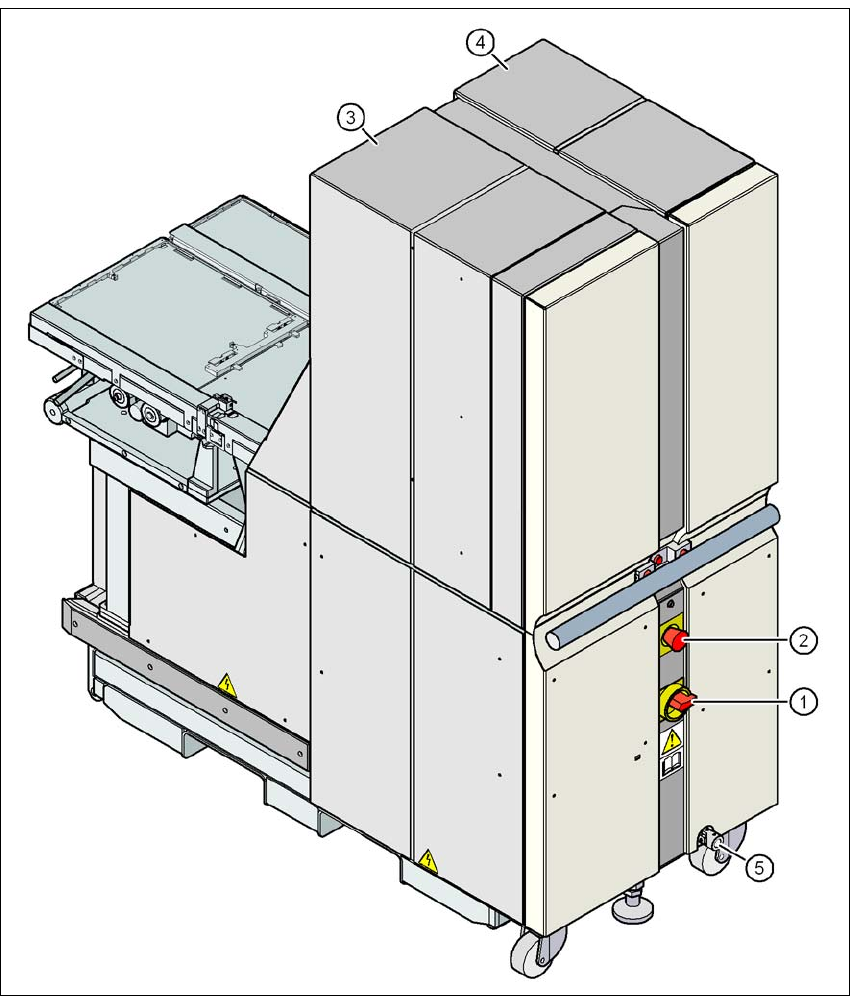
Fig. 6.4 - 2 Matrix tray changer, back view
(1) Main switch
(2) EMERGENCY STOP button
(3) Tower 1 for accommodating max. 30 waffle pack tray carriers (up to 60 JEDEC trays)
(4) Tower 2 for accommodating max. 40 waffle pack tray carriers (up to 40 JEDEC trays)
(5) Attachment point for crank used to adjust the matrix tray changer height