SIPLACE X-Series (SIPLACE X-Series S, from SC 708.1) Edition 05/2015 EN User manual.pdf - 第84页
2 Operational safety User manual SIPLACE X-Series 2.6 Safety features From software version 708.1 Version 05/2015 84 2.6.3 Switches and buttons on the machine 2.6.3.1 Position of switches and buttons on the machine 2 Fig…
User manual SIPLACE X-Series 2 Operational safety
From software version 708.1 Version 05/2015 2.6 Safety features
83
2
2
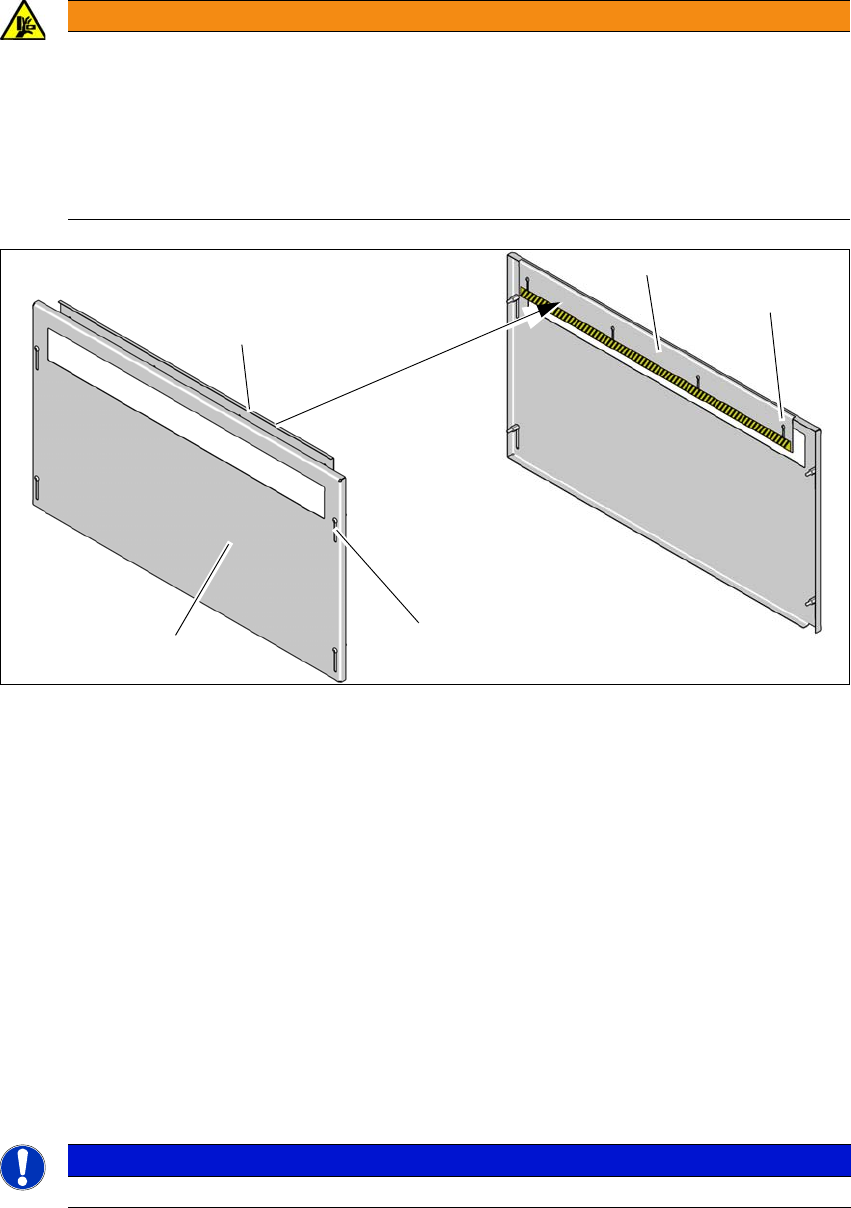
Fig. 2.6 - 4 Hand guard - inside and outside
(1) Hand guard - view from outside
(2) Hand guard - view from inside
(3) Slots on hand guard for height adjustment - outside
(4) Slots on hand guard for height adjustment - inside
Fit the hand guard (1) to the input conveyor and to the output conveyor.
Use the slots (3) to adjust the height on the outer plate for each product so that nobody can
reach into the board conveyor from below.
Use the slots (4) to adjust the height on the inner plate for each product so that nobody can
reach into the board conveyor from above.
Adjust the height so that the board with the components can be transported safely through
the conveyor system.
2
WARNING
DANGER OF CRUSHING!
If the hand guard is not fitted, reaching into the board conveyor could lead to injuries to
the arms and hands.
Operation of a SIPLACE X-Series S machine without an input/output extension is
only permitted with a hand guard fitted to the input and output conveyors.
The operating company is responsible for ensuring that the hand guard is fitted.
PLEASE NOTE
Observe the maximum height of the board with the highest component.
(1)
(2)
(2)
(3)
(4)
2 Operational safety User manual SIPLACE X-Series
2.6 Safety features From software version 708.1 Version 05/2015
84
2.6.3 Switches and buttons on the machine
2.6.3.1 Position of switches and buttons on the machine
2
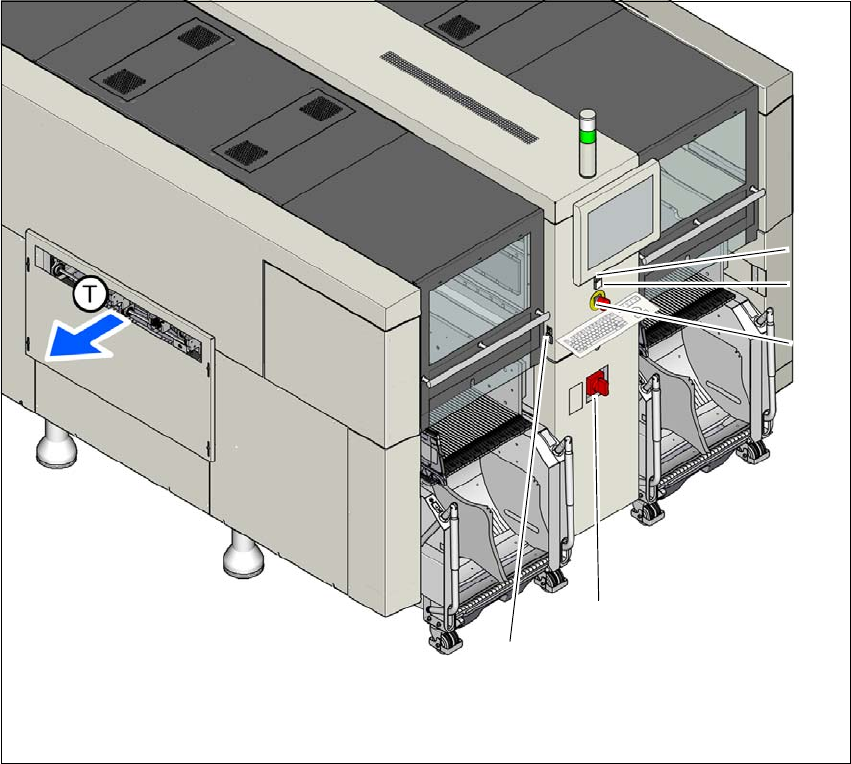
Fig. 2.6 - 5 Position of buttons and switches - view of PCB output side (example of SIPLACE X2 S / X3 S / X4 S
shown)
(1) Stop button (black)
(2) Start button (green)
(3) EMERGENCY STOP button
(4) Main switch
(5) Button for docking and undocking the component trolley at the respective location
(T) PCB transport direction
(3)
(1)
(4)
(2)
(5)
User manual SIPLACE X-Series 2 Operational safety
From software version 708.1 Version 05/2015 2.6 Safety features
85
2
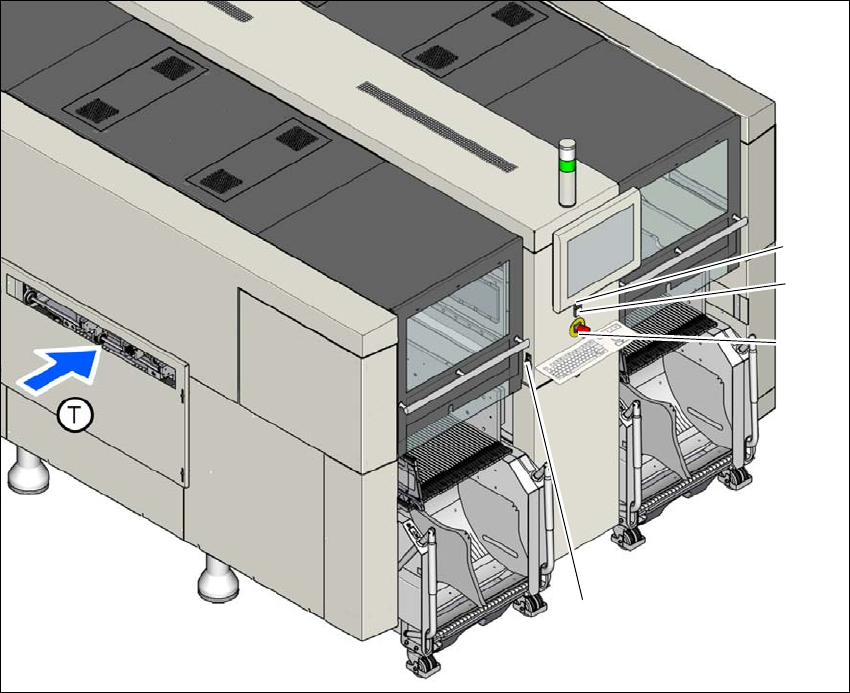
Fig. 2.6 - 6 Position of buttons and switches - view of PCB input side (example of SIPLACE X2 S / X3 S / X4 S
shown)
(1) Stop button (black)
(2) Start button (green)
(3) EMERGENCY STOP button
(4) Button for docking and undocking the component trolley at the respective location
(T) PCB transport direction
(3)
(1)
(4)
(2)