SIPLACE X-Series (SIPLACE X-Series S, from SC 708.1) Edition 05/2015 EN User manual.pdf - 第80页
2 Operational safety User manual SIPLACE X-Series 2.6 Safety features From software version 708.1 Version 05/2015 80 2.6 Safety features 2.6.1 Protective covers The travel range of t he gantries is covered w ith four mov…

User manual SIPLACE X-Series 2 Operational safety
From software version 708.1 Version 05/2015 2.5 Safety instructions for operating the machine
79
2.5.12 Safety instructions for emptying the waste tape container
The waste tape container must be pulled out of the component trolley for emptying. There is a risk
of catching your thumbs as you do so. To prevent this, observe the safety instructions in section
5.8.2
, page 293.
2 Operational safety User manual SIPLACE X-Series
2.6 Safety features From software version 708.1 Version 05/2015
80
2.6 Safety features
2.6.1 Protective covers
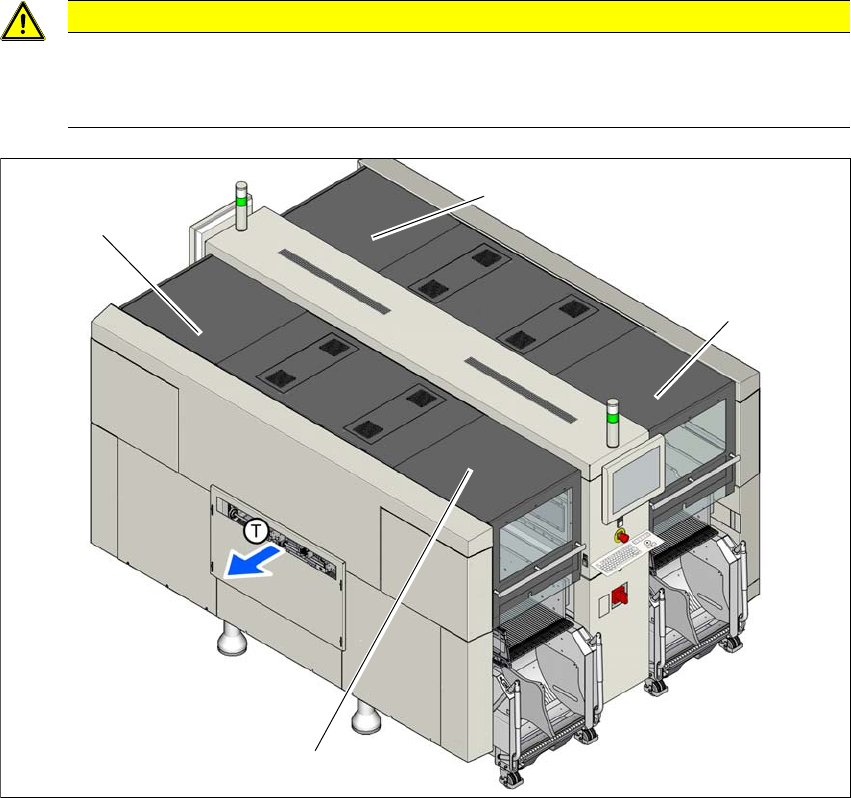
The travel range of the gantries is covered with four movable protective covers. The protective
hoods and covers serve as protective devices which prevent unauthorized access to the inside of
the machine.
2
2
Fig. 2.6 - 1 Protective covers (example of SIPLACE X2 S / X3 S / X4 S shown)
(1) Protective cover location 1
(2) Protective cover location 2
(3) Protective cover location 3
(4) Protective cover location 4
CAUTION
Risk of damage!
The protective covers and other covers could be damaged if too much force is exerted.
Do not stand on or climb up the protective covers and other covers.
(4)
(1)
(3)
(2)
User manual SIPLACE X-Series 2 Operational safety
From software version 708.1 Version 05/2015 2.6 Safety features
81
Function 2
If the protective cover is swung upwards, the power supply to the gantry axes will be immediately
interrupted. The gantry axes stop moving. The message "Close cover" is displayed on the screen.
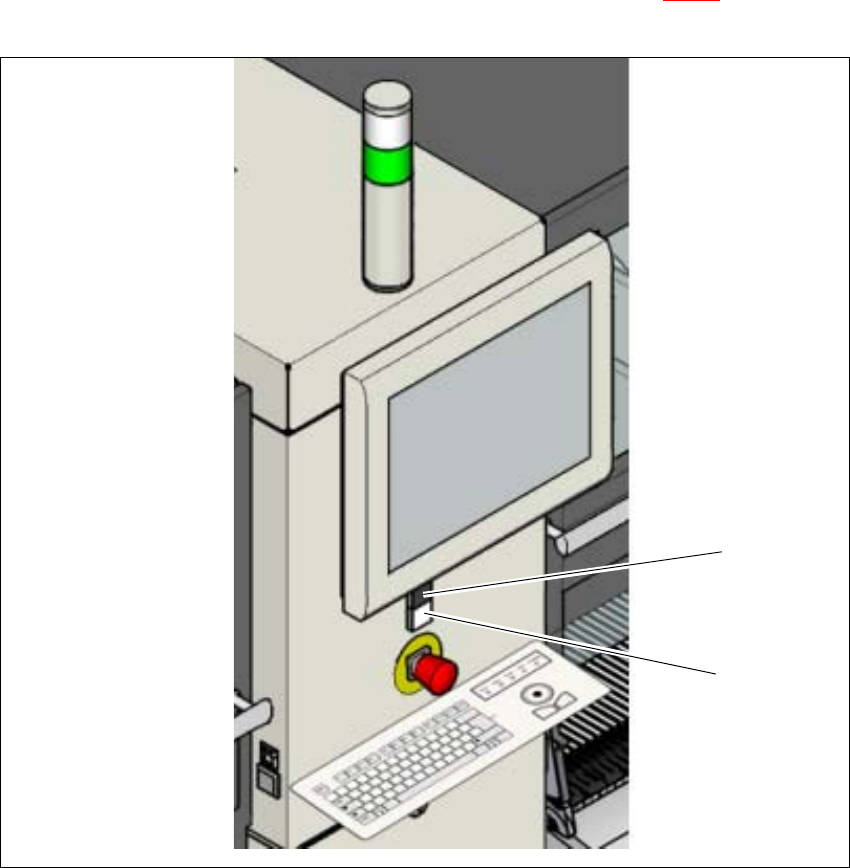
Close the protective covers and press the START button (item 1 in fig. 2.6 - 2), to continue
placement.
2
Fig. 2.6 - 2 Position of start button (green) on the machine (example of SIPLACE X2 S / X3 S / X4 S shown)
(1) STOP button (black) on machine
(2) Start button (green) on the machine
(2)
(1)