CMV12000_DS000603_6-00.pdf - 第51页
Document Feedback CMV12000 Functional Description Datasheet • PUBLIC DS000603 • v6 - 00 • 2023 -Sep- 22 84 │ 50 Figure 64 : Y-Subsampling for Mono chrome Example Figure 65 : X&Y-Subsampling Settings for Color Reg. Na…
Document Feedback
CMV12000
Functional Description
Datasheet • PUBLIC
DS000603 • v6-00 • 2023-Sep-22
84 │ 49
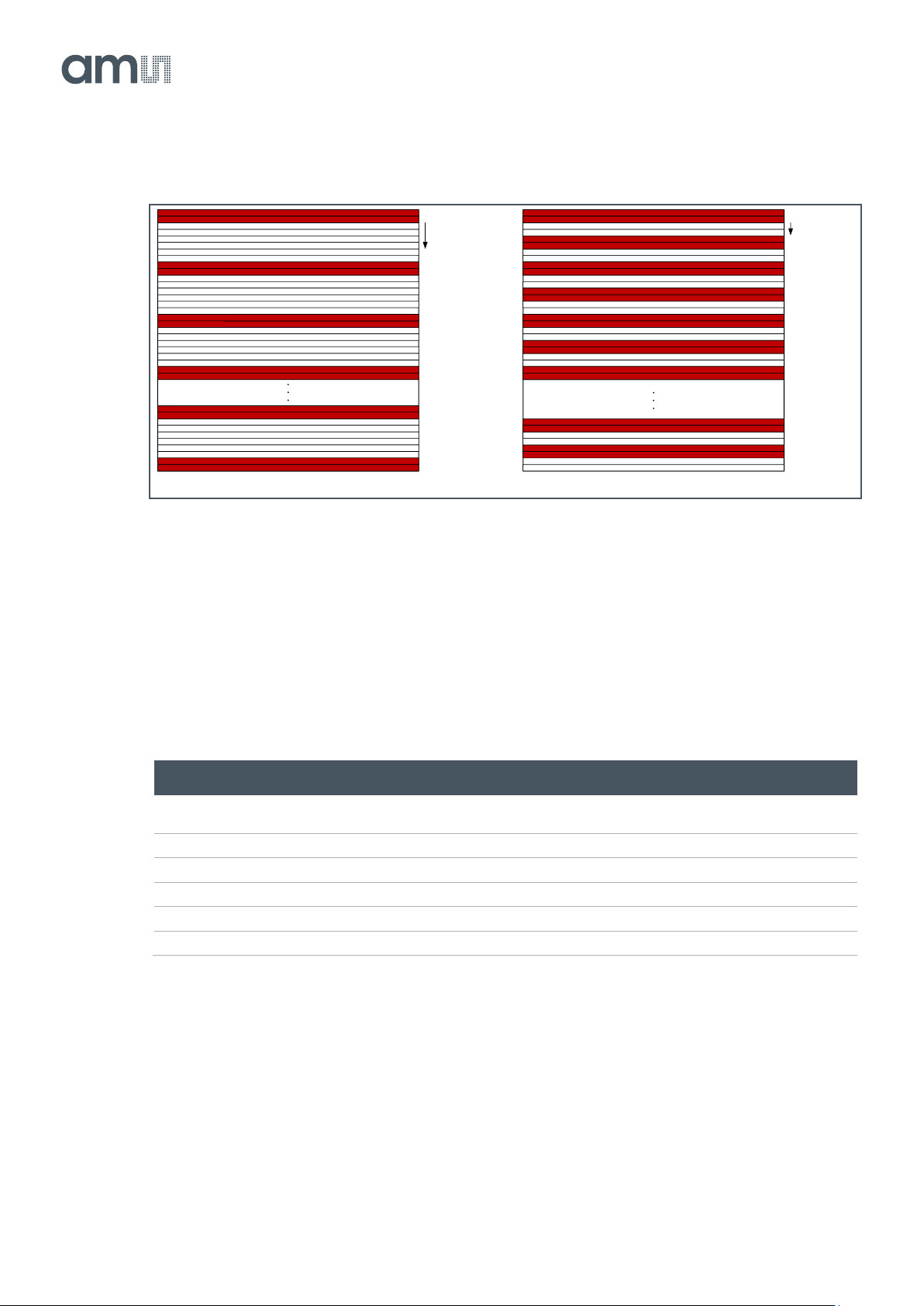
Figure 62:
Y-Subsampling for Color Examples (skip 6 and skip 2)
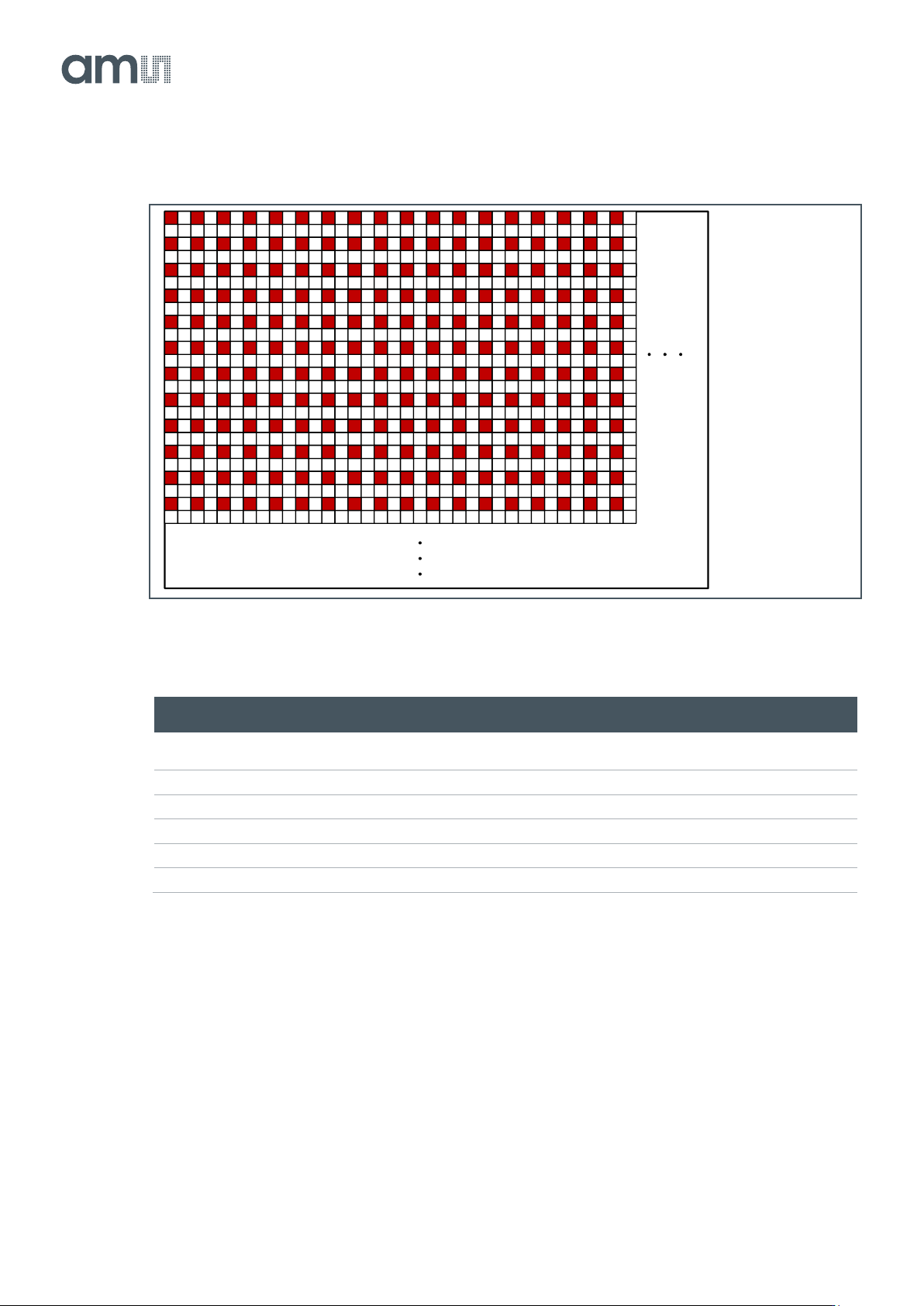
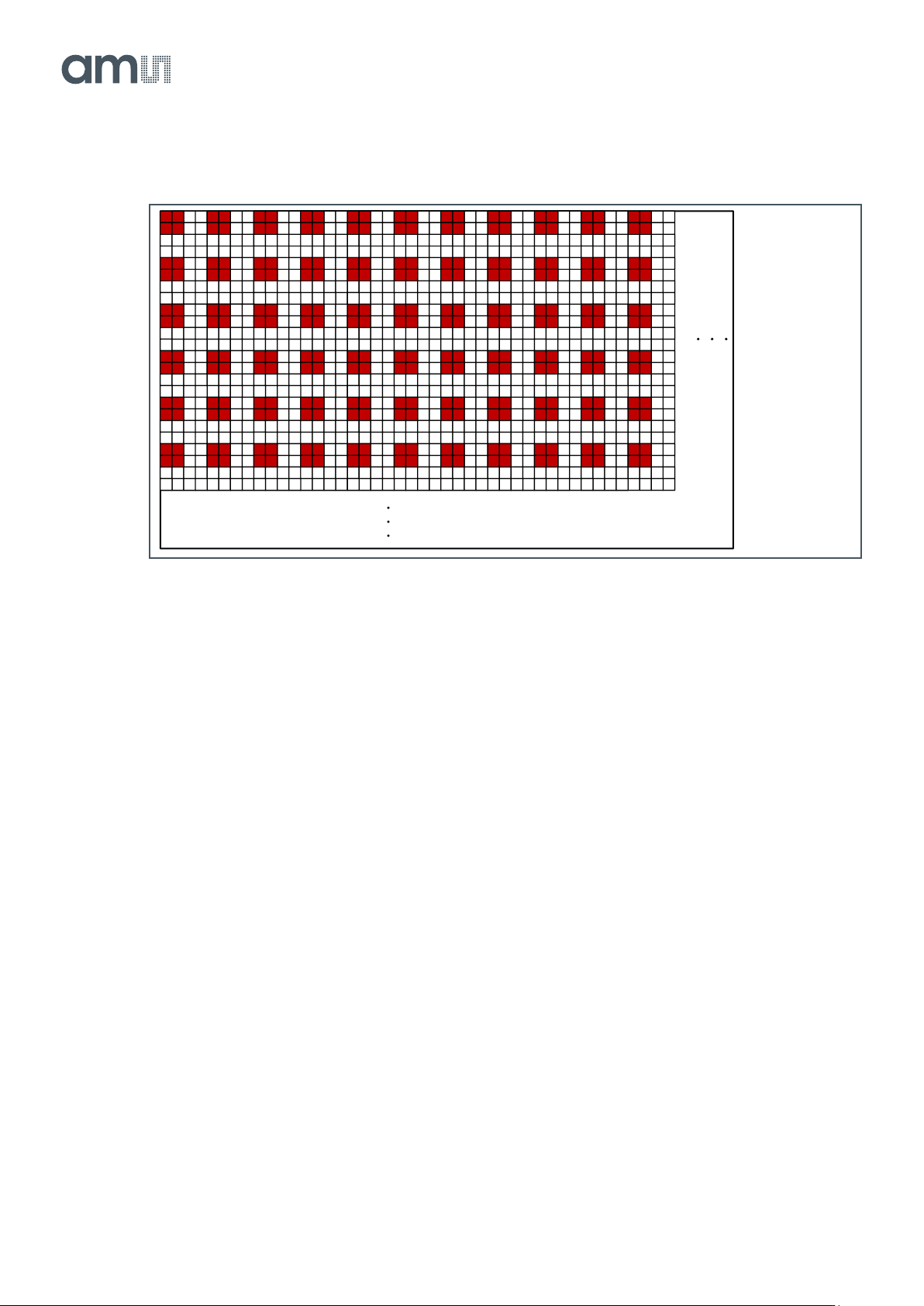
X&Y-Subsampling
With subsampling in both X and Y, the sensor skips both rows and columns. There are only 2
schemes possible in this mode: read 1 row/column, skip 1 row/column (monochrome) and read 2
rows/columns, skip 2 rows/columns (color). Below you can find an overview of the settings used for
monochrome and color devices together with some examples for X&Y-subsampling.
Figure 63:
X&Y-Subsampling Settings for Monochrome
Reg. Name
Address
Bits
Default
Description
Number_lines_tot
1
[15:0]
3072
Total number of lines read out from the sensor (1 to
1536)
Sub_offset
66
[15:0]
0
Set to 1
Sub_step
67
[15:0]
1
Set to 2
Sub_en
68
[1]
0
Set to 1
Color
68
[0]
1
Set to 1
Color_exp
68
[3]
1
Set to 1
Sub_offset = 0
Sub_step = 4
Number_lines = sum of red lines
Sub_offset = 0
Sub_step = 2
Number_lines = sum of red lines
Document Feedback
CMV12000
Functional Description
Datasheet • PUBLIC
DS000603 • v6-00 • 2023-Sep-22
84 │ 50
Figure 64:
Y-Subsampling for Monochrome Example
Figure 65:
X&Y-Subsampling Settings for Color
Reg. Name
Address
Bits
Default
Description
Number_lines_tot
1
[15:0]
3072
Total number of lines read out from the sensor (1 to
1536)
Sub_offset
66
[15:0]
0
Set to 0
Sub_step
67
[15:0]
1
Set to 2
Sub_en
68
[1]
0
Set to 1
Color
68
[0]
1
Set to 0
Color_exp
68
[3]
1
Set to 0
Sub_offset = 1
Sub_step = 2
Document Feedback
CMV12000
Functional Description
Datasheet • PUBLIC
DS000603 • v6-00 • 2023-Sep-22
84 │ 51
Figure 66:
Y-Subsampling for Color Example
Pixel Remapping
When enabling subsampling, the pixel mapping on the outputs will differ from the default mapping.
When Y-subsampling is enabled, the pixel remapping of the subsampled image using 64 outputs can
be found in the figure below. The rows mentioned below are the readout rows, not the physical rows.
Sub_offset = 0
Sub_step = 2