M3plus_OperationManual_e.pdf - 第25页
1 - 4 1 P art names and functions 2.1 Operation panel buttons The operation panel buttons are provided on the front of the machine to run major com- mands frequently used to operate the machine. READ Y RESET ST ART ST OP…
1
Part names and functions
1 -3
2. Operation panel and data input units
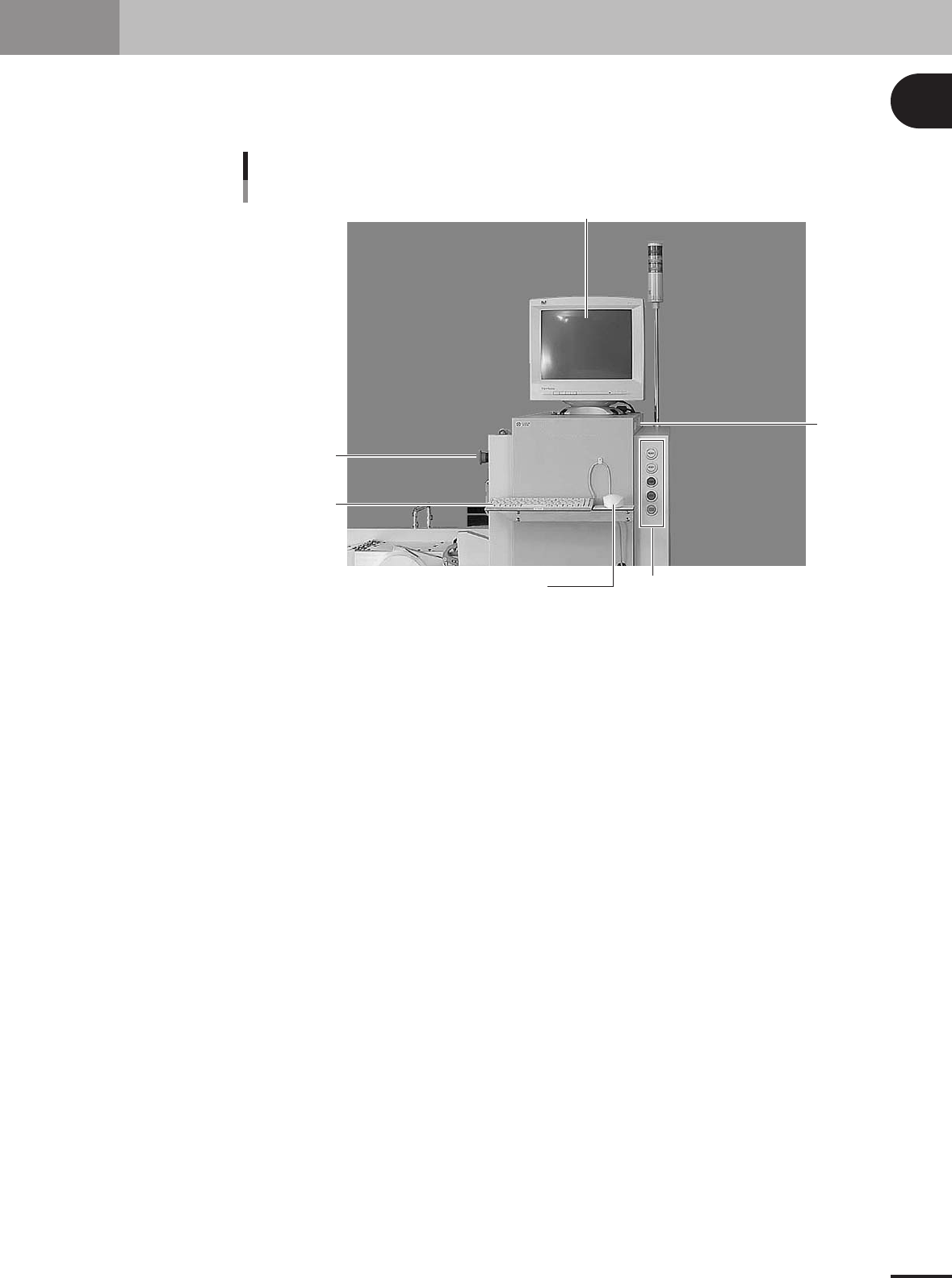
Standard machines are equipped with an operation display, operation panel buttons, a keyboard and a
mouse on the front of the machine, to operate the machine and make data settings. The functions of
these units are explained below.
Operation display
Mouse
Keyboard
Operation panel button
FD drive
Operation panel and data input unit
EMERGENCY
STOP button
23102-5E-20
1 -4
1
Part names and functions
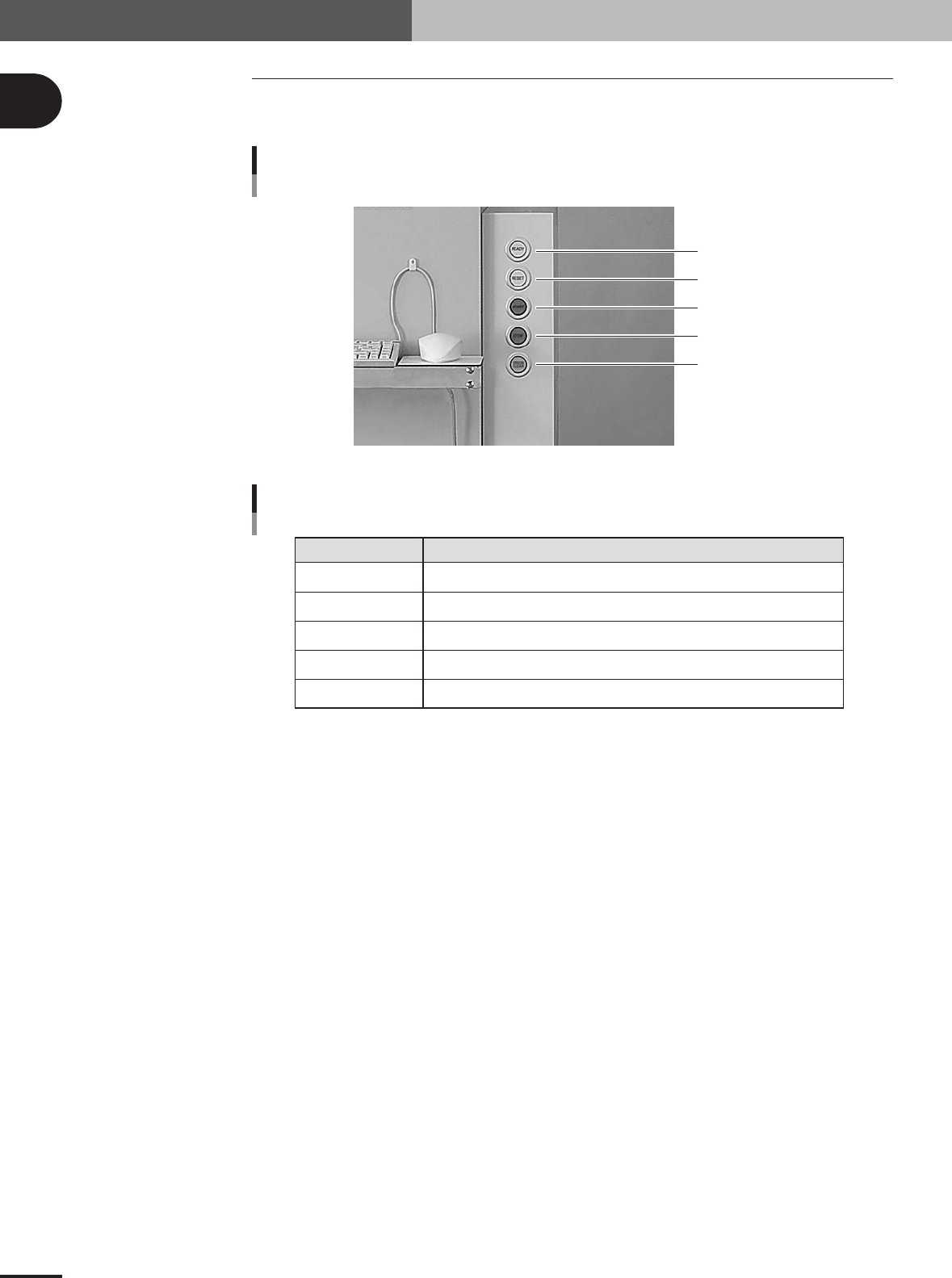
2.1 Operation panel buttons
The operation panel buttons are provided on the front of the machine to run major com-
mands frequently used to operate the machine.
READY
RESET
START
STOP
ERROR CLEAR
Operation panel buttons
23103-5E-20
READY
RESET
START
STOP
ERROR CLEAR
Release emergency stop and turn the servo on.
Stop automatic operation and return to standby for PCB production.
Perform component mount according to PCB data.
Interrupt automatic operation. (Press START to resume operation.)
Stop buzzer sound and clear error screen.
Button name Use the button to:
Operation panel button functions
25102-5E-20
2. Operation panel and data input units
1 -5
1
Part names and functions
2.2 Keyboard and mouse
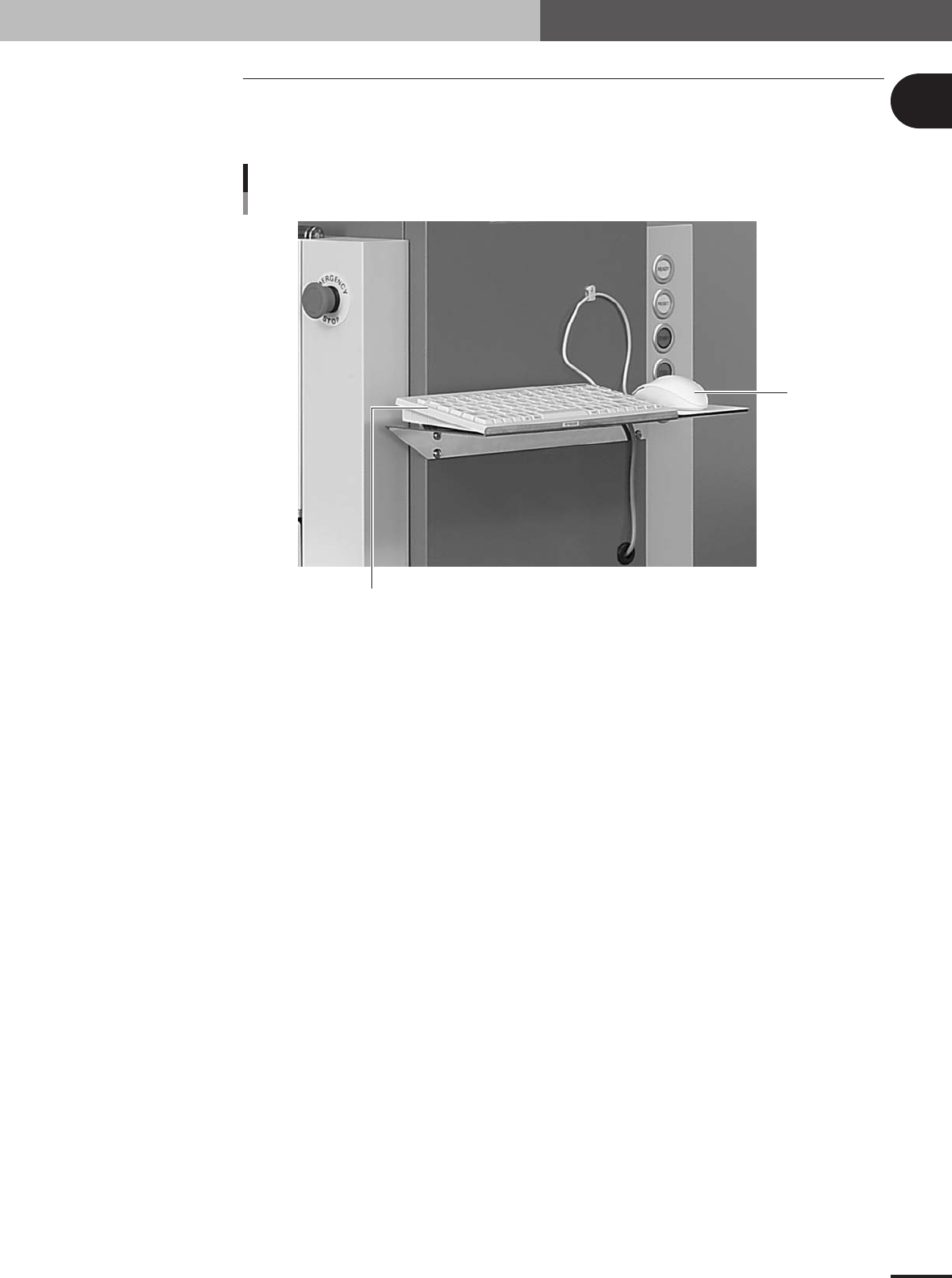
This machine is equipped with a keyboard and mouse as standard features to operate the
machine or edit data settings. To select a menu button or parameter item on the operation
screen, click it with the left mouse button.
Keyboard and Mouse
Keyboard
Mouse
23104-5E-20
2. Operation panel and data input units