M3plus_OperationManual_e.pdf - 第26页
1 - 5 1 P art names and functions 2.2 Keyboard and mouse This machine is equipped with a keyboard and mouse as standard features to operate the machine or edit data settings. To select a menu button or parameter item on …
1 -4
1
Part names and functions
2.1 Operation panel buttons
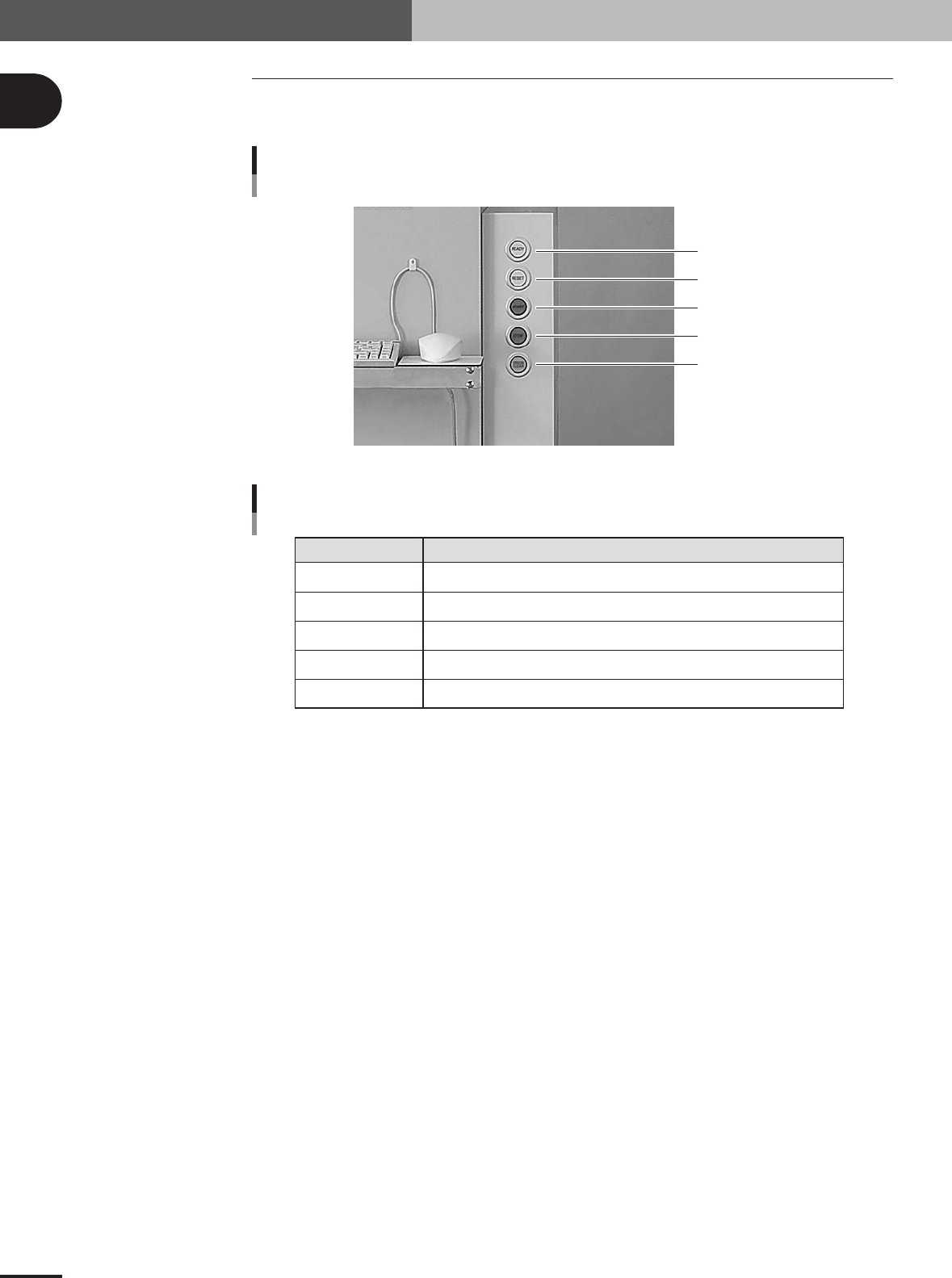
The operation panel buttons are provided on the front of the machine to run major com-
mands frequently used to operate the machine.
READY
RESET
START
STOP
ERROR CLEAR
Operation panel buttons
23103-5E-20
READY
RESET
START
STOP
ERROR CLEAR
Release emergency stop and turn the servo on.
Stop automatic operation and return to standby for PCB production.
Perform component mount according to PCB data.
Interrupt automatic operation. (Press START to resume operation.)
Stop buzzer sound and clear error screen.
Button name Use the button to:
Operation panel button functions
25102-5E-20
2. Operation panel and data input units
1 -5
1
Part names and functions
2.2 Keyboard and mouse
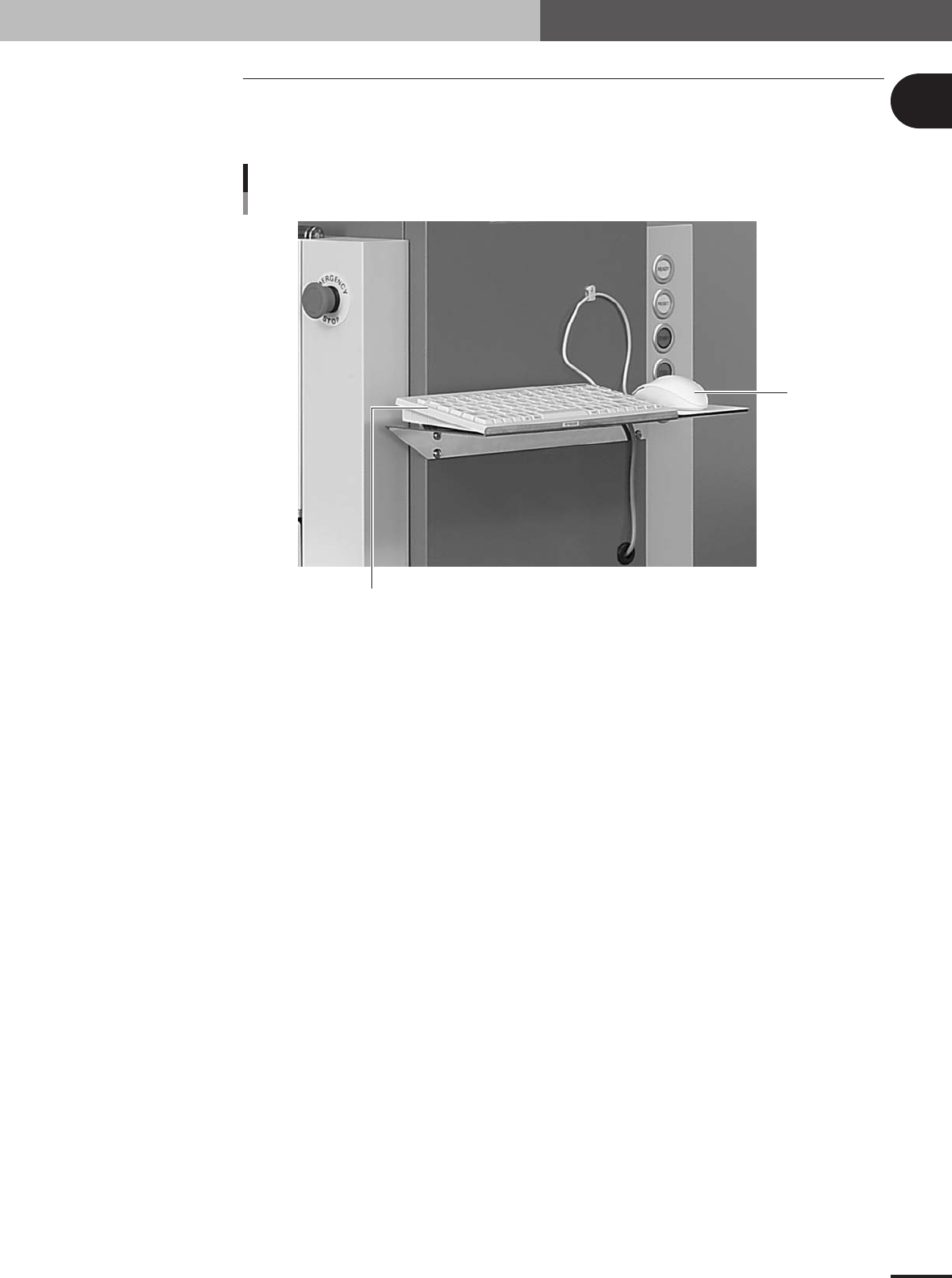
This machine is equipped with a keyboard and mouse as standard features to operate the
machine or edit data settings. To select a menu button or parameter item on the operation
screen, click it with the left mouse button.
Keyboard and Mouse
Keyboard
Mouse
23104-5E-20
2. Operation panel and data input units
1
Part names and functions
1-6
3. Head assembly
The head assembly is mounted on the Y arm and moves to pick up and mount components. The
following sections describe the head assembly configurations and nozzle types.
3.1 Component pickup/mount head
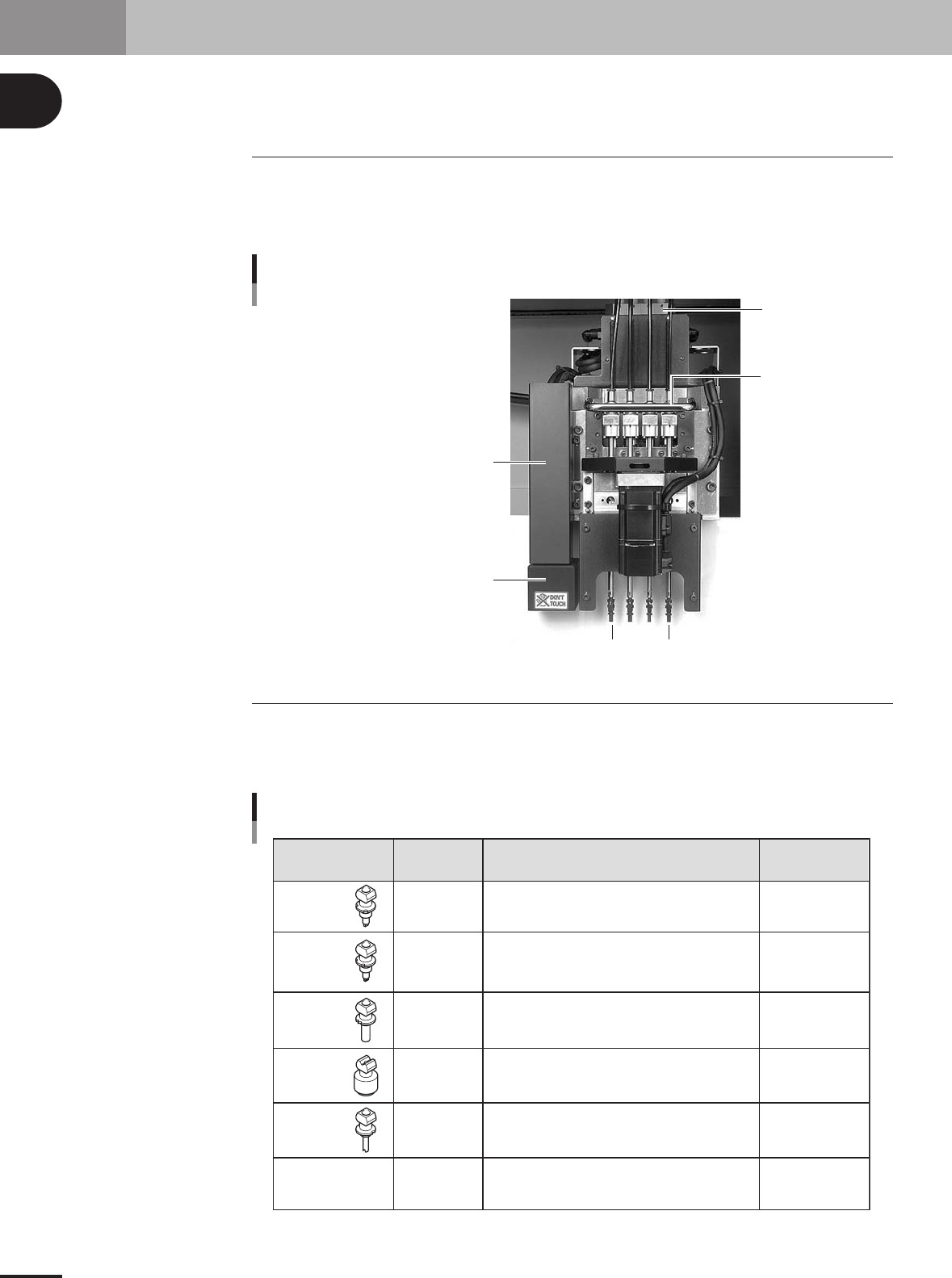
The head assembly has 4 in-line heads for component pickup and mounting. Head num-
bers are designated from 1 to 4, from the head closest to the fiducial mark recognition
camera. The spacing of adjacent nozzles attached to each head is 20mm, which is identi-
cal to the pitch of the feeder installation holes on the feeder plates.
4 in-line heads
Vacuum ejector
Head 4
Head 1
Moving camera
(for fiducial mark recognition and teaching)
Lighting unit
(for fiducial mark recognition and teaching)
Head movement
handle
23108-5E-20
3.2 Nozzle types
To ensure stable component pickup, the correct nozzle that matches the component must
be used. The following table shows typical nozzles which can be attached to each head.
Five standard nozzles and one custom nozzle are available for the 4 in-line heads.
Type 81A
Type 82A
Type 83A
Type 84A
Type 86A
Type 8SA
Standard nozzle
for auto nozzle
change
Standard nozzle
for auto nozzle
change
Standard nozzle
for auto nozzle
change
Standard nozzle
for auto nozzle
change
Standard nozzle
for auto nozzle
change
Up to 5mm in
outer diameter
Nozzle Type Suitable head Typical Components Remarks
0603 size chip components only
1005 to 3216 size components, mini-mold transistors, etc.
4532 to 7343 size components, 10mm SOP, etc.
10x10mm to 31x31mm size components
(some conditions should be met.)
Cylindrical capacitor (Melf type)
Custom-made nozzle
All heads
All heads
All heads
All heads
Head 1
Head 2, 3, 4
4 in-line type nozzle
25104-5E-20