M3plus_OperationManual_e.pdf - 第70页
3 Creating the PCB data 3- 5 3. Creating the PCB information This section describes how to create PCB information such as for PCB size and production methods. PCB information parameter Data No . P attern Name Skip X, Y ,…
3 -4
3
Creating the PCB data
2.2 Selecting the PCB data
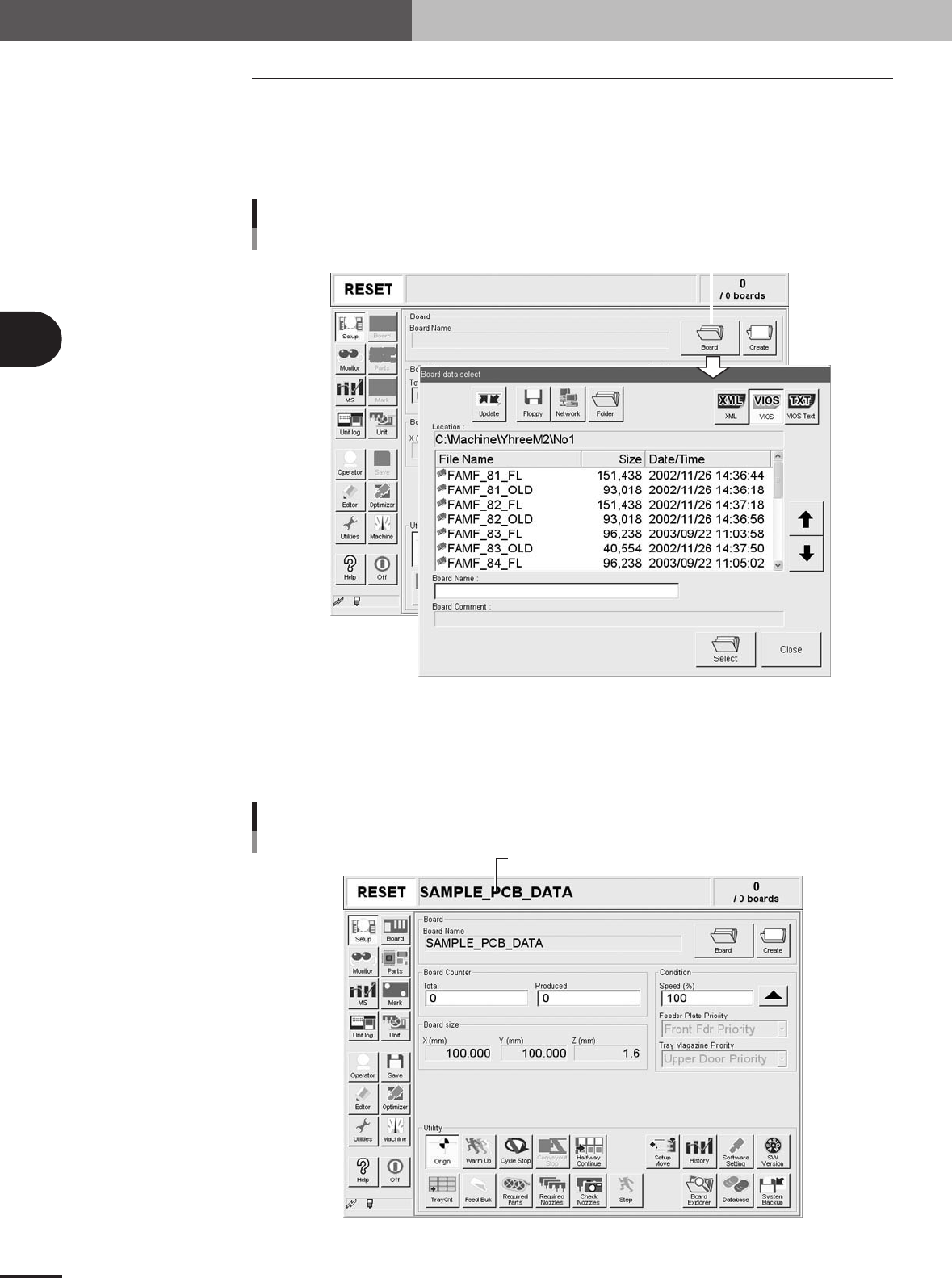
Proceed as follows to select the PCB data you already registered.
1
Press the [Board] button on the Setup screen.
The "Board data select" dialog box appears as shown below, showing the registered
PCB list.
[Board] button
[Board] button
27404-5E-20
2
Select the PCB name.
Line up the cursor with the PCB data you want to select and press the [Select] button.
The selected PCB data is loaded and its name is displayed on the status bar of the
operation screen.
Selected PCB name
Selected PCB name
27405-5E-20
2. Registering and selecting the PCB name
3
Creating the PCB data
3-5
3. Creating the PCB information
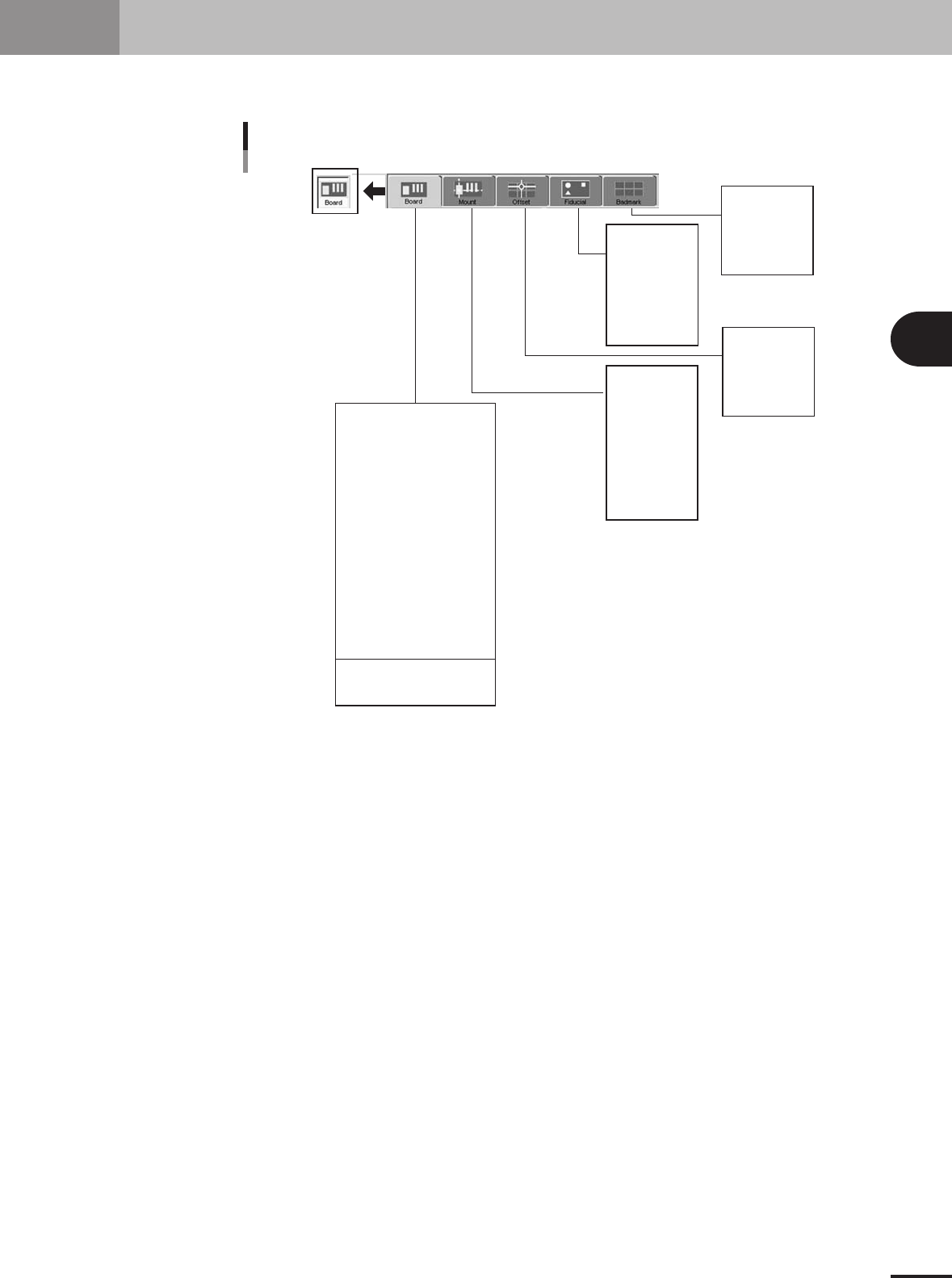
This section describes how to create PCB information such as for PCB size and production methods.
PCB information parameter
Data No.
Pattern Name
Skip
X, Y, R
P. N o .
Part Name
Head
Bad.
Fid.
Data No.
Pattern Name
Type
Skip
X, Y, R
Data No.
Pattern Name
Type
X1, Y1
Mark 1
X2, Y2
Mark 2
Data No.
Pattern Name
Ty p e
X, Y
Mark
Board Size XY
Board Size Height
Comment
Prod. Board Counter
Prod. Board Count Max.
Prod. Block Counter
Unloader Counter
Unloader Count Max.
Board Fix Device
Pre Fix Timer
Tra ns Height
Alignment
Vacuum Check
Retry Sequence
Precede Pick
Conveyor X Speed
Conveyor motor speed
23402-5E-20
3 -6
3
Creating the PCB data
3. Creating the PCB information
3.1 Board parameters
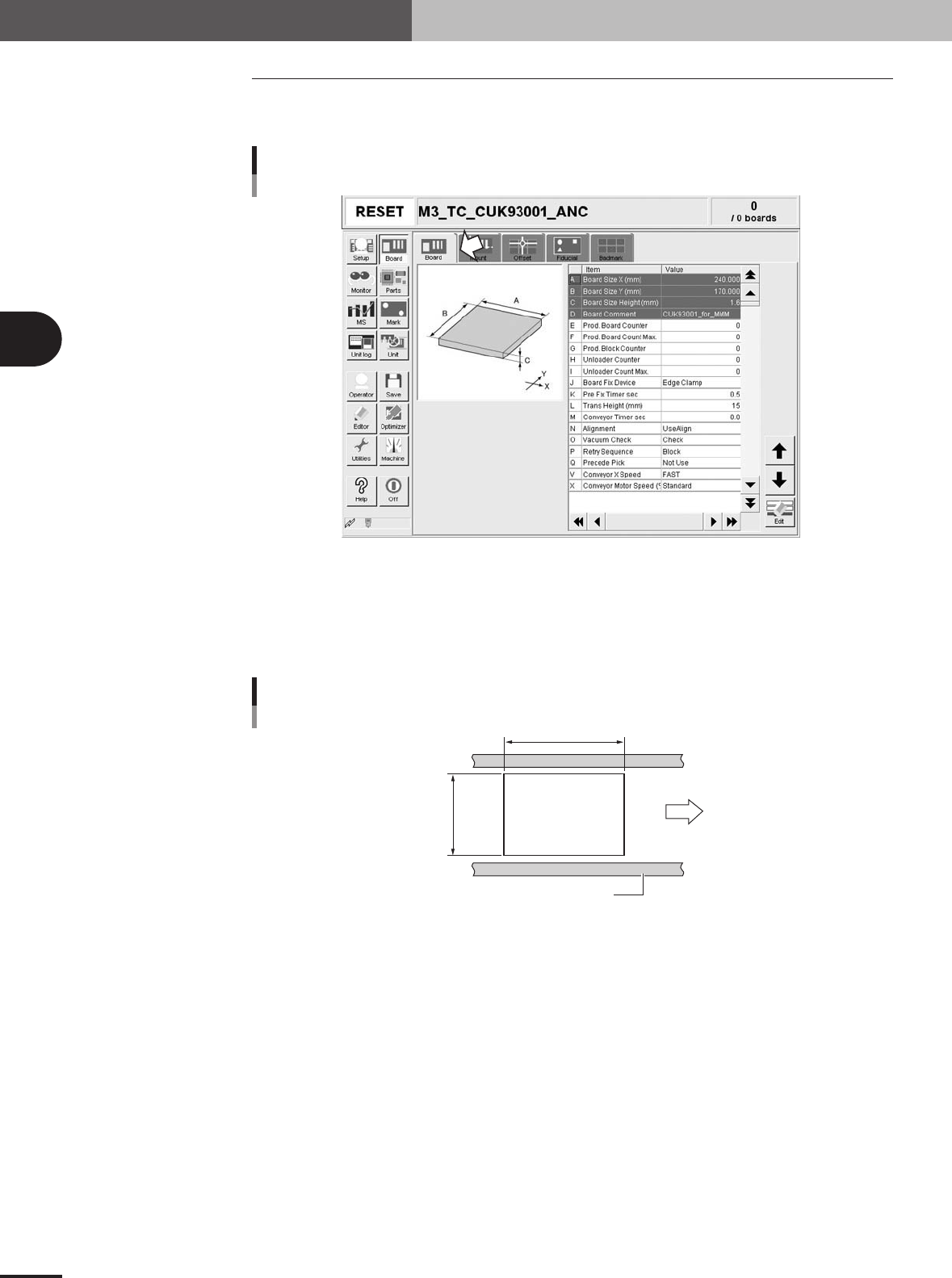
Selecting the [Board] tab opens the screen that allows you to set or check the following
board parameters.
Board parameter screen
27406-5E-20
A, B: Board Size XY
Enter the length of the PCB in the XY directions in millimeters. The conveyor width (W-axis) will
be adjusted according to the Y length in automatic operation.
X: Length in the PCB flow direction
Y: Length in the conveyor width direction
Board Size
PCB flow direction
Conveyor rail
X [mm]
Y [mm]
PCB
PCB
23403-5E-20
C: Board Size Height
Enter the thickness of the PCB in millimeters.
D: Board Comment
You can enter a comment for the PCB as necessary.
E: Prod. Board Counter
Enter the number of PCBs already produced. Set this value to "0" as a start.
F: Prod. Board Count Max.
Enter the number of PCBs that you want to produce. When this is set to "0", the machine continues
to produce PCBs as long as they are fed on the conveyor.
G: Prod. Block Counter
Enter the number of blocks on one PCB when producing multi-block PCBs.
H: Unloader Counter
Specify the number of PCBs transferred into the unloader. Set this value to "0" as a start.