00197199-04_IM_WLAN-Infrastructure.pdf - 第13页
Components 3.1.3 Configuration Motorola AP6521 Access Point Installation Manual WLAN Infrastructure for SIPLACE 13 ► Select Bridge Mode and click the Next button to continue. You can either assign a static or dynamic IP …
Components
Motorola AP6521 Access Point 3.1.3 Configuration
12 Installation Manual WLAN Infrastructure for SIPLACE
3.1.3.2
3.1.3.2 Initial Setup Wizard
Initial Setup Wizard
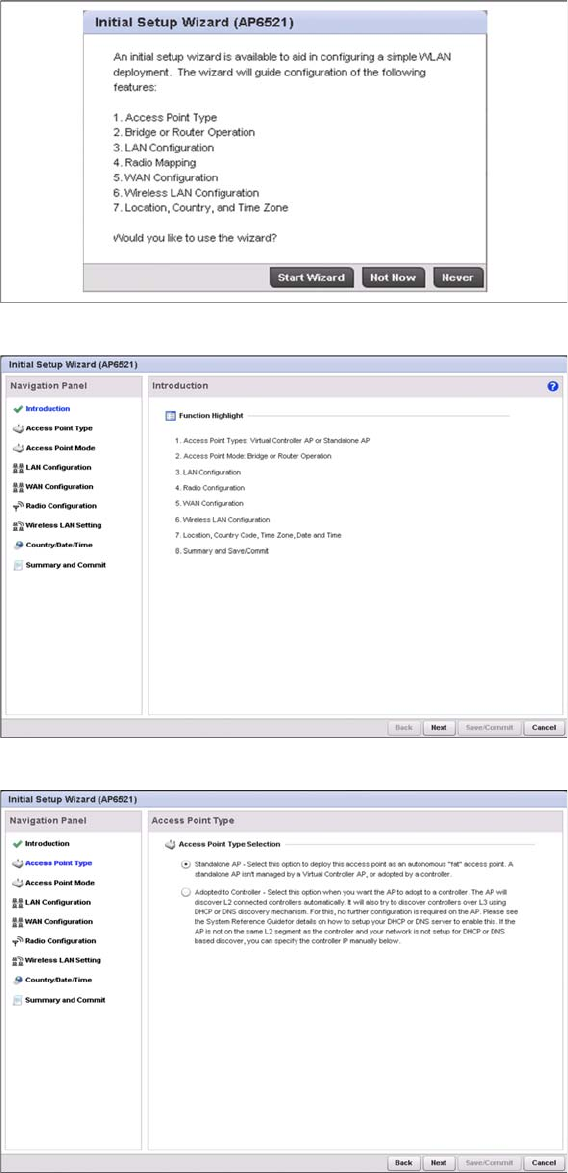
► Click the Start Wizard button to run the configuration wizard.
► Click the Next button to continue.
► Select Standalone AP and click the Next button to continue.
Components
3.1.3 Configuration Motorola AP6521 Access Point
Installation Manual WLAN Infrastructure for SIPLACE 13
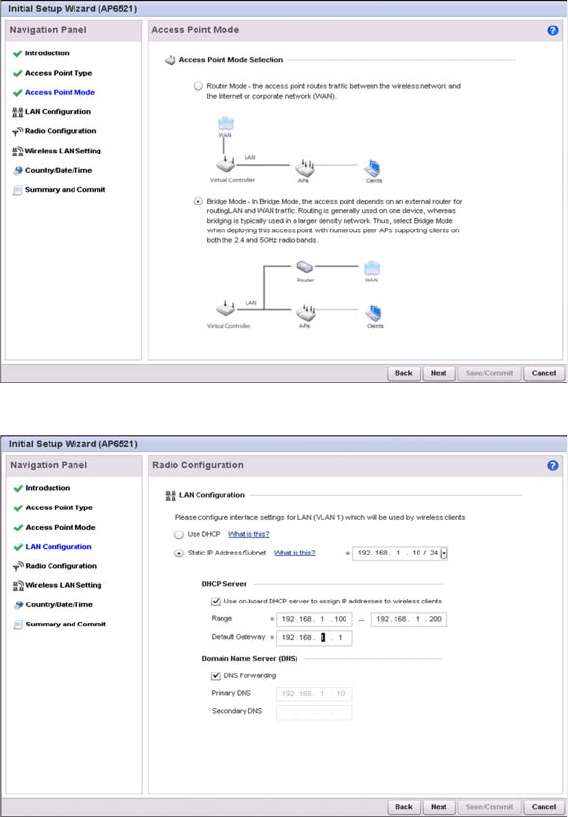
► Select Bridge Mode and click the Next button to continue.
You can either assign a static or dynamic IP address to the access point.
► Select Use DHCP to obtain a dynamic IP address from a DHCP server.
or
► Select Static IP Address/Subnet to assign the static IP address and subnet mask
⇨ Select Use on-board DHCP server to assign IP addresses to wireless clients to enable the on-
board DHCP server to provide IP and DNS information to wireless clients.
⇨ Range: Enter a starting and ending IP address range for client assignments.
⇨ Enter the Default Gateway address for use with the default gateway.
► Click the Next button to continue.
Components
Motorola AP6521 Access Point 3.1.3 Configuration
14 Installation Manual WLAN Infrastructure for SIPLACE
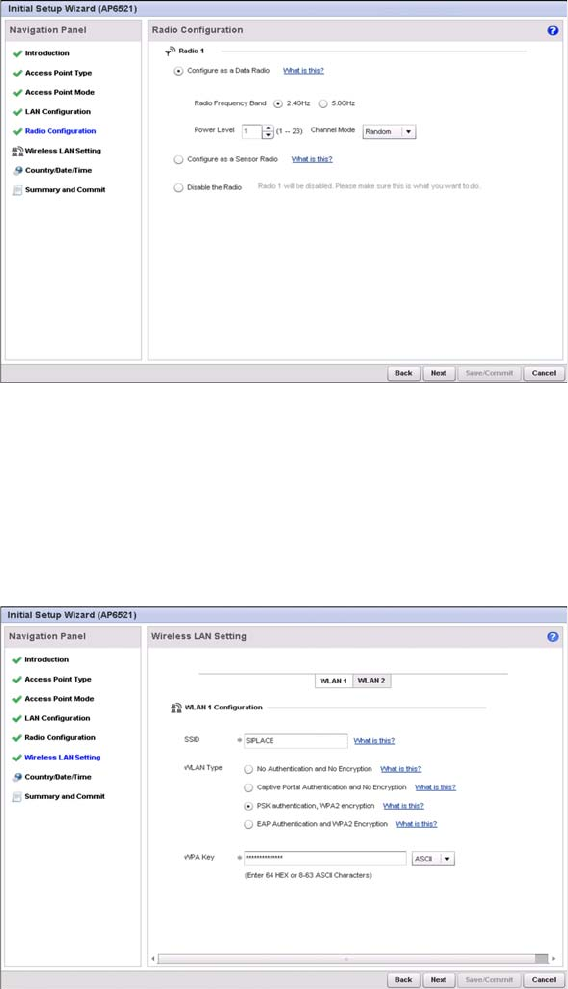
► Select the Configure as a Date Radio option to dedicate this radio for WLAN client support in either
the selected 2.4 or 5GHz radio band.
► Select either the 2.4GHz or 5.0GHz radio band to use with the radio, the selected band is used for
WLAN client support.
► Define the Channel Mode for the access point channel. You can either select Random, Best or Stat
-
ic. For the use with SIPLACE, we recommend to use Random.
► Click the Next button to continue.
► In the SSID field, enter the network name of your radio cell. The SSID presents the first hurdle to
logging a client in with the radio cell. The client must know the correct SSID in order to log itself in.
► For use with the SIPLACE applications, select PSK authentication, WPA2 encryption.
► In the WPA Key field, enter an alphanumeric string of 8 to 63 ASCII characters or 64 HEX characters
as the primary string both transmitting and receiving authenticators must share. The alphanumeric
string allows character spaces.
► Click the Next button to continue.