00197199-04_IM_WLAN-Infrastructure.pdf - 第43页
Components 3.4.3 Configuration Siemens SCALANCE W744-1Pro Client Module Installation Manual WLAN Infrastructure for SIPLACE 43 ► You can change the standar d administration passw ord at System → Passwords . ► Click on th…
Components
Siemens SCALANCE W744-1Pro Client Module 3.4.3 Configuration
42 Installation Manual WLAN Infrastructure for SIPLACE
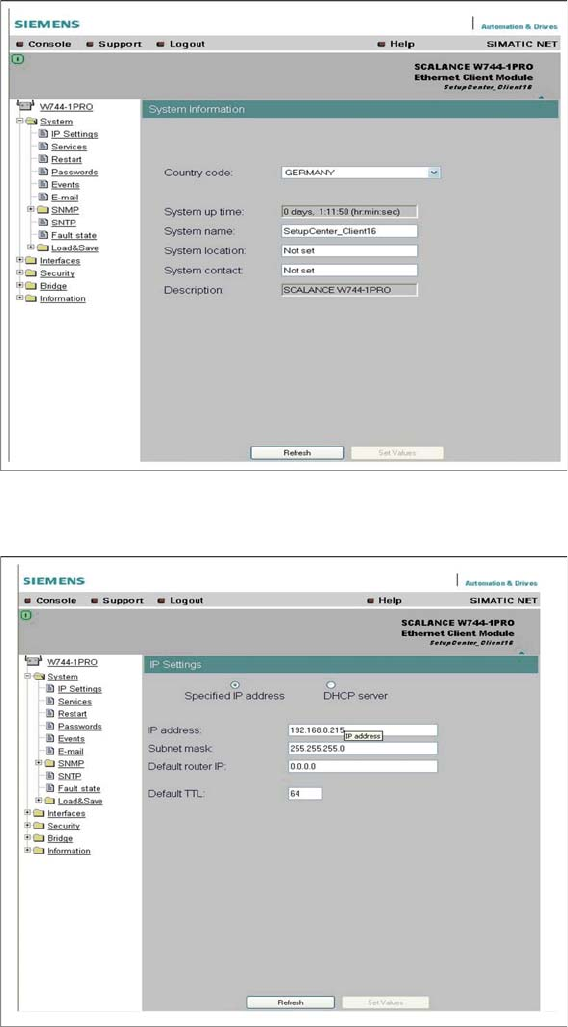
► Select the country of use and enter the client module name in the System name field.
► Click on the Set Values button, to confirm your entries.
► If necessary, set the IP parameters at System → IP Settings.
► Click on the Set Values button, to confirm your entries.
Components
3.4.3 Configuration Siemens SCALANCE W744-1Pro Client Module
Installation Manual WLAN Infrastructure for SIPLACE 43
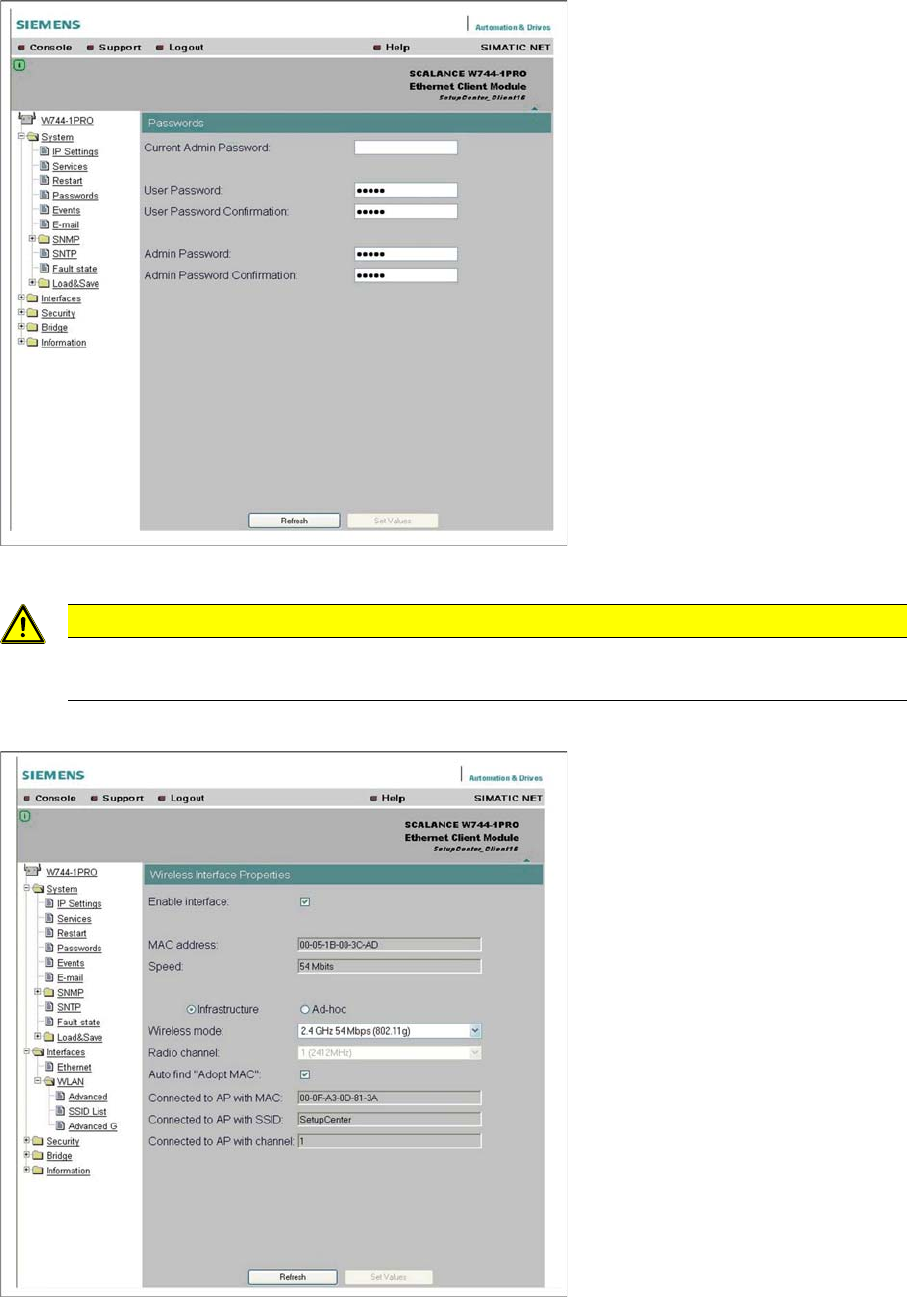
► You can change the standard administration password at System → Passwords.
► Click on the Set Values button, to confirm your entries.
► Go to Interfaces → WLAN, select the infrastructure mode and set the transmission standard to
802.11g. Enable Auto find "Adopt MAC" to adopt the computer MAC address for the client module.
► Click on the Set Values button, to confirm your entries.
CAUTION
Make your passwords complex
Make your passwords as complex as possible and always change the default password!
Components
Siemens SCALANCE W744-1Pro Client Module 3.4.3 Configuration
44 Installation Manual WLAN Infrastructure for SIPLACE
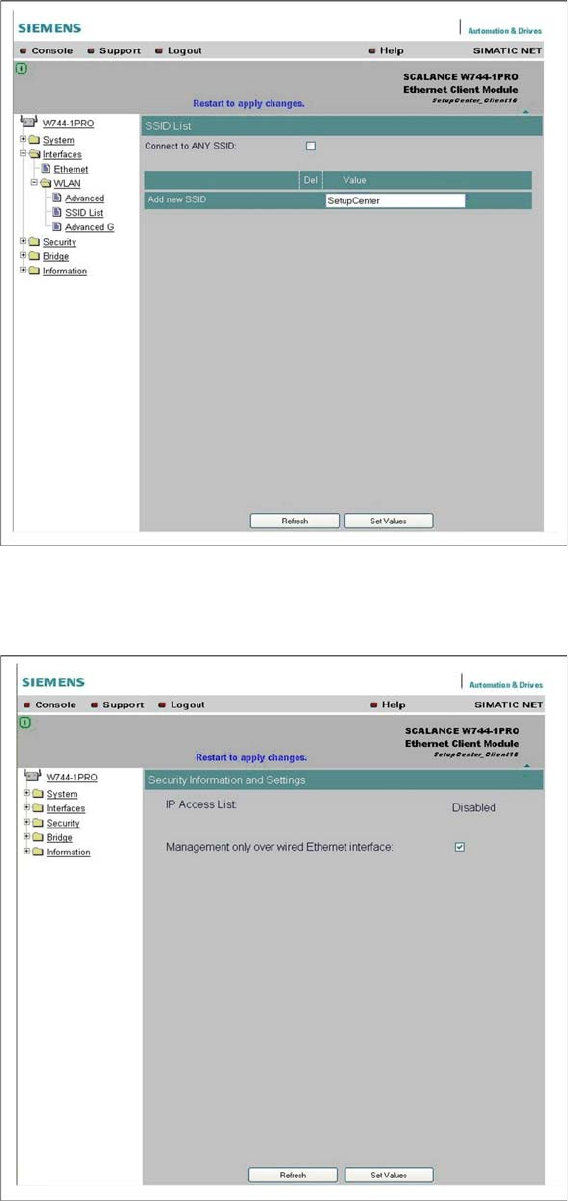
► Enter the name of your radio cell, to which the client module is to be connected, at Interfaces →
WLAN → SSID List. Disable Connect to ANY SSID.
► Click on the Set Values button, to confirm your entries.
► Restrict setup to the wired Ethernet interface at Security.
► Click on the Set Values button, to confirm your entries.